


Artificial Intelligence has transformed the way photographers, designers, content creators, and social media users edit portraits and selfies. Modern AI face editing tools can automatically enhance facial features, remove blemishes, smooth skin, adjust lighting, improve image quality, and even restore old or low-resolution photos within seconds.
The best AI face editing tools combine powerful machine learning algorithms with user-friendly interfaces to deliver natural-looking results. Whether you need portrait retouching, facial restoration, background adjustments, beauty enhancements, or high-resolution upscaling, AI-powered software can significantly reduce editing time while maintaining image quality.
Why AI Face Editing Tools Matter?
AI face-editing technology offers significant advantages in both photography and digital content creation.
Key Benefits
- Faster editing workflow
- Automatic skin retouching
- Realistic portrait enhancement
- Improved image quality
- Facial restoration capabilities
- High-resolution upscaling
- Professional-looking results
- Beginner-friendly interfaces
- Consistent editing standards
- Reduced manual effort
These benefits allow professionals and beginners to produce high-quality portraits efficiently.
Features to Look for in AI Face Editing Software
Before selecting an AI face editor, evaluate essential capabilities.
Facial Retouching
Advanced facial retouching removes acne, blemishes, wrinkles, dark circles, and skin imperfections while preserving natural texture.
Portrait Enhancement
Portrait enhancement improves lighting, contrast, facial symmetry, sharpness, and color balance.
AI Face Restoration
Face restoration technology reconstructs damaged, blurry, pixelated, or aged photographs.
Image Upscaling
AI upscaling increases image resolution while maintaining facial details and clarity.
Background Enhancement
Background editing improves composition through blur effects, replacement options, and automatic cleanup.
Batch Processing
Professional photographers benefit from batch editing capabilities for large projects.
Realistic Results
Natural-looking enhancements remain essential for professional photography standards.
Best AI Face Editing Tools for Professional Photo Enhancement
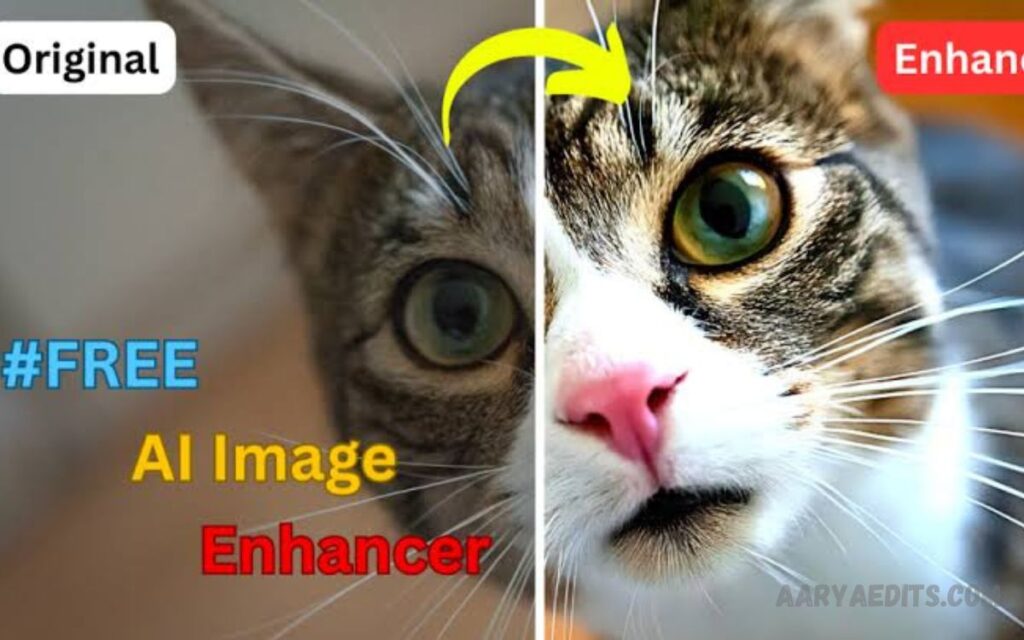
AI Face Editing Tools
Adobe Photoshop AI
Adobe Photoshop remains a leading choice for professional photo editing. AI-powered features streamline complex editing processes while maintaining creative control.
Key Features
- Generative AI tools
- Portrait retouching
- Skin smoothing
- Object removal
- Facial enhancement
- Advanced layer editing
- Professional color correction
Best For
- Professional photographers
- Graphic designers
- Marketing agencies
- Creative professionals
Advantages
- Industry-standard software
- Extensive editing capabilities
- High-quality output
- Powerful AI integration
Luminar Neo
Luminar Neo combines artificial intelligence with professional editing features. Portrait enhancement tools produce impressive results through automated adjustments.
Key Features
- Face enhancement
- Skin AI technology
- Portrait bokeh effects
- Lighting correction
- Background enhancement
- AI-powered masking
Best For
- Portrait photographers
- Social media creators
- Wedding photographers
Advantages
- User-friendly interface
- Fast workflow
- Natural enhancements
- Professional-grade results
Remini
Remini specializes in AI face restoration and image enhancement. Millions of users rely on this platform for restoring old or low-quality photos.
Key Features
- Face restoration
- Photo sharpening
- AI upscaling
- Detail reconstruction
- Portrait enhancement
Best For
- Historical photo restoration
- Social media content
- Family photo recovery
Advantages
- Exceptional restoration quality
- Mobile-friendly platform
- Quick processing
- High-detail reconstruction
FaceApp
FaceApp offers powerful facial enhancement tools supported by advanced artificial intelligence algorithms.
Key Features
- Facial retouching
- Beauty enhancement
- Skin smoothing
- Hairstyle modifications
- Age transformation
- Makeup filters
Best For
- Content creators
- Influencers
- Personal photography
Advantages
- Easy operation
- Fast results
- Realistic modifications
- Extensive filter library
- Read Also: Lightroom Mobile Presets: Complete Guide to Faster and Better Photo Editing
- XMP Presets Free Download – Complete Guide to Free Lightroom XMP Presets
- Gemini AI Photo Prompts Free 2026 – Best AI Image Prompts Guide for Stunning Images
- Free Lightroom Presets Download – Enhance Your Photos Instantly
Fotor AI Face Editor
Fotor provides comprehensive AI photo-editing solutions for beginners and professionals alike.
Key Features
- One-click enhancement
- Portrait retouching
- Blemish removal
- Face reshaping
- Background editing
- AI image upscaling
Best For
- Bloggers
- Freelancers
- Small businesses
Advantages
- Affordable pricing
- Cloud-based editing
- Simple interface
- High-quality enhancements
PhotoDirector
PhotoDirector combines advanced editing capabilities with intelligent AI-powered enhancements.
Key Features
- Face retouching
- Portrait beautification
- AI object removal
- Background replacement
- Lighting optimization
Best For
- Digital creators
- Marketing professionals
- Portrait photographers
Advantages
- Professional output
- Powerful automation
- Efficient workflow
- Creative flexibility
Canva AI Photo Editor
Canva integrates AI editing features within a popular design platform. Face enhancement tools support professional content creation.
Key Features
- Portrait enhancement
- Background editing
- Image sharpening
- Design integration
- One-click improvements
Best For
- Social media marketers
- Business owners
- Content creators
Advantages
- Easy accessibility
- Integrated design tools
- Fast editing process
- Collaborative workflow
Topaz Photo AI
Topaz Photo AI focuses on image quality improvement through advanced machine learning technology.
Key Features
- Noise reduction
- Face recovery
- Image sharpening
- Resolution enhancement
- Detail restoration
Best For
- Professional photographers
- Commercial photography
- Large-format printing
Advantages
- Outstanding image quality
- Professional-grade output
- Advanced enhancement algorithms
- Exceptional detail recovery
AI Face Editing Applications
Professional Photography
Photographers use AI face editing software for portrait correction, beauty enhancement, and client deliverables.
Social Media Content
Influencers enhance profile images, promotional content, and branding materials.
Marketing Campaigns
Businesses create polished visuals for advertisements, websites, and promotional campaigns.
E-Commerce
Product brands utilize professional portraits for marketing assets and customer engagement.
Historical Restoration
Archivists and families restore old photographs through facial reconstruction technology.
Corporate Branding
Organizations improve executive portraits, employee photos, and company profiles.
Tips for Achieving Professional Results
Use High-Quality Source Images
Better source files produce stronger enhancement outcomes.
Avoid Excessive Retouching
Natural-looking edits maintain authenticity and credibility.
Balance Skin Smoothing
Preserve realistic skin texture rather than creating artificial appearances.
Optimize Lighting
Good lighting enhances AI performance and portrait quality.
Review Details Carefully
Inspect eyes, hair, facial contours, and skin texture after processing.
Combine AI with Manual Adjustments
Professional editors often refine AI-generated results for maximum quality.
Common Mistakes During AI Face Editing
Over-Smoothing Skin
Excessive smoothing creates unrealistic portraits.
Ignoring Facial Proportions
Natural facial structure should remain intact.
Excessive Sharpening
Too much sharpening introduces artificial details.
Unrealistic Filters
Professional projects require subtle enhancements.
Low-Resolution Input Images
Poor source quality limits enhancement effectiveness.
Future of AI Face Editing Technology
Artificial intelligence continues to advance rapidly. Future innovations may include:
- Real-time facial enhancement
- Improved facial reconstruction
- Hyper-realistic portrait generation
- Advanced beauty editing
- Automated studio-quality lighting
- Enhanced facial expression correction
- Superior image restoration
- More accurate detail preservation
Machine learning improvements will continue delivering faster workflows and higher-quality results across the photography industry.
Frequently Asked Questions
Are AI face editing tools suitable for beginners?
Yes. Many AI face-editing platforms offer one-click enhancements and user-friendly interfaces, making photo editing accessible to beginners without advanced technical skills.
Do AI face editing tools produce natural-looking results?
Most modern AI face editors are designed to preserve realistic facial details and natural skin texture when used correctly. Moderate adjustments typically deliver the best results.
Can AI-based face-editing software remove acne and wrinkles?
Yes. AI-powered retouching tools can reduce acne, wrinkles, dark circles, blemishes, and other skin imperfections while maintaining a professional appearance.
Is AI face editing available on mobile devices?
Yes. Popular applications such as Remini, FaceApp, and several cloud-based editors offer powerful AI face-editing features for Android and iOS devices.
Can AI tools increase photo resolution?
Yes. Many AI photo enhancement tools include image upscaling technology that enlarges photos while preserving facial details, sharpness, and clarity.
Are AI face editing tools free to use?
Many platforms offer free versions with basic features. Premium plans usually provide advanced editing tools, higher-quality exports, batch processing, and professional enhancements.
What should I consider when choosing an AI face editing tool?
Consider image quality, editing features, ease of use, facial restoration capabilities, pricing, batch processing support, platform compatibility, and overall workflow efficiency before making a decision.
Conclusion
AI face editing tools have transformed professional photo enhancement by combining speed, accuracy, and impressive visual quality. Solutions such as Adobe Photoshop AI, Luminar Neo, Remini, FaceApp, Fotor, PhotoDirector, Canva AI, and Topaz Photo AI provide powerful features for portrait retouching, facial restoration, beauty enhancement, image upscaling, and professional photography workflows.
Selecting the right platform depends on project requirements, editing experience, workflow preferences, and desired output quality.
