

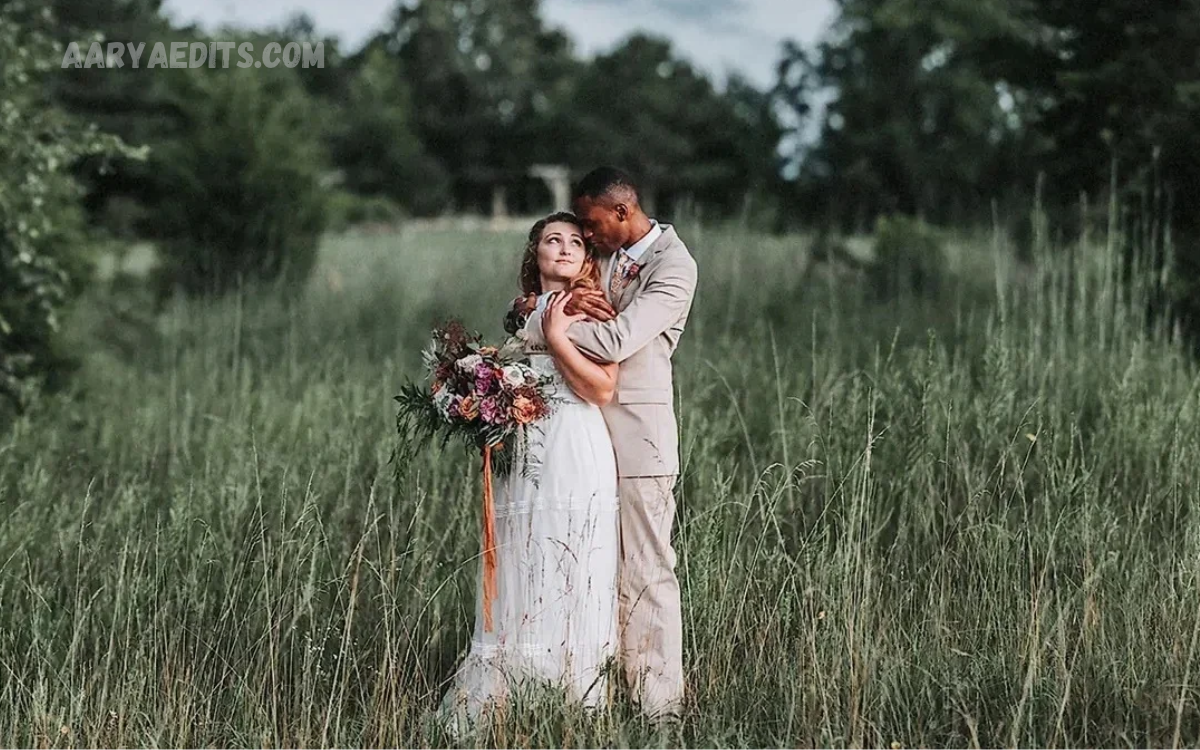
Wedding photography captures some of the most meaningful moments in people’s lives. From the bride walking down the aisle to the couple’s first dance, every photograph tells a special story. However, capturing beautiful images is only one part of professional wedding photography. Editing also plays a key role in turning ordinary pictures into stunning memories couples can cherish forever.
Wedding photo editing helps photographers improve image quality, correct lighting problems, adjust colors, remove distractions, and create a consistent visual style. Whether you are a beginner photographer or want to improve your personal wedding photos, learning basic editing techniques can make a big difference.
What Is Wedding Photo Editing?
Wedding photo editing is the process of improving wedding photographs using specialized software and digital editing techniques. It involves adjusting brightness, contrast, exposure, colors, sharpness, and other visual elements to make photographs look more attractive and balanced.
Professional photographers use editing to highlight important details while maintaining the natural look of the people and surroundings. The goal is not to change the original moment but to present it in the most beautiful way possible.
Why Is Wedding Photo Editing Important?
Wedding photographs often capture events under challenging lighting conditions. Indoor ceremonies, outdoor celebrations, evening receptions, and changing weather can affect image quality. Editing helps correct these problems and ensures that important moments look their best.
Another important reason is visual consistency. A wedding album may contain hundreds of photographs taken in different locations and lighting conditions. Applying a consistent editing style makes the complete collection look professional, organized, and visually appealing.
Best Software for Wedding Photo Editing
Choosing the right editing software is an important first step for beginners. Different applications offer different features, so the right choice depends on your experience, budget, and editing needs.
Adobe Lightroom and Adobe Photoshop are popular choices among professional photographers. Lightroom is particularly useful for adjusting exposure, correcting colors, organizing photographs, and editing multiple images efficiently. Photoshop provides advanced tools for detailed retouching and removing unwanted objects.
Understanding Basic Wedding Photography Adjustments
Before applying advanced effects, beginners should understand the basic adjustments that improve image quality. These settings provide a strong foundation for creating natural-looking wedding photographs.
Exposure controls an image’s overall brightness, while contrast determines the difference between light and dark areas. Highlights help recover bright details, and shadows reveal information in darker sections. Adjusting these settings carefully can make wedding photographs look more balanced.
How to Adjust Exposure and Lighting
Lighting can completely change the appearance of a wedding photograph. Some pictures may look too dark because of indoor lighting, while outdoor images may contain overly bright backgrounds or harsh sunlight.
Begin by adjusting exposure until the main subject is properly visible. Then use highlights and shadows to recover important details without making the photograph look unnatural. Small adjustments usually produce better results than extreme changes.
Mastering Color Correction for Wedding Photos
Color correction is one of the most important parts of wedding photo editing. It helps create accurate colors and ensures that skin tones, clothing, flowers, and decorations look natural.
Start by adjusting white balance and temperature. If an image looks too warm, slightly reduce the temperature. If it appears too cool, increase warmth carefully. Tint adjustments can also help remove unwanted green or magenta color casts.
Creating Beautiful Skin Tones
Skin tone editing requires patience and attention to detail. Wedding portraits often include close-ups of the bride, groom, family members, and guests, so natural skin appearance matters.
Use subtle adjustments to correct uneven lighting, reduce temporary blemishes, and improve overall complexion. Avoid removing natural facial features, skin texture, or expressions. Excessive smoothing can make people look artificial.
Basic Wedding Portrait Retouching Techniques
Portrait retouching focuses on improving small details while preserving the photograph’s original character. Beginners can start by removing temporary blemishes, correcting minor distractions, and adjusting facial brightness.
Healing and clone tools help remove unwanted spots, small background objects, and temporary imperfections. Use these tools carefully to avoid creating visible editing marks.
Improving Wedding Backgrounds
A beautiful background can make a wedding photograph more attractive, but unwanted distractions sometimes reduce its overall impact. Objects, crowded surroundings, wires, signs, or random people can draw attention away from the couple.
Cropping is one of the simplest ways to improve composition and remove unnecessary background areas. If cropping isn’t enough, Photoshop and similar applications offer tools to remove distracting objects.
Choosing the Right Wedding Photo Editing Style
Different couples and photographers prefer different editing styles. Choosing the right approach helps create a consistent wedding album that reflects the celebration’s atmosphere.
Bright and airy editing uses soft lighting, gentle colors, and brighter exposure. This style is popular for outdoor weddings, romantic portraits, and photographs with natural surroundings.
Using Presets for Faster Wedding Photo Editing
Presets are saved editing settings that can be applied to photographs with a single click. They are especially helpful when working with large wedding collections because they reduce repetitive adjustments.
Lightroom presets can provide a consistent starting point for color correction, exposure, and overall appearance. Beginners can experiment with different presets to understand how editing settings affect photographs.
Editing Wedding Photos in Batches
A wedding photography session may produce hundreds or even thousands of images. Editing every photograph individually can take a lot of time, especially for beginners.
Batch editing allows photographers to apply similar adjustments to multiple photographs. Software such as Lightroom lets you sync settings across selected images, helping maintain a consistent look.
Read Also: Essential Photo Editing Skills: A Complete Guide to Improving Your Editing Techniques
Cropping and Straightening Wedding Photographs
Cropping improves composition by removing unnecessary areas and directing attention toward the main subjects. It can also help balance the couple with their surroundings.
Straightening is particularly useful for photographs containing buildings, walls, horizons, and other noticeable lines. A slightly tilted image can look distracting even when the subject is beautifully captured.
Enhancing Wedding Details and Decorations
Wedding photographs are not limited to portraits and ceremony moments. Details such as rings, flowers, invitations, table decorations, cakes, and wedding dresses also deserve attention.
Use selective brightness, contrast, and sharpening adjustments to highlight these details. Carefully improving the texture and colors of decorative elements can make detail photographs more attractive.
Exporting Wedding Photos in High Quality
Exporting is the final stage of wedding photo editing. Choosing the correct file format, image dimensions, and quality settings ensures that photographs look good when printed, shared, or stored digitally.
JPEG is commonly used to share and deliver finished wedding photographs because it provides good image quality with manageable file sizes. TIFF can be useful when a high-quality file is required for certain professional printing workflows.
Common Wedding Photo Editing Mistakes to Avoid
Beginners sometimes apply too many effects because they believe stronger editing produces better results. However, excessive brightness, heavy contrast, unnatural skin smoothing, and oversaturated colors can damage the original photograph.
Another common mistake is applying the same settings to every image without considering lighting differences. A preset that looks beautiful in an outdoor portrait may not work well in an indoor reception photograph.
Professional Tips for Better Wedding Photo Editing
Developing a professional editing workflow takes practice and consistency. Start with basic corrections, then gradually introduce more advanced techniques as your skills improve.
Always compare edited photographs with their original versions. This helps you identify whether adjustments genuinely improve the image or simply change its appearance. Calibrated monitor settings can also help maintain more reliable color accuracy.
Frequently Asked Questions
What Is Wedding Photo Editing?
Wedding photo editing is the process of improving wedding photographs through exposure adjustments, color correction, retouching, cropping, and other digital techniques. It helps create beautiful, balanced, and professional-looking images.
Which Software Is Best for Wedding Photo Editing?
Adobe Lightroom is an excellent starting point for beginners because it offers useful tools for color correction, exposure adjustments, and batch editing. Adobe Photoshop suits more detailed retouching and advanced image manipulation.
Can Beginners Edit Wedding Photos Professionally?
Yes, beginners can learn professional wedding photo editing through regular practice. Understanding exposure, white balance, color correction, and basic retouching provides a strong foundation for improving image quality.
How Long Does Wedding Photo Editing Take?
Editing time depends on the number of photographs, image quality, editing style, and level of retouching required. A simple correction may take a few minutes, while detailed portrait retouching can take much longer.
What Is the Best Editing Style for Wedding Photos?
No single style works best for every wedding. Bright and airy, dark and moody, and classic natural editing are popular approaches. The best choice depends on the couple’s preferences and the wedding’s atmosphere.
How Can I Make Wedding Photos Look More Professional?
Start with accurate exposure, natural white balance, balanced colors, and careful cropping. Apply subtle retouching and keep editing consistent across the entire wedding collection.
Are Lightroom Presets Good for Wedding Photo Editing?
Yes, Lightroom presets can save time and help maintain a consistent visual style. However, every photograph should be reviewed individually because lighting and color conditions can vary.
How Do I Fix Yellow Lighting in Wedding Photos?
Adjust the white balance by reducing the color temperature when an image appears too yellow or warm. Fine-tune the tint and review skin tones to ensure that the final result looks natural.
Should I Retouch Every Wedding Photograph?
Not every photograph requires detailed retouching. Basic color and exposure corrections may be sufficient for many images, while important portraits and selected highlights can receive additional attention.
What File Format Should I Use for Wedding Photos?
JPEG is suitable for sharing and delivering finished photographs. Preserve RAW files for future editing, and use TIFF for certain high-quality printing needs.
Conclusion
Wedding photo editing is an essential skill for creating beautiful photographs that preserve the emotions and special moments of a wedding day. By learning basic adjustments, color correction, lighting techniques, portrait retouching, and proper exporting, beginners can significantly improve their photography results.
The most important thing is to keep a natural look while enhancing each image’s original beauty. Start with simple editing techniques, practice regularly, and gradually develop a consistent visual style.
