

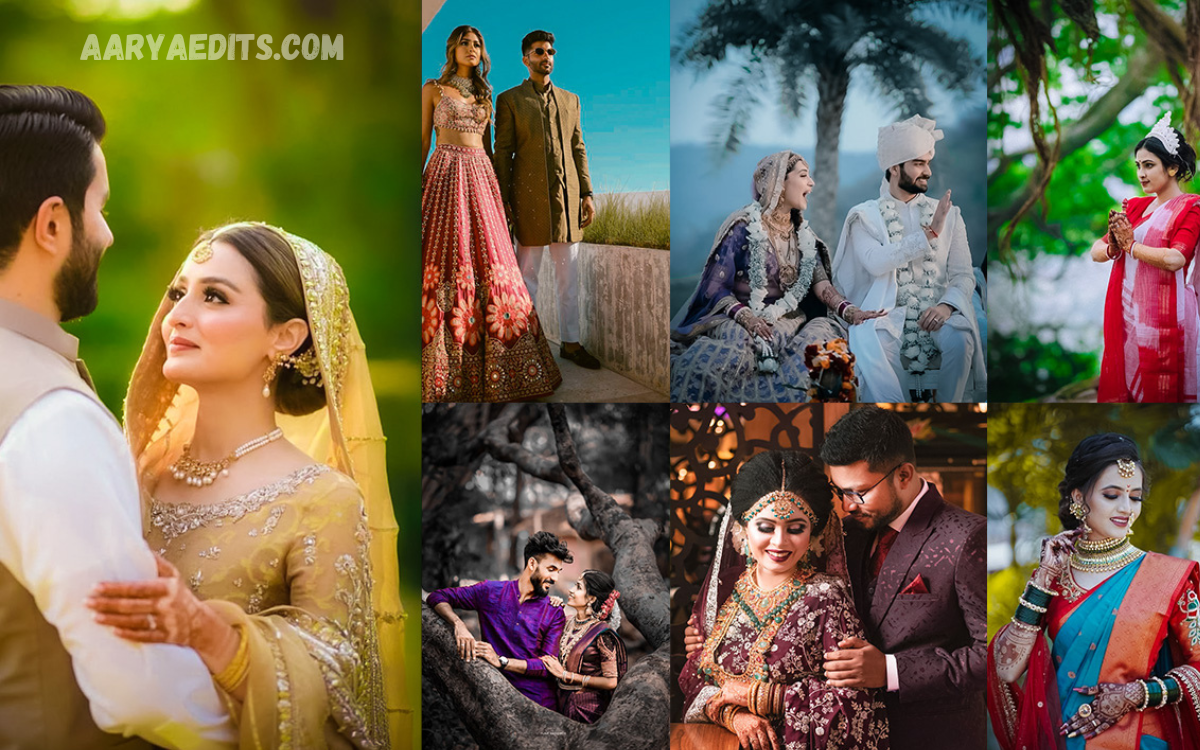
Wedding photography is all about preserving emotional moments, beautiful details, and unforgettable memories. A Professional Wedding Lightroom Presets Pack helps photographers turn ordinary wedding images into polished photographs with balanced colors, attractive tones, and a consistent professional appearance.
Editing hundreds or even thousands of wedding photographs manually can take a significant amount of time. Lightroom presets simplify this process by providing carefully designed adjustments that photographers can apply, customize, and fine-tune according to different lighting conditions and photography styles.
What Is a Professional Wedding Lightroom Presets Pack?
A Professional Wedding Lightroom Presets Pack is a collection of ready-made editing settings designed specifically for wedding photography. These presets can adjust exposure, contrast, highlights, shadows, white balance, colors, saturation, and other Lightroom settings with just a few clicks.
Unlike basic filters, professional wedding presets are designed with photography workflows in mind. They provide a strong starting point while still allowing photographers to make individual adjustments for skin tones, indoor lighting, outdoor scenes, ceremonies, receptions, and creative portraits.
Why Wedding Photographers Use Lightroom Presets?
Wedding photographers often capture hundreds of images during a single event, including preparation shots, ceremonies, family portraits, couple portraits, receptions, and detail photographs. Editing every image individually can create a demanding workload and make it difficult to maintain consistent results throughout the entire gallery.
A Professional Wedding Lightroom Presets Pack streamlines the editing workflow and keeps it more organized. Once a suitable preset is selected, photographers can apply it to multiple images and make small adjustments as needed, helping maintain a cohesive visual style throughout the entire wedding collection.
Creating a Consistent Wedding Photography Style
Consistency is one of the most important aspects of professional wedding photography. When photographs from the same event have noticeably different colors or exposure levels, the final gallery may feel disconnected and less polished.
Wedding Lightroom presets help create a recognizable visual identity by applying similar color and tonal characteristics to different photographs. Photographers can then adjust exposure, white balance, and other settings to match changing lighting conditions without having to rebuild the entire edit from the beginning.
Important Features of Professional Wedding Presets
A quality wedding preset collection usually includes a variety of styles for different photography situations. Warm romantic tones, clean, bright edits, soft pastel looks, cinematic colors, and natural wedding styles can all serve as useful starting points, depending on the photographer’s creative direction.
Good presets should also preserve natural-looking skin tones and avoid excessive color manipulation. Since weddings include many close-up portraits, facial tones need special attention, and professional photographers should always check individual images after applying a preset.
Read Also: Picsart Editing Tutorial 2026: Complete Guide for Beginners
Presets for Natural and Elegant Wedding Photos
Natural wedding photography remains popular because it keeps photographs looking authentic while enhancing their visual appeal. A well-designed preset can gently improve contrast, refine colors, and create a pleasing atmosphere without making the image appear heavily processed.
An elegant preset can be particularly useful for bridal portraits, groom portraits, family photographs, and ceremony moments. The goal is not simply to change colors but to enhance the photograph’s emotional quality while keeping important details realistic.
Warm and Romantic Wedding Editing
Warm tones can create a welcoming, emotional look that works particularly well in wedding photography. Subtle golden highlights and balanced skin tones can add warmth to portraits and outdoor photographs without overpowering the original scene.
A Professional Wedding Lightroom Presets Pack may include warm romantic options for sunset portraits, reception photographs, candlelit environments, and outdoor celebrations. Photographers can adjust warmth based on natural lighting and the desired final result.
Using Presets for Indoor Wedding Photography
Indoor wedding venues can present difficult lighting conditions because photographers may work with artificial lights, mixed color temperatures, dim rooms, and strong highlights. A preset can provide a useful foundation for correcting these conditions, although manual adjustments may still be necessary.
For indoor photographs, photographers should carefully review white balance, exposure, shadows, and skin tones after applying a preset. A preset should support the image rather than force every photograph into exactly the same settings.
Using Presets for Outdoor Wedding Photography
Outdoor weddings often provide beautiful natural light, but conditions can change quickly. Bright sunlight, shade, cloudy skies, sunset lighting, and backlighting may all appear within the same wedding session.
Outdoor wedding presets can help photographers achieve a consistent appearance across changing environments. However, exposure and white balance should still be adjusted individually because no preset can perfectly match every lighting situation.
How Presets Improve Editing Efficiency
One of the biggest advantages of Lightroom presets is the amount of time they can save. Instead of manually adjusting every slider for every photograph, photographers can begin with a preset that already contains a suitable combination of settings.
This does not mean professional editing becomes completely automatic. The best workflow is to apply a preset as a starting point, review the image, make necessary corrections, and then synchronize appropriate settings across similar photographs.
Customizing Wedding Lightroom Presets
Every wedding and photography environment is different, which is why customization is essential. After applying a preset, photographers may need to adjust exposure, temperature, tint, contrast, highlights, shadows, or individual colors.
Customization also allows photographers to develop their own signature editing style. A preset can provide the foundation, while personal adjustments give the final images a unique appearance that reflects the photographer’s creative vision.
Choosing the Right Wedding Preset Style
The best preset depends on the photographer’s preferred style and the type of wedding being photographed. Some photographers prefer clean and natural colors, while others may prefer warm, moody, film-inspired, or bright editorial results.
When selecting a Professional Wedding Lightroom Presets Pack, photographers should prioritize versatility over collections based solely on dramatic preview images. A useful pack should work across portraits, ceremonies, details, landscapes, receptions, and different lighting conditions.
Benefits for Professional Wedding Photographers
Professional photographers can benefit from presets by streamlining workflows and creating more consistent galleries. This can be especially valuable when deadlines are tight, and a large number of images need to be processed efficiently.
Presets can also help photographers establish a recognizable editing style. When clients repeatedly see a consistent visual quality across a photographer’s portfolio, it can strengthen the overall presentation of the photography business.
Benefits for Beginners and Photography Enthusiasts
Beginners often find Lightroom editing complicated because the software contains many different controls and adjustment options. Presets can make the learning process easier by showing how combinations of settings affect an image.
Instead of relying on presets permanently, beginners can study the changes a preset makes and gradually learn how exposure, contrast, colors, highlights, and shadows work together. This makes presets useful as both editing tools and learning resources.
Tips for Getting Better Results
Always begin with a properly exposed photograph whenever possible. A preset cannot completely repair severe exposure problems, incorrect focus, extreme color casts, or missing image details.
After applying a preset, inspect faces, clothing, backgrounds, and important wedding details carefully. Make small adjustments rather than pushing settings too far, as subtle editing usually produces a more professional and timeless wedding gallery.
Frequently Asked Questions
What is a Professional Wedding Lightroom Presets Pack?
It is a collection of Lightroom editing presets created specifically for wedding photography. The presets provide ready-made adjustments that can be customized for different images and lighting conditions.
Are Lightroom presets suitable for professional photographers?
Yes, presets can be very useful for professional photographers. They can speed up repetitive editing tasks while providing a consistent starting point for large wedding galleries.
Do wedding presets automatically edit every photo perfectly?
No preset can perfectly edit every photograph. Lighting, exposure, white balance, camera settings, and skin tones vary, so photographers should make individual adjustments after applying a preset.
Can beginners use wedding Lightroom presets?
Yes, beginners can use presets as an easy starting point for learning Lightroom. They can also study the adjustments made by presets to better understand professional photo editing.
Can presets improve skin tones?
Well-designed wedding presets can help create attractive skin tones, but results depend on the original photograph. Skin tones should always be checked and adjusted when necessary.
Are wedding presets useful for outdoor photos?
Yes, wedding presets can work well for outdoor photography. Different versions may be suitable for sunlight, shade, cloudy weather, golden hour, and other outdoor conditions.
Can I customize a wedding Lightroom preset?
Yes, Lightroom presets are intended to be customized. Exposure, white balance, contrast, highlights, shadows, saturation, and other settings can be adjusted after applying a preset.
Do presets save editing time?
Presets can significantly reduce repetitive editing work, especially when photographers process large numbers of similar photographs. They provide a starting point that can then be refined for individual images.
What style is best for wedding photography?
There is no single style that is best for every photographer. Natural, bright, warm, romantic, cinematic, and soft editorial styles can all work depending on the photographer’s creative vision and client preferences.
Should I use the same preset for an entire wedding?
A single preset may not be suitable for every scene because wedding lighting changes throughout the day. Using several complementary presets and adjusting them for individual conditions usually produces better and more consistent results.
Conclusion
A Professional Wedding Lightroom Presets Pack can become an important part of an efficient wedding photography workflow. It provides photographers with ready-made editing foundations that can improve consistency, reduce repetitive work, and help create attractive visual styles.
When used correctly, wedding presets can save valuable editing time while helping photographers deliver polished, natural, and memorable wedding photographs.
