

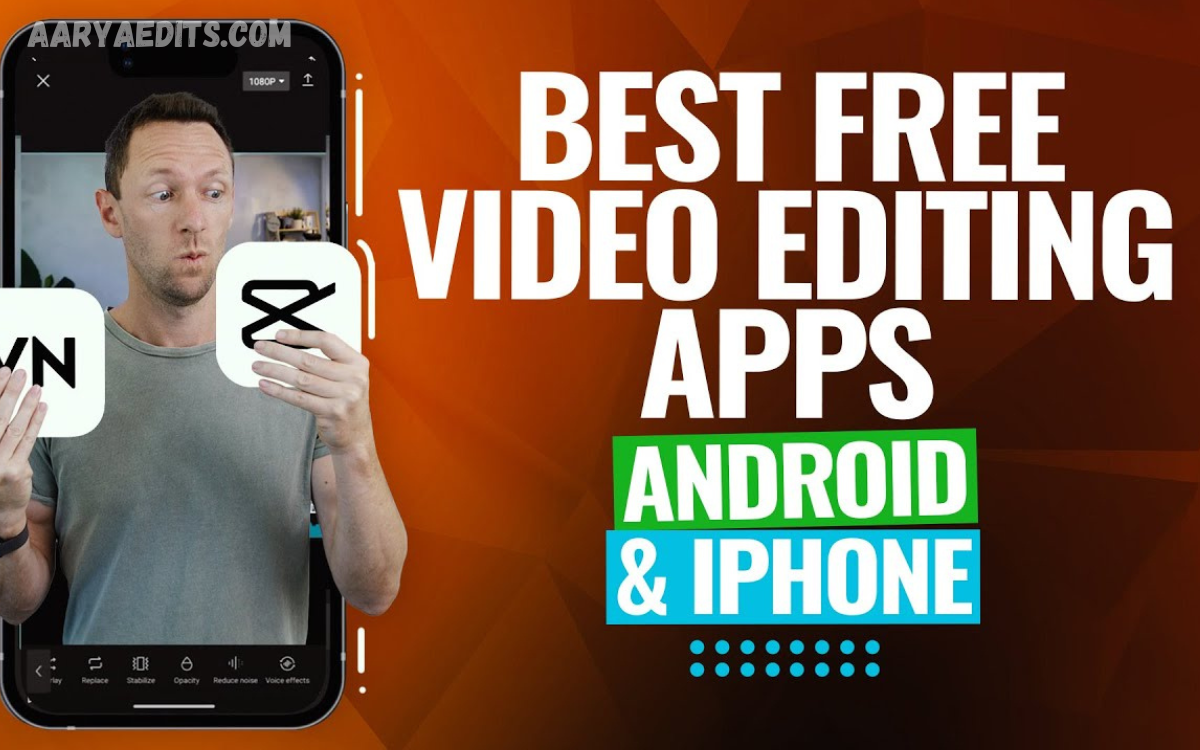
Creating professional-looking videos no longer requires expensive computers or advanced editing software. With the Best Free Mobile Video Editing Apps, users can record, edit, enhance, and publish engaging videos directly from smartphones. Modern mobile editors provide powerful tools for trimming, transitions, filters, music, captions, effects, and social media optimization.
Mobile video editing apps are useful for content creators, students, influencers, marketers, vloggers, and everyday users. Whether you want to create short videos, YouTube content, Instagram Reels, TikTok-style videos, travel memories, or promotional clips, a free mobile video editor can provide the essential tools needed to produce quality results.
What Are the Best Free Mobile Video Editing Apps?
The Best Free Mobile Video Editing Apps are smartphone applications that let users edit video content without expensive professional software. These apps usually include essential features such as cutting, splitting, cropping, merging, speed adjustment, filters, transitions, music, text, and visual effects.
Many free editors also support high-resolution video, including Full HD and 4K on compatible devices. Some applications provide advanced features such as keyframe animation, background removal, color adjustment, audio editing, automatic captions, and templates, making mobile editing more accessible to beginners and experienced creators.
Why Use Free Mobile Video Editing Apps?
Free mobile video editing apps offer convenience because you can edit anywhere on a smartphone. Users can quickly transform raw footage into polished videos without transferring files to a desktop computer or learning complicated editing software.
Another advantage is accessibility. Most free editors provide simple interfaces that make basic editing easy while still offering advanced tools for creators who want more control. This makes mobile editing suitable for social media content, personal projects, educational videos, and online marketing.
CapCut for Mobile Video Editing
CapCut is widely recognized as a popular mobile video editing platform because it combines simple editing controls with a broad selection of creative features. Users can trim clips, add transitions, insert text, apply filters, synchronize music, adjust playback speed, and create short-form videos.
The application is particularly useful for social media creators who need fast editing workflows. Templates, effects, captions, animations, and other creative tools can help users produce visually engaging content without extensive professional editing experience.
VN Video Editor for Creative Editing
VN Video Editor is another strong choice for users who want flexible mobile video editing tools. Its interface provides a timeline-based editing experience that gives creators greater control over clips, transitions, audio tracks, text, and visual effects.
The app can help vloggers, students, social media creators, and beginners who want a more traditional editing workflow. Multi-track editing and adjustable video elements allow users to create more structured projects directly from their smartphones.
InShot for Social Media Videos
InShot is designed for simple, fast mobile content creation. Users can trim and merge clips, change video formats, add music, insert text, apply filters, and adjust video speed without dealing with a complicated interface.
The application is especially convenient for social media posts because users can easily prepare videos for different screen formats. Its straightforward controls make it suitable for beginners who want to create polished content quickly.
KineMaster for Advanced Mobile Editing
KineMaster provides a more advanced editing environment for smartphone users who want detailed control over their projects. The application includes tools for multiple layers, audio, transitions, effects, text, chroma key, and other editing functions.
Creators can use layer-based editing to combine videos, images, graphics, and text within a single project. This makes KineMaster suitable for users who want more creative flexibility while still editing primarily on a mobile device.
Adobe Premiere Rush for Mobile Editing
Adobe Premiere Rush offers a streamlined editing experience for creators who want professional-style tools in a simplified mobile environment. Users can arrange video clips, edit audio, add titles, adjust colors, and prepare videos for online publishing.
Its workflow can help creators who work across devices and want a familiar editing environment. Beginners can start with basic tools while gradually learning more advanced concepts such as timeline organization and audio adjustment.
Canva for Video Editing
Canva is well known for graphic design, but it also provides useful video creation and editing capabilities. Users can combine video clips with photographs, text, animations, music, templates, and other visual elements to create attractive content.
Canva can be particularly useful for promotional videos, educational content, social media posts, presentations, and branded clips. Its template-focused approach makes video creation easier for users who prefer ready-made layouts and visual designs.
YouCut for Simple Video Editing
YouCut focuses on straightforward video editing and suits users who want essential features without an overly complicated workflow. Users can cut, split, merge, crop, rotate, resize, and adjust video clips using accessible controls.
The app also supports music, filters, transitions, and other enhancements that improve basic videos. It is a practical option for beginners who want to create social media videos or personal projects directly from a phone.
Filmora Mobile for Creative Video Projects
Filmora provides mobile editing tools designed for users who want creative effects and a relatively simple workflow. The platform supports video trimming, transitions, text, music, filters, effects, and other editing features.
Its creative tools can help users produce engaging videos without requiring extensive technical knowledge. Beginners can experiment with different effects and editing techniques while developing a better understanding of video composition and storytelling.
Important Features to Look For in a Free Video Editor
When choosing the Best Free Mobile Video Editing Apps, consider the features included in the free version. Important tools include trimming, splitting, merging, cropping, speed control, transitions, filters, text, music, voice-over, and basic color adjustment.
Export quality is also important. A good mobile editor should provide suitable resolution and aspect-ratio options for different platforms. Users should also check whether the free version adds watermarks, limits exports, restricts features, or requires additional purchases for advanced tools.
Read Also: PicsArt AI Tools: Complete Guide to Smarter Photo Editing and Creative Design
Best Free Apps for Social Media Video Editing
Social media creators need editors that can produce content quickly and support vertical video formats. Apps with templates, captions, effects, transitions, music, and quick export options can make the content creation process more efficient.
For short-form videos, creators should prioritize applications with easy timeline controls and social-friendly aspect ratios. The best free mobile video editing apps help creators prepare engaging content for different platforms while maintaining strong visual quality.
Best Free Apps for YouTube Videos
YouTube creators often require more advanced editing capabilities than short-form content creators. Features such as multiple video tracks, audio controls, transitions, titles, color adjustments, and precise trimming can make longer videos easier to produce.
Mobile editors can help with vlogs, tutorials, reviews, educational videos, and travel content. Creators should choose an application that provides enough timeline flexibility and export quality for their preferred YouTube format.
Best Free Apps for Beginners
Beginners should select an application with a clean interface and simple editing controls. Too many advanced features can confuse someone creating their first video.
Apps with drag-and-drop timelines, automatic templates, simple trimming, music options, and easy export settings can provide a smoother learning experience. As users gain experience, they can move toward applications with more advanced editing controls.
Tips for Creating Better Mobile Videos
Good editing begins with good footage. Record videos with sufficient lighting, stable framing, clear audio, and appropriate composition. Avoid unnecessary camera movement and keep the subject properly positioned within the frame.
During editing, cut unnecessary sections and keep a logical flow. Use transitions and effects carefully because excessive visual effects can distract viewers. Clear captions, balanced audio, consistent colors, and appropriate background music can significantly improve the overall presentation.
How to Choose the Right Mobile Video Editor
The right app depends on the type of content you’re creating. Beginners may prefer simple editors, while experienced creators may need multi-layer timelines, advanced audio controls, keyframes, color adjustment, and other professional tools.
Device performance should also be considered. Advanced editing features can require significant processing power and storage. Before choosing an editor, users should consider smartphone specifications, available storage, export requirements, editing experience, and the type of videos they plan to create.
Advantages of Free Mobile Video Editing Apps
One major advantage of free editors is affordability. Users can access many useful editing functions without purchasing expensive desktop software, making video production more accessible to students, beginners, and small creators.
Another benefit is portability. Smartphones combine recording and editing in one device, letting creators capture footage and edit it immediately. This convenience is particularly valuable for social media creators who regularly publish fresh content.
Limitations of Free Mobile Video Editors
Free applications may have certain limitations depending on the platform and version. Some may include advertisements, watermarks, restricted premium effects, limited export options, or advanced features that require payment.
Users should also consider storage and performance. High-resolution video files can consume substantial storage space, while advanced effects may increase processing time. Keeping sufficient free storage and keeping the device updated can provide a smoother editing experience.
Future of Mobile Video Editing
Mobile video editing continues to grow more powerful as smartphones get faster processors and better cameras. Modern applications increasingly combine traditional editing features with automation, templates, artificial intelligence, captions, background tools, and intelligent enhancement options.
These developments are making professional-style video creation more accessible. As mobile technology continues to evolve, creators can expect faster workflows, better export quality, smarter editing assistance, and more sophisticated creative features within smartphone applications.
Frequently Asked Questions
What Are the Best Free Mobile Video Editing Apps?
The Best Free Mobile Video Editing Apps include CapCut, VN Video Editor, InShot, KineMaster, Adobe Premiere Rush, Canva, YouCut, and Filmora. The right choice depends on editing requirements, device performance, and preferred features.
Which Free Video Editor Is Best for Beginners?
Beginners should choose an application with a simple interface, clear timeline controls, easy trimming, transitions, text, music, and straightforward export settings. A simple workflow makes it easier to learn fundamental editing skills.
Can I Edit Videos Professionally on a Mobile Phone?
Yes, modern smartphones and mobile editing applications can support advanced video production. Multi-layer editing, color adjustments, audio controls, transitions, effects, captions, and high-resolution exports can help creators produce polished videos.
Are Free Mobile Video Editors Completely Free?
Many mobile editors offer free versions with essential editing tools. However, some apps may offer optional premium features, ads, watermarks, or paid subscriptions for additional capabilities.
Which Mobile Video Editor Is Good for YouTube?
A good YouTube editor should provide precise trimming, audio controls, multiple layers, transitions, text, color adjustments, and high-resolution export options. The ideal application depends on the complexity and length of the creator’s videos.
Which App Is Best for Short Videos?
Short-video creators generally benefit from editors with vertical formats, templates, effects, captions, music, transitions, and fast export tools. These features make it easier to create engaging short-form content efficiently.
Can Free Apps Edit 4K Videos?
Some mobile editors support 4K editing and exporting on compatible devices. Availability can depend on the application, smartphone hardware, operating system, project settings, and free or premium feature restrictions.
Do Mobile Video Editors Add Watermarks?
Some free video editors add watermarks to exported projects, while others offer watermark-free exports under certain conditions. Users should check the export settings before completing a project.
Can I Add Music to Videos Using Free Apps?
Yes, many free mobile editors allow users to add background music, sound effects, voice recordings, and other audio elements. Users should ensure they have appropriate rights to use copyrighted music when publishing videos.
How Can I Improve Video Quality on Mobile?
Start with high-quality original footage, good lighting, stable recording, and clear audio. During editing, avoid excessive compression and choose the right resolution, frame rate, and export settings for the intended platform.
Conclusion
The Best Free Mobile Video Editing Apps have made video creation easier, faster, and more accessible for smartphone users. Applications such as CapCut, VN Video Editor, InShot, KineMaster, Adobe Premiere Rush, Canva, YouCut, and Filmora provide different combinations of editing tools for beginners and experienced creators.
The right mobile video editor depends on individual requirements, editing experience, device capabilities, and content type.
