

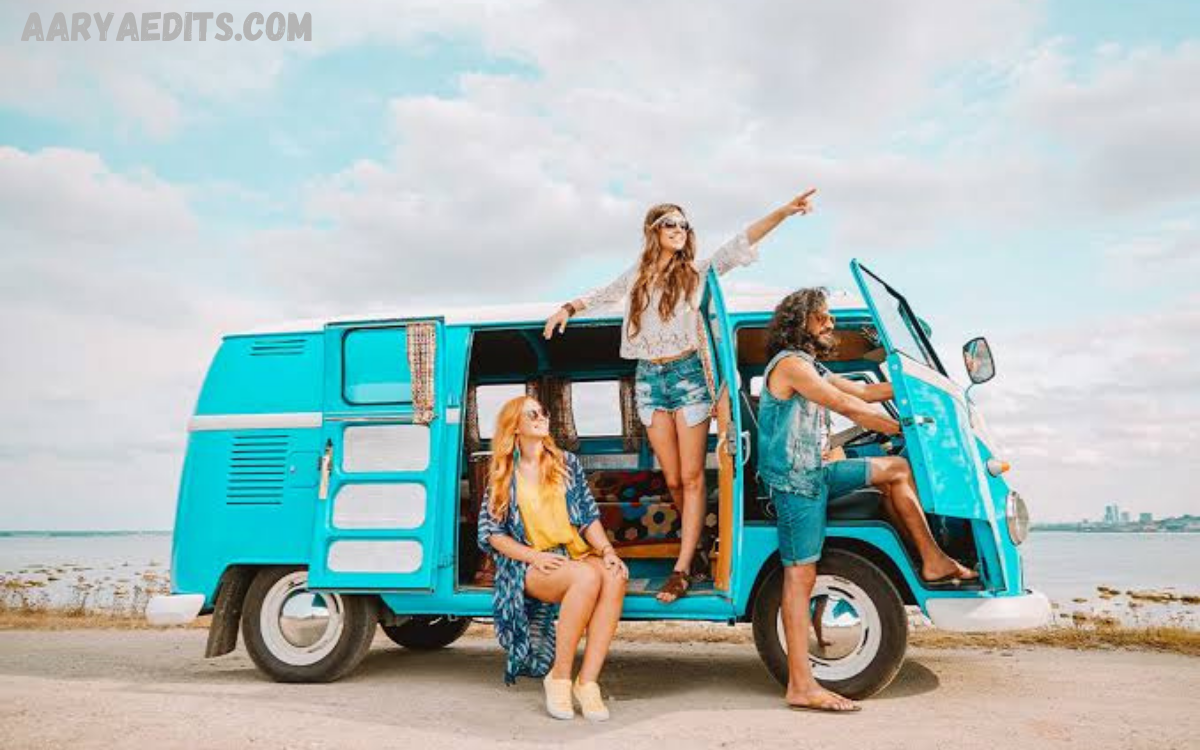
Travel photography is more than capturing beautiful destinations; it is about preserving the atmosphere, emotions, colors, and stories that make every location unique. Photographing dramatic mountain landscapes, vibrant city streets, tropical beaches, cultural festivals, or luxury resorts, professional editing plays a significant role in transforming raw images into captivating visual experiences.
Travel Lightroom Presets are carefully designed editing settings that instantly apply consistent color grading, exposure adjustments, contrast enhancements, and tonal corrections to photographs. Instead of editing every image from scratch, photographers can apply a preset, make minor refinements, and produce a polished gallery within minutes.
What Are Travel Lightroom Presets?
Travel Lightroom Presets are pre-configured editing profiles created specifically for travel photography. They contain a collection of Lightroom adjustments, including exposure, highlights, shadows, white balance, color grading, sharpening, noise reduction, and tone curves. Once applied, these settings instantly transform an image while preserving flexibility for additional customization.
Unlike generic filters, Lightroom presets are designed to work within Adobe Lightroom’s powerful editing ecosystem. They maintain image quality while allowing photographers to edit RAW files with precision. Because every photograph is different, presets provide a strong editing foundation rather than a one-click final solution.
Why Professionals Use Travel Lightroom Presets
Professional photographers frequently manage hundreds or even thousands of images from a single travel assignment. Editing every photograph manually can consume countless hours and reduce productivity. Travel Lightroom Presets streamline this process by automating repetitive adjustments, enabling more efficient delivery of client projects without compromising quality.
Consistency is another major advantage. Clients expect every photograph in a collection to share a cohesive appearance regardless of changing lighting conditions or shooting locations. A professionally designed preset helps unify color tones, contrast, and mood across an entire gallery.
Essential Features of High-Quality Travel Lightroom Presets
The best Travel Lightroom Presets are designed with versatility and adaptability in mind. They provide balanced adjustments that work across a wide variety of landscapes, architecture, portraits, wildlife, and urban environments. High-quality presets improve highlights, recover shadow detail, enhance color depth, and preserve natural skin tones without producing unrealistic saturation or excessive contrast.
Professional presets also prioritize non-destructive editing. Since Lightroom preserves the original image, photographers can freely experiment with multiple presets and customize every adjustment. Premium presets usually include optimized tone curves, advanced color grading, camera calibration settings, and selective sharpening that improve overall image quality while minimizing editing artifacts.
Different Styles of Travel Lightroom Presets
Travel photography encompasses diverse environments, making different preset styles suitable for specific creative objectives. Tropical presets enhance turquoise water, warm sunlight, and lush vegetation, making beach destinations appear vibrant yet realistic. Mountain presets emphasize dramatic skies, crisp details, and earthy tones that complement rugged landscapes and alpine adventures.
Urban travel presets focus on architecture, street photography, and nightlife by enhancing contrast, reflections, and city lighting. Vintage-inspired presets introduce nostalgic color palettes that evoke timeless travel memories, while cinematic presets create dramatic storytelling through carefully balanced shadows, muted highlights, and sophisticated color grading. Professionals often maintain several preset collections, allowing them to select the most appropriate style for each destination and project.
Benefits for Travel Bloggers and Content Creators
Travel bloggers compete in highly visual digital environments where compelling imagery attracts audiences, builds credibility, and encourages engagement. Professionally edited photographs increase the visual appeal of blogs, websites, newsletters, and social media platforms. Travel Lightroom Presets enable creators to produce consistent content that reflects their personal brand regardless of destination or season.
Content creators also benefit from improved productivity. Instead of spending hours editing every photograph individually, they can apply presets across entire collections and focus on storytelling, marketing, and audience engagement. Faster editing allows creators to publish content more consistently, respond to trending destinations, and maintain active digital platforms without sacrificing image quality.
How Travel Lightroom Presets Improve Workflow
Professional editing workflows depend on efficiency, organization, and consistency. Lightroom presets simplify batch editing by applying identical adjustments to multiple photographs simultaneously. Wedding photographers, destination photographers, travel agencies, and tourism marketing teams frequently use batch processing to reduce editing time while maintaining visual harmony throughout large image collections.
An optimized workflow begins with importing RAW images into Lightroom, organizing files into collections, applying a suitable travel preset, synchronizing edits across similar photographs, and making individual refinements where necessary. This structured process dramatically reduces production time while ensuring every image meets professional quality standards. As a result, photographers can dedicate more energy to shooting, client communication, and creative experimentation.
Choosing the Right Travel Lightroom Presets
Selecting the right preset collection depends on photography style, camera equipment, editing preferences, and intended audience. Professionals should evaluate whether presets preserve natural skin tones, recover highlight detail, maintain realistic colors, and perform well under varying lighting conditions. Compatibility with RAW images from different camera brands is another important consideration.
Testing presets before integrating them into a professional workflow is highly recommended. Many photographers apply the same preset to landscapes, portraits, city scenes, sunsets, and indoor photographs to evaluate consistency and adaptability.
Read Also: Free AI Photo Retouch Tools: Enhance Your Images Instantly
Tips for Maximizing Results with Travel Lightroom Presets
Although presets accelerate editing, exceptional results still require thoughtful refinement. Photographers should begin by correcting exposure and white balance before applying a preset. This ensures the preset operates on a properly balanced image, producing cleaner colors and improved tonal accuracy. Small adjustments after applying the preset often produce significantly better outcomes than relying exclusively on automatic settings.
Lens corrections, cropping, local adjustments, masking, and selective sharpening further enhance professional-quality results. Every destination presents unique lighting conditions, atmospheric effects, and environmental colors, making subtle customization essential. Experienced photographers view presets as creative foundations rather than complete editing solutions, combining automation with artistic judgment to achieve polished final images.
Common Mistakes to Avoid
Many photographers expect one preset to work perfectly on every image without modification. Since lighting, camera settings, weather, and composition vary significantly, identical adjustments rarely produce optimal results across every photograph. Overusing saturation, clarity, or contrast can also reduce image quality and create unnatural appearances that distract viewers from the scene itself.
Another common mistake involves neglecting monitor calibration and color management. Images edited on poorly calibrated displays may appear inconsistent across different devices and printing environments. Professionals maintain calibrated monitors and standardized editing practices to ensure colors remain accurate regardless of where photographs are displayed.
Future Trends in Travel Lightroom Presets
Advancements in digital photography continue shaping the evolution of Lightroom presets. Artificial intelligence, adaptive masking, subject recognition, and machine-learning enhancements are enabling more intelligent editing workflows that automatically adjust images based on content rather than relying solely on global corrections.
Future preset collections will likely integrate deeper AI-assisted editing features while maintaining manual customization options. Mobile photography will also continue to drive demand for presets optimized for desktop and smartphone workflows, allowing photographers and creators to edit professional-quality travel images from virtually anywhere.
Frequently Asked Questions
What are Travel Lightroom Presets?
Travel Lightroom Presets are one-click editing settings designed to enhance travel photos with consistent colors, lighting, and professional-looking tones.
Do these presets work on mobile and desktop?
Yes, most Travel Lightroom Presets are compatible with both Adobe Lightroom Mobile and Lightroom Classic/Desktop.
Are the presets suitable for beginners?
Absolutely. They are easy to use and require just a few clicks to transform your photos.
Can I customize the presets after applying them?
Yes, every preset is fully editable, allowing you to adjust exposure, contrast, colors, and other settings to match your style.
Will these presets work with all types of travel photos?
Yes, they work well for landscapes, cityscapes, beaches, mountains, portraits, and other travel photography, though minor adjustments may improve results depending on the image.
Do I need the premium version of Lightroom?
Most presets work with the free Lightroom Mobile app, but some advanced features may require an Adobe Lightroom subscription.
Will the presets look the same on every photo?
Not always. Lighting conditions, camera settings, and image quality affect the final result, so small adjustments may be needed.
How do I install Travel Lightroom Presets?
Installation is simple. Import the preset files into Lightroom and apply them to your photos using the Presets panel.
Are these presets compatible with RAW and JPEG images?
Yes, they work with both RAW and JPEG files, although RAW images typically provide the best editing results.
Can I use these presets for commercial projects?
Yes, you can use edited photos for personal and commercial projects, provided you comply with the preset license terms.
Conclusion
Travel photography combines exploration, storytelling, and technical expertise, making efficient editing an essential component of professional success. Travel Lightroom Presets simplify complex editing workflows, improve consistency, strengthen visual branding, and enable photographers to produce polished galleries in significantly less time.
For photographers, bloggers, influencers, tourism marketers, and creative professionals, investing in high-quality Travel Lightroom Presets represents both a productivity enhancement and a creative advantage.
