

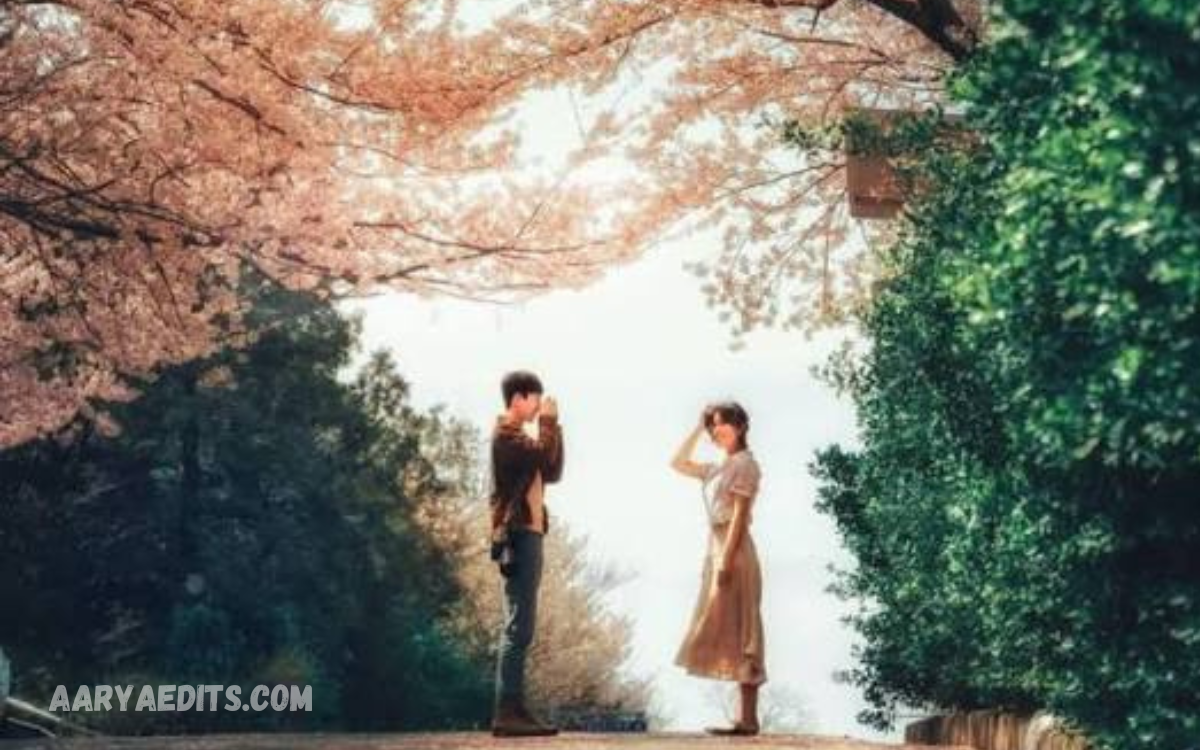
Snapseed aesthetic editing is about creating a consistent visual mood, not just making a photograph brighter or more colorful. The goal is to combine exposure, contrast, color, detail, texture, and selective adjustments so every element supports the desired atmosphere.
In 2026, aesthetic photography is moving toward more authentic and emotionally appealing visuals. Instead of extremely polished edits, creators are increasingly experimenting with film-inspired colors, natural imperfections, soft lighting, cinematic tones, and nostalgic textures.
Start With Proper Exposure and White Balance
A strong aesthetic edit begins with a correctly balanced photograph. Snapseed’s Tune Image tool provides controls for brightness, contrast, saturation, ambiance, shadows, highlights, and warmth, giving editors a practical foundation before applying creative effects.
Avoid increasing brightness simply because the original image looks dark. Instead, recover important shadow and highlight details first, then make small exposure changes. A balanced image gives you much more freedom when creating a vintage, cinematic, minimal, or dreamy aesthetic.
Create a Soft and Natural Aesthetic
The soft aesthetic remains popular because it gives photographs a relaxed, clean, and emotionally warm appearance. Start by slightly reducing contrast, controlling highlights, and adding modest warmth without making skin tones excessively orange.
For portraits and lifestyle photography, use selective adjustments to brighten the face while keeping the surrounding environment slightly darker. Snapseed’s Selective tool lets you apply brightness, contrast, and saturation changes to specific areas rather than the entire photograph.
Build a Cinematic Color Style
A cinematic aesthetic depends heavily on controlled contrast and color relationships. Instead of increasing saturation everywhere, choose a dominant color mood such as warm highlights, cool shadows, muted greens, or deep neutral tones.
Curves and color-grading controls can help create more deliberate tonal separation. The important principle is restraint: cinematic photography usually feels intentional because colors are controlled rather than pushed to their maximum intensity.
Try the 2026 Film-Inspired Look
Film-inspired editing is one of the strongest visual directions in 2026. Creators are deliberately introducing grain, faded colors, subtle blur, imperfect lighting, and nostalgic tones to make digital photographs feel more personal and less artificial.
Snapseed’s film-oriented tools make this style particularly accessible. Combine the Film and Grainy Film approaches with gentle contrast reduction, warm highlights, muted saturation, and subtle vignetting to create a convincing analog-inspired result.
Use Grain Without Overdoing It
Grain can give an otherwise clean smartphone photo a more tactile, photographic look. It works especially well with street photography, portraits, travel images, night scenes, and nostalgic lifestyle photographs.
The key is to use grain as texture, not noise. Excessive grain can destroy facial detail and make an image look low quality, while a controlled amount can make a polished digital photograph feel more organic and atmospheric.
Experiment With Moody Dark Editing
Dark aesthetic photography focuses on shadows, subdued colors, and dramatic contrast. It works particularly well for architecture, fashion, nighttime streets, cafés, automobiles, and atmospheric portraits.
Start by lowering highlights and slightly deepening shadows, then reduce saturation as needed. Keep important facial features or subjects visible through selective adjustments so the photograph remains dramatic without becoming unnecessarily underexposed.
Create a Vintage Aesthetic
Vintage editing combines faded contrast, warm or slightly unusual colors, reduced clarity, and subtle imperfections. The best vintage photographs do not look heavily filtered; they look as though they naturally belong to another period.
Try combining a muted color palette with film-style effects and a restrained vignette. Snapseed’s filters include Vintage, Retrolux, Grainy Film, Noir, and other creative options that can serve as a starting point for this visual direction.
Use Selective Editing for Professional Results
Selective editing is one of the most important techniques for creating professional-looking Snapseed edits. Rather than applying the same adjustment to the whole image, you can target a face, sky, clothing, background, or specific object.
This technique is especially useful when the subject needs to stand out without making the entire photograph brighter. You can resize and adjust Control Points individually, allowing you to create more controlled, natural results.
Master Curves for Better Tonal Control
Curves provide greater control over an image than simply moving a brightness slider. A gentle curve can improve contrast while preserving a softer appearance, while a more pronounced curve can create a dramatic editorial style.
For a faded film effect, slightly lifting the darkest portion of the curve can soften pure blacks. For a stronger cinematic appearance, create controlled separation between shadows and highlights while avoiding clipped details.
Use Brush for Local Color Adjustments
The Brush tool is useful for small corrections that would be too broad with global adjustments. You can selectively modify exposure, temperature, saturation, or other supported effects in specific areas of the photograph.
For example, you can warm sunlight on a person’s face while keeping the background neutral. You can also reduce unwanted color intensity in distracting areas, helping the viewer focus naturally on the main subject.
Try the Soft Glow and Dreamy Aesthetic
Dreamy editing is especially effective for portraits, sunsets, weddings, flowers, travel scenes, and lifestyle content. The objective is to soften harsh digital characteristics while maintaining enough detail to keep the image visually strong.
Snapseed’s newer creative direction includes effects such as Bloom and Halation, which can help create soft diffusion and highlight glow. Used carefully, these effects can make light sources appear atmospheric without completely washing out the photograph.
Improve Portraits Without Making Them Artificial
Good portrait editing should enhance the person, not replace their natural appearance. Begin with exposure and white balance, then make subtle adjustments to skin brightness, background contrast, and overall color.
Avoid excessive smoothing, sharpening, or saturation. In 2026, natural-looking portraits are particularly valuable because audiences have become accustomed to heavily processed images, making authentic skin texture and believable lighting more visually appealing.
Use Details With Care
The Details tool can improve perceived sharpness and texture through controls such as Sharpen and Structure. It is useful for clothing, architecture, landscapes, products, and other subjects where texture matters.
However, excessive structure can make skin look rough and artificial. Apply sharpening mainly where detail matters, and compare the edited image with the original before exporting to make sure the photograph still looks natural.
Read Also: Snapseed Portrait Editing Tips for Professional-Looking Photos
Create a Minimalist Aesthetic
Minimalist editing is based on simplicity, clean colors, balanced composition, and controlled contrast. It works particularly well for architecture, interiors, fashion, product photography, and social media posts with a clean visual identity.
Reduce distracting colors and keep the tonal range controlled. Rather than adding several filters, focus on one clear visual idea and remove anything that competes with the main subject.
Explore Y2K and Retro Digital Styles
Y2K-inspired editing continues to influence visual culture through nostalgic colors, flash photography, unusual contrast, digital textures, and early-digital-camera aesthetics. The style works particularly well for fashion, selfies, nightlife, and casual social content.
To create the look in Snapseed, experiment with stronger color shifts, slightly faded tones, grain, vignette, and controlled sharpening. The goal isn’t perfect realism, but a deliberate throwback look inspired by early digital photography.
Use Black and White for Stronger Emotion
Black-and-white editing removes color distractions and draws more attention to light, shadows, composition, expressions, and texture. It can transform an ordinary photograph into something more dramatic and timeless.
When converting an image to monochrome, pay close attention to contrast. Strong shadows can create a powerful editorial effect, while softer tonal transitions can produce a calm and elegant result.
Make Your Edits Consistent
Aesthetic editing works best when multiple photographs share a recognizable visual language. If you are creating content for Instagram, a portfolio, or a personal photography page, consistency can make your work appear much more professional.
Choose a small set of characteristics such as warm highlights, muted saturation, soft contrast, or film grain. Applying these principles consistently is often more valuable than using the same heavy filter on every photograph.
Use Batch Editing for Consistent Content
Batch editing is especially useful when you photograph an event, trip, product collection, or social media series. Snapseed’s recent development has expanded its workflow to support multi-image editing, making consistency across a collection more practical.
Even with batch editing, review every photograph afterward. Different lighting conditions can make the same adjustment produce different results, so you may still need small individual corrections.
Edit RAW Photos for Greater Flexibility
When supported RAW files are available, Snapseed’s RAW Develop workflow provides control over exposure, shadows, highlights, contrast, structure, temperature, and tint.
RAW editing is particularly useful when the original photograph contains difficult lighting. Recovering highlight and shadow information before applying an aesthetic style can produce a cleaner final result than correcting a heavily processed image.
Follow the Authenticity Trend in 2026
One of the biggest aesthetic changes in 2026 is the growing preference for images that feel authentic rather than excessively perfect. Film-inspired imperfections, candid compositions, natural skin, imperfect lighting, and emotional storytelling are increasingly being used to create a human visual identity.
This does not mean every photograph needs to look old or unedited. The broader lesson is to make editing serve the photograph, not let effects become the photograph. A strong aesthetic should support emotion, personality, and storytelling.
Avoid Common Snapseed Editing Mistakes
One common mistake is using too many filters at once. Combining excessive saturation, heavy sharpening, strong HDR, deep contrast, and dramatic vignettes can quickly make an image look unnatural.
Another mistake is ignoring the original lighting. Editing cannot completely replace good composition and exposure. Start with a strong photograph, make corrections first, then introduce creative effects gradually.
Build a Repeatable Snapseed Workflow
A reliable workflow can make aesthetic editing faster and more consistent. Start with cropping and perspective, correct white balance and exposure, adjust contrast and color, refine details, apply selective corrections, and finish with the chosen aesthetic effect.
Snapseed uses a non-destructive workflow with editing stacks, so you can revisit and change previous adjustments after they have been applied. This makes experimentation safer and encourages a more controlled editing process.
Best Snapseed Aesthetic Trends for 2026
The strongest aesthetic directions for 2026 include film-inspired photography, anti-polish editing, cinematic color, dreamy diffusion, nostalgic digital styles, natural portraits, muted colors, bold selective accents, and authentic everyday photography.
Rather than copying every trend, choose one that matches your subject and personal style. The most memorable aesthetic is usually the one that stays consistent while still letting photos feel natural and individual.
Frequently Asked Questions
What is Snapseed aesthetic editing?
Snapseed aesthetic editing means using the app’s color, lighting, detail, selective, and creative tools to establish a specific visual mood. Common styles include cinematic, vintage, film, minimalist, dreamy, dark, and natural photography.
Is Snapseed good for aesthetic photo editing in 2026?
Yes. Snapseed remains useful for mobile aesthetic editing because it combines straightforward adjustments with advanced controls and newer creative features. Recent updates have expanded its workflow and editing capabilities.
How can I create a vintage look in Snapseed?
Start with softer contrast, slightly faded tones, controlled warmth, subtle grain, and a gentle vignette. Then add film-oriented effects carefully to strengthen the nostalgic look.
How do I make photos look cinematic in Snapseed?
Use controlled exposure, balanced highlights and shadows, moderate contrast, and a carefully selected color mood. Curves and selective adjustments can help create stronger separation between the subject and background.
What is the best Snapseed tool for selective editing?
The Selective tool is one of the most useful options because it lets you place Control Points on specific areas and adjust brightness, contrast, or saturation without changing the entire photograph.
How do I make a photo look natural in Snapseed?
Avoid excessive saturation, sharpening, structure, and filters. Make small adjustments to exposure, white balance, highlights, shadows, and selective areas, and frequently compare the result with the original.
Can Snapseed create a film aesthetic?
Yes. Film-oriented effects, grain, color adjustments, contrast control, and newer creative effects can be combined to produce film-inspired photography. The most convincing results usually come from subtle, not extreme, adjustments.
Is grain good for aesthetic photos?
Grain can work very well when used carefully. It can add texture and a nostalgic quality, but excessive grain may reduce clarity and make portraits or detailed subjects look unnecessarily rough.
What aesthetic is trending in photography in 2026?
Film-inspired, candid, anti-polish, nostalgic, cinematic, and emotionally authentic aesthetics are prominent in 2026. Creators are increasingly using imperfections and storytelling instead of relying solely on highly polished imagery.
How can I make my Snapseed edits consistent?
Choose a repeatable color palette and editing approach, such as warm highlights, muted saturation, soft contrast, and subtle grain. Apply the same basic workflow across your photographs and make small individual corrections when lighting changes.
Conclusion
Snapseed Aesthetic Editing in 2026 is less about applying the strongest possible filter and more about developing a recognizable visual style. Film-inspired colors, cinematic tones, natural portraits, subtle grain, dreamy highlights, and authentic imperfections can all create compelling results when used with restraint.
The best approach is to start with exposure and white balance, build the tonal foundation, make selective corrections, and then add creative effects.
