

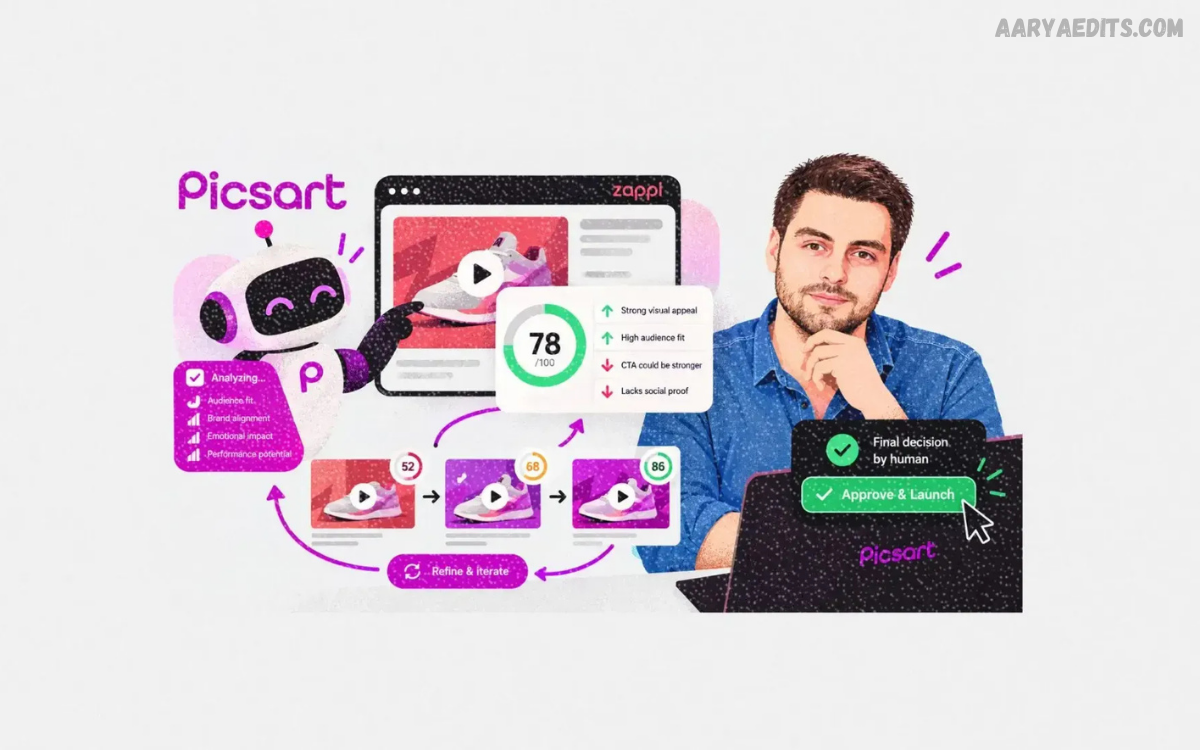
PicsArt AI has become a powerful part of modern digital creativity, combining artificial intelligence with photo editing, image generation, design, and content creation.
The main advantage of PicsArt AI is its combination of AI automation and traditional editing controls. A creator can generate an image from a written prompt, continue editing that result, change the background, improve image quality, add text, apply effects, and prepare the final design for different platforms.
What Is PicsArt AI?
PicsArt AI refers to the collection of artificial-intelligence-powered creative tools available within the Picsart ecosystem. These tools help users generate, edit, enhance, transform, and prepare visual content. Instead of treating AI generation and photo editing as separate processes, Picsart connects them inside a broader creative workflow.
The platform includes AI image generation, AI photo editing, background tools, object removal, image enhancement, AI replacement, image expansion, and other creative functions. Picsart also provides AI-powered design and video tools, allowing users to move from a basic idea toward a finished piece of content within one creative environment.
How PicsArt AI Works
PicsArt AI generally works by allowing the user to provide an image, a written instruction, or both. Depending on the selected tool, the system analyzes the input and produces an edited or generated result. For example, an image generator can transform a text prompt into a visual, while an AI editor can modify an existing photograph.
The workflow is designed to reduce repetitive manual work. A creator can start with an existing photograph, remove an unwanted object, improve image quality, change the background, and apply additional design elements. This approach allows creative decisions to remain under the user’s control while AI handles time-consuming editing tasks.
PicsArt AI Image Generator
The PicsArt AI Image Generator allows users to create visuals from text prompts. Users can describe an idea and generate an image based on that description, while available presets, styles, reference images, and model options provide additional creative control. Picsart currently describes its generator as supporting multiple AI models and a range of visual styles.
After generating an image, users do not have to stop at the initial result. The generated visual can continue through the Picsart editing workflow, where creators can change backgrounds, replace elements, enhance details, or make broader adjustments. This connection between generation and editing can make the creative process more flexible.
PicsArt AI Photo Editing
AI photo editing can simplify tasks that traditionally require multiple manual adjustments. Picsart’s AI photo editor includes functions for image enhancement, background removal, object removal, AI backgrounds, effects, filters, cleanup, and color correction. These features are intended to make advanced editing more accessible without requiring extensive technical experience.
A typical workflow can begin with an ordinary photograph and progress through several AI-assisted improvements. A creator might remove distracting elements, correct image quality, change the environment, and then finish the design using conventional editing tools. This combination gives users both automation and manual creative control.
PicsArt AI Background Remover
Background removal is one of PicsArt AI’s most practical applications. Instead of manually tracing around a subject, users can use AI to separate the foreground from its background. This can be useful for product images, profile graphics, social media designs, thumbnails, and other visual projects.
After removing the background, users can place the subject into a different scene or design. Users can combine the cutout with new colors, images, templates, text, and other visual elements. This makes background removal more than a simple editing function because it can become the first step in creating an entirely different composition.
PicsArt AI Background Generator
AI backgrounds let creators create new environments around an existing subject. Instead of searching through large image libraries for an exact background, users can describe the desired visual direction and use AI-assisted generation to create a suitable setting. Picsart lists AI backgrounds among its creative editing tools.
This feature can support many creative projects, including social media posts, product visuals, promotional designs, and personal photography. The final composition still depends on the original image, the selected concept, and the instructions you give the AI, so reviewing the result before publishing remains important.
PicsArt AI Object Remover
Unwanted objects can distract from an otherwise useful photograph. PicsArt AI provides object-removal functionality that can help erase unwanted people, objects, or other visual elements. The AI attempts to fill the removed area so the surrounding composition looks more natural.
Object removal can be especially helpful when a photograph contains small distractions that are hard to remove manually. However, complicated backgrounds, overlapping subjects, and detailed textures can produce less predictable results. Checking the edited area at full resolution helps identify artifacts before exporting the final image.
PicsArt AI Enhance
PicsArt AI Enhance is designed to improve image quality through automated processing. According to Picsart’s help documentation, AI Enhance can sharpen details, address blur, and balance colors. The feature is available as an AI-assisted workflow intended to make image improvement simpler for users without advanced editing experience.
A practical use case involves an older or lower-quality photograph that needs additional clarity before sharing. AI enhancement can improve visible details, but it cannot guarantee recovery of information that was never captured in the original image. For that reason, users should compare the enhanced result with the original and choose the version that looks more natural.
PicsArt AI Replace
AI Replace allows users to modify selected elements within an image. Instead of changing the entire photograph, a creator can identify a specific area and use an instruction to introduce a different visual element. Picsart includes AI Replace among its AI photo editing tools.
This approach can help when a composition is mostly correct but one part needs modification. For example, a creator may want to experiment with a different object, visual detail, or design element. Reviewing proportions, lighting, shadows, and edges is important because these details influence whether the replacement looks consistent with the rest of the image.
PicsArt AI Expand
PicsArt AI Expand can extend an image beyond its original framing. This can be useful when a photograph is too tightly cropped or when a design needs additional canvas space. AI-generated content fills the expanded area while attempting to maintain visual consistency with the original image.
Image expansion can also support different aspect ratios. A creator may have a horizontal image that needs additional space for a social media layout or a design that requires a wider composition. The generated area should still be checked carefully, particularly around architectural details, text, faces, and repeating patterns.
PicsArt AI Effects and Filters
AI-powered effects and filters can help creators change the visual appearance of photographs without manually adjusting every parameter. Picsart describes AI effects and filters as tools that can adapt to images and provide creative transformations.
These features are useful for experimentation because a single photograph can take on different visual directions. However, professional editing often benefits from moderation. Excessive effects can reduce clarity or make an image appear inconsistent with its intended purpose, so selecting an effect that supports the subject and message is usually more practical than applying multiple effects without a clear goal.
How to Use PicsArt AI
Using PicsArt AI usually starts by opening the relevant AI tool and selecting an existing image or creative workflow. For generation tools, the user can enter a description, choose available settings, and generate a result. For editing tools, the user normally uploads an image and selects the AI function needed for the specific task.
A useful workflow is to begin with the simplest required edit rather than applying every AI feature at once. Generate or import the image, complete the primary AI adjustment, inspect the result, and then continue with secondary improvements. This approach makes it easier to identify which adjustment caused a particular visual change.
Writing Better PicsArt AI Prompts
A clear prompt can provide better direction for an AI image generator. Instead of using a vague description, creators can explain the main subject, environment, lighting, composition, mood, perspective, and desired visual characteristics. Picsart’s AI image generator supports prompt-based creation and provides preset and style options for additional control.
For example, a prompt can describe a product positioned on a clean studio surface with soft lighting and a simple background. Adding unnecessary details can make the instruction less focused, so prompts should prioritize the elements that actually matter to the final composition. Experimenting with variations can help determine which wording produces the most useful result.
PicsArt AI for Social Media Content
Social media creators can use PicsArt AI to produce posts, thumbnails, stories, promotional graphics, and other visual content. AI tools can assist with generating images, removing backgrounds, enhancing photographs, resizing designs, and creating variations. Picsart also provides workflows designed around social content and platform-specific formats.
The main benefit is workflow efficiency. A creator can develop one visual concept and adapt it for several formats rather than manually rebuilding every design. Consistent typography, spacing, branding, and visual style should still be maintained across versions so the final content feels connected.
PicsArt AI for Product Photography
Small businesses and online sellers can use AI-assisted editing to improve product visuals. Background removal can isolate a product, while AI backgrounds can help place it into a new environment. Enhancement tools can also improve clarity when the original photograph needs additional refinement.
Product images should remain accurate to the actual item. AI-generated changes should not introduce misleading colors, shapes, features, or product details. For commercial content, the goal should be to improve presentation while preserving an honest representation of what customers will receive.
PicsArt AI for Marketing Designs
Marketing teams can use AI tools to accelerate the creation of promotional visuals. Picsart provides AI-assisted image generation, design generation, template generation, product image creation, and advertising tools within its broader creative platform.
AI can help produce early concepts and variations, reducing the time required to move from an idea to a usable design. Human review remains important for brand consistency, factual accuracy, typography, legal considerations, and audience suitability. AI works most effectively as part of a controlled creative workflow rather than as a replacement for every design decision.
PicsArt AI for Beginners
Beginners can approach PicsArt AI without learning every advanced editing feature at once. Starting with basic tools such as background removal, enhancement, object removal, or image generation provides an easier introduction. Each tool addresses a specific creative task, making the learning process more manageable.
New users can also compare the original image with the AI-edited version after every major change. This habit helps build an understanding of how AI affects lighting, texture, edges, colors, and composition. With regular practice, users can gradually combine AI features with traditional editing tools.
PicsArt AI for Professional Creators
Professional creators can use AI to accelerate repetitive tasks while maintaining manual control over the final design. Picsart’s broader platform includes image, video, audio, design, editing, workflow, and AI-agent capabilities, allowing creative work to move through multiple stages.
For professional workflows, consistency becomes especially important. Brand assets, typography, visual identity, file formats, and output dimensions should be reviewed before publication. AI can reduce production time, but professional quality still depends on creative direction, careful editing, and final quality control.
PicsArt AI Assistant
Picsart also provides an AI Assistant designed around conversational creative workflows. The Assistant can work within the Picsart Editor and help users create, edit, refine, and customize designs through natural-language instructions.
This type of workflow can make editing more approachable because users can communicate an intended change rather than manually searching through every tool. The Assistant can also work with other Picsart capabilities, including image generation, writing, background removal, fonts, layers, and templates.
Read Also: PicsArt Editing Tricks: Professional Techniques for Better Photo Editing
PicsArt AI Agents
Picsart has expanded its AI capabilities into AI agents designed to handle broader creative workflows. According to Picsart, these agents can plan and create images, videos, campaigns, and other creative outputs through conversational interaction.
AI-agent workflows are different from a single editing command because they can involve multiple steps. This can be useful for creators or teams managing repeated content production. The quality of the final result still depends on the clarity of the brief, the selected workflow, and human review.
PicsArt AI and Creative Productivity
One of the strongest applications of AI is reducing repetitive editing work. Tasks such as removing backgrounds, cleaning photographs, enhancing images, generating visual concepts, and producing content variations can require significant manual effort when performed individually. Picsart combines many of these functions within one creative environment.
Improved productivity does not necessarily mean removing the creative process. Instead, creators can spend more time on concepts, storytelling, composition, branding, and audience needs. AI handles selected production tasks while the creator remains responsible for the direction and final result.
PicsArt AI Image Quality
AI-generated and AI-edited images can produce impressive results, but quality can vary according to the input, prompt, selected tool, and complexity of the requested change. Simple compositions may be easier for AI systems to handle, while detailed scenes can contain inconsistencies that require additional editing.
Professional users should inspect important areas before publishing. Faces, hands, text, logos, product details, edges, reflections, and repeated patterns deserve particular attention. A final review at the intended publishing size can reveal problems that are not obvious while working on a zoomed-in canvas.
PicsArt AI and Responsible Creativity
AI tools provide powerful creative possibilities, but responsible use remains important. Creators should respect copyright, privacy, trademarks, permissions, and the rights associated with real people’s likenesses and voices. Picsart itself advises creators to avoid unauthorized use of celebrity likenesses, copyrighted characters, brand logos, copyrighted music, and real-person voice cloning without permission.
Responsible editing also means avoiding misleading visual changes when accuracy matters. For example, commercial product photography should represent the actual product rather than an AI-generated version that could create false expectations. Clear creative intent and careful review help keep AI-assisted content trustworthy.
PicsArt AI vs Traditional Photo Editing
Traditional editing provides detailed manual control over individual elements. A skilled editor can adjust selections, masks, colors, lighting, layers, typography, and other properties with precision. This method remains valuable for projects that require exact control and consistent professional results.
PicsArt AI adds automation to this process. Instead of completing every task manually, users can use AI for selected operations and then refine the result using traditional tools. This hybrid approach combines speed with creative control and can be useful for both beginners and experienced creators.
PicsArt AI for Faster Creative Workflows
A well-planned workflow can make AI tools significantly more useful. Begin by defining the final purpose of the image, select the appropriate tool, create or edit the visual, inspect the output, and finish the design with manual adjustments. This prevents unnecessary tool switching and keeps the project focused.
Creators can also save time by preparing reusable templates and maintaining consistent visual guidelines. When multiple designs follow the same structure, AI can assist with variations while the overall branding remains recognizable. This approach is particularly useful for regular social media or marketing content.
Benefits of PicsArt AI
PicsArt AI provides several practical benefits for modern creators. AI automation can reduce repetitive work, while image generation can help turn concepts into visual starting points. Background tools, object removal, enhancement, replacement, and expansion can simplify common editing tasks.
Another benefit is accessibility. Users without extensive professional editing experience can perform tasks that previously required specialized knowledge. At the same time, experienced designers can combine AI tools with traditional editing features to create more advanced workflows.
Limitations of PicsArt AI
AI editing does not guarantee perfect results. Complex photographs can contain details that AI interprets incorrectly, and generated images can include unwanted elements or inconsistencies. Text, faces, hands, intricate patterns, and realistic product details can require additional attention.
Another limitation is creative predictability. Two generations based on similar instructions can produce different results, meaning creators may need several attempts before reaching a preferred outcome. AI should therefore be viewed as a creative assistant rather than a guaranteed one-click solution.
Tips for Better PicsArt AI Results
Start with a clear objective before opening an AI tool. Decide whether the goal is to generate an image, improve quality, remove an object, replace a background, expand the canvas, or create a new design. Choosing the correct tool from the beginning can reduce unnecessary editing.
Use specific instructions, review each result, and make adjustments gradually. Avoid changing too many elements simultaneously when accuracy matters. Keeping the original image available also makes it easier to compare changes and restore an earlier version when an AI edit does not produce the desired result.
Future of PicsArt AI
AI-powered creative software continues to expand from individual editing features toward broader production workflows. Picsart’s current platform includes image generation, video generation, editing, AI agents, workflow tools, and integrations with other creative environments.
This direction suggests that future creative workflows may increasingly combine generation, editing, automation, and content adaptation in one process. The creator’s role remains important because ideas, visual judgment, brand decisions, accuracy, and final approval require human direction.
Frequently Asked Questions
What is PicsArt AI?
PicsArt AI is a collection of artificial-intelligence creative tools for generating, editing, enhancing, transforming, and designing visual content. It includes features such as AI image generation, background removal, object removal, enhancement, replacement, and image expansion.
Can PicsArt AI generate images?
Yes. Picsart provides an AI Image Generator that can create visuals from text prompts and offers additional options such as presets, styles, reference images, and multiple AI models. You can then edit generated images within the Picsart ecosystem.
Can PicsArt AI remove backgrounds?
Yes. Picsart includes AI background removal that can separate subjects from backgrounds. You can then combine the cutout with a new background, template, color, or other design elements.
Can PicsArt AI improve photo quality?
Yes. AI Enhance is designed to sharpen details, address blur, and balance colors automatically. Users can apply the enhancement and review the result before saving the edited image.
Is PicsArt AI useful for beginners?
Yes. Many PicsArt AI tools simplify complex editing tasks. Beginners can start with basic features such as image generation, background removal, object removal, and enhancement before exploring more advanced workflows.
Can PicsArt AI remove unwanted objects?
Yes. Picsart offers an AI Object Remover that removes unwanted objects, people, or other distracting elements from photographs. The AI attempts to reconstruct the affected area using surrounding visual information.
What can PicsArt AI create?
PicsArt AI can support images, designs, photos, videos, advertisements, social media content, product visuals, and other creative projects. Picsart’s current AI tools cover image generation, editing, design, video generation, and broader creative workflows.
How can I get better PicsArt AI results?
Use clear prompts, choose the right tool for the task, provide suitable source images, and review every generated result. Refining the prompt or editing the output manually can improve the final design.
Does PicsArt AI replace professional photo editing?
PicsArt AI can automate many editing tasks, but it does not eliminate the need for creative judgment. Professional projects can still require manual adjustments, brand consistency, accuracy checks, detailed retouching, and final quality control.
Is PicsArt AI useful for social media?
Yes. Picsart provides tools and workflows for social media visuals, including posts, stories, short-form videos, carousels, resizing, editing, and AI-assisted content creation.
Conclusion
PicsArt AI provides a broad collection of artificial-intelligence tools for generating and editing visual content.
For beginners, PicsArt AI can make advanced editing tasks easier to approach. For experienced creators, it can reduce repetitive work and provide new ways to explore visual concepts.
