

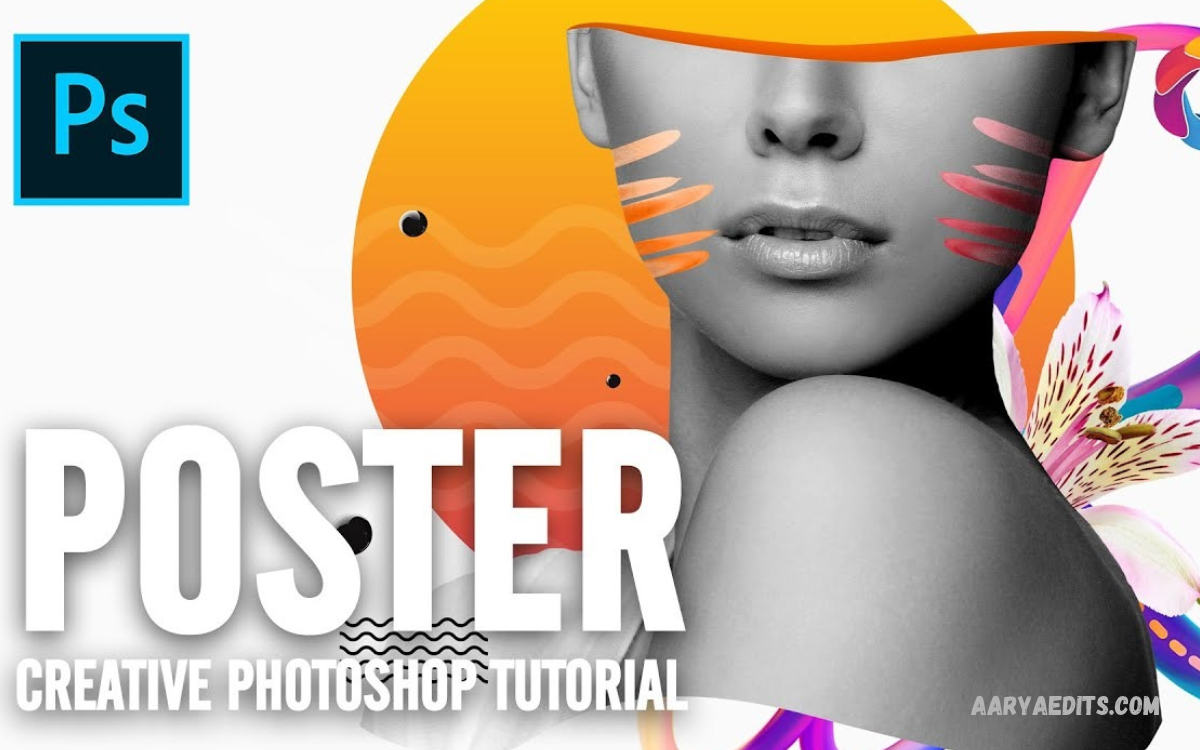
A poster design tutorial helps beginners learn how to create attractive, professional posters for social media, business promotions, events, education, and personal projects. Good poster design combines clear messaging, appealing colors, readable typography, and balanced layouts to capture attention quickly.
Learning poster design tutorial techniques can improve your creativity and graphic design skills. Whether you use Canva, Photoshop, PicsArt, or another design application, understanding the fundamentals helps you create posters that communicate your message effectively.
What Is Poster Design?
Poster design is the process of combining text, images, illustrations, colors, and graphic elements into a visual composition. A poster communicates information quickly while attracting attention through its appearance, layout, and message.
Posters serve many purposes, including advertising products, promoting events, sharing educational information, and displaying creative artwork. A successful design makes the main message easy to understand and encourages viewers to take interest in the subject.
Importance of Learning Poster Design
Poster design is a valuable skill for students, content creators, business owners, marketers, and graphic designers. Attractive posters help communicate ideas, promote services, and present information in a visually engaging format.
Learning design fundamentals also develops creativity and visual communication skills. With practice, beginners can produce original posters for school projects, online campaigns, personal portfolios, and professional marketing materials.
Essential Elements of Poster Design
A professional poster combines several visual elements to create a clear and appealing composition. These elements include typography, colors, images, spacing, alignment, contrast, and visual hierarchy.
Each element has a specific purpose in the design. When these features work together, the poster becomes easier to read, more attractive, and more effective at communicating its intended message.
Typography and Font Selection
Typography determines how the text appears and influences the overall style of a poster. Bold fonts can highlight headlines, while simple fonts make supporting information easier to read.
Choose fonts that match the poster’s purpose and maintain consistency throughout the design. Using too many different typefaces can make the layout confusing, so limit font combinations and establish a clear difference between headings and body text.
Colors and Visual Contrast
Colors influence the mood and appearance of a poster. Bright colors may create an energetic atmosphere, while neutral shades can produce a clean, elegant, or professional look.
Choose a color palette that supports the message and maintains sufficient contrast between text and background. Consistent colors help different design elements feel connected and make important information stand out.
Images and Graphic Elements
Images can make a poster more engaging by illustrating the subject and attracting viewers’ attention. Photographs, icons, illustrations, shapes, and textures can all contribute to the visual composition.
Select high-quality images that relate directly to the poster’s message. Avoid overcrowding the layout with unnecessary graphics because excessive decoration can distract viewers from the main information.
Layout and Visual Hierarchy
Layout determines how text, images, and other elements are arranged on the poster. A balanced composition guides viewers through the content and makes the design easier to understand.
Visual hierarchy gives greater importance to selected elements, such as the headline, main image, and call to action. Use size, position, contrast, and spacing to establish a natural reading order.
Choosing the Right Poster Design Software
Selecting suitable software makes the design process easier and helps you achieve the desired result. Beginners can start with simple online editors, while experienced designers may prefer applications offering advanced image editing and layout controls.
Consider your experience, budget, device, and project requirements before choosing a tool. The best application is one that provides the features you need without making the creative process unnecessarily complicated.
Canva for Beginner Poster Design
Canva is a beginner-friendly design platform that provides poster templates, fonts, images, shapes, and customizable layouts. Its drag-and-drop interface allows users to create attractive designs without extensive graphic design experience.
You can customize a template by changing the text, colors, photographs, and background elements. Starting with a template can save time, but adjusting the composition helps make the finished poster more original and suitable for your project.
Photoshop for Creative Poster Editing
Adobe Photoshop offers advanced tools for image editing, photo manipulation, text effects, blending, and creative compositions. It is useful for designers who want greater control over the visual appearance of their posters.
You can combine photographs, adjust lighting, create layered backgrounds, and apply effects to selected elements. Beginners may need time to learn its interface, but practicing individual tools gradually improves editing confidence and design quality.
PicsArt for Mobile Poster Design
PicsArt provides mobile-friendly editing features for creating promotional graphics, creative artwork, and social media posters. Users can combine photographs, text, stickers, backgrounds, and effects directly from compatible devices.
The application can be useful when you want to create designs without a desktop computer. Choose effects carefully and maintain clear typography so the finished poster looks professional rather than overly decorated.
Understanding Poster Dimensions and Resolution
Choosing the correct dimensions is an important part of poster design. The required size depends on whether the poster will appear on social media, a website, a presentation, or a printed surface.
Digital designs should use dimensions suitable for their intended platform, while printed posters require appropriate physical measurements and resolution. Check the printer’s specifications and include bleed when necessary to avoid unwanted white edges.
Creating a Poster Design From Scratch
Creating a poster from scratch begins with a clear idea of the message you want to communicate. Identify the audience, purpose, essential information, and visual style before selecting colors or arranging graphic elements.
Once the concept is clear, develop the composition gradually. Start with the headline and main visual, then add supporting information, decorative elements, and any required contact details while maintaining readability.
Planning the Poster Concept
A strong concept gives your poster a consistent direction and prevents unnecessary design changes. Decide whether the design should feel modern, minimal, energetic, elegant, educational, or playful.
Collect visual references that match your intended style and identify the features that make them effective. Use these references for inspiration rather than copying another designer’s complete composition.
Designing the Background
The background establishes the visual atmosphere of the poster and supports the foreground elements. You can use a solid color, gradient, photograph, subtle texture, or combination of simple shapes.
Make sure the background does not compete with the main message. If the image contains many details, consider using overlays or adjusting brightness and contrast to improve text readability.
Adding Headlines and Supporting Text
The headline communicates the poster’s primary message and should be immediately noticeable. Use concise wording, suitable font sizes, and strong contrast to help viewers understand the subject quickly.
Supporting text provides additional details without overwhelming the layout. Include only necessary information and organize it into readable sections with enough spacing between different elements.
Adding the Final Design Details
Small design details can make a poster feel more complete and polished. Consistent alignment, balanced margins, subtle shadows, and carefully selected icons can improve the overall appearance.
Review every element before finishing the design. Remove unnecessary decorations, correct spelling mistakes, and ensure that the main message remains the strongest visual feature.
Read Also: AI Photo Editing Tutorial 2026: A Complete Beginner’s Guide
Poster Design Tutorial for Social Media
Social media posters need to communicate their message quickly because viewers often scroll through content at a fast pace. Clear headlines, attractive visuals, and concise supporting text help the design stand out in a crowded feed.
Create graphics using the dimensions recommended by the intended platform. Preview the poster on a mobile screen, check the readability of smaller text, and keep essential information away from areas that might be cropped.
Poster Design Tutorial for Business Promotion
Business posters help promote products, announce offers, introduce services, and communicate brand information. A professional promotional design should present the main benefit clearly while maintaining consistent branding.
Use recognizable brand colors, suitable imagery, readable text, and a clear call to action. Include relevant information such as a website, social media account, or contact details when appropriate, without making the poster feel crowded.
Poster Design Tutorial for Educational Projects
Educational posters present information in a structured visual format that helps viewers understand a topic. They can be used for classroom presentations, school assignments, awareness campaigns, and informational displays.
Organize the content into logical sections and use headings to separate the main ideas. Diagrams, illustrations, and short explanations can make complex subjects easier to understand without overwhelming the audience with excessive text.
Common Poster Design Mistakes to Avoid
Beginners sometimes use too many fonts, excessive colors, low-quality images, or unnecessary decorative effects. These choices can reduce readability and make the design feel disorganized, even when individual elements look attractive.
Another common mistake is ignoring alignment, spacing, and information hierarchy. Review the poster at its intended display size and remove anything that distracts from the central message.
Tips for Improving Poster Design Skills
Improving poster design requires regular practice, careful observation, and a willingness to experiment with different visual approaches. Study professional designs to understand how they use contrast, spacing, typography, and imagery to communicate effectively.
Create posters for different purposes to explore various styles and layouts. Ask others for constructive feedback, compare alternative versions, and identify specific improvements rather than changing elements without a clear reason.
Exporting and Saving Your Poster
Export settings influence the quality and usability of your finished poster. For digital sharing, formats such as PNG and JPEG are commonly useful, while print projects may require a high-quality PDF or another format specified by the printing service.
Before exporting, check the dimensions, color settings, image quality, and spelling. Save an editable copy of your project whenever possible so you can update the design later without recreating the entire composition.
Frequently Asked Questions
Which application is best for poster design?
Canva is a convenient starting point for beginners because it provides templates and simple editing controls. Photoshop offers more advanced creative tools, while PicsArt is useful for many mobile editing projects.
Can beginners learn poster design?
Yes, beginners can learn poster design by practicing typography, colors, layout, image selection, and visual hierarchy. Starting with simple projects and gradually exploring advanced techniques makes the learning process more manageable.
What makes a poster look professional?
A professional poster has a clear message, readable typography, suitable colors, high-quality visuals, balanced spacing, and consistent alignment. Every design element should support the main purpose rather than distract from it.
Which file format is suitable for posters?
PNG and JPEG are commonly used for digital posters, while PDF is often preferred for printing. Always check the requirements of the intended platform or printing service before exporting your final design.
How can I make a poster more attractive?
Use a strong headline, a focused color palette, clear contrast, and one main visual element. Maintain enough empty space around important content and remove unnecessary details that make the composition difficult to understand.
Conclusion
A poster design tutorial provides a practical foundation for learning graphic design and creating attractive visual content. Understanding typography, colors, layout, image selection, and software tools helps beginners produce posters for business, education, events, and social media.
Consistent practice is the key to improving your design abilities. Experiment with different concepts, review your work carefully, and focus on clear communication rather than excessive decoration.
