

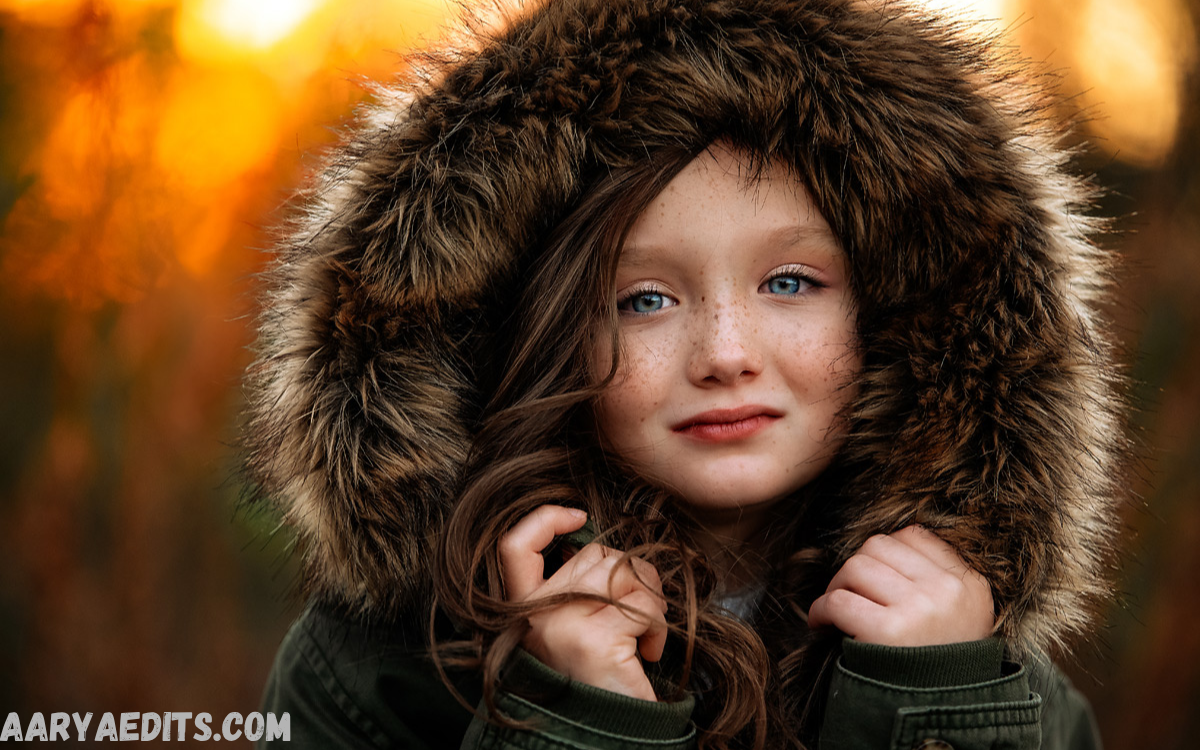
Portrait photography is all about capturing personality, emotion, and beauty. While a skilled photographer can create compelling portraits through composition and lighting, post-processing is what transforms a good image into an exceptional one. One of the most effective tools for achieving professional results is Lightroom Presets for Portraits.
Whether you’re a professional photographer, content creator, influencer, or hobbyist, using portrait presets in Adobe Lightroom can dramatically improve your editing workflow. From enhancing skin tones and adjusting exposure to adding cinematic color grading and creating soft.
What Are Lightroom Presets for Portraits?
Lightroom Presets for Portraits are pre-configured editing settings designed specifically for portrait photography. They automatically apply adjustments such as:
- Exposure
- Contrast
- White balance
- Highlights
- Shadows
- Color grading
- Skin tone enhancement
- Clarity
- Vibrance
- Saturation
- Tone curves
Instead of manually adjusting every editing slider, photographers can apply a preset with one click and then make minor refinements if necessary.
These presets save valuable editing time while ensuring consistency across entire portrait galleries.
Why Use Lightroom Presets for Portraits?
Portrait photographers often edit hundreds of images from a single shoot. Applying the same editing style manually to every image is both time-consuming and inconsistent.
Lightroom Presets for Portraits solve this challenge by providing:
Faster Workflow
Instead of spending several minutes editing each image, photographers can achieve professional results within seconds.
Consistent Editing Style
Consistency is essential for branding and client galleries. Portrait presets maintain a cohesive visual appearance across all photographs.
Professional Color Grading
Well-designed presets improve color harmony while maintaining natural-looking skin tones.
Enhanced Skin Tones
Portrait presets carefully balance reds, oranges, and yellows to create smooth, flattering skin.
Better Lighting Balance
Presets optimize highlights, shadows, and midtones without making images appear overly edited.
Beginner-Friendly Editing
Even users with little editing experience can achieve impressive results using professionally designed presets.
Benefits of Lightroom Presets for Portraits
Using Lightroom Presets for Portraits offers several advantages.
Time Efficiency
Editing sessions become significantly shorter, allowing photographers to deliver client galleries faster.
Improved Productivity
More efficient editing means photographers can focus on shooting, marketing, and growing their business.
Consistent Portfolio
Maintaining a single editing style strengthens brand identity and creates a recognizable photographic aesthetic.
Better Client Satisfaction
Professional editing improves image quality, increasing customer satisfaction and referrals.
Easy Batch Editing
Multiple portrait images can be edited simultaneously using batch processing.
Mobile Editing Support
Many portrait presets work seamlessly in Lightroom Mobile, enabling editing from smartphones and tablets.
Types of Lightroom Presets for Portraits
Portrait photography covers various styles, and different presets suit different creative goals.
Natural Portrait Presets
These presets focus on realistic colors and subtle adjustments.
Features include:
- Natural skin tones
- Soft contrast
- Balanced highlights
- Clean whites
- Neutral colors
Perfect for:
- Family portraits
- Professional headshots
- Lifestyle photography
Bright and Airy Portrait Presets
Bright presets create soft, elegant photographs.
Characteristics include:
- Increased brightness
- Soft shadows
- Warm highlights
- Gentle pastel colors
Ideal for:
- Weddings
- Engagement sessions
- Outdoor portraits
Moody Portrait Presets
Moody edits emphasize emotion through darker tones.
Features include:
- Deep shadows
- Rich contrast
- Muted greens
- Warm skin tones
- Cinematic atmosphere
Best for:
- Fashion photography
- Urban portraits
- Creative shoots
Dark and Dramatic Portrait Presets
These presets create bold, high-impact images.
Common adjustments include:
- Strong contrast
- Enhanced blacks
- Rich colors
- Controlled highlights
Perfect for:
- Studio portraits
- Editorial photography
- Artistic portraits
Read Also: Remove Objects from Photos with AI in Seconds
Vintage Portrait Presets
Vintage presets recreate classic film aesthetics.
Typical characteristics:
- Faded blacks
- Warm color grading
- Film grain
- Soft highlights
Excellent for:
- Retro portraits
- Lifestyle photography
- Travel portraits
Matte Portrait Presets
Matte editing softens shadows for a refined appearance.
Features include:
- Lifted blacks
- Soft contrast
- Muted colors
- Elegant finish
Suitable for:
- Fashion portraits
- Lifestyle content
- Instagram photography
Black and White Portrait Presets
Monochrome presets remove distractions while emphasizing emotion.
Benefits include:
- Enhanced facial expressions
- Strong contrast
- Dramatic lighting
- Timeless style
Ideal for:
- Fine art photography
- Studio portraits
- Editorial work
Essential Features of High-Quality Lightroom Presets for Portraits
Not every preset delivers professional results. Quality portrait presets typically include:
Natural Skin Tone Optimization
Skin should appear healthy without excessive orange or pink tones.
Balanced Contrast
Good presets maintain detail in both shadows and highlights.
Color Harmony
Professional presets ensure all colors complement each other.
Adjustable Settings
A quality preset serves as a strong starting point while allowing further customization.
Lens Corrections
Some premium presets include corrections for distortion and chromatic aberration.
Noise Reduction
Portrait presets often reduce digital noise while preserving facial detail.
How Lightroom Presets Improve Portrait Photography
Portrait editing requires careful attention to detail.
High-quality presets improve images by:
- Softening harsh lighting
- Enhancing facial features
- Improving color balance
- Correcting exposure
- Adding artistic mood
- Creating visual consistency
These enhancements allow photographers to focus on storytelling instead of repetitive editing.
Tips for Using Lightroom Presets for Portraits
To achieve the best results, follow these professional editing tips.
Shoot in RAW Format
RAW files preserve the maximum amount of image information, allowing presets to perform more effectively.
Correct Exposure First
Adjust exposure before applying a preset for optimal results.
Fine-Tune White Balance
Lighting conditions vary, so slight white balance adjustments may still be necessary.
Reduce Excessive Clarity
Portraits generally look better with softer skin textures.
Adjust Skin Colors Carefully
Use Lightroom’s HSL panel to refine skin tones if needed.
Avoid Over-Saturation
Natural colors often produce more professional-looking portraits.
Use Local Adjustments
Brushes and radial filters help improve specific facial areas after preset application.
Common Mistakes When Using Lightroom Presets for Portraits
Many beginners rely entirely on presets without making adjustments.
Avoid these mistakes:
Applying Every Preset
Choose one preset that complements your image instead of testing dozens.
Ignoring Lighting Conditions
Indoor, outdoor, and studio lighting require different adjustments.
Overediting Skin
Excessive smoothing creates unrealistic portraits.
Increasing Clarity Too Much
Too much clarity emphasizes pores and skin imperfections.
Forgetting Exposure Adjustments
Every image has unique lighting and often requires slight exposure corrections.
Choosing the Best Lightroom Presets for Portraits
When selecting portrait presets, consider several factors.
Editing Style
Choose presets matching your preferred aesthetic.
Photography Niche
Wedding photographers often prefer bright presets, while fashion photographers may favor dramatic edits.
Device Compatibility
Ensure presets work with:
- Lightroom Classic
- Lightroom CC
- Lightroom Mobile
Customization Options
High-quality presets allow easy modification after application.
User Reviews
Positive feedback often indicates reliable and professional-quality presets.
Lightroom Mobile vs Lightroom Desktop
Portrait presets function well on both platforms.
Lightroom Desktop
Advantages:
- Greater editing precision
- Advanced masking
- Better color management
- Faster batch processing
Lightroom Mobile
Advantages:
- Edit anywhere
- User-friendly interface
- Cloud synchronization
- Perfect for social media creators
Many photographers use both versions to maximize flexibility.
Creating Your Own Lightroom Portrait Presets
Custom presets provide consistency while reflecting your personal editing style.
Steps include:
- Edit one portrait completely.
- Balance exposure and contrast.
- Refine white balance.
- Adjust skin tones.
- Apply color grading.
- Fine-tune sharpening.
- Save all settings as a new preset.
Creating personalized presets ensures every portrait maintains your unique artistic identity.
Who Should Use Lightroom Presets for Portraits?
Portrait presets are beneficial to a wide range of users.
They are ideal for:
- Professional photographers
- Wedding photographers
- Family photographers
- Fashion photographers
- Influencers
- Content creators
- Social media managers
- Photography students
- Bloggers
- Small business owners
Anyone editing portrait images can improve efficiency with professionally designed presets.
Frequently Asked Questions
What are Lightroom Presets for Portraits?
Lightroom Presets for Portraits are pre-configured editing settings that automatically adjust exposure, contrast, colors, skin tones, and other elements to enhance portrait photos with a single click.
Are Lightroom Presets suitable for beginners?
Yes, Lightroom presets are perfect for beginners because they simplify the editing process and provide professional-looking results without requiring advanced editing skills.
Can I customize a Lightroom preset after applying it?
Absolutely. After applying a preset, you can adjust exposure, white balance, contrast, colors, and other settings to match the specific needs of your image.
Do portrait presets work on Lightroom Mobile?
Yes, most portrait presets are compatible with Lightroom Mobile, allowing you to edit photos on smartphones and tablets just as easily as on desktop.
Will presets make every portrait look the same?
No. Every photo has different lighting and exposure, so presets act as a starting point. Minor adjustments help create unique and natural-looking results.
Which file format works best with portrait presets?
RAW files produce the best results because they contain more image data, allowing presets to make more accurate and detailed adjustments.
Can portrait presets improve skin tones?
Yes, high-quality portrait presets are specifically designed to enhance skin tones, reduce unwanted color casts, and create a natural, flattering appearance.
Conclusion
Lightroom Presets for Portraits have become an essential tool for modern photographers seeking faster workflows and consistently beautiful results. By enhancing skin tones, balancing colors, refining lighting, and applying professional color grading, these presets simplify portrait editing without sacrificing quality.
While presets provide an excellent foundation, the best results come from combining them with thoughtful adjustments tailored to each photograph.
