

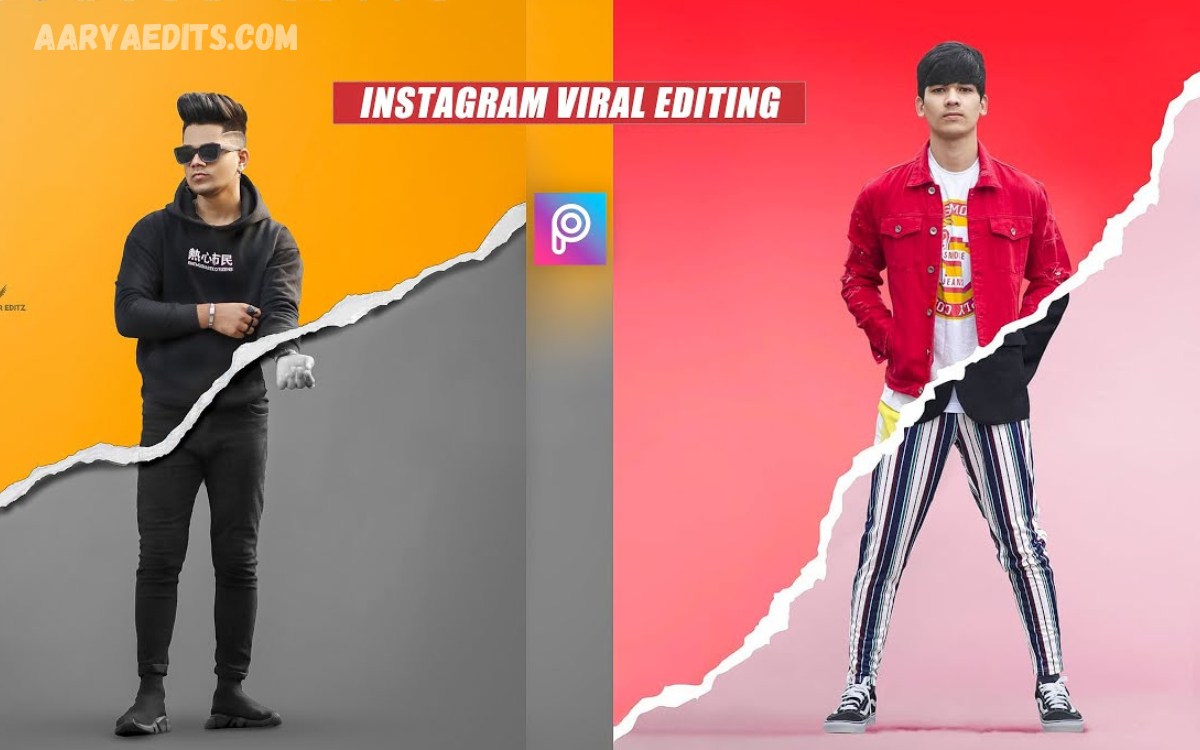
Instagram is more than just a social media platform; it’s a place where creativity meets trends. Every day, millions of users share eye-catching photos that quickly go viral thanks to unique editing styles, vibrant colors, and professional-looking effects.
Mastering the right editing techniques can significantly improve your content. From adjusting brightness and contrast to using advanced AI editing tools, cinematic color grading, background enhancements, and trending filters, the right approach can make your photos look polished and professional.
Why Photo Editing Matters on Instagram?
Instagram is a visual-first platform where users decide within seconds whether to engage with your content. High-quality editing improves the overall appearance of your photos, making them more attractive and memorable.
Good editing is not about making photos look fake. Instead, it enhances natural colors, improves lighting, sharpens details, and creates a consistent visual identity that reflects your personal or business brand.
Top Instagram Viral Photo Editing Tricks
1. Start with High-Quality Photos
No editing technique can completely fix a poor-quality image. Always capture photos with:
- Natural lighting
- High camera resolution
- Proper focus
- Clean backgrounds
- Balanced composition
The better your original photo, the better your final edit will look.
2. Master Brightness and Exposure
Professional editors rarely over-edit brightness. Instead, they adjust exposure carefully to reveal details without washing out colors.
Best Practice
- Increase Exposure slightly.
- Lower Highlights.
- Increase Shadows.
- Adjust Whites and Blacks for better contrast.
These simple changes instantly make photos look cleaner and more professional.
3. Use Trending Instagram Filters Wisely
Filters remain popular because they create a consistent aesthetic. However, using filters at full strength often makes images appear unnatural.
Instead:
- Reduce filter intensity to 30–60%.
- Fine-tune brightness afterward.
- Adjust contrast and saturation manually.
Subtle editing usually performs better than excessive filtering.
Color Grading Like Professional Creators
Color grading is one of the biggest secrets behind viral Instagram photos.
Popular styles include:
Warm Golden Look
Perfect for:
- Travel
- Lifestyle
- Fashion
- Outdoor photography
Moody Dark Theme
Ideal for:
- Portraits
- Street photography
- Urban content
Bright Minimal Style
Works well for:
- Product photography
- Food
- Beauty influencers
Choose one editing style and maintain consistency throughout your Instagram feed.
Remove Distractions from Backgrounds
Busy backgrounds reduce the visual impact of your subject.
Professional creators often:
- Remove unwanted objects
- Blur backgrounds
- Replace skies
- Add subtle lighting effects
Cleaner backgrounds naturally direct attention toward the main subject.
AI Photo Editing Is Changing Everything
Artificial Intelligence has made professional editing easier than ever.
Popular AI features include:
- One-click enhancement
- Object removal
- Sky replacement
- Face retouching
- Background replacement
- Automatic color correction
AI saves time while producing stunning professional-quality results.
Best Apps for Instagram Viral Photo Editing
Adobe Lightroom
Perfect for:
- Professional color grading
- Presets
- RAW editing
- Exposure adjustments
Snapseed
Best for beginners because it offers:
- Healing Tool
- Selective Editing
- HDR Effects
- Curves
- Perspective Correction
PicsArt
Excellent for:
- Creative overlays
- Stickers
- Background editing
- Double exposure
- Artistic effects
Read Also: AI Portrait Enhancement: Transform Portraits with Advanced Artificial Intelligence
Canva
Useful for:
- Social media graphics
- Instagram posts
- Stories
- Thumbnails
- Text overlays
VSCO
Famous for:
- Premium presets
- Film-style filters
- Beautiful color tones
- Minimal editing workflow
Create a Consistent Instagram Feed
One reason influencers grow quickly is visual consistency.
Maintain:
- Similar colors
- Matching filters
- Uniform brightness
- Balanced compositions
- Identical editing style
A cohesive profile encourages visitors to follow your account.
Perfect Skin Retouching Without Overdoing It
Natural beauty always performs better than unrealistic edits.
Professional retouching focuses on:
- Removing temporary blemishes
- Softening skin slightly
- Enhancing eyes
- Whitening teeth naturally
- Preserving skin texture
Avoid making skin appear plastic or overly smooth.
Improve Photo Sharpness
Sharp images instantly appear more professional.
Increase:
- Texture
- Clarity
- Sharpening
Avoid excessive sharpening because it introduces unwanted noise.
Use Natural Lighting Whenever Possible
Lighting is more important than editing.
The best times to shoot include:
- Golden Hour
- Early Morning
- Late Afternoon
Avoid harsh midday sunlight whenever possible.
Trending Editing Styles in 2026
Current Instagram trends include:
- Cinematic edits
- Vintage film aesthetics
- AI-generated enhancements
- Soft pastel tones
- Minimalistic color grading
- Matte effects
- Warm earthy colors
Experiment with these styles while staying true to your brand identity.
Mistakes That Prevent Photos from Going Viral
Many creators unknowingly reduce engagement by making editing mistakes.
Common mistakes include:
- Oversaturation
- Excessive HDR
- Heavy skin smoothing
- Too much sharpening
- Random filters
- Low-resolution uploads
- Crooked horizons
- Inconsistent editing
Professional editing focuses on subtle improvements rather than dramatic transformations.
Export Photos in the Best Quality
Before uploading:
- Use maximum image quality.
- Export in high resolution.
- Maintain the correct aspect ratio.
- Avoid repeated compression.
- Upload using a stable internet connection.
High-quality exports preserve details after Instagram compresses images.
Instagram Algorithm Loves Quality Content
Although editing helps attract attention, the algorithm also values engagement.
Increase your reach by:
- Posting consistently
- Using relevant hashtags
- Writing engaging captions
- Encouraging comments
- Posting Reels
- Sharing Stories regularly
Great editing combined with valuable content produces the best long-term growth.
Advanced Editing Tips Used by Influencers
Professional creators often follow a detailed editing workflow.
- Capture in high resolution.
- Correct exposure.
- Balance white tones.
- Adjust colors carefully.
- Remove distractions.
- Improve composition.
- Add subtle sharpening.
- Apply consistent presets.
- Export at maximum quality.
- Review before posting.
Following this workflow ensures consistently high-quality results.
Frequently Asked Questions
Which app is best for Instagram photo editing?
Adobe Lightroom is considered the best for professional editing, while Snapseed is ideal for beginners.
Can AI edit Instagram photos automatically?
Yes. Modern AI editing tools can enhance colors, remove objects, improve lighting, and retouch portraits with minimal effort.
Do Instagram filters help photos go viral?
Filters alone don’t make photos viral. High-quality images, consistent editing, engaging captions, and audience interaction all contribute to better performance.
How can beginners improve their Instagram photos?
Start by learning basic adjustments like exposure, contrast, saturation, and cropping before moving on to advanced techniques like color grading and AI enhancements.
Conclusion
Creating viral Instagram photos is no longer limited to professional photographers. With the right combination of high-quality images, smart editing techniques, AI-powered tools, and a consistent visual style, anyone can produce stunning content that captures attention. Focus on enhancing your photos naturally rather than over-editing them, and always prioritize storytelling through your visuals.
By applying the Instagram viral photo editing tricks shared in this guide, you’ll be able to create professional-looking images, strengthen your personal brand, increase engagement, and grow your audience more effectively.
