

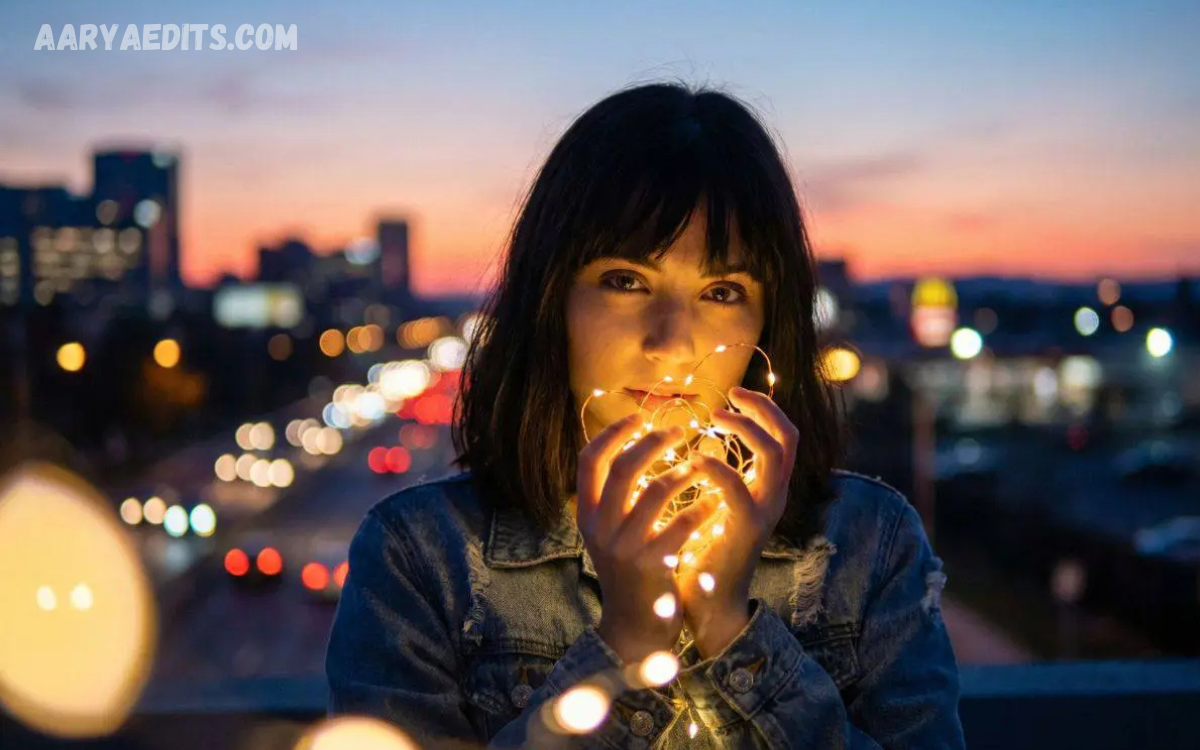
AI Portrait Enhancement is an innovative technology that uses advanced artificial intelligence to improve the quality, clarity, and overall appearance of portrait photographs. Whether you are a professional photographer, graphic designer, content creator, or someone who wants to enhance personal photos, AI-powered tools can automatically refine portraits with impressive accuracy.
Modern AI portrait enhancement can remove blemishes, reduce image noise, sharpen facial details, improve skin tones, enhance lighting, and even restore old or low-resolution photos in just a few seconds. Unlike traditional photo editing, which often requires advanced skills and significant time, AI automates the entire process, making professional-quality enhancements accessible to everyone.
What Is AI Portrait Enhancement?
AI Portrait Enhancement refers to the use of artificial intelligence and deep learning models to automatically improve portrait photographs.
Instead of relying on manual editing, AI analyzes every part of an image, including:
- Facial features
- Skin texture
- Hair details
- Eye sharpness
- Lighting
- Shadows
- Background quality
- Image resolution
- Color balance
Based on its analysis, the AI applies intelligent enhancements that make portraits appear clearer, brighter, sharper, and more visually appealing while preserving natural facial characteristics.
How AI Portrait Enhancement Works
Advanced AI systems are trained using millions of portrait images. These datasets help machine learning models understand what high-quality portraits should look like.
The enhancement process generally includes:
Face Detection
AI automatically identifies faces in an image.
Facial Landmark Recognition
The software maps important facial points such as:
- Eyes
- Nose
- Lips
- Eyebrows
- Jawline
- Hairline
Image Analysis
AI evaluates:
- Exposure
- Brightness
- Contrast
- Color temperature
- Image noise
- Sharpness
Intelligent Enhancement
The AI automatically performs improvements such as:
- Skin smoothing
- Noise reduction
- Eye sharpening
- Teeth whitening
- Color correction
- Lighting optimization
Final Output
Within seconds, users receive an enhanced portrait with improved clarity and professional-quality details.
Key Features of AI Portrait Enhancement
Modern AI portrait enhancement tools include numerous intelligent features.
Automatic Skin Retouching
AI reduces blemishes, acne, wrinkles, and uneven skin tones while maintaining realistic skin texture.
Face Sharpening
Facial features become more defined without excessive editing.
Background Enhancement
Some AI tools improve or blur the background to make the subject stand out.
Noise Reduction
Low-light images often contain digital noise. AI removes unwanted grain while preserving important details.
Color Correction
AI balances colors automatically for natural-looking results.
Lighting Enhancement
Portraits captured in poor lighting can be transformed using intelligent brightness and shadow adjustments.
High-Resolution Upscaling
AI increases image resolution without significantly reducing quality, making portraits suitable for large prints.
Old Photo Restoration
Many AI applications can restore faded, damaged, or low-quality portraits by repairing scratches, improving clarity, and reconstructing missing details.
Read Also: ChatGPT Image Prompt: The Complete Professional Guide to Creating Better AI Images
Benefits of AI Portrait Enhancement
Saves Time
Manual editing may take hours, while AI often completes enhancements in seconds.
Easy for Beginners
No professional editing skills are required.
Cost-Effective
AI reduces the need for expensive editing services for many routine tasks.
Consistent Results
AI applies uniform enhancements across multiple portraits, which is valuable for businesses and photographers.
Professional Appearance
Enhanced portraits are suitable for resumes, LinkedIn profiles, company websites, marketing campaigns, and social media.
Better Image Quality
AI improves resolution, sharpness, lighting, and overall visual appeal.
Common Applications
AI portrait enhancement serves a wide range of users.
Professional Photography
Photographers use AI to speed up post-production while maintaining quality.
Social Media
Influencers create polished profile pictures and content for platforms like Instagram, Facebook, and TikTok.
Business Profiles
Companies enhance employee headshots for websites, presentations, and corporate branding.
E-Commerce
Businesses improve product lifestyle images featuring people to increase customer engagement.
Digital Marketing
High-quality portraits improve advertisements, blogs, and promotional materials.
Family Photos
Users restore old family photographs and improve treasured memories.
AI Portrait Enhancement vs Traditional Photo Editing
| AI Portrait Enhancement | Traditional Editing |
|---|---|
| Automatic processing | Manual adjustments |
| Beginner-friendly | Requires experience |
| Fast editing | Time-consuming |
| Consistent results | Depends on editor skill |
| One-click improvements | Multiple editing steps |
| Affordable | Often more expensive |
While traditional editing still offers greater creative control, AI provides remarkable speed and convenience for everyday portrait enhancement.
Best Practices for Better Results
To get the most from AI portrait enhancement:
- Start with the highest-quality original photo available.
- Ensure the face is clearly visible.
- Use good lighting whenever possible.
- Avoid heavy compression before enhancement.
- Compare the original and enhanced versions.
- Apply subtle adjustments to preserve a natural look.
- Save the final image in a high-quality format for printing or sharing.
Challenges and Limitations
Although AI portrait enhancement is powerful, it is not perfect.
Some common limitations include:
- Poor-quality source images may limit results.
- Over-processing can make portraits look unnatural.
- Complex backgrounds may confuse some AI tools.
- Different tools produce varying levels of accuracy.
- Ethical concerns can arise if edits significantly alter a person’s appearance without disclosure.
Understanding these limitations helps users set realistic expectations and choose appropriate tools for their needs.
The Future of AI Portrait Enhancement
AI portrait enhancement continues to evolve rapidly. Future advancements are expected to include:
- More realistic facial restoration
- Better handling of extreme lighting conditions
- Improved reconstruction of damaged images
- Real-time enhancement during video calls
- Personalized editing styles based on user preferences
- Greater control over individual enhancement settings
- Enhanced privacy features through on-device AI processing
As AI models become more sophisticated, portrait enhancement will continue to deliver faster, more accurate, and more natural-looking results.
Tips for Choosing an AI Portrait Enhancement Tool
When selecting a tool, consider:
- Image quality after enhancement
- Ease of use
- Processing speed
- Privacy and data handling
- Support for high-resolution images
- Batch editing capabilities
- Cost and subscription options
- Compatibility with your devices and workflow
Testing a few options with the same image can help you find the one that best matches your editing style and quality expectations.
Frequently Asked Questions
How does AI Portrait Enhancement work?
AI Portrait Enhancement works by analyzing facial features, image quality, lighting, and colors using machine learning algorithms. It then applies intelligent adjustments to create a sharper, clearer, and more natural-looking portrait.
Can AI Portrait Enhancement improve old or damaged photos?
Yes. Many AI portrait enhancement tools can restore old, faded, blurry, or damaged photographs by repairing scratches, improving resolution, reducing noise, and enhancing facial details.
Is AI Portrait Enhancement suitable for professional photographers?
Absolutely. Professional photographers use AI portrait enhancement to speed up their editing workflow, maintain consistent quality, and reduce manual retouching time while achieving high-quality results.
Does AI Portrait Enhancement make portraits look unnatural?
Most modern AI tools are designed to preserve natural facial features. When used with balanced settings, they enhance portraits without creating an overly edited or artificial appearance.
Can beginners use AI Portrait Enhancement tools?
Yes. Most AI portrait enhancement software is designed with user-friendly interfaces and one-click editing features, making it easy for beginners to improve portrait photos without advanced editing skills.
What are the main benefits of AI Portrait Enhancement?
The key benefits include automatic photo improvement, faster editing, enhanced facial details, better lighting, noise reduction, high-resolution upscaling, consistent results, and professional-quality portraits.
Is AI Portrait Enhancement useful for social media content?
Yes. AI-enhanced portraits look sharper, brighter, and more professional, making them ideal for profile pictures, Instagram posts, LinkedIn headshots, Facebook photos, and other social media platforms.
Can AI Portrait Enhancement increase image resolution?
Yes. Many AI-powered tools include image upscaling features that increase photo resolution while preserving important facial details and minimizing quality loss.
What should I look for in an AI Portrait Enhancement tool?
Choose a tool that offers high-quality image enhancement, realistic facial retouching, fast processing, privacy protection, high-resolution output, batch editing support, and an easy-to-use interface for the best editing experience.
Conclusion
AI Portrait Enhancement has revolutionized portrait editing by making professional-quality improvements accessible to everyone. With advanced artificial intelligence, users can enhance facial details, improve lighting, reduce noise, restore old photographs, and create polished portraits in just a few clicks.
Whether you are a photographer, business professional, content creator, or someone preserving personal memories, AI-powered portrait enhancement offers an efficient way to produce impressive results while saving time and effort.
