

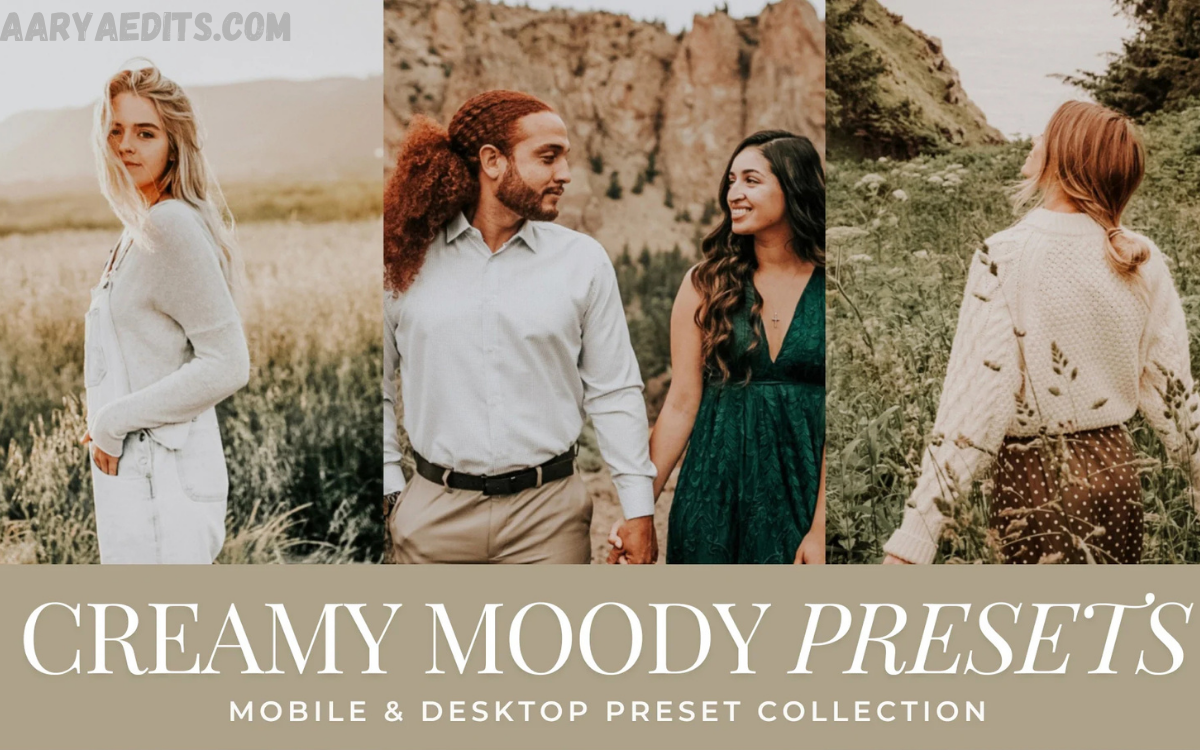
Instagram has evolved into one of the most competitive visual platforms in the digital world. Every day, millions of photos are uploaded by creators, influencers, photographers, brands, and businesses striving to capture attention. While compelling content remains the foundation of success, professional photo editing plays a significant role in creating a memorable Instagram feed.
Many creators search for the best Lightroom presets for Instagram to make every photo go viral, because professionally designed presets help establish a cohesive aesthetic, improve color balance, enhance lighting, and create a polished appearance that encourages viewer engagement.
What Are Lightroom Presets?
Lightroom presets are pre-configured editing settings that automatically apply adjustments to photographs. Instead of manually changing exposure, contrast, shadows, highlights, saturation, color grading, sharpening, and tone curves for every image, photographers can apply a preset with a single click.
Professional creators rely on presets to maintain consistency across hundreds of images and reduce editing time.
Benefits include:
- Faster editing workflow
- Consistent Instagram branding
- Professional color grading
- Improved visual storytelling
- Higher-quality content presentation
Why Do Instagram Creators Use Lightroom Presets?
Instagram rewards visually appealing content that captures attention quickly. While editing alone does not determine success, cohesive visuals encourage users to spend more time viewing your profile.
Using the best Lightroom presets for Instagram that make every photo go viral can help create the following:
- A recognizable brand identity
- Cleaner and brighter images
- Balanced skin tones
- Enhanced landscapes
- Better product photography
- Professional lifestyle content
Consistency often matters more than dramatic edits.
Bright & Airy Presets
Bright and airy presets remain one of the most popular editing styles on Instagram.
These presets typically feature:
- Soft whites
- Natural highlights
- Slightly reduced contrast
- Warm color tones
- Fresh appearance
Ideal for:
- Lifestyle photography
- Wedding photography
- Fashion influencers
- Family portraits
- Interior photography
The clean aesthetic makes photos feel elegant and inviting.
Moody Lightroom Presets
Moody presets create dramatic, cinematic images with darker shadows, muted colors, and rich contrast.
Common characteristics include:
- Deep blacks
- Earthy colors
- Matte finish
- Rich greens
- Warm brown tones
Perfect for:
- Outdoor photography
- Adventure travel
- Portrait sessions
- Street photography
- Coffee shop aesthetics
Moody edits remain extremely popular among professional Instagram creators.
Minimal White Presets
Minimal editing styles focus on simplicity.
These presets emphasize:
- White backgrounds
- Soft lighting
- Neutral tones
- Clean composition
- Modern aesthetics
Ideal for:
- Product photography
- Fashion brands
- Home décor
- Beauty influencers
- Luxury businesses
Minimal feeds appear organized and professional.
Travel Lightroom Presets
Travel creators often use presets designed to emphasize vibrant scenery without making images appear unrealistic.
Travel presets enhance:
- Blue skies
- Ocean colors
- Mountain landscapes
- Architecture
- Golden sunlight
These presets help maintain consistency throughout an entire travel gallery despite changing weather conditions.
Portrait Lightroom Presets
Portrait presets are specifically designed to flatter human subjects.
Professional portrait presets improve:
- Skin tones
- Facial highlights
- Eye brightness
- Hair detail
- Background separation
Many photographers prefer subtle edits that preserve natural beauty while creating polished results.
Lifestyle Presets
Lifestyle photography combines everyday moments with professional editing.
Lifestyle presets typically include:
- Warm lighting
- Natural colors
- Soft shadows
- Balanced contrast
- Pleasant skin tones
These presets work well for influencers documenting daily routines, fashion, food, fitness, and family life.
Food Photography Presets
Restaurants, chefs, and food bloggers benefit from presets designed specifically for culinary photography.
These edits enhance:
- Texture
- Warm colors
- Fresh ingredients
- Contrast
- Detail
Well-edited food photography encourages viewers to stop scrolling and engage with the content.
Read Also: HDR Photo Editing Explained Simply
Fashion Lightroom Presets
Fashion creators prioritize premium editing that complements clothing colors and textures.
Fashion presets generally include:
- Neutral whites
- Clean blacks
- Soft skin tones
- Luxury-inspired contrast
- Editorial color grading
Professional fashion feeds rely on consistency rather than excessive editing.
Outdoor Adventure Presets
Outdoor photography requires different adjustments because natural lighting constantly changes.
Adventure presets improve:
- Forest greens
- Mountain textures
- Blue skies
- Natural contrast
- Dynamic landscapes
These presets help photographers produce magazine-quality outdoor imagery.
Cinematic Presets
Cinematic presets are inspired by movie color grading.
Characteristics include:
- Orange and teal tones
- Deep shadows
- Film-inspired contrast
- Matte blacks
- Rich highlights
Creators often use cinematic edits for travel videos, portraits, and storytelling content.
Vintage Film Presets
Film-inspired presets recreate the timeless appearance of analog photography.
Typical adjustments include the following:
- Grain effects
- Faded blacks
- Soft contrast
- Warm highlights
- Muted colors
Vintage aesthetics continue to attract audiences seeking nostalgic visuals.
How to Choose the Right Lightroom Preset
Choosing the right preset depends on your niche.
Ask yourself:
- Who is your audience?
- What mood fits your brand?
- Do you shoot indoors or outdoors?
- Do you prefer warm or cool tones?
- Will your feed remain consistent?
The most successful Instagram creators edit every image with a similar visual style.
Professional Editing Tips
Even the best Lightroom presets for Instagram that make every photo go viral should be adjusted for each individual photo.
Professionals often modify:
- Exposure
- White balance
- Contrast
- Highlights
- Shadows
- Blacks
- Saturation
- Vibrance
Small adjustments make each image look natural instead of overprocessed.
Common Mistakes to Avoid
Many beginners over-edit their images.
Avoid:
- Excessive saturation
- Unrealistic skin tones
- Extreme sharpening
- Heavy clarity
- Overexposed highlights
- Crushed shadows
Professional editing enhances a photo without making it look artificial.
Building a Cohesive Instagram Feed
A successful Instagram profile is built on visual consistency.
To achieve this:
- Use one preset family.
- Maintain similar lighting.
- Follow a consistent color palette.
- Edit every image similarly.
- Plan your feed before posting.
A cohesive feed strengthens your personal or business brand and creates a professional first impression.
Frequently Asked Questions
What are Lightroom presets for Instagram?
Lightroom presets are pre-configured editing settings that instantly apply professional adjustments to your photos, helping you achieve a consistent and visually appealing Instagram feed.
Can Lightroom presets make every photo go viral?
No preset can guarantee that a photo will go viral. However, high-quality presets can improve image quality, create a cohesive aesthetic, and increase the likelihood of attracting engagement.
Which Lightroom preset is best for beginners?
Bright and airy presets are often the best choice for beginners because they enhance photos with natural colors, balanced lighting, and a clean, professional look.
Are free Lightroom presets worth using?
Many free Lightroom presets provide excellent results for basic editing. However, premium presets typically offer better color grading, consistency, and customization options.
Do Lightroom presets work on mobile devices?
Yes, Lightroom Mobile supports presets, allowing users to edit photos directly on their smartphones without needing the desktop version.
How do I choose the right Lightroom preset for my Instagram feed?
Choose a preset that matches your content style, brand identity, and photography niche. Consistency is more important than using multiple editing styles.
Can I customize a Lightroom preset after applying it?
Yes, every Lightroom preset can be adjusted. You can modify exposure, contrast, white balance, saturation, and other settings to suit each individual photo.
Do professional photographers use Lightroom presets?
Yes, many professional photographers use presets to speed up their editing workflow while maintaining a consistent look across their portfolios and social media accounts.
Will Lightroom presets reduce image quality?
No, Lightroom presets do not reduce image quality when used correctly. They simply adjust editing settings without affecting the original photo file.
How often should I use the same Lightroom preset?
Using the same preset or a similar preset collection across your photos helps create a recognizable and cohesive Instagram aesthetic while strengthening your visual brand.
Conclusion
Searching for The Best Lightroom Presets for Instagram That Make Every Photo Go Viral reflects a desire to create eye-catching, professional content. While no preset can guarantee viral success, the right Lightroom preset can significantly improve image quality, establish a recognizable visual identity, and streamline your editing workflow.
Whether you prefer bright and airy tones, cinematic color grading, moody landscapes, vintage film aesthetics, or clean minimalist edits, choosing presets that align with your brand will help your Instagram profile stand out.
