

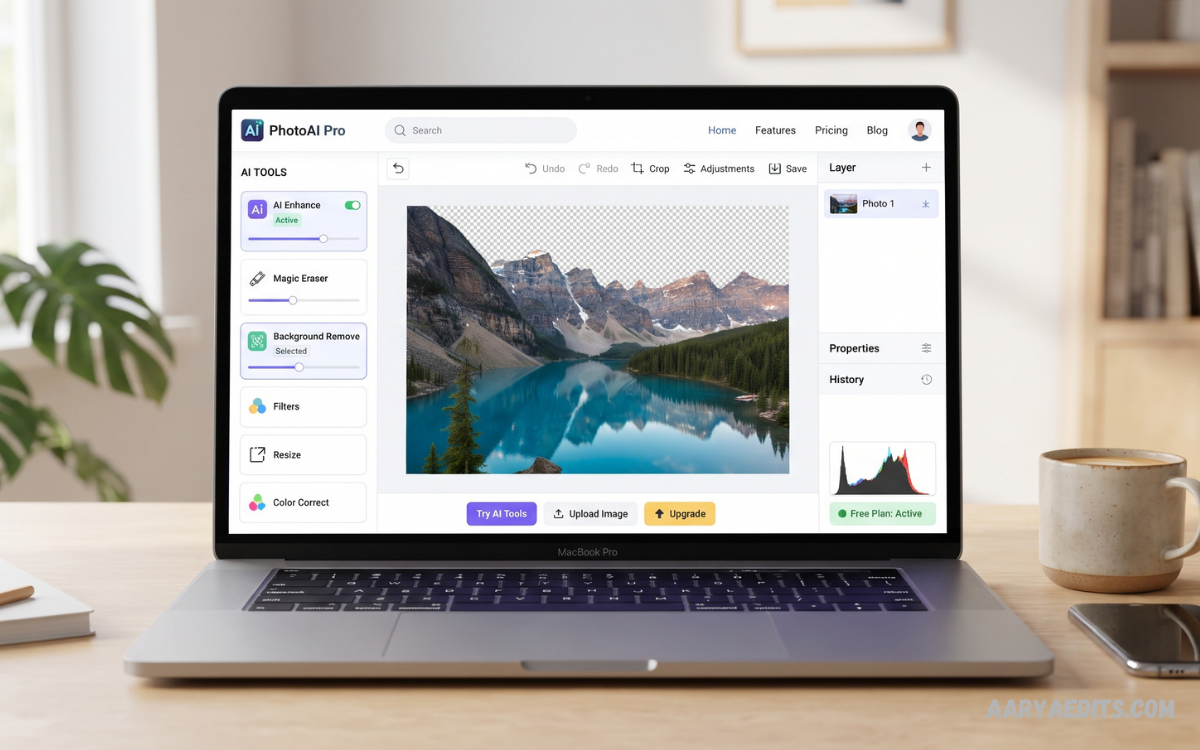
An AI photo editor free online makes professional photo editing faster, simpler, and more accessible. Instead of spending hours adjusting layers, masks, filters, and manual selections, users can rely on artificial intelligence to automate many editing tasks.
Modern browser-based editors can handle common jobs such as background removal, object removal, image enhancement, upscaling, portrait retouching, and creative transformations. Some tools also allow users to describe an edit using natural language instead of manually adjusting complicated settings.
What Is an AI Photo Editor Free Online?
An AI photo editor free online is a browser-based editing tool that uses artificial intelligence to improve, modify, or transform images. AI analyzes different parts of a photograph and automatically performs tasks that traditionally required manual editing.
Traditional photo editing often requires selecting objects, adjusting lighting, removing backgrounds, correcting colors, and applying effects individually. AI can automate several of these processes, allowing users to achieve results with fewer steps.
Why Do You Use an AI Photo Editor Online?
The biggest advantage of an online AI editor is convenience. Users can open a browser, upload an image, make changes, and export the finished result without depending on traditional desktop software.
AI also reduces the technical knowledge required for many common editing tasks. Background removal, image enhancement, object cleanup, and resizing can often be completed with automated tools.
Key Features of AI Photo Editors
AI Background Removal
Background removal is one of the most popular AI photo editing features. The technology identifies the main subject and separates it from the surrounding background.
This feature is especially useful for product images, profile pictures, social media graphics, thumbnails, and promotional content.
AI Object Removal
AI object removal allows users to eliminate unwanted elements from an image. The editor analyzes the surrounding area and attempts to reconstruct the missing background naturally.
This can be useful when a photograph contains distracting objects, clutter, or unwanted elements.
AI Photo Enhancement
AI enhancement can improve the overall appearance of an image by adjusting details such as sharpness, lighting, contrast, and clarity.
Some tools can also reduce noise and improve low-quality images. Pixlr, for example, currently lists AI-powered enhancement, noise reduction, and upscaling among its browser-based tools.
AI Image Upscaling
Low-resolution images can look blurry when enlarged. AI upscaling attempts to increase image resolution while preserving or reconstructing important details.
This feature can be valuable for older photographs, website images, product pictures, and graphics that need larger dimensions.
Portrait Retouching
AI-powered portrait tools can automatically identify facial areas and apply adjustments. Depending on the editor, features may include skin cleanup, lighting enhancement, sharpening, and other appearance adjustments.
For professional results, subtle adjustments are generally preferable to excessive processing.
Generative Editing
Generative editing goes beyond conventional filters and adjustments. It can create or replace parts of an image based on instructions.
For example, some AI editors can generate a new background, extend an image beyond its original borders, or replace a selected element. Pixlr currently provides generative fill, generative expand, and natural-language AI editing features.
How to Use an AI Photo Editor Free Online
Using an online AI editor is generally straightforward.
Step 1: Choose an Editor
Select a browser-based AI photo editing platform that provides the features required for your project. Check its free-plan limitations before beginning.
Step 2: Upload Your Photo
Open the editor and upload the image you want to modify. Use the highest-quality original available whenever possible.
Step 3: Select an AI Feature
Choose the appropriate feature, such as background removal, enhancement, object removal, upscale, or generative editing.
Step 4: Describe Your Edit
If the editor supports natural-language instructions, provide a clear description of the desired change. Simple and specific instructions generally make the intended result easier to understand.
Step 5: Review the Result
AI-generated edits are not always perfect. Examine edges, faces, text, shadows, and important details before exporting the final image.
Step 6: Export the Image
Download the finished image using the available export settings. Check the resolution and file format before publishing or sharing it.
Best Uses for an AI Photo Editor Free Online
Social Media Content
AI editing tools can help prepare photographs for social media by improving lighting, removing distractions, changing backgrounds, and resizing images.
Creators can use these features to produce cleaner visuals without requiring advanced graphic design skills.
Product Photography
Online sellers can use background removal and image enhancement to create cleaner product photographs.
A consistent background, balanced lighting, and appropriate image dimensions can make product pages look more professional.
Blog Images
Bloggers can improve photographs, remove unwanted elements, and prepare images for articles using online AI tools.
Optimized images can also help maintain a better balance between visual quality and website performance.
Profile Pictures
AI enhancement can improve lighting and clarity in profile photographs. Background removal can also help create a cleaner presentation.
Old Photo Enhancement
AI enhancement and upscaling can sometimes improve the appearance of older or lower-quality photographs. Results depend heavily on the original image quality.
AI Photo Editor Free Online vs Traditional Editing
Traditional editing provides extensive manual control. Professional editors can work with layers, masks, curves, brushes, selections, and detailed color adjustments.
AI editing focuses more heavily on automation. Instead of manually completing every step, users can let AI handle repetitive processes.
Read Also: AI Photo Editing App: Transform Your Photos With Artificial Intelligence
Advantages of Free Online AI Photo Editing
No Installation
Browser-based tools eliminate the need to download and install large editing applications.
Beginner-Friendly
AI automation makes many editing functions easier for people who have limited experience with professional image-editing software.
Faster Workflow
Automated background removal, enhancement, object removal, and resizing can significantly reduce repetitive editing work.
Accessible Across Devices
Browser-based editors can be useful when working between computers and other supported devices, provided the service offers compatible browser functionality.
Multiple Creative Options
Modern platforms can combine conventional editing with AI generation, enhancement, background manipulation, and other creative functions.
Limitations to Consider
“Free” does not always mean unlimited. Many services provide free access with restrictions involving credits, resolution, exports, watermarks, or advanced features.
Before choosing an editor, check exactly what the free plan includes. Independent comparisons of 2026 editors show that free tiers can differ significantly in limitations and export conditions.
Tips for Better AI Photo Editing Results
Start with the highest-quality original photograph available. AI can improve an image, but it cannot always recover information that was never captured.
Use clear instructions when working with prompt-based editing. Describe the subject, desired change, background, lighting, or other important details.
How to Choose the Right AI Photo Editor
Start by identifying the main task. Someone who primarily needs background removal has different requirements from someone who needs advanced generative editing.
Next, evaluate the free plan. Look at export resolution, watermarks, daily or monthly limits, supported formats, and whether an account is required.
Future of AI Photo Editing
AI photo editing is moving toward more conversational and automated workflows. Instead of navigating through numerous menus, users can increasingly describe what they want and allow AI to handle the technical process.
Recent Photoshop developments demonstrate this direction through prompt-based editing, AI-assisted workflows, background removal, generative expansion, and other AI features integrated into traditional editing environments.
Frequently Asked Questions
Is an AI photo editor free online?
Many AI photo editors provide free access to basic editing features. However, free plans may include limitations such as credits, watermarks, lower export resolutions, or restricted advanced tools.
Can I edit photos online without installing software?
Yes. Browser-based AI photo editors allow users to perform many editing tasks directly through a web browser without installing traditional desktop editing software.
What can an AI photo editor do?
An AI editor can perform tasks such as background removal, object removal, image enhancement, upscaling, portrait adjustments, generative editing, resizing, and other automated modifications.
Is AI photo editing suitable for beginners?
Yes. AI automation can make many editing tasks easier for beginners because users do not always need advanced knowledge of layers, masks, selections, or other professional techniques.
Can AI improve blurry photos?
AI enhancement and upscaling can improve the appearance of some low-quality images. However, the result depends on the original photograph, and AI cannot guarantee recovery of missing details.
Can AI remove objects from photos?
Yes. Many modern AI photo editors include object-removal tools that identify unwanted elements and reconstruct the surrounding area.
Are free AI photo editors unlimited?
Not necessarily. Some free services restrict the number of edits, available AI features, export resolution, or downloads. Always check the current terms of the selected service.
Is an online AI photo editor safe?
Safety depends on the specific platform and its privacy practices. Before uploading personal photographs, review the service’s privacy policy, image-retention practices, and terms of use.
Conclusion
A free online AI photo editor provides a convenient way to enhance, transform, and prepare photographs without relying entirely on complex desktop software. Background removal, object cleanup, enhancement, upscaling, portrait editing, and generative features can make everyday photo editing significantly faster.
The best choice depends on the type of work, required quality, free-plan restrictions, ease of use, and privacy considerations. For simple edits, a browser-based AI tool can provide an efficient workflow, while professional projects may benefit from combining AI automation with traditional editing controls.
