

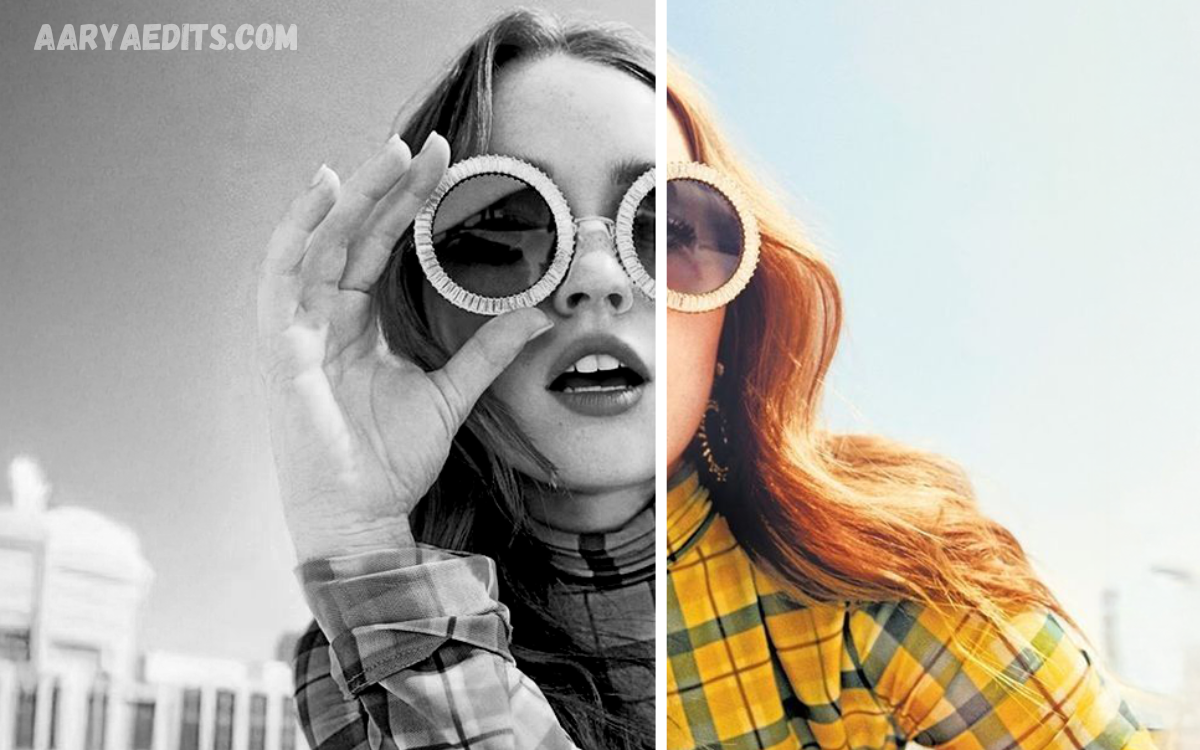
Aesthetic photo editing has become an essential skill for photographers, content creators, influencers, and social media enthusiasts. Whether you’re posting on Instagram, creating a portfolio, or simply preserving memories, the right editing techniques can transform an ordinary photo into a visually captivating masterpiece.
The key to achieving stunning results lies in understanding color balance, lighting, contrast, shadows, and creative effects. Even simple adjustments can dramatically improve image quality while maintaining a natural and professional appearance.
What Is Aesthetic Photo Editing?
Aesthetic photo editing involves enhancing images with colors, lighting, contrast, textures, and creative effects to achieve a visually pleasing appearance. Instead of simply correcting brightness or exposure, aesthetic editing focuses on creating a mood, atmosphere, or artistic style.
An aesthetic edit usually includes:
- Balanced lighting
- Smooth color grading
- Natural skin tones
- Consistent color palette
- Creative filters
- Sharp details
- Minimal distractions
The goal is to create photos that instantly attract attention while maintaining authenticity.
Why Aesthetic Editing Matters?
Visual content has become one of the most powerful forms of communication online. High-quality images increase engagement across social media platforms, improve personal branding, and make websites look more professional.
Benefits include:
- Creates a recognizable style
- Increases social media engagement
- Makes photos look professional
- Improves storytelling
- Strengthens brand identity
- Enhances portfolio quality
- Leaves a memorable impression
Whether you’re editing travel photos, portraits, landscapes, or product images, aesthetic editing adds depth and emotion to every shot.
Best Aesthetic Photo Editing Ideas for Stunning Results
Create Soft Pastel Tones
Soft pastel edits remain one of the most popular aesthetic styles. They produce dreamy, calming images with subtle colors and gentle lighting.
To achieve this look:
- Lower saturation slightly
- Increase brightness
- Reduce harsh contrast
- Add warm highlights
- Lift shadows
- Use light pink, peach, or beige tones
This style works exceptionally well for lifestyle photography, fashion, weddings, and portraits.
Try Cinematic Color Grading
Cinematic editing gives photos the dramatic appearance often seen in movies.
Key adjustments include:
- Deep shadows
- Warm highlights
- Cool blue shadows
- Increased contrast
- Reduced saturation
- Letterbox effect (optional)
Travel photographers frequently use this style to make landscapes appear more immersive and emotional.
Master Moody Editing
Moody aesthetics focus on darker colors and rich contrast.
Characteristics include:
- Deep blacks
- Dark greens
- Brown tones
- Muted colors
- Strong shadows
- Low exposure
Moody edits work particularly well for forests, rainy weather, architecture, coffee photography, and street photography.
Use Vintage Film Effects
Vintage editing recreates the nostalgic appearance of old film cameras.
Popular elements include:
- Film grain
- Dust effects
- Warm color tones
- Faded blacks
- Lower clarity
- Soft highlights
This editing style adds timeless charm to portraits and travel photography.
Experiment with Black and White Photography
Removing color shifts the viewer’s attention toward texture, emotion, and composition.
Tips include:
- Increase contrast
- Improve sharpness
- Adjust highlights carefully
- Brighten facial features
- Emphasize shadows
Black-and-white editing creates dramatic and timeless images.
Enhance Natural Lighting
Lighting remains the most important aspect of professional editing.
Improve lighting by:
- Increasing exposure carefully
- Lowering highlights
- Opening shadows
- Correcting white balance
- Maintaining natural skin tones
Avoid making photos appear overly bright or artificial.
Add Warm Golden Hour Effects
Golden-hour editing creates soft, glowing images even if they weren’t captured during sunset.
To achieve this:
- Increase temperature
- Add orange highlights
- Reduce blue tones
- Lower clarity slightly
- Add a gentle glow
This style works beautifully for portraits and outdoor photography.
Keep Skin Tones Natural
Portrait editing should enhance beauty without making people look unrealistic.
Professional editors:
- Remove blemishes carefully
- Reduce redness
- Preserve skin texture
- Avoid excessive smoothing
- Brighten eyes naturally
Natural edits appear much more professional than over-edited portraits.
Read Also: Cinematic AI Prompt: The Professional Guide to Creating Stunning AI-Generated Visuals
Improve Composition Through Cropping
Editing isn’t only about colors.
Crop your images to:
- Remove distractions
- Improve framing
- Center the subject
- Follow the rule of thirds
- Create balance
Good composition dramatically improves image quality.
Use Minimal Editing
One of the biggest trends today is subtle editing.
Instead of applying heavy filters:
- Make small adjustments
- Maintain natural colors
- Preserve textures
- Keep details sharp
- Avoid oversaturation
Sometimes, less editing creates the strongest visual impact.
Popular Aesthetic Editing Styles
Different editing styles suit different types of photography.
Bright and Airy
Perfect for:
- Weddings
- Family photography
- Lifestyle blogs
- Fashion
Characteristics:
- Bright whites
- Soft shadows
- Warm lighting
- Clean colors
Dark and Moody
Best for:
- Nature
- Coffee shops
- Forest photography
- Urban scenes
Features:
- Deep shadows
- Rich colors
- Dramatic lighting
Vintage
Ideal for:
- Portraits
- Retro photography
- Travel memories
Includes:
- Film grain
- Warm tones
- Faded blacks
Minimalist
Perfect for:
- Product photography
- Architecture
- Lifestyle branding
Focuses on:
- Simplicity
- Clean backgrounds
- Balanced colors
Vibrant
Great for:
- Travel
- Food
- Festivals
- Landscapes
Characteristics:
- Rich colors
- High clarity
- Increased saturation
Professional Editing Tips
Professional photographers follow consistent editing workflows.
Helpful tips include:
Edit in RAW Format
RAW images contain more detail than JPEG files, making color correction much easier.
Don’t Overuse Filters
Filters should enhance images rather than dominate them.
Maintain Consistency
Use a similar editing style across your portfolio and social media profile.
Check White Balance
Correct white balance ensures accurate skin tones and realistic colors.
Zoom In While Editing
Small imperfections become noticeable when viewed on larger screens.
Compare Before and After
Frequently compare your edited photo with the original to avoid excessive adjustments.
Common Photo Editing Mistakes
Avoid these mistakes for professional-looking results.
Oversaturation
Excessive colors make photos appear unrealistic.
Too Much Skin Smoothing
Natural skin texture should remain visible.
Over-Sharpening
Too much sharpening introduces unwanted noise and halos.
Excessive Contrast
Strong contrast removes important image details.
Ignoring Composition
Even perfect editing cannot fix poor framing.
Applying Every Effect
Use only the adjustments necessary to support your creative vision.
Building Your Own Editing Style
One of the best ways to stand out is by developing a unique editing style.
You can do this by:
- Choosing a consistent color palette
- Creating custom presets
- Studying professional photographers
- Practicing regularly
- Saving favorite editing settings
- Editing with purpose instead of following every trend
A recognizable editing style helps establish your personal or business brand.
Best Practices for Social Media Photos
Social media platforms reward visually appealing content.
To maximize engagement:
- Use high-resolution images
- Maintain consistent colors
- Keep backgrounds clean
- Highlight the main subject
- Avoid excessive text overlays
- Optimize image dimensions for each platform
Consistency builds trust and strengthens your online presence.
Frequently Asked Questions
How can beginners create aesthetic photo edits?
Beginners can start by adjusting brightness, contrast, exposure, highlights, and shadows. Using presets, maintaining natural colors, and practicing with different editing styles can help create professional-looking aesthetic photos.
What are the most popular aesthetic photo editing styles?
Popular styles include pastel, cinematic, vintage, moody, bright and airy, minimalist, retro film, black-and-white, warm golden hour, and vibrant color grading.
How do I make my photos look professional?
To achieve a professional look, use good lighting, maintain proper composition, edit in high resolution, keep skin tones natural, avoid over-editing, and apply consistent color grading across your photos.
Is Lightroom better than Snapseed for aesthetic editing?
Adobe Lightroom offers advanced color grading, presets, and professional editing tools, making it ideal for detailed edits. Snapseed is free, user-friendly, and perfect for beginners who want quick yet high-quality aesthetic enhancements.
Should I edit photos in RAW or JPEG format?
RAW images are recommended because they preserve more image data, allowing greater flexibility when adjusting exposure, colors, highlights, and shadows without reducing image quality.
How can I create a consistent aesthetic for Instagram?
Choose a specific color palette, use the same editing preset or workflow, maintain similar lighting, and apply consistent tones across all images to create a cohesive Instagram feed.
What mistakes should I avoid while editing photos?
Avoid excessive saturation, over-sharpening, heavy skin smoothing, unrealistic filters, poor cropping, and applying too many effects. Subtle edits usually produce the most natural and attractive results.
Why is aesthetic photo editing important for social media?
Aesthetic photo editing improves visual quality, attracts more attention, increases engagement, strengthens personal or business branding, and helps create a memorable and professional online presence.
Conclusion
Creating visually stunning images is no longer limited to professional photographers. With the right techniques, anyone can transform ordinary photos into eye-catching works of art. By experimenting with soft pastel tones, cinematic color grading, vintage effects, moody aesthetics, natural lighting, and minimalist editing, you can discover a style that reflects your creativity while maintaining a polished and professional appearance.
The Best Aesthetic Photo Editing Ideas for Stunning Results focus on enhancing the natural beauty of your images rather than overwhelming them with excessive effects.
