

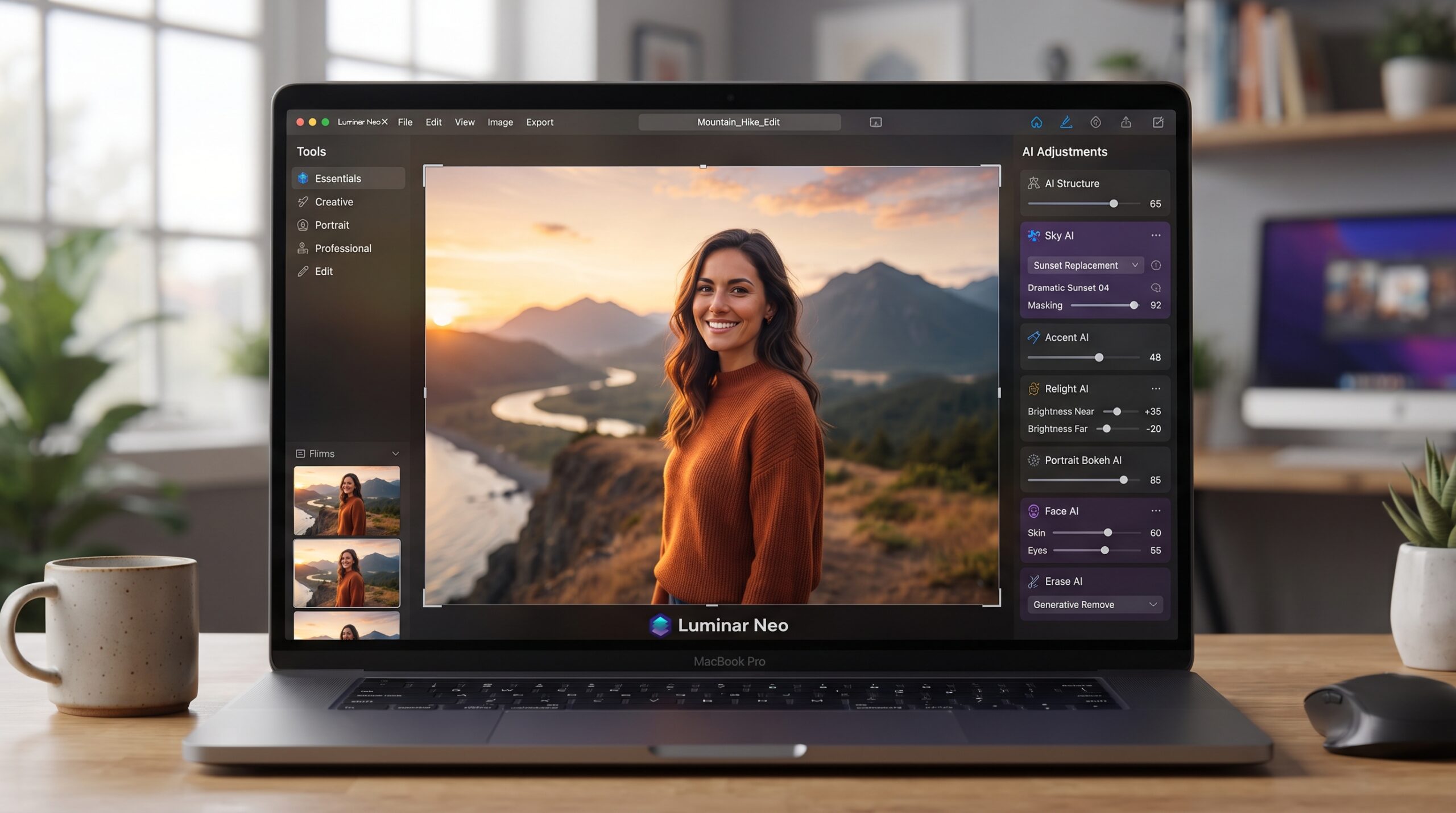
AI photo editing software has changed the way people enhance, retouch, and transform digital images. Traditional photo editing often requires extensive knowledge of layers, masks, filters, selections, and manual adjustments. AI-powered tools simplify many of these processes by using artificial intelligence to recognize objects, understand image context, and apply edits automatically.
Modern AI editors can perform tasks such as removing unwanted objects, replacing backgrounds, improving image quality, adjusting lighting, expanding compositions, and generating new visual elements. Recent Adobe Photoshop updates, for example, include prompt-based editing that allows users to describe changes using natural language.
What Is AI Photo Editing Software?
AI photo editing software is an image-editing application that uses artificial intelligence and machine-learning technologies to automate or assist with photo enhancement and manipulation. Instead of performing every adjustment manually, users can allow AI to analyze an image and recommend or apply appropriate changes.
Depending on the software, AI can recognize subjects, backgrounds, faces, objects, colors, lighting conditions, and other visual elements. This recognition allows the editor to perform targeted modifications without requiring complex manual selections.
How AI Photo Editing Software Works
AI editing systems analyze visual information using trained models designed for image understanding and generation. When an image is uploaded, the software can identify different components and determine where an adjustment should be applied.
For example, an AI editor may distinguish between a person and the surrounding background. It can then isolate the subject, remove distractions, enhance selected areas, or generate replacement content while attempting to maintain consistency with the original image.
Key Features of AI Photo Editing Software
AI Background Removal
Background removal is one of the most useful AI-powered editing features. Instead of manually tracing around a subject, AI can automatically identify the foreground and separate it from the background.
This feature is particularly useful for product images, profile pictures, online content, advertisements, and social media graphics. Users can then replace the original background with another image, color, or AI-generated scene.
Object Removal
Unwanted objects can make an otherwise excellent photograph look distracting. AI-powered removal tools can analyze the surrounding area and reconstruct missing portions of the image.
Modern editors can remove people, objects, signs, or other distractions while attempting to preserve the natural appearance of the surrounding environment. Adobe’s current Photoshop tools include AI-assisted object removal and generative editing capabilities.
Generative Fill
Generative Fill allows users to add, replace, or remove elements using prompts. Instead of manually creating a new object, users can describe what should appear in a selected area.
This technology can be useful for creative compositions, advertising visuals, conceptual artwork, and photo restoration. However, generated content should always be reviewed carefully before publication.
Image Upscaling
Low-resolution images can become problematic when used for larger displays or high-quality designs. AI upscaling attempts to increase image resolution while reconstructing missing details.
Generative Upscale is one example of this approach, using AI to improve clarity and sharpness while increasing image dimensions.
Lighting Enhancement
AI can analyze brightness, shadows, contrast, and other visual characteristics to help improve lighting. This can save time compared with adjusting every parameter manually.
Professional editors can still fine-tune exposure and contrast afterward. The combination of automated assistance and manual control provides greater flexibility for complex projects.
Color Correction
Color correction can also benefit from AI. Intelligent editing systems can recognize color relationships and automatically improve balance, saturation, contrast, and overall appearance.
This feature is useful when photographs have inconsistent lighting or require a particular visual style. Professional users should review automated color changes to ensure that skin tones, products, and brand colors remain accurate.
Benefits of AI Photo Editing Software
Saves Time
One of the biggest advantages of AI photo editing software is speed. Tasks that previously required multiple manual steps can often be completed with automated tools.
Removing backgrounds, isolating subjects, eliminating distractions, and improving image quality can become significantly more efficient.
Easy for Beginners
Traditional professional editors can have complicated interfaces with numerous tools and settings. AI features reduce the learning curve by allowing users to describe what they want or use automated actions.
Adobe’s research describes its AI Assistant as being designed for both beginners and experienced users, with options for either automated edits or guided steps.
Supports Creative Work
AI is not limited to correcting photographs. Generative tools can help users experiment with new compositions, backgrounds, objects, and visual concepts.
Creators can explore multiple variations without rebuilding an entire project from scratch. Adobe’s Firefly updates, for example, include tools designed to generate variations and provide more precise control over specific edits.
Improves Productivity
Businesses and content creators often need large numbers of images. AI-assisted workflows can help reduce repetitive editing work and allow more time for creative decisions.
Photographers can also benefit from AI-assisted organization and selection features. Recent Lightroom updates include AI-assisted culling capabilities designed to help photographers evaluate large collections more efficiently.
AI Photo Editing Software for Different Users
Photographers
Photographers can use AI tools for removing distractions, enhancing details, improving lighting, adjusting colors, and preparing images for different platforms.
AI can reduce repetitive work while leaving creative decisions in the photographer’s hands.
Content Creators
Content creators frequently need attractive visuals for websites, social platforms, videos, thumbnails, and promotional campaigns. AI editing tools can accelerate these workflows.
Background replacement, image resizing, object removal, and creative effects are especially useful for producing content quickly.
Bloggers and Website Owners
Bloggers can use AI editors to optimize featured images, create illustrations, remove distracting elements, and prepare visuals for articles.
Consistent image dimensions and quality can also create a more professional appearance across a website.
Small Businesses
Small businesses can use AI photo editing for product images, promotional graphics, social media content, and advertisements.
Automated editing can reduce the need for extensive manual design work while helping businesses maintain a consistent visual identity.
AI Photo Editing Software vs Traditional Editing
Traditional photo editing gives users detailed control over individual adjustments. Experienced editors can manipulate layers, masks, curves, selections, and other elements with considerable precision.
AI editing focuses more heavily on automation and intelligent assistance. Users can complete certain tasks with fewer steps, often through automated features or natural-language prompts.
Read Also: AI Photo Editor Free Online: Edit Photos Easily With AI
Limitations of AI Photo Editing Software
Despite rapid improvements, AI editing is not perfect. Generated results can sometimes contain visual inconsistencies, incorrect details, or unexpected modifications.
Research from Adobe examining everyday image-editing requests found that AI editors still struggle with some precise editing tasks and can have difficulty preserving the identity of people and animals.
How to Choose AI Photo Editing Software
When choosing an AI editor, consider the features that match your workflow rather than selecting software solely because it has many AI tools.
Look for useful capabilities such as background removal, object removal, image enhancement, generative editing, upscaling, color correction, and export options.
Best Practices for AI Photo Editing
Start with the highest-quality original image available. AI tools can improve photographs, but a strong source image generally provides a better foundation for editing.
Use AI for repetitive or technically demanding tasks while maintaining human oversight. Always inspect faces, hands, text, product details, edges, shadows, and other important areas after an AI edit.
The Future of AI Photo Editing
AI photo editing is moving toward more conversational and context-aware workflows. Instead of navigating numerous menus, users can increasingly describe an intended result and allow AI to perform the required steps.
Current Photoshop developments illustrate this direction through prompt-based editing, AI Markup, Generative Fill, Generative Expand, Generative Upscale, and other AI-assisted features.
Frequently Asked Questions
What is AI photo editing software?
AI photo editing software uses artificial intelligence to automate or assist with image editing tasks such as object removal, background replacement, enhancement, color correction, and generative editing.
Is AI photo editing software suitable for beginners?
Yes. Many AI editors are designed to simplify complex editing tasks through automated tools and natural-language prompts, making them accessible to users without advanced editing experience.
Can AI remove unwanted objects from photos?
Yes. Many modern AI editors can detect unwanted objects and reconstruct the surrounding area to create a more natural-looking result.
Can AI improve photo quality?
Yes. AI-powered enhancement and upscaling tools can improve sharpness, clarity, and resolution. Results depend on the original image and the specific software.
Can AI change a photo background?
Yes. AI can separate the main subject from its background and replace the background with another image, color, or generated scene.
Is AI photo editing better than traditional editing?
Neither approach is universally better. AI provides speed and automation, while traditional editing offers detailed manual control. Combining both methods can provide strong results.
Can AI editing produce mistakes?
Yes. AI can occasionally generate incorrect details, unwanted changes, or unnatural elements. Important images should always be reviewed after automated editing.
Is AI photo editing useful for professional work?
Yes. Professionals can use AI to reduce repetitive tasks and accelerate workflows while retaining manual controls for precision and final adjustments.
Does AI photo editing require advanced skills?
Not necessarily. Many AI-powered tools allow users to perform sophisticated edits through simple controls or natural-language prompts, although professional results still benefit from editing knowledge.
What should I consider before choosing an AI photo editor?
Consider its editing features, ease of use, image quality, export options, supported devices, pricing, privacy practices, and the level of manual control available.
Conclusion
AI photo editing software has become an important part of modern digital creativity. From background removal and object cleanup to generative editing and image enhancement, AI can simplify complex tasks and accelerate creative workflows.
The technology offers significant benefits for photographers, creators, businesses, bloggers, and beginners. However, AI should be treated as an assistant rather than an unquestionable replacement for human judgment.
