

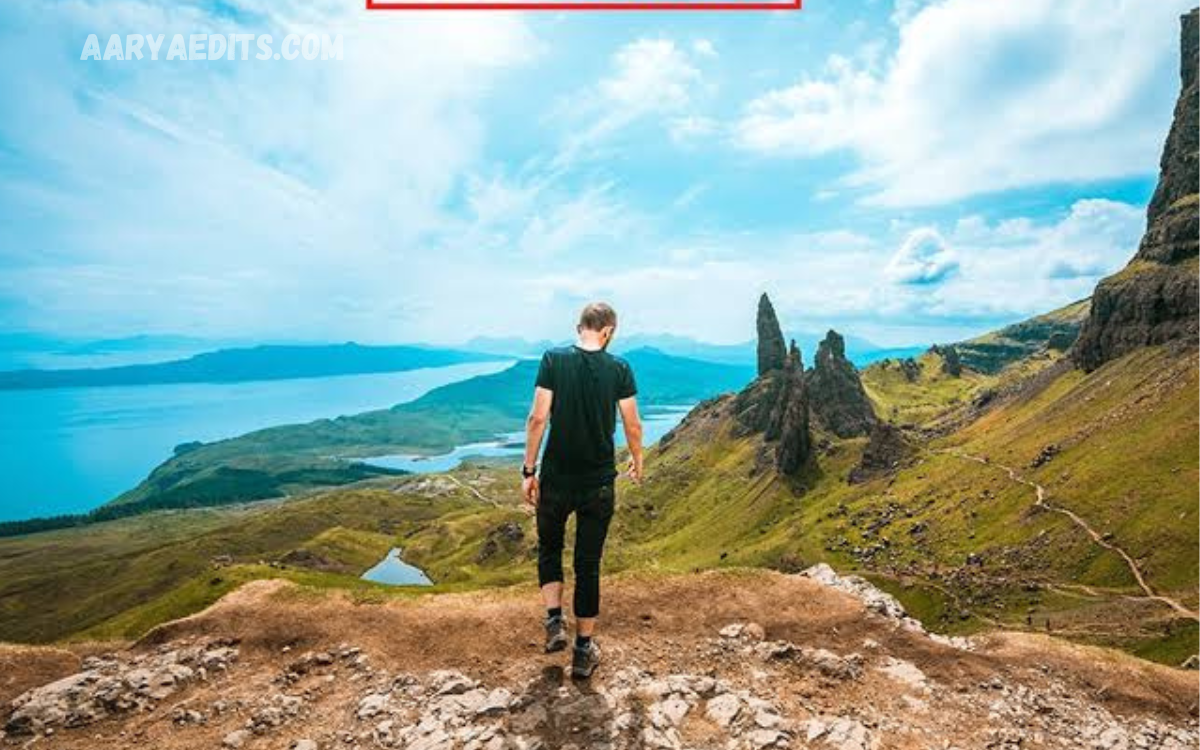
Travel photography is all about capturing places, people, landscapes, architecture, food, and unforgettable moments in a way that feels natural and memorable. In 2026, Lightroom presets remain one of the easiest ways to create a consistent appearance across an entire travel collection without spending hours adjusting every photograph individually.
The Best Free Travel Lightroom Presets 2026 can help photographers improve colors, contrast, highlights, shadows, and overall mood with only a few adjustments. From sunny beaches and mountain landscapes to city streets and golden-hour scenes, the right preset can give ordinary travel photographs a polished, professional look.
What Are Lightroom Presets for Travel Photography?
Lightroom presets are saved editing settings that apply a particular visual style to a photograph. Instead of manually adjusting exposure, contrast, highlights, shadows, color, and other controls each time, photographers can use a preset as a starting point and then make small adjustments based on the image.
Travel presets are designed with common travel situations in mind. They can be useful for outdoor landscapes, beaches, historic buildings, street photography, road trips, forests, sunsets, and portraits taken during vacations. Current 2026 preset collections commonly include film-inspired, cinematic, warm, earthy, landscape, and moody styles.
Why Use Free Travel Lightroom Presets in 2026?
One of the biggest advantages of free presets is that they allow photographers to experiment with different editing styles without making a financial commitment. Beginners can learn how colors, contrast, highlights, shadows, and tones interact while creating attractive photographs.
Presets can also save considerable editing time. A photographer returning from a long trip may have hundreds of images to process. Applying a suitable preset and adjusting exposure or white balance can provide a consistent foundation for an entire collection, especially when photographs were captured under similar lighting conditions.
Best Free Travel Lightroom Presets 2026
The best travel presets are not necessarily the ones with the strongest colors or darkest shadows. A good preset should remain flexible and should enhance the photograph without destroying important details. Travel-focused options available in 2026 include warm film looks, earthy tones, cinematic landscape styles, tropical edits, and versatile presets designed for different lighting conditions.
Warm and earthy presets are particularly useful for destinations featuring architecture, deserts, markets, natural landscapes, and golden sunlight. Film-inspired options can create a timeless appearance, while cooler landscape presets may work better for mountains, lakes, cloudy environments, and northern destinations.
Warm and Golden Travel Presets
Warm presets are excellent for photographs taken at sunrise, sunset, golden hour, on beaches, at historical sites, and during outdoor adventures. They can increase warmth and make sunlight appear more inviting while giving the image a comfortable vacation atmosphere.
However, warmth should be controlled carefully. Excessive orange or yellow tones can make skin look unnatural and can change the appearance of buildings, sand, and natural scenery. A professional workflow uses the preset as a foundation, then adjusts the temperature, tint, and exposure to match the original lighting.
Cinematic Travel Lightroom Presets
Cinematic presets are popular among travelers who want photographs with a dramatic, storytelling appearance. They often use deeper shadows, controlled highlights, muted colors, and carefully balanced contrast to make a scene feel more like a film still.
This style can work particularly well for city streets, road trips, historic locations, rainy scenes, and evening photography. Several 2026 preset collections highlight cinematic and moody styles as popular choices for travel and landscape images.
Film-Inspired Travel Presets
Film-inspired presets are another strong choice for travel photography because they can create soft colors and a timeless appearance. Popular approaches include looks inspired by classic Kodak and Fuji-style color rendering, with variations ranging from warm and creamy to muted and atmospheric.
These presets are especially useful when you want a travel album to feel consistent rather than heavily edited. Film-style adjustments can add character while keeping the photograph recognizable. The strongest results usually come from presets that preserve highlight detail and maintain believable skin tones.
Landscape Lightroom Presets for Travel
Landscape presets are designed to enhance mountains, forests, lakes, coastlines, deserts, waterfalls, and other outdoor scenes. They often focus on balancing bright skies with darker foregrounds while improving color separation and atmospheric depth.
For landscape photography, avoid presets that push saturation too aggressively. Natural greens, blues, and earth tones can quickly become unrealistic when overprocessed. A good preset should make the landscape look more impressive while still retaining the feeling of the original location.
Beach and Tropical Travel Presets
Beach photographs often contain strong sunlight, bright skies, blue water, sand, and colorful surroundings. A suitable tropical preset can improve these elements by balancing highlights and enhancing the relationship between blue, cyan, green, and warm tones.
For tropical travel collections, bright, airy presets can create a fresh vacation aesthetic. Slightly faded film styles can also work well for beaches and resorts. When applying a preset in extremely bright conditions, check the highlights carefully, as the sky and reflective water can become overexposed.
Read Also: Lightroom Black Presets: Create Moody, Dramatic Photos in 2026
City and Street Travel Presets
City photography frequently combines architecture, people, vehicles, signs, artificial lighting, and changing weather. A versatile urban preset can bring consistency to these different elements while giving the collection a recognizable visual identity.
Cinematic, muted, and film-inspired presets are particularly suitable for streets and architecture. For nighttime photographs, reduce excessive highlights and check the color temperature, as artificial lighting can introduce strong orange, green, or blue casts.
How to Choose the Right Travel Preset
The best preset depends on the photograph, lighting conditions, camera profile, and personal editing style. A preset that looks excellent in a sunset may not work well in an overcast street photograph, which is why experienced photographers often maintain several variations rather than relying on a single look.
Before selecting a preset, consider the destination and lighting. Warm presets can complement sunny locations, muted presets can work with urban scenes, cinematic styles can suit evening photography, and natural landscape presets can enhance mountains and forests without making them appear artificial.
How to Use Lightroom Presets Correctly
Start by importing your photograph into Lightroom and correcting the basic exposure and white balance when necessary. Apply the preset afterward, and examine the image carefully rather than assuming it will automatically produce a perfect result.
Make small adjustments to exposure, contrast, highlights, shadows, whites, blacks, saturation, and temperature. If people appear in the photograph, pay particular attention to skin tones. A preset should improve the image rather than completely replace its natural characteristics.
Free Presets for Lightroom Mobile
Mobile photography has become a major part of travel content creation, making Lightroom Mobile presets especially useful. Photographers can edit images directly on smartphones and maintain a consistent appearance across social media posts, albums, and travel collections.
DNG-based presets are commonly used in Lightroom Mobile, while XMP presets are more commonly associated with desktop Lightroom workflows. Current free preset resources include options intended for both desktop and mobile editing, although compatibility and installation methods can vary between downloads.
Presets for RAW and JPEG Travel Photos
RAW files generally provide greater flexibility when adjusting exposure, highlights, shadows, and color after applying a preset. This makes RAW particularly valuable for photographers who want maximum control over difficult travel lighting.
JPEG images can also benefit from presets, but they usually offer less room to recover extreme highlights or shadows. When working with JPEG files, choose lighter presets and make smaller adjustments to avoid excessive contrast, saturation, or color shifts.
How to Create a Consistent Travel Photo Collection
Consistency is one of the most important reasons to use presets. A travel album looks more professional when photographs from different locations share a similar color philosophy rather than appearing as completely unrelated edits.
You do not need to use the exact same preset for every photograph. Instead, choose a small group of compatible presets for bright daylight, golden hour, overcast weather, interiors, and night scenes. This approach allows different lighting conditions while maintaining a unified visual identity.
Common Mistakes When Using Travel Presets
One common mistake is applying a preset at full strength without checking the original photograph. Every image has different exposure, lighting, colors, and camera characteristics, so a preset that works perfectly on one photograph may look too strong on another.
Another mistake is chasing dramatic colors instead of natural results. Excessive saturation, crushed shadows, unrealistic skin tones, and clipped highlights can make travel photographs look heavily processed. The goal should be enhancement, not simply making every color brighter.
Are Free Travel Lightroom Presets Worth Using?
Free presets can be extremely useful when treated as editing foundations rather than as instant solutions. They can help beginners learn Lightroom and help experienced photographers speed up repetitive editing tasks.
The quality of free presets varies, so photographers should examine how a preset handles highlights, shadows, skin tones, and different lighting situations. Recent 2026 collections include free travel, landscape, film, cinematic, and mobile-oriented options, giving photographers many styles to explore.
Frequently Asked Questions
What is the best free travel Lightroom preset in 2026?
There is no single preset that works perfectly for every travel photograph. Versatile warm, natural, film-inspired, and landscape presets are generally strong choices because they can be adjusted for different destinations and lighting conditions.
Are free Lightroom presets really useful?
Yes, free presets can provide an excellent starting point for editing. Their value depends on how well they handle color, contrast, highlights, shadows, and different types of photographs.
Can I use travel presets on Lightroom Mobile?
Yes, many presets are available for Lightroom Mobile. DNG-based workflows are commonly used on mobile devices, while supported XMP presets can be used through compatible Lightroom workflows.
Are Lightroom presets suitable for RAW photos?
Yes. RAW files are particularly suitable because they offer extensive flexibility to correct exposure, white balance, highlights, shadows, and colors after applying a preset.
Can I use a travel preset on JPEG photos?
Yes. Presets can be applied to JPEG photographs, although JPEG files generally provide less editing flexibility than RAW images. Subtle presets often produce better results with JPEG files.
Which preset is best for beach photography?
Warm, bright, airy, tropical, and film-inspired presets can work well for beach photography. Always monitor highlights, as strong sunlight and reflective water can easily cause overexposure.
Which Lightroom preset is best for mountains?
Natural landscape, cinematic, cool-toned, and atmospheric presets can work well for mountain photographs. Choose a style that improves depth and color without making vegetation or skies look artificial.
Should I use one preset for my entire trip?
You can, but using several compatible variations often produces better results. Different lighting conditions may require different presets while maintaining the same overall color philosophy.
How can I make a preset look more natural?
Reduce its strength when possible and adjust exposure, white balance, highlights, shadows, and saturation manually. Small corrections can make a dramatic preset appear much more natural.
Can beginners use free Lightroom presets?
Absolutely. Presets are especially useful for beginners because they provide an opportunity to study how professional-looking adjustments affect an image. After applying one, beginners can inspect the settings and learn from the changes.
Conclusion
The Best Free Travel Lightroom Presets 2026 can make travel photography faster, more consistent, and more creative. Whether you photograph beaches, mountains, cities, architecture, forests, road trips, or sunsets, the right preset can provide a strong starting point for professional-looking results.
The most effective approach is to choose presets according to the lighting and subject rather than applying the same dramatic effect everywhere. Use free presets as a foundation, make thoughtful manual adjustments, and prioritize natural colors and preserved details.
