

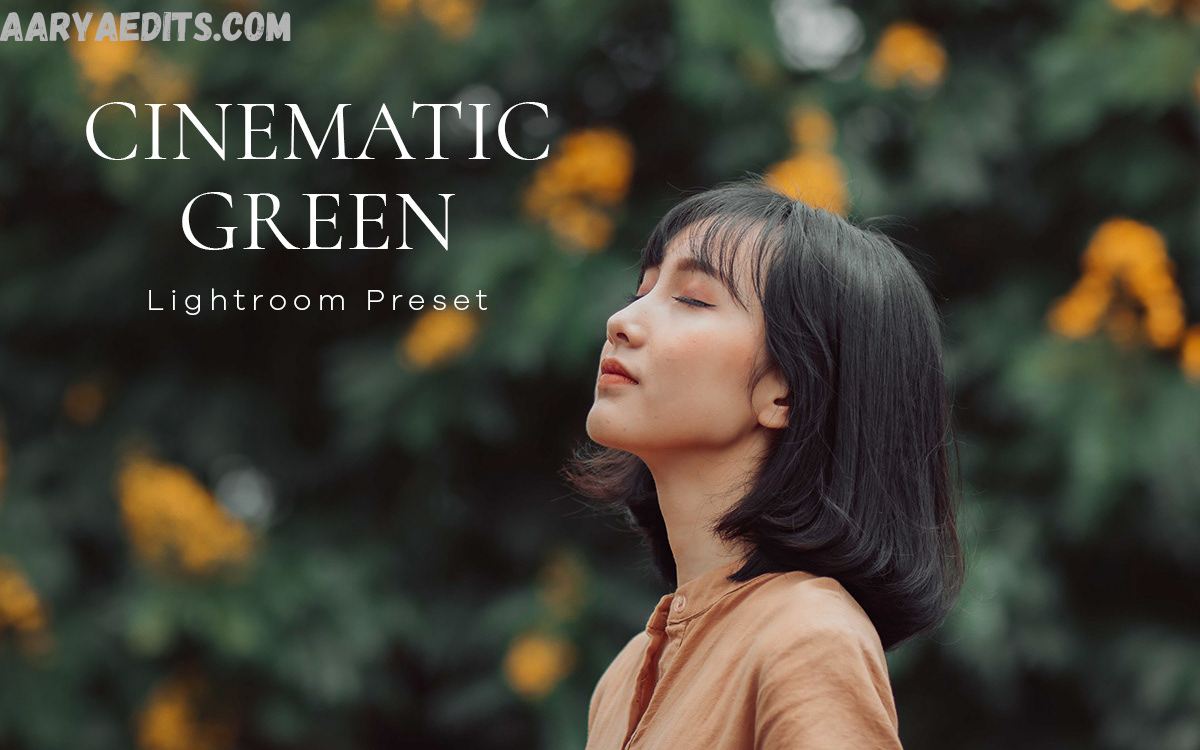
Photography is more than capturing a moment; it is about telling a story. One of the most popular editing styles today is the cinematic look, inspired by Hollywood films and dramatic storytelling. This editing style creates depth, emotion, and atmosphere through carefully balanced colors, contrast, lighting, and tonal adjustments.
Whether you are a beginner learning Lightroom or an experienced photographer managing large photo collections, cinematic presets can simplify your editing workflow while maintaining creative control. They provide a strong starting point that can be customized for different lighting conditions, subjects, and artistic preferences.
What Are Cinematic Lightroom Presets?
Cinematic Lightroom Presets are pre-configured editing settings designed to give photographs a movie-inspired appearance. They adjust various image properties, including exposure, contrast, highlights, shadows, color grading, tone curves, saturation, sharpening, and grain, to create a polished visual style.
These presets are available for Adobe Lightroom on desktop, mobile, and cloud-based versions. While every preset produces a different aesthetic, most cinematic styles emphasize rich colors, balanced contrast, soft highlights, controlled shadows, and subtle color grading.
Why Cinematic Lightroom Presets Are So Popular?
The popularity of cinematic editing continues to grow because audiences naturally connect with images that evoke emotion and visual storytelling. Instead of overly bright or heavily saturated edits, cinematic photos often feel realistic yet maintain a refined, artistic appearance.
Another reason for their widespread use is efficiency. Editing hundreds of photographs manually can take a significant amount of time. Applying a preset creates a consistent foundation across an entire photo collection, allowing photographers to focus on small refinements rather than repeating the same adjustments.
Key Features of Cinematic Lightroom Presets
Professional Color Grading
One of the defining characteristics of cinematic editing is sophisticated color grading. Instead of relying on excessive saturation, cinematic presets carefully balance complementary colors to create mood and depth. Teal shadows paired with warm skin tones are among the most recognizable examples, but many presets also use earthy greens, muted blues, rich browns, or warm amber highlights depending on the desired atmosphere.
Professional color grading enhances storytelling by influencing how viewers emotionally respond to an image. Cool color palettes can create mystery or drama, while warm tones often communicate comfort, nostalgia, or adventure.
Balanced Contrast
Cinematic images typically avoid harsh extremes. Instead of crushing shadows or blowing out highlights, well-designed presets maintain detail throughout the tonal range. Balanced contrast produces images that feel dynamic without sacrificing important textures in bright skies, clothing, or darker backgrounds.
This approach also creates a more natural viewing experience. Portraits retain skin detail, landscapes preserve environmental textures, and architecture maintains clarity across different lighting conditions. The result is a polished image that appears both realistic and visually compelling.
Film-Inspired Tone Curves
Many cinematic presets include custom tone curve adjustments that mimic the appearance of traditional film photography. Slightly lifted blacks, softer highlights, and smoother tonal transitions create a timeless aesthetic that differs from the look of standard digital editing.
Read Also: DNG Presets Free Download – Best Lightroom Mobile Presets Guide 2026
Film-inspired tone curves also reduce the harsh digital appearance that can occur with aggressive editing. Combined with thoughtful color grading, they help produce images that feel organic and visually pleasing while maintaining sharpness where necessary.
Subtle Grain Effects
Film grain remains an important stylistic element in cinematic photography. Rather than reducing image quality, carefully applied grain adds texture and character, making digital photographs feel more authentic and less artificially processed.
Modern Lightroom includes advanced grain controls, allowing photographers to adjust the amount, size, and roughness of grain. Cinematic presets generally apply grain conservatively, so it enhances the image without distracting from the subject.
Benefits of Using Cinematic Lightroom Presets
One of the greatest advantages of using Cinematic Lightroom Presets is the significant time they save during editing. Instead of starting from scratch for each photograph, users can apply a preset to instantly establish the desired mood and visual direction.
Another important benefit is editing consistency. Maintaining a unified visual style helps strengthen personal branding and creates a professional-looking portfolio. Whether publishing photographs on a website, social media platform, or client gallery, consistent editing builds recognition and enhances the overall viewing experience.
How to Choose the Right Cinematic Lightroom Presets
Selecting the right preset depends on your photography style, lighting conditions, and creative goals. Portrait photographers often prefer presets that preserve natural skin tones while adding subtle warmth and contrast.
It is also important to consider the quality of the preset rather than simply the visual preview. A well-designed preset should work effectively across different camera models and lighting environments without introducing unrealistic colors or excessive contrast.
Installing Cinematic Lightroom Presets
Installing Lightroom presets is generally straightforward, whether you use the desktop or mobile version of Lightroom. Most preset collections include files that can be imported directly into the application through the preset management panel.
After applying a preset, spend a few moments fine-tuning the photograph. Adjust exposure, white balance, cropping, and local corrections as needed to match the lighting and composition of the original image.
Frequently Asked Questions
What are Cinematic Lightroom Presets?
Cinematic Lightroom Presets are pre-configured editing settings that give photos a movie-inspired look. They adjust elements such as color grading, contrast, exposure, tone curves, and shadows to create dramatic and visually appealing images.
Can beginners use Cinematic Lightroom Presets?
Yes. Cinematic Lightroom Presets are beginner-friendly and can be applied with a single click. After applying a preset, users can make simple adjustments like exposure and white balance to suit each photo.
Do Cinematic Lightroom Presets work on Lightroom Mobile?
Yes. Many Cinematic Lightroom Presets are compatible with both Adobe Lightroom Desktop and Lightroom Mobile, allowing users to edit photos on computers, smartphones, and tablets.
Will the same preset work perfectly on every photo?
No. The final result depends on factors such as lighting, camera settings, and the original image. Most presets serve as a starting point and may require minor adjustments for the best outcome.
Are Cinematic Lightroom Presets suitable for professional photographers?
Yes. Professional photographers often use cinematic presets to speed up their editing workflow, maintain consistency across photo collections, and establish a recognizable editing style while still customizing individual images.
What types of photography work best with Cinematic Lightroom Presets?
These presets work well for portraits, travel photography, landscapes, street photography, weddings, lifestyle photography, automotive photography, and social media content where storytelling and mood are important.
Can I customize a Cinematic Lightroom Preset after applying it?
Absolutely. Lightroom allows you to modify every adjustment after applying a preset, including exposure, contrast, highlights, shadows, colors, sharpening, and other editing settings.
Conclusion
Cinematic Lightroom Presets are an excellent way to transform ordinary photos into visually compelling images with a professional, movie-inspired aesthetic. By combining carefully crafted color grading, balanced contrast, refined tone curves, and subtle film-like effects, these presets help photographers and content creators achieve consistent, high-quality edits while saving valuable time.
While presets can significantly speed up your workflow, the best results come from thoughtful customization. Every photo has unique lighting, colors, and composition, so adjusting exposure, white balance, contrast, and other settings after applying a preset ensures a polished final image.
