

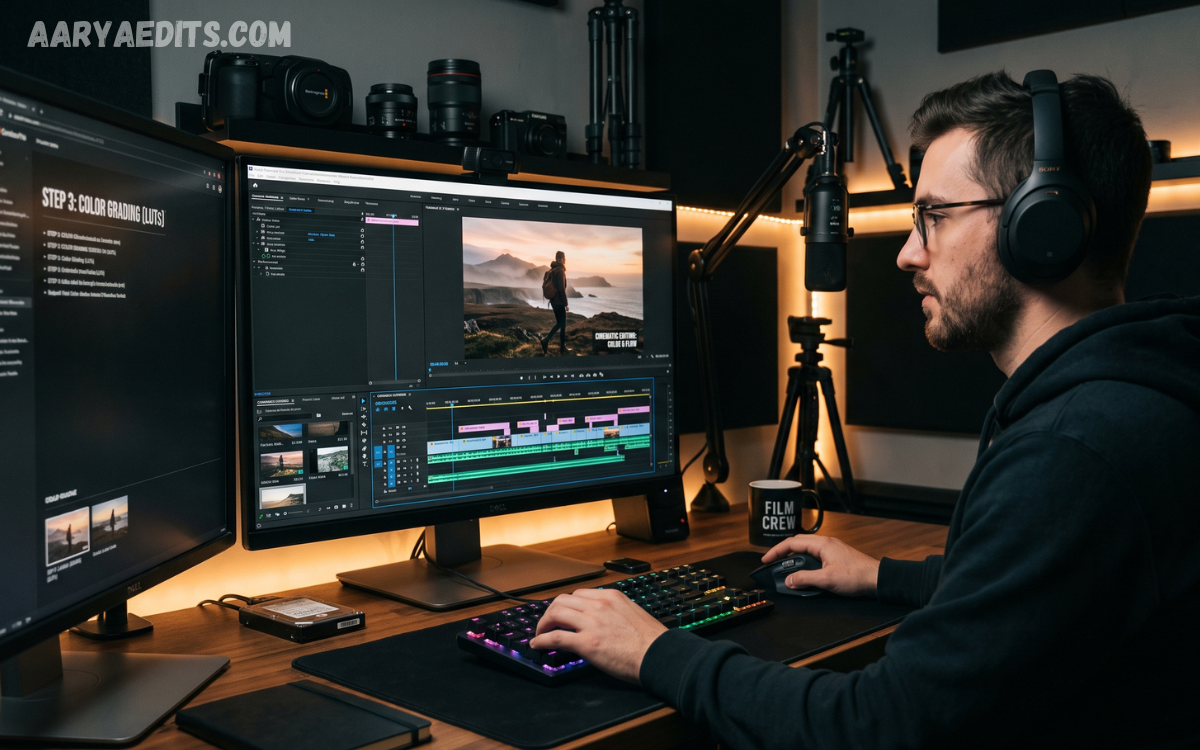
Professional cinematic video editing transforms ordinary footage into visually engaging stories that capture attention and create lasting impressions. By combining precise cuts, smooth transitions, color grading, sound design, creative effects, and thoughtful pacing, editors can produce videos with a polished cinematic appearance.
A successful cinematic edit isn’t just about adding dramatic effects. It requires understanding storytelling, composition, timing, audio, lighting, and visual consistency. This Professional Cinematic Video Editing Tutorial covers essential techniques, practical tips, and creative effects to help beginners and experienced creators improve their editing workflow.
Organizing Footage for a Professional Workflow
A clean editing workflow begins with properly organized media files. Create separate folders for video clips, audio recordings, music, graphics, effects, images, and project files to make important assets easier to locate.
Renaming clips by scene, location, or subject can also save significant time. Professional organization reduces confusion and allows editors to concentrate more on creative decisions rather than searching for files.
Creating a Strong Cinematic Timeline
The timeline is where the story begins to take shape. Start by placing the strongest footage in a logical sequence, then remove unnecessary moments that slow the story or reduce visual impact.
Cinematic editing often depends on rhythm and pacing. Shorter cuts can create energy and excitement, while longer shots can build emotion, tension, or atmosphere. The pacing should match the purpose and mood of each scene.
Professional Cutting and Trimming Techniques
Clean cuts are one of the foundations of professional video editing. Remove pauses, mistakes, unnecessary movements, and repetitive footage while keeping enough visual information for the audience to understand what is happening.
Cutting on action is another effective technique that makes edits feel natural. When a subject begins an important movement, changing to another angle during that action can create a smooth visual connection between two shots.
Using Cinematic Transitions
Transitions should support the story rather than become the main attraction. Simple cuts, fades, dissolves, whip transitions, and motivated camera movements can create professional results when used appropriately.
Creative transitions can be particularly effective between different locations or sections of a video. However, too many transition effects can make footage look artificial, so consistency and moderation are key to maintaining a cinematic style.
Mastering Color Grading and Color Correction
Color correction should usually come before creative color grading. First, adjust exposure, white balance, contrast, highlights, shadows, and saturation so individual clips have a balanced, consistent look.
Color grading can then establish a specific mood or visual identity. Warm tones may create a nostalgic or welcoming feeling, while cooler tones can produce a dramatic or atmospheric appearance when they complement the story.
Creating Cinematic Looks With Contrast
Contrast plays an important role in creating visual depth. Carefully balancing dark and bright areas can make subjects stand out while preserving important details.
Avoid pushing contrast too far because crushed shadows and excessive highlights can make footage look unnatural. A controlled contrast level generally produces a more refined result and gives additional flexibility during final color adjustments.
Using Slow Motion and Speed Ramping
Slow motion can emphasize emotional moments, important movements, sports sequences, travel shots, and dramatic actions. Used strategically, it lets viewers notice details that might otherwise pass too quickly.
Speed ramping combines different playback speeds within a single sequence. Gradually accelerating or slowing footage can create energy and connect scenes dynamically, especially when synchronized with music or important visual movements.
Adding Cinematic Sound Design
Sound is one of the most important elements of professional video editing. Background ambiance, footsteps, environmental sounds, impacts, whooshes, and subtle room tones can make scenes feel more realistic and immersive.
Music should also complement the visual pacing rather than overpower dialogue or important sounds. Adjusting volume levels, using smooth fades, and balancing different audio layers can significantly improve the overall production quality.
Synchronizing Music With Visuals
Music can influence the emotional direction of an entire video. Editors can identify important beats, changes, and musical phrases before placing cuts so that visual moments naturally work with the soundtrack.
Beat-based editing is especially useful for promotional videos, travel films, fashion content, sports edits, and social media projects. The strongest results usually come from combining musical synchronization with storytelling rather than cutting on every beat.
Using Cinematic Camera Movement Effects
Digital camera movement can add energy to static footage when applied carefully. Subtle zooms, pans, push-ins, and tracking movements can create the impression of controlled camera motion.
These effects should remain smooth and purposeful. Excessive digital movement can reduce image quality and make professional footage feel artificial, so subtle adjustments generally create a more natural cinematic impression.
Creating Depth With Layering and Overlays
Layering allows editors to combine footage, textures, light effects, graphics, and other visual elements. Properly blended overlays can add atmosphere without completely covering the original footage.
Light leaks, film grain, dust particles, subtle lens effects, and atmospheric textures can enhance certain scenes. These elements should support the visual story and remain consistent with the project’s overall style.
Read Also: Best Free Mobile Video Editing Apps
Using Film Grain and Texture
Film grain can give digital footage a textured appearance and help create a more traditional cinematic feeling. A subtle amount of grain may also make different clips feel visually connected.
Control the effect carefully, because too much grain can make footage look noisy or low quality. Adjust the intensity according to the resolution, lighting, and artistic direction of the project.
Creating Cinematic Titles and Text
Typography should be simple, readable, and consistent with the video’s visual identity. Choose fonts, sizes, spacing, and animation styles that complement the mood rather than compete with the footage.
Animated titles can introduce locations, people, chapters, or important information. Smooth movement and restrained animation usually look more professional than complicated text effects.
Improving Visual Pacing and Storytelling
Good cinematic editing is ultimately about storytelling. Even technically impressive footage can feel weak if the sequence lacks a clear beginning, development, and conclusion.
Review the full timeline from the viewer’s perspective and remove anything that doesn’t contribute to the story. Strong pacing comes from knowing when to show information, when to pause, and when to move forward.
Using Creative Effects Professionally
Creative effects can enhance cinematic videos when they are connected to the story. Glow, blur, motion effects, light effects, distortion, and atmospheric enhancements can emphasize important moments.
Instead of applying the same effect throughout the project, identify specific scenes where an effect has a meaningful purpose. This approach creates a more sophisticated visual language and prevents the video from becoming visually overwhelming.
Applying Motion Blur and Smooth Movement
Motion blur can make fast movements and transitions appear more natural. It can be useful when creating dynamic camera movements, speed ramps, or animated elements that need smoother visual integration.
When applying motion blur, consider the footage’s movement direction and speed. Proper settings can make digital effects feel more connected to the original camera movement.
Maintaining Visual Consistency
Consistency is essential when combining footage from different cameras, locations, or lighting conditions. Review exposure, white balance, skin tones, contrast, and saturation throughout the timeline.
A consistent visual appearance makes the final video feel like one complete production. Even creative differences between scenes should appear intentional rather than caused by inconsistent editing or camera settings.
Professional Editing Tips for Better Results
Use high-quality source footage whenever possible and avoid unnecessary processing that can reduce image quality. Keep project settings appropriate for the original footage and intended delivery platform.
Save project versions regularly and back up important files. A reliable workflow protects your work from unexpected problems and makes it easier to return to earlier versions when creative changes are needed.
Exporting a High-Quality Cinematic Video
Before exporting, watch the complete video from beginning to end. Check transitions, audio levels, color consistency, titles, visual effects, and any technical issues you may have overlooked during editing.
Choose export settings based on where the video will be displayed. Resolution, frame rate, codec, bitrate, and audio settings should match the platform’s requirements while maintaining the highest practical quality.
Common Cinematic Video Editing Mistakes
One common mistake is using too many effects and transitions. Professional cinematic editing is generally more effective when every visual element has a clear purpose and supports the story.
Another mistake is ignoring audio quality. Viewers may forgive a minor visual imperfection, but poor dialogue, unbalanced music, background noise, or abrupt audio changes can quickly reduce a production’s perceived quality.
Frequently Asked Questions
What Is Professional Cinematic Video Editing?
Professional cinematic video editing is the process of combining footage, sound, color, pacing, transitions, and visual effects to create a polished storytelling experience. The goal is to make every element contribute to the mood and narrative.
How Can I Make My Videos Look More Cinematic?
Start with balanced color correction, controlled contrast, natural-looking transitions, thoughtful framing, and appropriate pacing. Good sound design and consistent color grading can further improve the cinematic appearance.
Is Color Grading Important for Cinematic Videos?
Yes, color grading can strongly influence a video’s mood and visual identity. However, grading should build upon properly corrected footage rather than attempting to fix major exposure or white balance problems.
Which Transition Is Best for Cinematic Editing?
No single transition works for every project. Clean cuts are often the most effective, while fades, dissolves, and movement-based transitions can be useful when they naturally support the story.
How Can I Improve Cinematic Video Pacing?
Study each shot’s purpose and remove unnecessary moments. Use faster cuts for energetic sequences and longer shots for emotional or atmospheric scenes to create a rhythm that matches the story.
Does Sound Design Make Videos More Cinematic?
Sound design can have a major impact on cinematic quality. Ambient sounds, dialogue, music, impacts, and subtle effects create depth and make visual scenes feel more immersive.
Should I Use Film Grain in Every Video?
Film grain is an optional creative effect and does not need to be used in every project. When applied subtly, it can add texture, but excessive grain may reduce clarity and make footage appear noisy.
How Can I Make Slow Motion Look Professional?
Record footage at a suitable frame rate when possible, then slow it down carefully in editing. Smooth motion, appropriate shutter settings, and well-timed music can make slow-motion sequences more convincing.
How Many Effects Should I Use in a Cinematic Video?
There is no fixed number of effects required. Use only effects that improve storytelling, atmosphere, movement, or visual emphasis, and avoid adding effects simply to make the timeline look more complicated.
What Is the Most Important Cinematic Editing Technique?
Storytelling is the most important foundation. Strong cuts, color, sound, and effects add value, but they work best when they support a clear narrative and hold the viewer’s attention.
Conclusion
Professional Cinematic Video Editing Tutorial techniques combine storytelling, precise cutting, color correction, creative grading, sound design, transitions, pacing, and carefully selected visual effects. Mastering these elements can turn ordinary footage into a polished, engaging cinematic production.
The best results come through practice, experimentation, and consistent attention to detail. Focus on clean editing first, then gradually introduce advanced techniques such as speed ramping, motion effects, creative overlays, cinematic color looks, and detailed sound design to develop a distinctive professional editing style.
