

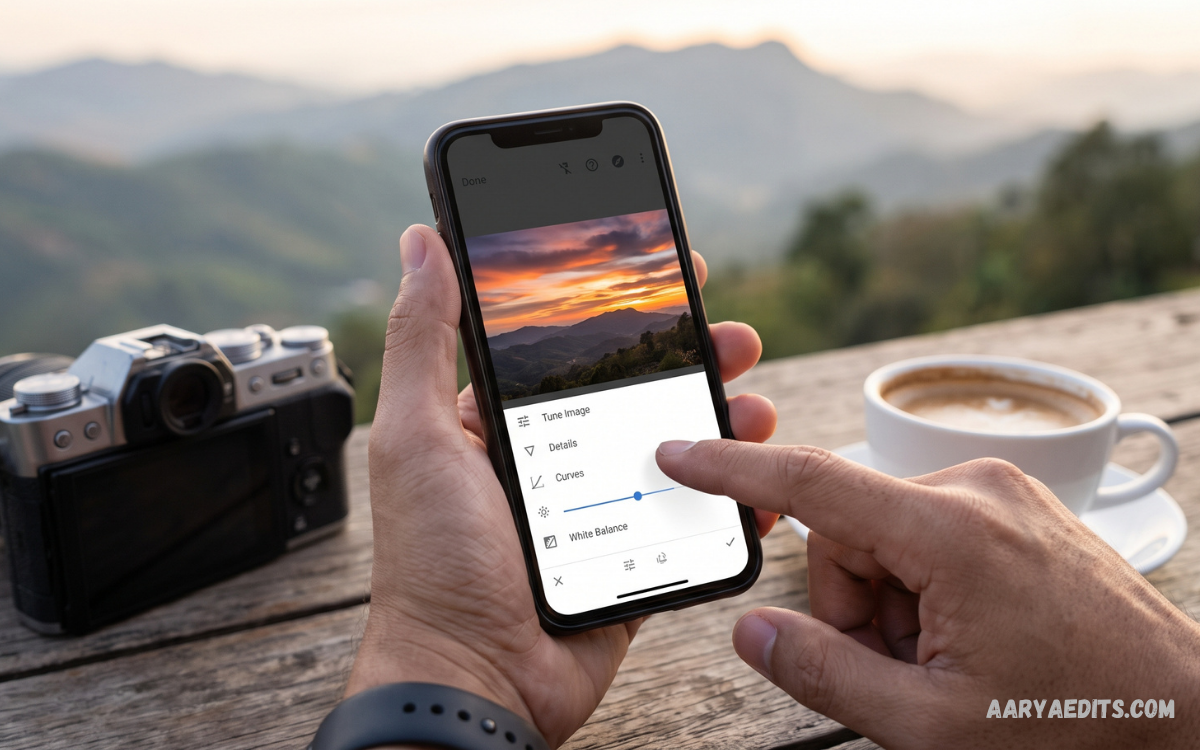
The Snapseed photography app is a powerful photo-editing solution designed for users who want professional-looking results without complicated editing software. Developed by Google, Snapseed provides a wide selection of editing tools, filters, adjustment controls, and creative features that make mobile photography more flexible.
Modern smartphone cameras can capture impressive images, yet even high-quality photos often need brightness correction, color enhancement, sharpening, or creative adjustments. Snapseed provides an accessible editing workspace where beginners can improve everyday photos while experienced photographers can fine-tune images with greater precision.
What Is the Snapseed Photography App?
Snapseed is a mobile photo-editing application created by Google for Android and iOS devices. The app combines basic editing controls with advanced features, allowing users to adjust exposure, color, contrast, sharpness, perspective, and other image properties from a smartphone or tablet.
The Snapseed photography app is especially useful for photographers who want detailed control over their images without relying on desktop editing software. Its interface organizes editing tools clearly, making it possible to perform simple corrections or create more advanced visual effects through a single mobile application.
Why Choose Snapseed for Mobile Photography?
One major advantage of Snapseed is its combination of professional controls and a relatively simple interface. Users can begin with basic adjustments such as brightness and contrast, then explore advanced options such as curves, selective editing, perspective correction, and detailed tonal adjustments.
Snapseed also supports a non-destructive style of editing through its workflow features, allowing users to experiment with different adjustments and refine their results. This makes the application suitable for social media creators, students, casual photographers, bloggers, and anyone interested in improving smartphone photography.
Key Features of the Snapseed Photography App
The Snapseed photography app includes numerous tools designed for different editing requirements. Users can crop images, rotate compositions, correct perspective, adjust colors, enhance details, remove unwanted elements, and apply creative filters without moving to another application.
Advanced tools provide greater control over individual areas of an image. Selective adjustments can target specific portions of a photograph, while curves and tonal controls can help create a more balanced appearance. These features give mobile photographers considerable flexibility during the editing process.
Snapseed Photo Adjustment Tools
Snapseed provides essential adjustment controls for correcting common photography problems. Brightness, contrast, saturation, ambience, highlights, shadows, and warmth can be modified to create a more balanced image while preserving the overall character of the original photograph.
The Tune Image tool is particularly useful for beginners because it combines several important controls within one editing section. Users can gradually modify the image instead of applying extreme changes, helping create results that look cleaner and more natural.
Brightness and Contrast Editing
Brightness controls can help correct photographs that appear too dark or overly bright. Adjusting brightness carefully can reveal important details while maintaining the original mood of the photograph, particularly when the image was captured under difficult lighting conditions.
Contrast controls the difference between darker and lighter areas of an image. Increasing contrast can make a photograph appear stronger and more defined, while reducing contrast can create a softer appearance. Balanced adjustments usually produce more natural results than excessive editing.
Color Correction and Saturation
Color correction plays an important role in smartphone photography because lighting conditions can change the appearance of colors. Snapseed provides controls that allow users to adjust saturation, warmth, highlights, and shadows to create a more consistent visual appearance.
Saturation can make colors appear more intense, while reducing saturation can produce a muted appearance. Warmth can shift an image toward warmer or cooler tones, making it useful for correcting lighting or creating a specific photographic mood.
Snapseed Curves Tool
The Curves tool provides more advanced control over brightness and tonal range. Instead of making a single adjustment across an entire image, users can manipulate different parts of the tonal spectrum to create precise changes in highlights, midtones, and shadows.
Learning curves can initially require practice, but the feature becomes valuable for photographers who want greater creative control. Small adjustments can improve contrast and depth without dramatically changing the original photograph.
Selective Editing in Snapseed
Selective editing allows users to concentrate adjustments on particular portions of a photograph. Instead of changing brightness or saturation across the complete image, photographers can target a specific area and make controlled improvements.
This feature can be useful when a subject needs additional emphasis or when a particular region requires correction. For example, a photographer may brighten a darker subject while keeping the surrounding background relatively unchanged.
Healing Tool for Removing Unwanted Elements
The Healing tool is designed to remove or reduce unwanted objects and imperfections from photographs. It can be useful for cleaning up small distractions, marks, spots, or background elements that affect the overall composition.
Successful healing works best when the unwanted area is relatively small and surrounded by suitable visual information. Careful editing helps maintain a natural appearance and prevents obvious patterns that can occur when large areas are modified excessively.
Portrait Editing Features
Portrait photography often benefits from subtle improvements to lighting, skin tones, and facial detail. Snapseed includes portrait-focused options that can help enhance subjects while maintaining a polished appearance.
Professional portrait editing generally works best when adjustments remain realistic. Instead of dramatically changing facial features, users can focus on balanced lighting, appropriate contrast, and natural color to produce a cleaner and more refined photograph.
Lens Blur and Creative Effects
Lens Blur can create a depth-inspired effect by keeping a selected area visually prominent while softening surrounding portions of the image. This can help direct attention toward a subject and produce a creative photographic appearance.
Creative effects should complement the photograph rather than overpower it. Subtle blur and carefully selected filters can add visual interest, while excessive effects may reduce clarity and make an image appear heavily processed.
Double Exposure in Snapseed
The Double Exposure feature allows users to combine two images into a single creative composition. This tool can produce artistic effects by blending photographs with different subjects, textures, silhouettes, or backgrounds.
Creating an effective double exposure requires thoughtful image selection and blending. Images with strong shapes, contrasting tones, or interesting textures can produce more distinctive results when combined through the editing interface.
Perspective Correction
Perspective correction is valuable when architectural photographs, documents, buildings, or other subjects appear distorted because of the camera angle. Snapseed provides tools that can help straighten visual elements and create a more balanced composition.
Correcting perspective can improve the professional appearance of an image without requiring specialized desktop software. Photographers can adjust horizontal and vertical perspective while monitoring the result directly on the mobile screen.
Crop and Rotate Tools
Cropping is one of the simplest ways to improve photographic composition. Removing unnecessary edges can place greater emphasis on the primary subject and help create a stronger visual balance.
Rotation can correct tilted photographs or intentionally change the orientation of an image. Combining crop and rotate adjustments can quickly transform an ordinary composition into a cleaner and more purposeful photograph.
Details and Sharpening Tools
The Details tool can improve the perceived definition of textures and edges within a photograph. Sharpening may be useful for images that appear slightly soft, while structure adjustments can increase the visibility of fine details.
Careful sharpening is important because excessive enhancement can introduce an unnatural appearance. A professional editing approach usually applies detail adjustments gradually while checking the image at a suitable viewing size.
Black and White Photography
Snapseed provides options for converting color photographs into black-and-white images. Monochrome editing can emphasize shapes, textures, lighting, and composition without relying on color information.
Black-and-white photography can be particularly effective for portraits, architecture, street photography, and images with strong contrast. Adjusting brightness and contrast after conversion can further improve tonal separation and visual depth.
Vintage and Creative Filters
Creative filters allow photographers to quickly change the mood of an image. Vintage-inspired effects, dramatic styles, and other visual treatments can provide a distinctive appearance without manually adjusting every individual setting.
Filters work best when used as a starting point rather than an automatic final solution. Users can apply a suitable style and then fine-tune the intensity or supporting adjustments to maintain a balanced and professional result.
RAW Photo Editing
The Snapseed photography app can support RAW editing on compatible devices and image formats, giving photographers greater flexibility when working with high-quality source files. RAW images generally retain more information for post-processing than compressed formats.
Working with RAW files can provide additional flexibility when correcting exposure, recovering tonal information, and adjusting colors. Photographers should still maintain a controlled workflow because excessive editing can reduce image quality regardless of the original format.
Snapseed for Social Media Photography
Social media platforms often require images that are clear, balanced, and visually engaging. Snapseed can help prepare photographs for posts, profile images, stories, thumbnails, and other digital content by providing quick access to essential editing controls.
A strong social media image does not always require dramatic effects. Proper cropping, balanced exposure, natural colors, and suitable sharpness can make photographs appear more polished while maintaining an authentic visual style.
Snapseed for Instagram Photography
Instagram photography often benefits from consistent colors, clean compositions, and recognizable visual styles. Snapseed can help users edit individual photographs while developing a more consistent appearance across their content.
Users can experiment with brightness, saturation, warmth, curves, and creative filters to establish a preferred editing style. Maintaining similar adjustment principles across photographs can help create a more cohesive visual identity.
Snapseed for Landscape Photography
Landscape photographs often contain large areas of sky, land, water, or vegetation that can benefit from careful tonal adjustments. Snapseed provides controls for enhancing contrast, recovering visual balance, and improving color without requiring a computer.
Selective editing can be particularly useful for landscapes because different areas may require different treatment. A photographer can enhance the foreground while controlling highlights in the sky, creating a more balanced overall composition.
Snapseed for Portrait Photography
Portrait photographers can use Snapseed to improve lighting, color, contrast, and background distractions. The application provides several tools that make it possible to refine portraits directly from a mobile device.
Natural-looking portrait editing requires moderation. Maintaining realistic skin tones and avoiding excessive sharpening or dramatic effects can help preserve the personality of the subject while giving the photograph a polished appearance.
Snapseed for Product Photography
Small businesses and content creators can use Snapseed to prepare product photographs for websites, social media pages, and online catalogs. Basic corrections can improve brightness, color consistency, composition, and background appearance.
Product photography benefits from accurate colors and clear details. Editing should therefore focus on presenting the product realistically rather than applying effects that change its actual appearance or make important details difficult to identify.
Snapseed for Travel Photography
Travel photographs are often captured under changing lighting conditions, including bright sunlight, cloudy skies, indoor environments, and evening scenes. Snapseed provides tools for correcting these differences and creating a consistent appearance.
Travel photographers can also use cropping, perspective correction, selective editing, and creative filters to improve memorable scenes. Mobile editing makes it practical to refine photographs during a trip without carrying a laptop or desktop computer.
How to Edit a Photo in Snapseed
Start by opening the Snapseed photography app and importing the photograph you want to edit. Review the original image before applying adjustments so you can identify the areas that need improvement, such as exposure, composition, color, or distracting objects.
Begin with basic corrections before moving to creative tools. Adjust brightness, contrast, highlights, shadows, and saturation carefully, then use selective or specialized tools when necessary. Review the complete image after each major adjustment to maintain a natural result.
How to Improve Photo Quality With Snapseed
Improving photo quality begins with understanding the original image rather than immediately applying multiple filters. Correct exposure, improve composition through cropping, balance colors, and enhance important details only when necessary.
A professional result usually comes from several small improvements rather than one dramatic effect. Compare the edited image with the original regularly and reduce any adjustment that appears excessive. This approach helps maintain realistic colors and natural photographic detail.
Tips for Professional Snapseed Editing
Use a consistent editing workflow when working with multiple photographs. Correct composition first, then make exposure and color adjustments before applying selective edits or creative effects. This order helps prevent unnecessary changes and keeps the editing process organized.
Avoid excessive saturation, sharpening, contrast, and filters because these adjustments can quickly make photographs appear artificial. Save time by learning a small group of tools thoroughly instead of trying every available effect on every photograph.
Read Also: Snapseed Editing App for Android: Complete Guide for Mobile Photo Editing
Common Snapseed Editing Mistakes
One common mistake is applying too many adjustments without checking how they interact. Increasing contrast, saturation, structure, and sharpening simultaneously can create an overly processed appearance and reduce the natural quality of the photograph.
Another mistake is ignoring composition while focusing entirely on effects. Editing cannot completely replace good framing and lighting. Cropping distractions, correcting perspective, and maintaining balanced exposure can often create a bigger improvement than adding multiple creative filters.
Is Snapseed Good for Beginners?
Snapseed is suitable for beginners because it provides straightforward tools for common editing tasks while also offering advanced controls for users who want to develop their skills. New users can start with basic adjustments before exploring more specialized features.
The application also provides an opportunity to learn fundamental photography concepts such as exposure, contrast, saturation, tonal range, perspective, and composition. As users gain experience, these concepts can help them make more intentional editing decisions.
Is Snapseed Suitable for Professional Photographers?
The Snapseed photography app can be useful for professional photographers who need a convenient mobile editing solution. Its advanced adjustment tools provide more control than many basic mobile editors, making it practical for quick corrections and creative workflows.
Professional photographers may still use desktop applications for complex projects, extensive batch processing, advanced compositing, or specialized color workflows. Snapseed works particularly well as a portable editing option when speed and mobility are important.
Snapseed Photography App vs Basic Photo Editors
Basic photo editors often focus on quick filters, simple cropping, and automatic enhancements. Snapseed provides a broader collection of manual adjustment tools, giving photographers more control over how individual aspects of an image are changed.
The main difference is the level of creative control available to the user. Beginners can still use simple features, while more experienced photographers can explore curves, selective adjustments, perspective correction, healing, and other advanced editing options.
Why Mobile Photo Editing Matters
Smartphone photography has become an important part of everyday digital communication. People use mobile cameras for social media, personal memories, school projects, online content, business promotion, and creative photography.
Mobile editing applications make the entire process more convenient because photography and post-processing can happen on the same device. The Snapseed photography app fits this workflow by providing detailed editing capabilities without requiring users to transfer every image to a computer.
Best Workflow for Snapseed Photography
A practical workflow begins with selecting the strongest photograph from a group of images. After selection, correct composition and perspective, then adjust exposure, contrast, highlights, shadows, and color. Once the foundation looks balanced, move to selective editing or creative effects.
The final stage should focus on detail and quality control. Check sharpening, saturation, and filter intensity before exporting the finished image. Reviewing the final photograph at different viewing sizes can also help identify adjustments that appear too strong.
How Snapseed Supports Creative Photography
Photography is not limited to recording a scene exactly as it appears. Editing can help photographers communicate mood, emphasize subjects, and develop recognizable visual styles. Snapseed provides tools that support both realistic correction and creative experimentation.
Photographers can combine traditional adjustments with selective editing, double exposure, blur, black-and-white conversion, and other effects. Experimentation can help users discover new techniques while developing a personal approach to mobile photography.
Future of Mobile Photography Editing
Mobile photography continues to develop as smartphone cameras become more capable and editing applications become increasingly sophisticated. Users now expect powerful tools that can handle detailed adjustments without requiring complex computer-based workflows.
The Snapseed photography app remains relevant because it combines accessibility with advanced editing controls. Its value comes from giving photographers greater creative control directly on a mobile device, supporting both everyday editing and more deliberate photographic workflows.
Frequently Asked Questions
What is the Snapseed photography app?
Snapseed is a mobile photo-editing application that provides tools for improving and enhancing photographs. It includes basic adjustments, advanced editing controls, filters, and creative effects.
Is Snapseed suitable for beginners?
Yes, Snapseed is suitable for beginners because its tools are easy to explore. Users can start with brightness, contrast, cropping, and color adjustments before moving to advanced features.
Can Snapseed improve photo quality?
Snapseed can improve the appearance of photographs through exposure correction, sharpening, color adjustments, cropping, and other editing tools. The final quality also depends on the original photograph.
Does Snapseed support RAW photos?
Snapseed supports RAW editing on compatible devices and supported RAW formats. This gives photographers additional flexibility when adjusting exposure, colors, highlights, and shadows.
Can Snapseed remove unwanted objects?
Yes, Snapseed includes a Healing tool that can remove or reduce certain unwanted elements from photographs. It works particularly well for smaller distractions and imperfections.
Is Snapseed useful for social media photos?
Yes, Snapseed can prepare photographs for social media by improving composition, colors, brightness, contrast, and overall presentation. It can be useful for creators, photographers, and bloggers.
Can Snapseed edit portrait photos?
Yes, Snapseed includes tools suitable for portrait editing. Users can adjust lighting, colors, details, and other aspects while maintaining a natural-looking appearance.
Does Snapseed have creative filters?
Snapseed offers several creative styles and filters that can change the mood and appearance of photographs. Users can combine these effects with manual adjustments for more personalized results.
Can Snapseed edit landscape photography?
Yes, Snapseed works well for landscape photography. Tools for color, contrast, highlights, shadows, details, selective adjustments, and perspective can help improve landscape images.
Is Snapseed good for professional photography?
Snapseed can be a useful mobile editing tool for photographers who need convenient and detailed adjustments. Professional users may also combine it with desktop software for more complex editing projects.
Conclusion
The Snapseed photography app offers a strong combination of simple editing features and advanced photographic controls. From brightness and color correction to curves, selective editing, healing, perspective correction, and creative effects, the application provides a versatile environment for improving mobile photographs.
Whether you are beginning your photography journey or already understand advanced editing concepts, Snapseed can become a useful part of your workflow. The best results come from careful adjustments, consistent practice, and a focus on improving the photograph rather than simply adding effects.
