

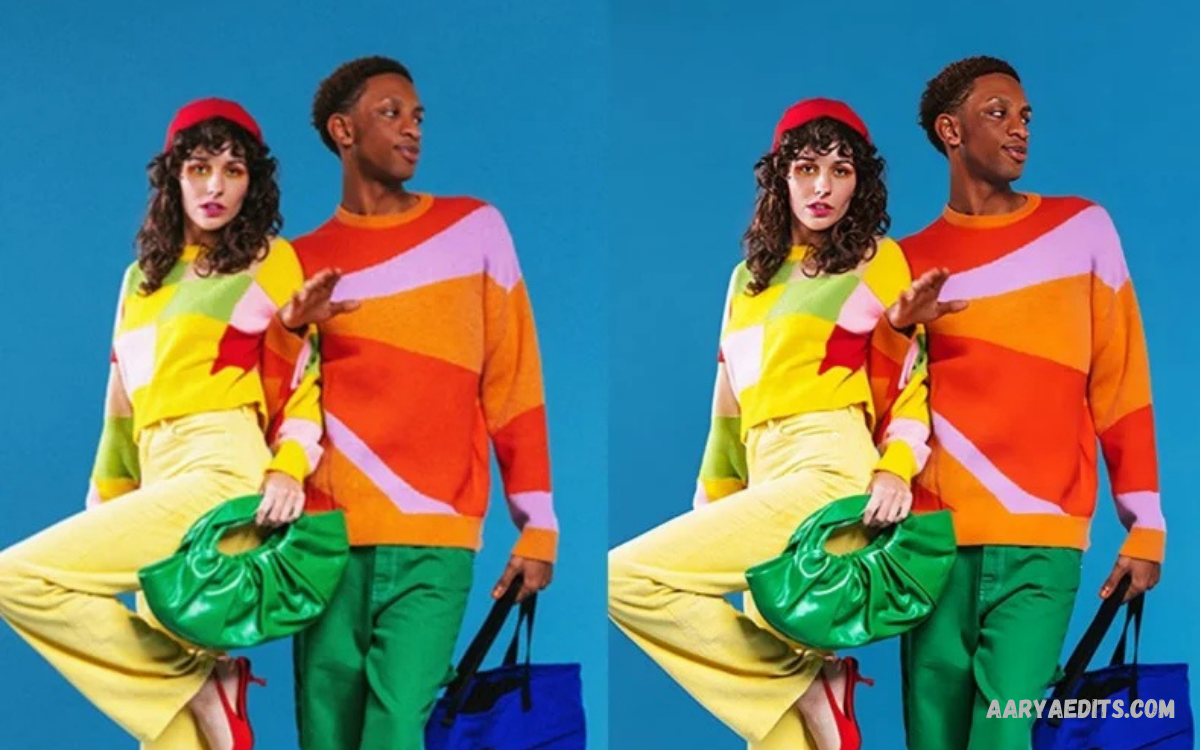
PicsArt AI enhance is a powerful photo-editing feature designed to improve image quality through artificial intelligence. It can sharpen details, improve clarity, and clean up images that look soft or low-quality.
Modern photo editing increasingly depends on AI because users want professional results without complicated editing processes. PicsArt combines AI technology with accessible editing tools, allowing beginners, creators, bloggers, and social media users to improve images with less manual work.
What Is PicsArt AI Enhance?
PicsArt AI enhance refers to AI-powered image enhancement technology within the PicsArt editing ecosystem. The feature analyzes an image and automatically improves aspects such as clarity, sharpness, texture, and overall visual quality.
Instead of adjusting every setting manually, users can rely on automated processing to produce a refined image. This approach speeds up photo enhancement while keeping the workflow simple for users without advanced photo-editing experience.
How PicsArt AI Enhance Works
The technology analyzes visual information within an uploaded image before applying enhancement effects. AI-based processing can identify areas that need more clarity and make adjustments to create a more balanced, detailed result.
The final appearance depends on the original image, resolution, lighting, subject, and level of detail. A high-quality source image generally provides better results, while heavily blurred or extremely compressed images may have limited information available for reconstruction.
Key Features of PicsArt AI Enhance
One important advantage of PicsArt AI enhance is automated detail improvement. The technology can make photos look sharper and more defined, which can help when an image looks slightly soft after being captured or resized.
Another benefit is convenience. Traditional enhancement can require multiple adjustments involving sharpness, contrast, texture, and other settings. AI processing can simplify this process by handling several visual improvements through an automated workflow.
Improving Image Clarity With AI
Image clarity plays an important role in professional-looking photographs. Slightly unclear images can appear less attractive when published on websites, social media platforms, presentations, or digital portfolios.
PicsArt AI enhance can help improve perceived clarity by processing image details and applying automated corrections. The result may look cleaner, although the feature cannot always recover information the original camera never captured.
Enhancing Low-Quality Images
Low-quality photographs can result from low resolution, compression, poor lighting, old cameras, or repeated resizing. AI enhancement tools offer a practical way to improve these images without requiring advanced editing skills.
PicsArt AI enhance may help make such photographs appear more refined by improving visible details and reducing the impact of certain quality limitations. However, users should keep realistic expectations in mind because AI enhancement improves available information rather than guaranteeing perfect restoration.
PicsArt AI Enhance for Social Media
Social media content depends heavily on visual quality. Profile pictures, posts, stories, thumbnails, and promotional graphics can benefit from images that appear clear and visually balanced across different screen sizes.
Creators can use AI enhancement as part of their editing workflow before publishing content. A cleaner image can support a more polished presentation, especially when photographs need to be resized, cropped, or adapted for different social platforms.
PicsArt AI Enhance for Portrait Photos
Portrait photographs often contain important facial details, hair textures, clothing patterns, and background elements. Enhancement can help these details appear more defined when the original photograph lacks sufficient clarity.
Use AI processing carefully with portraits, as excessive enhancement can create an unnatural look. A professional result usually depends on maintaining realistic skin texture and preserving the photograph’s original character.
Using AI Enhance for Old Photos
Old photographs may contain faded details, reduced sharpness, scratches, compression artifacts, or other quality limitations. Modern AI editing tools can help when users want to improve the appearance of older digital photographs.
PicsArt AI enhance can be part of a broader restoration workflow for images that need additional clarity. For important historical or family photographs, users should preserve the original file before applying any AI-based changes.
AI Enhancement for Product Images
Product photography requires clear visual details because customers often depend on images when evaluating an item. Blurry or poorly defined photographs can make product information harder to understand.
AI enhancement can improve product photo presentation by refining visible details and creating a cleaner look. Businesses can combine enhancement with appropriate lighting, cropping, background editing, and color correction for a complete workflow.
PicsArt AI Enhance for Bloggers
Bloggers often need high-quality images for articles, featured images, tutorials, reviews, and social media promotion. AI enhancement offers a convenient way to improve photos before adding them to digital content.
For websites, image quality should be balanced with file size. Excessively large images can slow loading, so bloggers should compress enhanced images while keeping enough resolution for their intended placement.
AI Enhance for YouTube Thumbnails
YouTube thumbnails require strong visual clarity because viewers often see them at relatively small sizes. Clear subjects, readable elements, and strong image quality can make a thumbnail easier to understand.
PicsArt AI enhance can be included in a thumbnail workflow before adding text, effects, or graphic elements. Enhancement is most useful when it supports the original image rather than replacing the need for thoughtful composition.
PicsArt AI Enhance for Mobile Photography
Mobile cameras have improved significantly, but photographs can still suffer from motion, low-light conditions, digital compression, or limited detail. AI enhancement offers mobile users an accessible way to refine photographs after capture.
A mobile editing workflow can begin with selecting the best original image, applying enhancement, reviewing the result, and then making additional adjustments. This process keeps editing efficient without requiring a desktop computer.
Benefits of PicsArt AI Enhance
The primary benefit of AI enhancement is convenience. Users can improve an image without manually adjusting numerous editing controls, making the process suitable for quick content production and everyday photography.
Another benefit is accessibility. Users with limited editing experience can experiment with automated enhancement while still having the opportunity to combine AI processing with other creative tools available in an image editor.
Limitations of AI Image Enhancement
AI enhancement does not guarantee perfect results for every photograph. Images with severe blur, missing details, extreme compression, or poor exposure may remain limited even after processing because the original information is incomplete.
AI-generated improvements can also sometimes appear unnatural when enhancement is applied too aggressively. Users should compare the processed version with the original and reduce or modify the effect when important details begin to look artificial.
AI Enhance Compared With Manual Editing
Manual editing provides detailed control over individual settings such as brightness, contrast, sharpness, highlights, shadows, and color. Experienced editors can achieve precise results by adjusting each element to the needs of a particular photograph.
AI enhancement focuses on speed and automation. Rather than replacing manual editing entirely, it can serve as an initial improvement step before additional adjustments. This combined workflow can provide both efficiency and creative control.
Read Also: PicsArt AI Effects: Creative Tools for Modern Photo Editing
How to Get Better Results
The quality of the original photograph remains important when using any AI enhancement technology. Starting with a properly exposed, reasonably focused, and high-resolution image gives the enhancement system more visual information to process.
Users should also avoid applying excessive effects after enhancement. After improving an image, review sharpness, texture, colors, and contrast before making additional changes to avoid an overprocessed look.
Best Practices for PicsArt AI Enhance
Always keep an untouched copy of the original image before applying AI enhancement. This lets users compare versions and return to the source if the edited result doesn’t meet expectations.
Use enhancement based on the image’s purpose rather than automatically applying the strongest available effect. A portrait, product photograph, landscape, and social media graphic may each require different levels of refinement.
Common Mistakes to Avoid
One common mistake is assuming that AI can completely repair every damaged photograph. Enhancement technology can improve visual presentation, but it cannot reliably recreate every missing detail from a severely damaged source.
Another mistake is ignoring the final publishing format. An image that looks excellent at full resolution may appear different after compression or resizing. Always inspect the final image at the size and platform where it will actually be displayed.
PicsArt AI Enhance for Professional Content
Professional content requires consistency across multiple images. When photographs are used within the same campaign, article, website, or social media series, inconsistent quality can make the overall presentation appear less polished.
AI enhancement can streamline the editing workflow by providing a repeatable starting point. Editors can then apply manual corrections as needed to maintain consistent visual standards across the entire content collection.
AI Enhancement and Image Resolution
Resolution determines how much visual information an image contains. Increasing an image’s dimensions does not automatically recreate authentic details, which is why enhancement should be considered alongside the original file’s quality.
PicsArt AI enhance can improve perceived detail and clarity, but users should understand the difference between enhancement and genuine high-resolution capture. For professional projects, the best approach begins with the highest-quality original image available.
Privacy and Image Editing Considerations
Users should consider the privacy requirements associated with photographs before uploading personal or sensitive images to any online editing service. Handle images containing private information, documents, or identifiable individuals carefully.
It is also useful to review the application’s current privacy information and permissions before using AI-powered editing features. Responsible image editing includes both visual quality and appropriate handling of personal content.
Is PicsArt AI Enhance Worth Using?
PicsArt AI enhance can be useful for users who want a faster way to improve image clarity without spending significant time on manual adjustments. It is particularly practical for everyday photographs, social media content, blogs, thumbnails, and creative projects.
Its usefulness depends on the original image and the desired result. Users seeking professional restoration may still require specialized editing tools, while casual creators can benefit from the convenience of AI-assisted enhancement.
Future of AI Photo Enhancement
AI image editing will continue to evolve as image-processing technology becomes more sophisticated. Future tools are expected to provide more accurate detail reconstruction, improved noise reduction, better color handling, and greater control over automated editing.
For creators, this development can reduce repetitive editing work and free up time for composition and creative decisions. AI enhancement is therefore becoming an increasingly important component of modern digital photography and content production.
Frequently Asked Questions
What is PicsArt AI enhance?
PicsArt AI enhance is an AI-powered image enhancement capability designed to improve the appearance of photographs. It can assist with clarity, sharpness, and overall visual refinement.
Can PicsArt AI enhance blurry photos?
It can improve some slightly blurry images, but results depend on the original photograph. Severe blur may limit how much useful detail it can recover.
Is PicsArt AI enhance suitable for beginners?
Yes. Automated enhancement can help beginners because it reduces the need to understand many manual editing controls and provides a convenient starting point for improving images.
Can AI enhancement improve old photographs?
AI enhancement can improve the appearance of some older photographs, particularly when they remain reasonably clear. More seriously damaged images may require dedicated restoration techniques.
Does AI enhancement replace professional photo editing?
Not necessarily. AI enhancement can speed up basic improvements, but professional editing may still be necessary when you need precise color, composition, retouching, or restoration.
Can bloggers use PicsArt AI enhance?
Bloggers can use AI enhancement as part of their image preparation workflow. Enhanced photographs can be useful for articles, featured images, tutorials, reviews, and promotional content.
Does AI enhancement increase image quality?
AI enhancement can improve perceived quality by refining visible details and clarity. However, it cannot guarantee that missing information from a very poor original image will be accurately recreated.
How can users achieve natural results?
Use enhancement moderately and compare the processed image with the original. Natural results generally come from preserving realistic textures and avoiding excessive sharpness or artificial-looking details.
Conclusion
PicsArt AI enhance provides a convenient approach to modern photo improvement by using artificial intelligence to assist with clarity, sharpness, and visual refinement.
The best results come from combining a strong original photo with sensible AI processing and careful final adjustments.
