

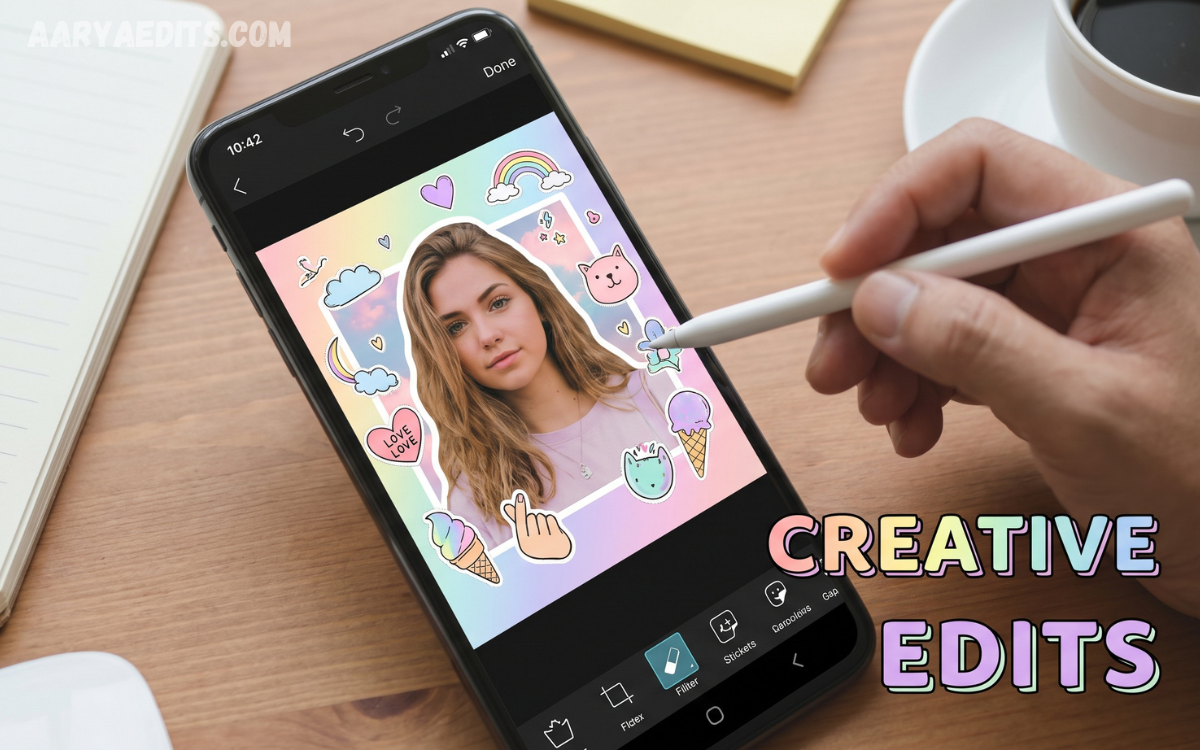
PicsArt has become a popular photo editing platform for creating stylish, artistic, and visually appealing images. Its wide range of filters, effects, overlays, stickers, brushes, and adjustment tools makes it suitable for beginners and experienced creators alike.
PicsArt aesthetic editing focuses on creating a specific mood, color palette, and visual identity. From soft vintage photographs to bold modern compositions, creative editing techniques can transform ordinary pictures into unique social media content.
Soft and Minimal Aesthetic Editing
Soft aesthetic editing uses gentle colors, balanced brightness, subtle contrast, and clean compositions. This style works especially well for portraits, lifestyle photographs, flowers, interiors, and everyday moments that need a calm visual appearance.
To create this look in PicsArt, slightly reduce contrast and saturation, increase brightness, and adjust highlights. Adding a subtle warm or pastel tone can create a polished appearance without making the image look overly edited.
Vintage Aesthetic Photo Style
Vintage editing gives modern photographs an old-fashioned appearance inspired by film photography. Warm tones, faded colors, grain, light leaks, and slightly reduced clarity can help recreate the nostalgic feel of classic photographs.
PicsArt offers several tools to support this aesthetic, including filters, grain effects, overlays, and color adjustments. A successful vintage edit should maintain natural details while adding enough texture to create an authentic retro atmosphere.
Dark and Moody Aesthetic Editing
Dark aesthetic editing suits photographers who prefer dramatic, mysterious, cinematic visuals. This style commonly uses deep shadows, muted colors, strong contrast, and carefully controlled highlights to create an emotional atmosphere.
For a moody PicsArt edit, lower exposure carefully and increase contrast while preserving important facial or subject details. Dark overlays and subtle color grading can add depth, but avoid excessive darkness, which can remove important details from the photograph.
Pastel Aesthetic Photo Ideas
Pastel editing creates a soft, colorful look using shades such as pink, lavender, blue, peach, cream, and light green. It works particularly well for fashion photographs, portraits, flowers, food photography, and creative lifestyle images.
When creating pastel edits in PicsArt, reduce harsh contrast and balance colors. Soft overlays, light effects, and carefully selected filters can make the photograph appear dreamy while keeping the main subject clear.
Black and White Creative Editing
Black and white editing removes color distractions and draws more attention to composition, lighting, expressions, and textures. It can make portraits, architecture, street photography, and emotional photographs look more artistic.
PicsArt allows creators to experiment with monochrome effects while adjusting brightness, contrast, highlights, and shadows. Adding moderate grain can produce a classic photography appearance, while stronger contrast can create a dramatic editorial style.
Collage-Based Aesthetic Photo Ideas
Creative collages combine several photographs, textures, graphics, and decorative elements into one composition. This technique works well for mood boards, travel memories, fashion layouts, birthday designs, and social media posts.
A strong collage should have a clear visual theme, not just multiple images placed together. Matching colors, consistent spacing, similar filters, and balanced positioning can make the final design appear professional and organized.
Double Exposure and Blending Effects
Double exposure is a creative technique that combines two or more images to create an artistic composition. You can blend portraits with landscapes, clouds, flowers, buildings, or abstract textures for a distinctive visual effect.
PicsArt blending tools help control how different images interact. Using transparency, blend modes, masking, and selective erasing lets creators keep important facial features visible while adding a second visual layer.
Dreamy Glow and Light Effects
Dreamy editing uses soft illumination, glowing highlights, blurred elements, and light effects to create a magical appearance. This style is popular for portraits, evening photographs, nature scenes, and creative social media content.
A subtle glow is usually more effective than excessive brightness. PicsArt users can combine light overlays with blur, transparency, and color adjustments to create atmospheric images while maintaining the original subject’s definition.
Creative Portrait Editing Ideas
Portraits offer many opportunities for aesthetic experimentation. Creators can combine color grading, background changes, overlays, typography, shadows, and artistic effects to develop a distinctive portrait style.
For a professional result, keep the face as the main focal point. Skin tones should look natural, facial details should remain recognizable, and decorative effects should support the photograph rather than overpowering the subject.
Fashion and Street Style Editing
Fashion photographs can benefit from bold colors, sharp contrast, modern overlays, and creative backgrounds. Use PicsArt to create editorial-style compositions that emphasize clothing, accessories, poses, and urban environments.
Street-style edits can also incorporate typography, geometric shapes, grain, and motion effects. Keeping the color palette consistent helps create a cohesive visual identity across multiple fashion photographs.
Nature and Travel Aesthetic Editing
Nature photographs can be transformed with atmospheric color grading, soft lighting, dramatic skies, and carefully balanced saturation. Landscapes, beaches, mountains, sunsets, and forests provide excellent subjects for aesthetic editing.
Travel photographs can also be arranged into themed collages or photo stories. Using similar tones across different images can make an entire travel collection look consistent and suitable for social media albums or creative portfolios.
Film-Inspired PicsArt Editing
Film-inspired editing recreates the visual characteristics of analog photography through muted colors, natural grain, soft contrast, and subtle imperfections. It can give digital photographs a more personal and nostalgic character.
To achieve a film-style result, avoid making every adjustment extreme. Slight fading, controlled saturation, gentle grain, and warm or cool color shifts can create a convincing analog-inspired appearance.
Aesthetic Background Replacement
Changing the background can completely transform a photograph’s mood. Creative background replacement can turn a simple portrait into a studio-style composition, a fantasy scene, or a colorful editorial design.
PicsArt’s selection and masking features can help separate the main subject from the original background. Accurate edges and realistic lighting matter because they make the replacement look naturally integrated into the photograph.
Read Also: Snapseed APK: Professional Photo Editing App for Android
Creative Sticker and Overlay Ideas
Stickers and overlays can add personality to aesthetic photographs. Stars, flowers, handwritten elements, sparkles, paper textures, film frames, and abstract shapes can enhance an otherwise simple composition.
The key is moderation and consistency. Choosing decorative elements that match the photograph’s colors and subject can create a cohesive design, while too many unrelated stickers can make the image look crowded.
Typography-Based Photo Designs
Typography can turn an edited photograph into a visual message. Short words, quotes, dates, handwritten text, and minimal captions can be placed strategically to create editorial or social media designs.
Font selection should match the overall aesthetic. Elegant fonts can support romantic imagery, bold typography can complement street photography, and handwritten styles can work well with casual lifestyle photographs.
Color Grading for Aesthetic Photos
Color grading is one of the most important parts of creating a consistent aesthetic. Warm tones can create a cozy feeling, cool tones can produce a calm appearance, and muted colors can provide a sophisticated visual style.
Instead of changing every color dramatically, focus on creating a balanced palette. Consistent color grading across multiple photographs can also help establish a recognizable editing style for a personal portfolio or social media profile.
Creative Photo Manipulation Ideas
Photo manipulation combines different visual elements to create scenes that may not exist in real life. A person can appear inside a surreal landscape, surrounded by floating objects, dramatic skies, or imaginative textures.
Successful manipulation requires attention to lighting, perspective, shadows, and proportions. PicsArt users can use cutouts, overlays, blending, masking, and adjustment tools to make separate elements appear as if they belong in the same scene.
Aesthetic Editing for Social Media
Social media photographs often perform better visually when they have a recognizable style. Consistent colors, similar filters, clean compositions, and carefully selected effects can make a profile appear more organized.
Creators can experiment with several aesthetics before choosing a preferred visual direction. Maintaining a consistent editing approach helps build a stronger visual identity while leaving enough room for creativity to keep individual posts interesting.
Tips for Creating Professional PicsArt Edits
Professional-looking edits begin with a high-quality original photograph. Good lighting, sharp focus, strong composition, and a clear subject make the editing process easier and reduce the need for excessive effects.
Editing should enhance the photograph rather than hide its natural qualities. Before finishing, compare the edited image with the original and reduce any effect that appears too strong, unnatural, or distracting.
Common PicsArt Editing Mistakes
One common mistake is applying too many filters and effects at once. Excessive saturation, heavy sharpening, extreme blur, and unrealistic skin smoothing can quickly reduce the quality of an otherwise good photograph.
Another mistake is ignoring composition and color balance. Creative effects cannot compensate for poor framing or inconsistent colors, so improve the basic photograph before adding decorative elements.
Frequently Asked Questions
What Is PicsArt Aesthetic Editing?
PicsArt aesthetic editing is the process of using PicsArt tools to create a specific visual mood or style. It can include color grading, filters, overlays, textures, typography, collages, and creative effects.
Which PicsArt Style Is Best for Portraits?
Soft, vintage, cinematic, pastel, and minimal styles can work well for portraits. The best choice depends on the lighting, clothing, background, and mood of the original photograph.
How Can I Make a Photo Look Vintage in PicsArt?
Use warm or muted colors, reduce excessive saturation, add subtle grain, and experiment with faded effects. Light leaks and film-inspired overlays can also strengthen the vintage appearance.
How Do I Create a Moody Photo?
Carefully reduce brightness, increase contrast, deepen shadows, and use muted colors. Keep important facial and subject details visible so the photograph remains clear.
Can PicsArt Create Aesthetic Collages?
Yes, PicsArt can combine multiple photographs, backgrounds, textures, stickers, and text into creative collage designs. Consistent colors and spacing help produce a professional result.
How Can I Make My PicsArt Edits Look Professional?
Start with a quality photograph and make adjustments gradually. Maintain natural skin tones natural, colors balanced, compositions clean, and effects consistent throughout the design.
What Colors Work Well for Aesthetic Editing?
Pastel pink, beige, cream, lavender, muted green, warm brown, soft blue, and monochrome tones are popular choices. The best palette depends on the subject and intended mood.
How Can I Create a Dreamy Photo Effect?
Use soft lighting, subtle glow, blur, light overlays, and reduced contrast. Keep the main subject sharp enough to keep the final image clear.
Is Black and White Editing Still Useful?
Yes, black-and-white editing remains effective for portraits, architecture, street photography, and emotional images. It emphasizes shapes, expressions, textures, shadows, and composition.
How Can I Develop My Own PicsArt Editing Style?
Experiment with different aesthetics and identify the colors, effects, and compositions you enjoy most. Over time, using consistent techniques can help you develop a recognizable personal editing style.
Conclusion
PicsArt aesthetic editing styles and creative photo ideas provide countless ways to transform ordinary photographs into visually engaging artwork. From soft pastel designs and vintage effects to dark moods, creative collages, double exposure, and cinematic portraits, each approach can produce a distinctive result.
The best editing style supports the subject instead of overwhelming it. By practicing color grading, composition, blending, typography, overlays, and subtle effects, creators can develop professional-looking images while maintaining their own creative identity.
