

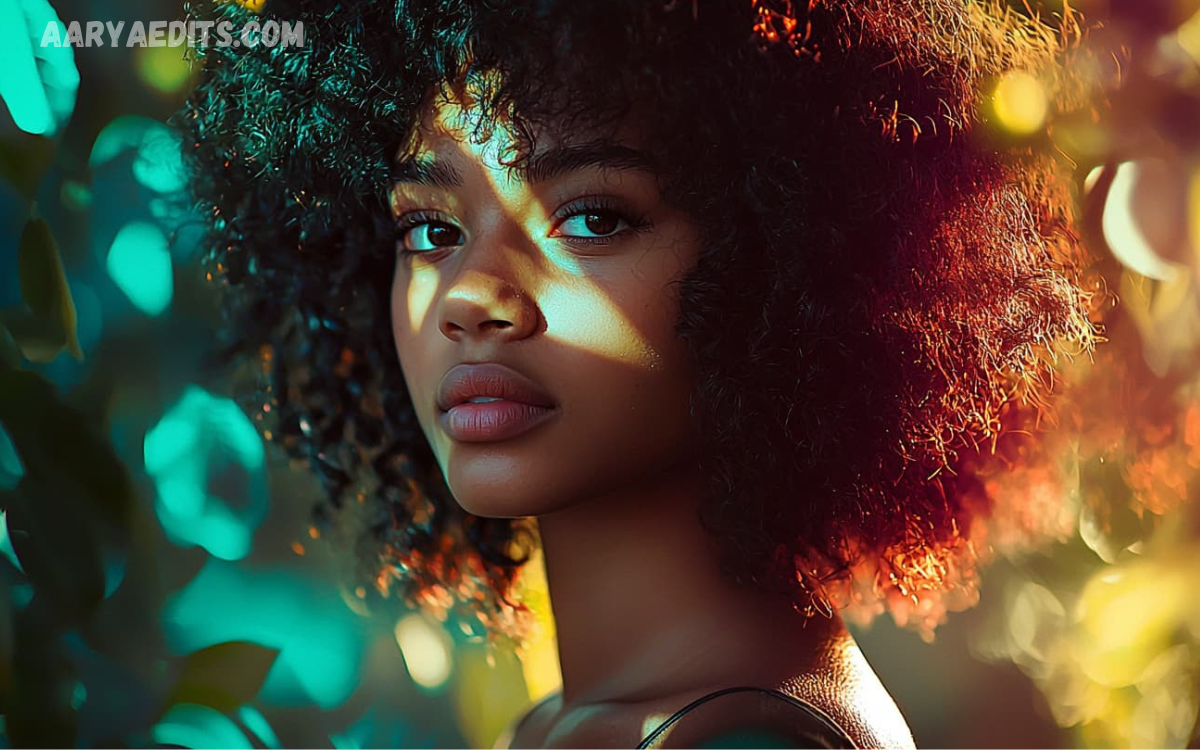
Color grading and photo editing are essential techniques in modern photography and digital content creation. They transform ordinary images into visually compelling works that capture attention, evoke emotions, and communicate a powerful message.
With advanced editing software such as Adobe Photoshop, Adobe Lightroom, Capture One, and DaVinci Resolve, professionals can refine every detail of an image while maintaining natural beauty and consistency.
What is Color Grading?
Color Grading is the creative process of adjusting colors, contrast, saturation, brightness, shadows, highlights, and tones to establish a specific visual style or emotional atmosphere. Unlike simple color correction, color grading focuses on storytelling and artistic expression.
Professional color grading helps create:
- Cinematic looks
- Warm sunset effects
- Moody portraits
- Vintage aesthetics
- Luxury branding visuals
- High-fashion photography
- Vibrant travel images
- Dramatic landscapes
Color grading enables photographers and editors to create consistency across multiple images while reinforcing brand identity or creative vision.
What is Photo Editing?
Photo Editing refers to improving, correcting, and enhancing digital images using specialized software. Editing includes technical corrections as well as artistic improvements that elevate image quality.
Professional photo editing often involves:
- Exposure correction
- White balance adjustment
- Noise reduction
- Lens correction
- Background cleanup
- Object removal
- Skin retouching
- Sharpening
- Cropping
- Perspective correction
- Color enhancement
- Detail recovery
Photo editing ensures every image appears polished, realistic, and visually appealing.
Why Color Grading & Photo Editing Matter?
Visual content influences audience perception within seconds. High-quality edited photographs generate stronger engagement, improve brand credibility, and increase conversion rates.
Major industries relying on Color Grading & Photo Editing include:
- Photography
- Fashion
- Advertising
- E-commerce
- Real Estate
- Wedding Photography
- Film Production
- Social Media Marketing
- Graphic Design
- Digital Publishing
Professional editing creates consistency, improves aesthetics, and enhances storytelling across every visual project.
Essential Elements of Professional Color Grading
Exposure Balance
Balanced exposure ensures neither highlights nor shadows lose important details. Proper exposure creates a strong foundation for advanced editing.
Contrast
Contrast defines depth and separates subjects from backgrounds. Balanced contrast creates dynamic, professional-looking images.
White Balance
Correct white balance removes unwanted color casts while producing natural skin tones and realistic colors.
Highlights and Shadows
Recovering highlight details and opening shadows adds depth without sacrificing image quality.
Saturation
Saturation controls color intensity. Professional editors enhance colors naturally without making images appear artificial.
Vibrance
Unlike saturation, vibrance selectively boosts muted colors while protecting skin tones from becoming oversaturated.
Professional Photo Editing Workflow
Following an organized workflow increases efficiency and consistency.
Import Images
Organize photographs into categorized folders before editing.
Select the Best Photos
Remove blurry, duplicate, or underexposed images before beginning edits.
Apply Lens Corrections
Correct distortion, chromatic aberration, and perspective issues.
Adjust Exposure
Fine-tune brightness, highlights, shadows, whites, and blacks.
Improve Colors
Use color grading and photo editing techniques to establish mood and consistency.
Retouch Details
Remove distractions, blemishes, dust spots, and unwanted objects.
Sharpen the Image
Enhance important details while minimizing digital noise.
Export Correctly
Save optimized versions for print, websites, or social media platforms.
Best Software for Color Grading & Photo Editing
Several professional applications dominate the creative industry.
Adobe Lightroom
Ideal for photographers managing large image collections with powerful RAW editing capabilities.
Adobe Photoshop
Industry-leading software for advanced retouching, compositing, and detailed editing.
Capture One
Popular among commercial photographers for exceptional color rendering and tethered shooting.
Affinity Photo
A cost-effective alternative offering professional editing features without subscription fees.
Luminar Neo
AI-powered software that simplifies complex editing tasks using intelligent automation.
Darktable
An open-source RAW editor offering advanced editing tools for photographers.
Popular Color Grading Styles
Professional editors develop unique visual identities through various grading styles.
Cinematic
Deep shadows, soft highlights, teal-and-orange color combinations, and dramatic contrast.
Vintage
Faded blacks, warm tones, reduced saturation, and nostalgic aesthetics.
Bright and Airy
Soft whites, pastel colors, and clean exposure for elegant photography.
Moody
Dark shadows, muted colors, rich blacks, and emotional storytelling.
High Fashion
Sharp contrast, vibrant colors, flawless skin tones, and luxurious presentation.
Natural
Subtle adjustments preserving realistic colors and authentic lighting.
RAW vs JPEG Editing
Professional photographers prefer RAW files because they contain significantly more image data.
Benefits of RAW editing include:
- Better highlight recovery
- Improved shadow detail
- Higher dynamic range
- More accurate color grading
- Greater editing flexibility
- Reduced image degradation
JPEG images offer convenience but provide less editing latitude.
Importance of Color Theory
Understanding color relationships helps editors create visually balanced compositions.
Primary concepts include:
- Complementary colors
- Analogous colors
- Split complementary harmony
- Monochromatic palettes
- Warm versus cool tones
- Color psychology
Professional Color Grading & Photo Editing relies heavily on these principles.
AI in Modern Photo Editing
Artificial Intelligence has transformed editing workflows.
AI features include:
- Automatic sky replacement
- Portrait enhancement
- Background removal
- Object removal
- Noise reduction
- Subject masking
- Facial retouching
- Color matching
- Smart sharpening
AI accelerates editing while allowing professionals to focus on creativity.
Read Also: HD Photo Editing Online: Create Stunning High-Quality Images
Tips for Better Color Grading
Professional editors follow several best practices.
- Edit using calibrated monitors.
- Shoot in RAW format.
- Maintain consistent white balance.
- Avoid oversaturation.
- Preserve skin tone accuracy.
- Create reusable presets.
- Compare before-and-after versions.
- Zoom out frequently during editing.
- Keep colors realistic unless pursuing a creative style.
- Export using appropriate color profiles.
Common Photo Editing Mistakes
Many beginners make avoidable editing errors.
Excessive Saturation
Overly vibrant colors reduce realism.
Over-Sharpening
Too much sharpening introduces unwanted halos.
Unrealistic Skin Tones
Poor white balance can make subjects appear unnatural.
Heavy Noise Reduction
Aggressive noise removal often eliminates fine details.
Ignoring Composition
Editing cannot fully compensate for weak composition.
Inconsistent Color Grading
Random color styles reduce portfolio consistency.
Benefits of Professional Color Grading & Photo Editing
Professional editing delivers numerous advantages.
- Stronger visual storytelling
- Higher audience engagement
- Increased brand recognition
- Better client satisfaction
- Premium image quality
- Improved social media performance
- Enhanced print results
- Greater creative flexibility
- Competitive market advantage
- Long-term portfolio consistency
Businesses investing in professional editing often experience improved marketing performance and stronger customer trust.
Color Grading for Different Photography Styles
Portrait Photography
Focus on natural skin tones, soft contrast, and balanced exposure.
Landscape Photography
Enhance sky colors, recover dynamic range, and emphasize natural textures.
Product Photography
Maintain accurate colors while highlighting product details.
Wedding Photography
Use warm, romantic tones with soft highlights.
Travel Photography
Increase vibrance while preserving authentic scenery.
Food Photography
Enhance freshness using warm colors and controlled saturation.
Export Settings for Maximum Quality
Different platforms require different export settings.
For websites:
- JPEG format
- sRGB color profile
- Optimized compression
- Proper resolution
For printing:
- TIFF format
- Adobe RGB or ProPhoto RGB
- High resolution
- Maximum quality settings
For social media:
- Optimized dimensions
- Moderate sharpening
- Compressed file size
- Accurate color profile
Future Trends in Color Grading & Photo Editing
The creative industry continues evolving rapidly.
Emerging trends include:
- AI-assisted editing
- Real-time color grading
- Cloud-based workflows
- HDR photography
- Machine learning automation
- Advanced masking tools
- Mobile professional editing
- Neural filters
- Automated batch processing
- Virtual production integration
These innovations continue making professional editing faster, smarter, and more accessible.
Frequently Asked Questions
Which software is best for color grading and photo editing?
Some of the best professional tools include Adobe Lightroom, Adobe Photoshop, Capture One, Affinity Photo, Luminar Neo, and Darktable. The ideal choice depends on your editing needs, experience level, and budget.
Why should photographers shoot in RAW instead of JPEG?
RAW files contain significantly more image data, allowing better control over exposure, white balance, highlights, shadows, and color grading without reducing image quality. This makes RAW the preferred format for professional editing.
Can beginners learn Color Grading & Photo Editing?
Yes. Beginners can start with basic adjustments such as exposure, white balance, and contrast before learning advanced techniques like masking, selective color adjustments, and cinematic color grading. Regular practice is the key to improvement.
How long does it take to master Color Grading & Photo Editing?
Learning the fundamentals may take a few weeks, while mastering professional editing techniques typically requires several months of consistent practice and hands-on experience with editing software.
Does AI improve the photo editing process?
Yes. AI-powered editing tools can automate tasks like background removal, noise reduction, object removal, sky replacement, portrait enhancement, and subject masking, making the editing workflow faster and more efficient.
What are the most common mistakes in Color Grading & Photo Editing?
Common mistakes include oversaturating colors, over-sharpening images, applying excessive filters, creating unrealistic skin tones, ignoring white balance, and using inconsistent editing styles across a photo collection.
Which industries benefit from professional Color Grading & Photo Editing?
Many industries rely on professional editing, including photography, filmmaking, fashion, real estate, e-commerce, advertising, digital marketing, social media, travel, food photography, and graphic design.
How can I create a consistent editing style?
Use a consistent workflow, maintain accurate white balance, create custom presets, edit on a calibrated monitor, and apply similar color grading techniques across all images to build a recognizable visual style.
Is Color Grading & Photo Editing important for social media content?
Absolutely. Professionally edited images attract more attention, improve engagement, strengthen brand identity, increase credibility, and help content stand out on platforms such as Instagram, Facebook, Pinterest, and LinkedIn.
Conclusion
Color Grading & Photo Editing are indispensable skills for photographers, designers, marketers, filmmakers, and content creators seeking professional-quality visuals. By mastering exposure, contrast, white balance, color harmony, retouching, and advanced grading techniques, creators can transform ordinary images into captivating works of art that leave lasting impressions.
Whether producing commercial campaigns, social media content, wedding albums, travel photography, product catalogs, or cinematic portraits, consistent Color Grading & Photo Editing elevate every project.
