

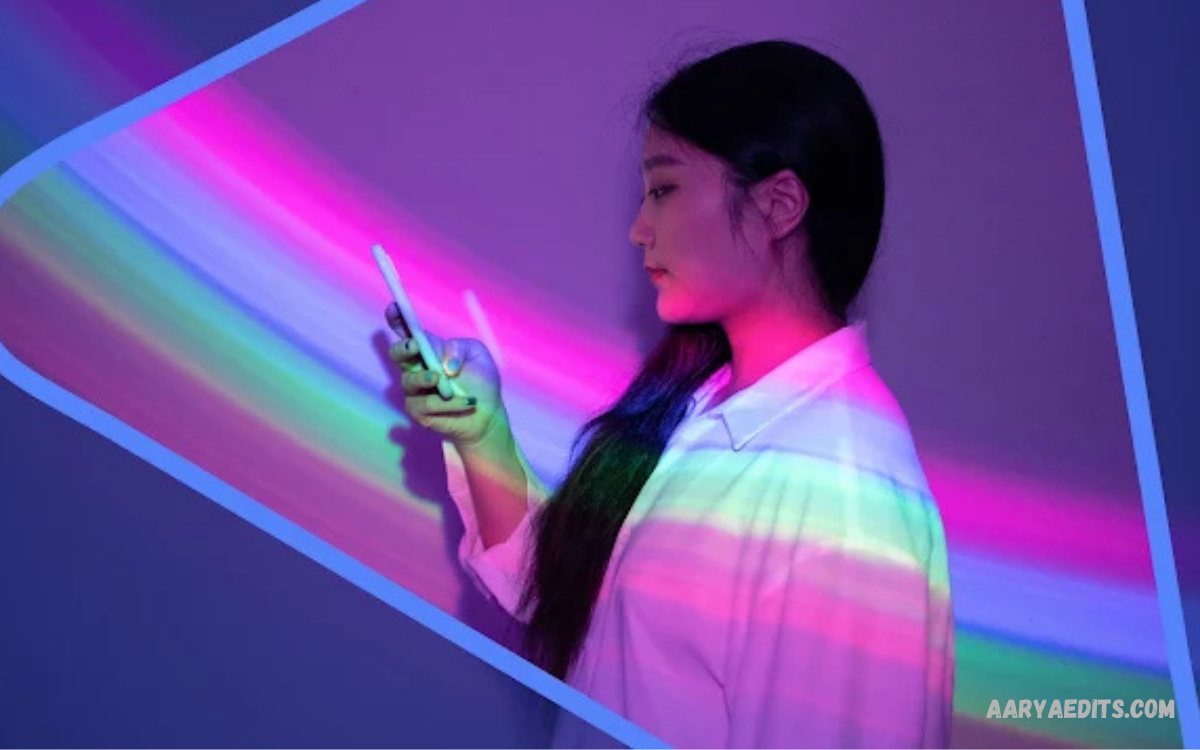
Digital photography has changed significantly with the growth of artificial intelligence. Modern editing platforms can now transform ordinary pictures into polished visual content through automated enhancements, creative effects, background changes, and generative tools.
Whether you create social media posts, thumbnails, profile pictures, digital artwork, or promotional graphics, an AI-assisted editor can cut down on repetitive editing work.
What Is PicsArt AI Photo Editor?
PicsArt AI photo editor is an AI-enhanced creative editing platform designed for modifying photographs and creating digital visuals.
The platform is built around a flexible editing workflow that lets users import an image, apply adjustments, add effects, remove or modify visual elements, and finish the composition with text or graphic assets.
Key Features of PicsArt AI Photo Editor
One of the main advantages of PicsArt AI photo editor is its wide selection of creative tools. Users can work with filters, effects, adjustments, overlays, stickers, text, templates, collages, and other design elements.
Another important feature is creative flexibility. Instead of limiting users to simple brightness or contrast adjustments, the platform supports projects involving portraits, social media graphics, promotional visuals, wallpapers, collages, and artistic compositions.
AI Photo Enhancement
Photo enhancement is one of the most useful applications of artificial intelligence in modern image editing. AI can analyze visual information and apply adjustments designed to improve clarity, detail, lighting, and overall appearance.
With the PicsArt AI photo editor, users can combine automated enhancements with manual adjustments. This approach provides more control than relying exclusively on automatic processing.
AI Background Editing
Background editing can dramatically change a photograph’s appearance and purpose. Removing an unwanted background can help isolate a subject, while replacing the original setting can create a completely different visual context.
The background editing workflow can be useful for product images, profile photographs, promotional graphics, thumbnails, and creative compositions. After separating the subject, users can place it against a new background and continue adjusting the composition.
AI-Powered Creative Effects
Creative effects allow users to transform ordinary photographs into stylized visual content. AI-powered effects can introduce artistic characteristics, visual transformations, and imaginative treatments that would otherwise require more complex editing techniques.
However, strong effects should be applied thoughtfully. Excessive processing can reduce realism or distract from the primary subject.
Removing Unwanted Objects
Unwanted objects can reduce the quality of an otherwise useful photograph. Traditional object removal often requires careful selection and cloning work, while AI-assisted tools can simplify the process by analyzing surrounding areas and generating replacement content.
When using object-removal technology, users should inspect the edited area carefully. Reconstructed backgrounds can sometimes contain visual inconsistencies, especially when the removed object overlaps complicated textures, patterns, or architectural details.
AI Filters and Artistic Styles
Filters remain popular because they can establish a consistent visual mood with minimal effort. AI-assisted filters can go beyond simple color adjustments by creating more noticeable stylistic changes.
A professional result depends on consistency. If you use several images in the same project, applying compatible styles can create a more unified look.
Text and Graphic Design Tools
Photo editing often overlaps with graphic design, particularly when creating social media posts, advertisements, thumbnails, banners, and promotional material.
Typography plays an important role in these designs. A readable font, suitable text size, and balanced spacing can improve communication without overwhelming the image.
PicsArt AI Photo Editor for Social Media
Social media creators often need fresh visual content they can produce quickly. PicsArt AI photo editor can support this workflow by providing editing, design, effects, and creative tools within a single environment:
Consistency matters most for creators managing a recognizable online presence. Repeated use of similar typography, visual treatment, framing, and color direction can create a recognizable identity.
Creating Professional Thumbnails
Thumbnails need to communicate their subject quickly. A strong thumbnail generally benefits from a clear focal point, readable text, sufficient contrast, and limited visual clutter.
When creating thumbnails, avoid placing too many elements close together. The primary subject should remain easy to identify even when the thumbnail is displayed at a small size.
Portrait Editing With AI
Portrait photography has unique editing requirements because facial features, skin tones, hair, lighting, and background details all shape the final look.
Natural-looking results generally require moderation. Excessive smoothing or dramatic changes can make portraits appear artificial. A balanced workflow combines subtle enhancement with manual adjustments so that important facial characteristics and natural texture remain visually consistent.
Creating AI-Based Creative Artwork
AI has expanded the possibilities available to digital artists and casual creators. Instead of limiting projects to photographs captured with a camera, users can experiment with imaginative concepts and combine generated or transformed elements with conventional design techniques.
Creative artwork benefits from planning before editing begins. Consider the subject, composition, visual mood, background, typography, and intended audience.
Photo Collage Creation
Collages provide a convenient way to combine multiple photographs into one composition. They are useful for travel memories, event highlights, product showcases, personal projects, and social media posts. Templates and layout tools can simplify arranging several images.
A professional collage should maintain visual balance. Images with significantly different lighting or color treatments may look disconnected when placed together.
Color Adjustment and Image Control
AI features can automate certain improvements, but manual color controls remain valuable. Exposure, brightness, contrast, saturation, temperature, highlights, and shadows can all affect a photograph’s final appearance.
Color adjustments should support the subject and purpose of the photograph. For example, a promotional image may require strong clarity and controlled contrast, while a personal portrait might benefit from softer tonal transitions.
How to Create Better Edits With PicsArt AI Photo Editor
Start with the original photograph whenever possible. A high-quality source gives editing tools more visual information and provides more flexibility during enhancement.
After completing the primary edit, review the entire composition rather than focusing only on individual details. Check edges, shadows, colors, proportions, text placement, and background transitions.
Using AI Without Losing Creative Control
Artificial intelligence can automate repetitive tasks, but professional-looking results still depend on human decisions. AI tools interpret images based on their underlying systems and may occasionally produce results that don’t match the creator’s original intention.
Creative control matters most when editing portraits, commercial images, branded content, or photographs with important details. Review every significant AI-generated change before publishing.
PicsArt AI Photo Editor for Beginners
Beginners can start by learning basic editing concepts before exploring advanced AI features. Understanding cropping, exposure, contrast, saturation, sharpness, and composition provides a strong foundation for more complicated projects.
A simple practice routine can involve editing the same photograph in several different ways. Try a natural enhancement, a creative effect, a background change, and a social media composition. Comparing the results helps users understand how different tools affect the same source image.
Tips for Better AI Photo Editing
High-quality source images usually provide better starting points for editing. Before applying AI transformations, remove unnecessary distractions through cropping and decide which part of the photograph should receive the most attention. This helps maintain a clear visual hierarchy.
Another useful approach is moderation. AI tools can make dramatic changes quickly, but stronger processing does not automatically produce better results. Apply changes gradually, compare them with the original image, and keep the version that best communicates the intended idea.
Read Also: PicsArt Filters: Complete Guide to Creative Photo Effects
Common Mistakes to Avoid
One common mistake is relying on automatic tools without reviewing the final image. AI processing can introduce unexpected changes to edges, textures, facial details, or backgrounds. Zoom in on key areas and check the full composition to catch these issues before publishing.
Another mistake is using too many effects simultaneously. Multiple filters, overlays, stickers, and dramatic adjustments can make an image visually confusing. A focused composition with a clear subject usually communicates more effectively than a design containing every available effect.
PicsArt AI Photo Editor for Content Creators
Content creators often need to produce images regularly while maintaining a consistent visual identity. An AI-assisted editing platform can support this workflow by simplifying repetitive tasks and providing creative resources for different content formats.
Creators can develop reusable editing processes for recurring content. For example, a thumbnail workflow might include subject preparation, background editing, text placement, color adjustment, and final quality review. Establishing a repeatable process can reduce editing time while maintaining consistency.
PicsArt AI Photo Editor for Bloggers
Bloggers can use edited images to improve article presentation and create supporting visual content. Featured images, instructional graphics, comparison visuals, and social media assets can all benefit from thoughtful editing.
Image consistency can also strengthen a website’s overall appearance. Using similar dimensions, typography, visual treatments, and composition principles across article images can create a more organized presentation.
Privacy and Responsible AI Editing
When using AI-powered creative services, users should understand how the service handles their images and information under applicable terms and privacy documentation. This is especially important when working with photographs containing personal, confidential, or commercially sensitive material.
Responsible editing also means avoiding misleading alterations when accuracy matters. Creative transformations suit artwork and entertainment, while photographs representing real events may require more care.
Performance and Editing Workflow
Efficient editing involves more than selecting individual tools. Organizing the workflow from source image to final export can prevent unnecessary repetition.
Saving original photographs separately is another useful practice. Keeping an untouched source allows users to return to the beginning if an experimental edit becomes unsuitable. Keeping project files organized can also make future revisions much easier.
Choosing the Right Editing Style
The right editing style depends on the image’s purpose. A professional product graphic may require clean backgrounds and controlled colors, while a creative social media post may benefit from stronger effects. Portraits often work better with subtle adjustments that preserve natural characteristics.
Before editing, identify the message the image should communicate. This simple step can prevent unnecessary experimentation and help you choose tools that are actually useful. The objective should guide the editing process, not let available effects determine the final design.
Future of AI Photo Editing
AI-powered photo editing continues to develop as image-processing technology becomes more capable. Editing platforms increasingly focus on automating complex tasks, improving image quality, and giving creators new ways to generate and modify visual content.
The future of digital editing is likely to involve closer cooperation between automated systems and human creativity. AI can handle repetitive technical processes, while creators can focus on composition, storytelling, visual identity, and creative direction.
Frequently Asked Questions
What is PicsArt AI photo editor?
PicsArt AI photo editor is a digital editing platform that combines traditional photo-editing tools with AI-powered features. It can help users enhance images, modify backgrounds, apply creative effects, add text, create collages, and produce various types of digital content.
Is PicsArt AI photo editor suitable for beginners?
Yes. Its combination of automated features and familiar editing controls makes it accessible to beginners. Users can start with simple adjustments and gradually explore AI-powered editing, creative effects, background tools, and design features.
What can the PicsArt AI photo editor do?
PicsArt AI photo editor can support image enhancement, background editing, creative effects, object removal, portrait adjustments, text-based designs, collages, and other visual editing tasks. Available features can vary by platform and subscription.
Can PicsArt AI photo editor remove backgrounds?
Yes, PicsArt includes background-removal capabilities that can help separate a subject from its original background. You can then place the isolated subject into a different visual setting or use it in a graphic design.
Can I use PicsArt AI photo editor for social media content?
Yes. You can use it to create social media posts, stories, profile images, thumbnails, promotional graphics, collages, and other visual content. Templates and design tools can make the creation process more efficient.
Is PicsArt AI photo editor useful for portrait editing?
Yes. Users can apply enhancements and creative adjustments to portraits while combining AI-assisted features with manual editing controls. Subtle adjustments generally help maintain a natural-looking result.
Can PicsArt AI photo editor improve image quality?
AI-assisted enhancement tools can improve aspects of an image, depending on the source quality and the feature used. Results can vary, so review the final image before publishing.
Can PicsArt AI photo editor remove unwanted objects?
PicsArt provides tools designed to help remove unwanted elements from images. AI-assisted processing can reconstruct areas around the removed object, although complicated backgrounds may require additional manual editing.
Is PicsArt AI photo editor free?
PicsArt offers free editing capabilities, while some features and resources may require a paid plan or in-app purchase. Available features and pricing can change over time.
Can PicsArt AI photo editor create AI-generated images?
PicsArt offers AI-powered creative and generation features that can help you create or transform visual content. Specific AI features may vary by version, platform, region, and account type.
Can PicsArt AI photo editor be used for professional projects?
Yes. It can be useful for social media graphics, marketing visuals, thumbnails, blog images, promotional designs, and other creative projects. Professional users should review licensing and usage terms for specific assets and features.
How can I get better results with the PicsArt AI photo editor?
Start with a high-quality source image, define the desired result, apply AI tools selectively, and review the final image carefully. Combining AI automation with manual adjustments can provide greater creative control.
Does PicsArt AI photo editor work on mobile devices?
PicsArt is widely available as a mobile-focused editing platform, making it convenient for users who want to edit photographs and create designs directly from a smartphone or tablet.
Conclusion
PicsArt AI photo editor provides a versatile environment for combining conventional photo editing with modern AI-assisted creativity.
The most effective approach is to use AI as part of a thoughtful editing workflow. Start with a clear creative objective, make controlled adjustments, review AI-generated changes carefully, and refine the final composition manually when necessary.
