

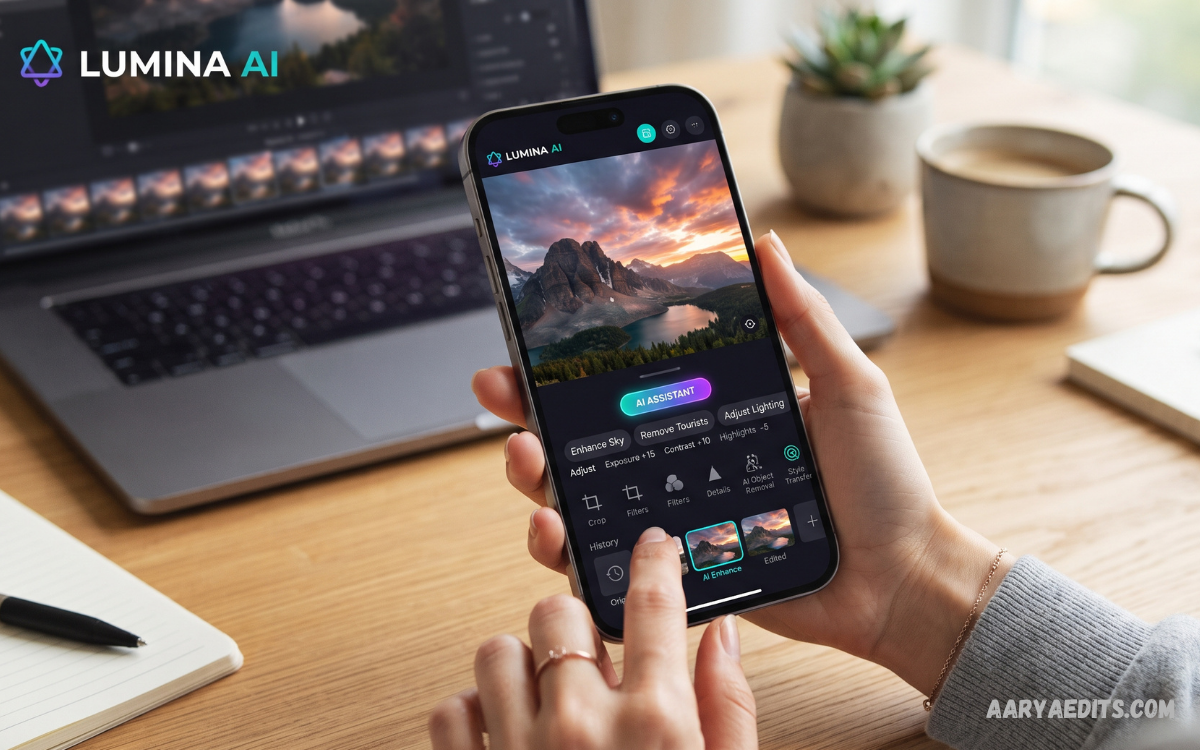
An AI photo editing app uses artificial intelligence to simplify photo enhancement, retouching, background editing, object removal, and creative transformations. Modern AI-powered editors can automate tasks that previously required considerable manual effort, making professional-looking results more accessible to beginners, creators, photographers, and businesses.
Photo editing has evolved rapidly as artificial intelligence becomes integrated into everyday creative workflows. Current AI editors can perform tasks such as background removal, generative fill, image expansion, object replacement, sharpening, upscaling, and prompt-based editing with relatively simple instructions.
What Is an AI Photo Editing App?
An AI photo editing app is software that uses machine learning and generative artificial intelligence to analyze and modify digital images. Instead of manually adjusting every element, users can often describe an intended change, select an object, or apply an automated enhancement and let the application handle much of the technical work.
Traditional photo editing generally requires users to understand tools such as layers, masks, curves, selections, brushes, and adjustment controls. AI-assisted editing reduces this complexity by identifying subjects, understanding image context, and automatically applying suitable changes while still allowing users to refine the final result.
How Does an AI Photo Editing App Work?
AI photo editors analyze visual information within an image to identify objects, people, backgrounds, colors, lighting, textures, and other elements. Depending on the application, artificial intelligence can then enhance existing details, remove unwanted elements, generate new content, or modify selected portions of the photograph.
Generative editing goes a step further by creating new pixels that match the surrounding image. For example, modern tools can extend an image beyond its original boundaries, remove distracting objects, replace backgrounds, or add visual elements based on a written instruction.
Key Features of an AI Photo Editing App
AI Image Enhancement
Image enhancement is one of the most useful capabilities available in modern AI editors. Artificial intelligence can analyze brightness, contrast, color, sharpness, and image quality to help produce a cleaner and more balanced photograph.
This feature is particularly useful when an original photo looks dark, soft, noisy, or lacks visual clarity. Some advanced applications also provide intelligent upscaling that increases image resolution while attempting to preserve important details.
Background Removal
Removing a background manually can take significant time, especially when photographs contain hair, complex edges, or multiple objects. An AI photo editing app can automatically detect the main subject and separate it from the surrounding background.
Background removal is useful for profile images, product photography, social media graphics, thumbnails, presentations, and online stores. After removing the original background, users can replace it with a solid color, another photograph, or an AI-generated environment.
Object Removal
Unwanted objects can distract viewers and reduce the quality of an otherwise excellent photograph. AI-powered object removal tools allow users to select an unwanted element and generate replacement pixels that blend with the surrounding scene.
Modern AI editors have improved their ability to understand the context around removed objects. However, results can vary depending on image complexity, so users should always inspect edited areas carefully before publishing a final image.
AI Portrait Retouching
Portrait editing is another popular application of artificial intelligence. AI tools can help improve lighting, reduce distracting imperfections, enhance facial details, and create a more polished appearance while allowing users to control the intensity of the changes.
Professional editing should preserve natural-looking results rather than completely changing a person’s appearance. Subtle adjustments generally produce more believable photographs and maintain the original character of the image.
Generative Fill
Generative Fill allows users to select an area of an image and describe what should appear there. The AI then creates content designed to match the surrounding composition, lighting, perspective, and texture.
This technology can be useful for creative photography, advertising graphics, social media content, and visual experiments. Adobe’s current AI editing tools include generative capabilities for adding, replacing, and refining image elements.
AI Image Expansion
Sometimes a photograph does not have the correct dimensions for a website, thumbnail, poster, or social media platform. AI image expansion can extend the canvas and generate additional visual content around the original photograph.
This feature is especially helpful when converting images between landscape, portrait, and square formats. Instead of cropping important subjects, users can expand the composition and preserve more of the original photograph.
Benefits of Using an AI Photo Editing App
Faster Editing
The biggest advantage of an AI photo editing app is speed. Automated selection, enhancement, background removal, and object cleanup can reduce repetitive editing tasks and allow users to focus more on creative decisions.
Photographers and content creators working with large numbers of images can particularly benefit from automation. AI-based workflows can help reduce the time spent on routine corrections and repetitive adjustments.
Beginner-Friendly Editing
Professional editing software can initially feel complicated because it provides numerous technical controls. AI features make many common tasks easier by allowing users to rely on automated actions or natural-language instructions.
This does not mean traditional editing skills are becoming irrelevant. Instead, AI can work alongside conventional tools, giving beginners a simpler starting point while allowing experienced editors to maintain detailed control.
Professional-Looking Results
A well-designed AI editor can help improve the consistency and quality of photographs without requiring advanced technical expertise. Features such as intelligent enhancement, background removal, masking, upscaling, and object cleanup can contribute to polished results.
The final quality still depends on the original image and the quality of the AI system. Users should therefore compare the edited result with the original instead of accepting every automatic change without review.
Creative Possibilities
AI editing is not limited to correcting photographs. Generative tools can help creators experiment with backgrounds, compositions, colors, objects, lighting, and visual concepts that would otherwise require extensive manual work.
This makes an AI photo editing app useful for social media creators, marketers, students, bloggers, photographers, and small businesses. AI can accelerate experimentation while leaving the creative direction in the user’s hands.
Best Uses for an AI Photo Editing App
Social Media Content
Social media creators need attractive visuals that can be prepared quickly for different platforms. AI editing tools can help resize images, remove backgrounds, improve lighting, clean distractions, and prepare photographs for different layouts.
Creators can also use AI-assisted editing to develop consistent visual styles across multiple posts. Maintaining consistent colors, compositions, and image quality can make a content library appear more organized and professional.
Product Photography
Businesses often need clean product images for websites, catalogs, advertisements, and social media. AI can remove distracting backgrounds, improve lighting, eliminate unwanted objects, and create suitable visual environments around products.
AI-powered image editing is increasingly used for product-focused workflows because repetitive editing tasks can be completed more efficiently. The exact features available depend on the application and its intended audience.
Photography
Photographers can use AI to accelerate parts of the post-processing workflow while maintaining control over creative decisions. AI masking, denoising, enhancement, object removal, and intelligent adjustments can reduce repetitive work.
Professional photographers should still review every important image manually. AI-generated changes can sometimes introduce inaccurate details, unnatural textures, or unwanted alterations.
Marketing and Advertising
Marketing teams frequently need multiple versions of the same image for advertisements, websites, social media posts, and promotional campaigns. AI editing can help adapt compositions, remove objects, modify backgrounds, and prepare visuals for different formats.
Adobe’s current Firefly tools, for example, combine prompt-based editing with functions such as generative fill, generative upscale, background removal, and image expansion.
AI Photo Editing App vs Traditional Photo Editing
Traditional editing provides detailed manual control over virtually every aspect of an image. This approach can produce excellent results but often requires more knowledge, patience, and time.
An AI photo editing app focuses more heavily on automation and intelligent assistance. Rather than replacing traditional editing completely, AI works as an additional layer that can handle repetitive tasks while users make the important creative decisions.
For professional workflows, the strongest approach may be combining both methods. AI can handle time-consuming selections and corrections, while traditional tools can be used for precise finishing and quality control.
How to Choose the Right AI Photo Editing App
Start by identifying the type of editing you perform most frequently. A photographer may prioritize RAW support, masking, noise reduction, and color control, while a social media creator may care more about templates, background removal, resizing, and quick effects.
You should also consider output quality, ease of use, supported devices, export options, available AI features, privacy practices, and pricing. Current comparisons show that different editors specialize in different areas rather than one application being ideal for every user.
Read Also: Online AI Photo Editor: Transform Your Photos with Artificial Intelligence
Free vs Paid AI Photo Editing Apps
Free AI editors can be useful for basic editing and occasional projects. They may provide features such as automatic enhancement, cropping, background removal, filters, and limited AI generations without requiring a subscription.
Paid applications generally offer more advanced features, higher usage limits, better export options, professional workflows, or access to additional AI models. Before subscribing, users should check current pricing and understand whether AI functions operate through credits, subscriptions, or usage limits.
Privacy and AI Photo Editing
Privacy should be an important consideration whenever photographs are uploaded to an online AI service. Users should review an application’s privacy policy to understand how images are processed, stored, shared, or potentially used for service improvement.
Avoid uploading sensitive photographs to unfamiliar applications simply because they advertise advanced AI features. Choosing reputable services, reviewing permissions, and understanding available privacy controls can help users make more informed decisions.
Tips for Getting Better Results
Start with the highest-quality original image available because AI cannot always recover information that was never captured clearly. Good lighting, adequate resolution, and a clean composition give editing systems better visual information to work with.
Use AI adjustments moderately instead of applying every available effect at maximum strength. After each major change, compare the result with the original and inspect important areas such as faces, hands, hair, object edges, text, and backgrounds.
Future of AI Photo Editing
The future of AI photo editing is likely to involve more conversational controls, improved context understanding, greater automation, and tighter integration with professional creative workflows. Recent Photoshop developments demonstrate this direction through AI-assisted editing, natural-language instructions, masking, generative editing, and other intelligent controls.
AI editors are also becoming more accessible across mobile devices, browsers, and desktop applications. As these technologies mature, users can expect faster workflows and more precise editing while traditional manual controls remain important for professional-level work.
Frequently Asked Questions
What is an AI photo editing app?
An AI photo editing app uses artificial intelligence to automatically enhance, modify, or transform photographs. Common features include background removal, object removal, image enhancement, upscaling, retouching, and generative editing.
Is an AI photo editing app suitable for beginners?
Yes, many AI editors are designed to simplify complex editing tasks. Automated tools and prompt-based controls can help beginners achieve useful results without extensive knowledge of professional editing software.
Can AI photo editors remove unwanted objects?
Yes, many modern AI editors include object-removal features. The AI analyzes the surrounding image and generates replacement content intended to blend naturally with the remaining scene.
Can AI improve low-quality photos?
AI can improve certain aspects of low-quality images, including sharpness, noise, and resolution. However, results depend heavily on the original photograph, and AI cannot perfectly recreate every missing detail.
Are AI photo editing apps free?
Some AI photo editors offer free features or limited AI usage, while others require subscriptions or paid credits for advanced capabilities. Pricing and available features vary between applications.
Can AI replace professional photo editors?
AI can automate many repetitive editing tasks, but professional judgment remains valuable for complex projects. Experienced editors can combine AI automation with manual adjustments to achieve more controlled and consistent results.
Is an AI photo editing app safe?
Safety depends on the specific application and its privacy practices. Users should choose reputable services, review privacy policies, understand image-processing practices, and avoid uploading sensitive photographs unnecessarily.
What is the best AI photo editing app?
There is no single best option for every user because different applications specialize in different workflows. The right choice depends on whether your priority is mobile editing, professional photography, portrait retouching, product images, generative editing, or simple automated enhancement.
Conclusion
An AI photo editing app can make modern image editing faster, simpler, and more creative by automating tasks that traditionally required considerable manual effort. From background removal and object cleanup to enhancement, upscaling, generative fill, and image expansion, AI provides powerful tools for both beginners and experienced creators.
The best results come from treating artificial intelligence as a creative assistant rather than an automatic replacement for human judgment. Choose an application according to your workflow, review every important edit, protect your image privacy, and use AI selectively to create photographs that remain natural, useful, and visually engaging.
