

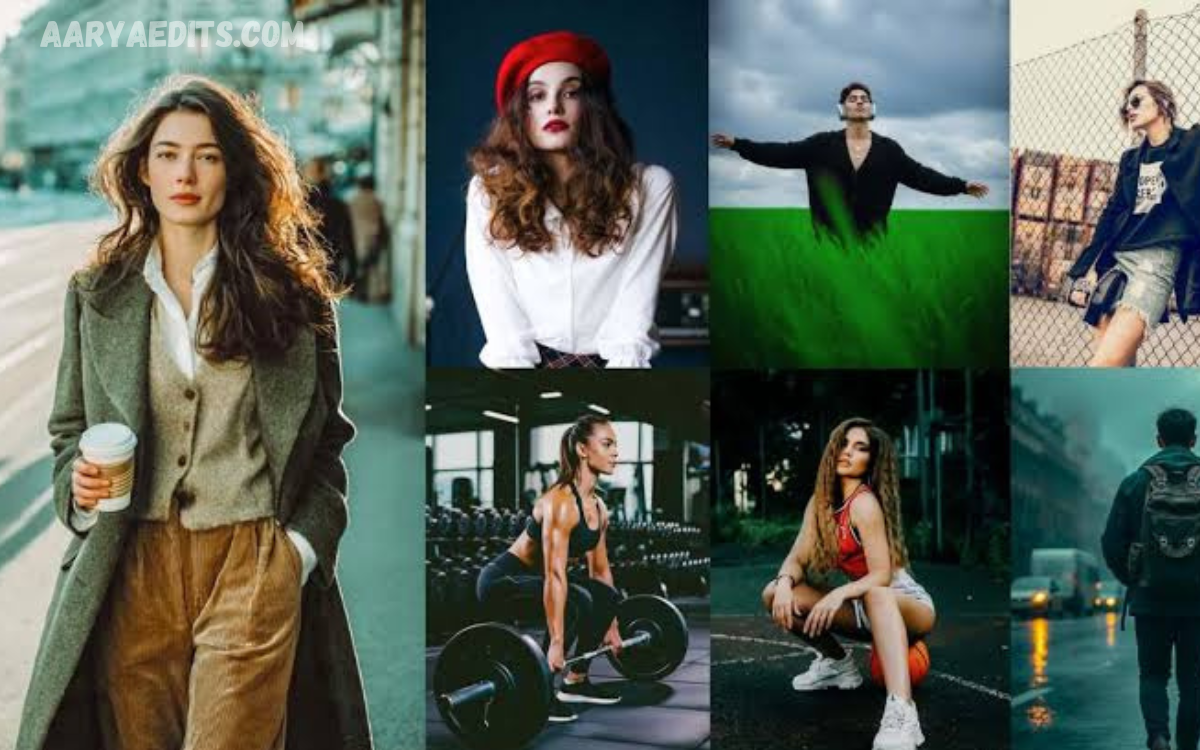
The right Lightroom preset can completely transform an ordinary image into a visually striking masterpiece. Whether you’re a professional photographer, content creator, travel blogger, or social media enthusiast, the best aesthetic Lightroom presets for stunning photos help you achieve a consistent and eye-catching editing style in just a few clicks.
Aesthetic Lightroom presets are designed to enhance colors, improve lighting, balance exposure, and create a polished look without requiring advanced editing skills. They are perfect for portraits, landscapes, fashion photography, weddings, lifestyle content, food photography, and Instagram feeds.
What Are Lightroom Presets?
Lightroom presets are pre-configured editing settings that automatically adjust various image parameters, including:
- Exposure
- Contrast
- White Balance
- Highlights
- Shadows
- Blacks
- Whites
- Saturation
- Vibrance
- Tone Curve
- Color Grading
- Split Toning
- Sharpness
- Noise Reduction
- Lens Corrections
Instead of editing each photo from scratch, photographers can apply a preset instantly and then make small adjustments based on the image’s lighting and composition.
Why Lightroom Presets Are So Popular?
Professional photographers and social media creators rely heavily on presets because they offer several important advantages.
Faster Editing Workflow
Editing hundreds of photos manually can take hours. Lightroom presets significantly reduce editing time while maintaining excellent quality.
Consistent Visual Style
A consistent editing style helps establish a recognizable brand identity across websites, Instagram feeds, portfolios, and marketing materials.
Professional Results
Even beginners can create magazine-quality images using professionally developed Lightroom presets.
Easy Customization
Presets are only a starting point. Every adjustment remains editable, allowing photographers to personalize the final result.
Mobile Compatibility
Many preset collections work seamlessly with Lightroom Mobile, making professional editing possible directly from a smartphone.
The Best Aesthetic Lightroom Presets for Stunning Photos
Moody Lightroom Presets
Moody presets are among the most popular editing styles today.
Characteristics include:
- Deep shadows
- Muted greens
- Rich blacks
- Soft highlights
- Cinematic atmosphere
Perfect for:
- Portraits
- Forest photography
- Street photography
- Travel images
- Outdoor adventures
Bright and Airy Presets
Bright presets create clean, soft, elegant images filled with natural light.
Common features include:
- High exposure
- Soft whites
- Warm skin tones
- Reduced contrast
- Clean backgrounds
Ideal for:
- Weddings
- Lifestyle photography
- Family sessions
- Baby photography
- Home décor
Vintage Film Presets
Film-inspired presets recreate the nostalgic appearance of analog photography.
Popular characteristics include:
- Film grain
- Warm color tones
- Soft contrast
- Slight fading
- Natural colors
Perfect for:
- Portraits
- Fashion shoots
- Lifestyle photography
- Retro themes
- Travel journals
Golden Hour Presets
Golden hour lighting produces naturally warm and beautiful photographs.
Golden presets enhance:
- Warm sunlight
- Orange highlights
- Rich skin tones
- Soft shadows
- Vibrant landscapes
Excellent for:
- Sunset photography
- Outdoor portraits
- Beach photography
- Nature photography
Cinematic Lightroom Presets
Inspired by Hollywood films, cinematic presets create dramatic storytelling effects.
Typical adjustments include:
- Teal shadows
- Orange highlights
- Strong contrast
- Color grading
- Deep blacks
Ideal for:
- Travel photography
- Urban photography
- Fashion
- Editorial shoots
- Commercial photography
Pastel Lightroom Presets
Pastel editing creates soft and elegant color palettes.
These presets include:
- Soft pinks
- Muted blues
- Light greens
- Gentle highlights
- Creamy skin tones
Best suited for:
- Instagram content
- Fashion photography
- Lifestyle shoots
- Beauty photography
Read Also: Professional Color Grading & Photo Editing Services
Dark and Moody Presets
These presets create bold visual impact.
Features include:
- High contrast
- Rich shadows
- Deep colors
- Dramatic lighting
- Enhanced texture
Popular for:
- Architecture
- Wildlife
- Street photography
- Product photography
Minimalist Lightroom Presets
Minimal editing emphasizes simplicity and elegance.
Characteristics include:
- Neutral colors
- Soft whites
- Clean backgrounds
- Balanced exposure
- Reduced saturation
Perfect for:
- Interior photography
- Product photography
- Professional branding
- Corporate websites
Features of High-Quality Lightroom Presets
When choosing The Best Aesthetic Lightroom Presets for Stunning Photos, look for collections offering:
Natural Skin Tones
Professional presets preserve realistic skin colors while enhancing overall beauty.
Accurate White Balance
Balanced colors create realistic and visually appealing photographs.
Adjustable Settings
Every preset should allow complete customization after application.
Mobile and Desktop Support
Choose presets compatible with:
- Lightroom Classic
- Lightroom CC
- Lightroom Mobile
Professional Color Grading
High-quality presets use advanced color grading techniques rather than excessive saturation.
Best Photography Styles for Lightroom Presets
Portrait Photography
Portrait presets improve:
- Skin smoothing
- Eye brightness
- Warm tones
- Natural contrast
Landscape Photography
Landscape presets emphasize:
- Blue skies
- Rich greens
- Mountain textures
- Water reflections
- Dynamic range
Travel Photography
Travel presets create vibrant, colorful memories with enhanced lighting and balanced colors.
Wedding Photography
Wedding presets deliver:
- Romantic warmth
- Soft highlights
- Creamy whites
- Elegant skin tones
Food Photography
Food presets improve:
- Rich colors
- Natural lighting
- Texture
- Sharpness
Fashion Photography
Fashion presets enhance:
- Fabric colors
- Skin tones
- Editorial contrast
- Studio lighting
How to Choose the Right Lightroom Preset
Not every preset works for every image. Consider these factors before choosing one.
Photography Style
Select presets specifically designed for your niche.
Examples include:
- Portraits
- Travel
- Weddings
- Fashion
- Nature
- Architecture
Lighting Conditions
Different presets perform better under:
- Bright sunlight
- Indoor lighting
- Cloudy weather
- Golden hour
- Night photography
Camera Quality
Professional camera RAW files provide greater flexibility than compressed JPEG images.
Personal Brand
Influencers and businesses should maintain a consistent editing style across all platforms.
Tips for Getting the Best Results
Shoot in RAW
RAW files preserve maximum image information, allowing presets to produce superior results.
Adjust Exposure First
Correct exposure before applying any preset for the most natural outcome.
Fine-Tune White Balance
Small white balance adjustments can dramatically improve color accuracy.
Use Lens Corrections
Enable lens correction profiles for cleaner, sharper images.
Avoid Overediting
The best aesthetic photos often look natural rather than heavily processed.
Common Mistakes When Using Lightroom Presets
Many beginners expect presets to produce perfect results instantly.
Avoid these common mistakes:
- Applying one preset to every photo
- Ignoring exposure adjustments
- Oversaturating colors
- Excessive sharpening
- Heavy clarity settings
- Unrealistic skin tones
Professional photographers always make final adjustments after applying presets.
Benefits for Social Media Creators
Content creators benefit greatly from Lightroom presets because they help:
- Build a recognizable visual identity
- Increase editing efficiency
- Create cohesive Instagram feeds
- Improve audience engagement
- Produce professional-quality content consistently
A unified editing style also strengthens brand recognition across multiple platforms.
Why Professionals Use Lightroom Presets?
Professional photographers often edit thousands of images every year. Presets allow them to maintain consistency while reducing editing time.
Benefits include:
- Faster client delivery
- Consistent portfolio quality
- Improved productivity
- Better workflow management
- Professional branding
- Reliable editing across different projects
Rather than replacing creativity, presets enhance efficiency by providing a strong editing foundation that photographers can customize for each image.
Frequently Asked Questions
Are Lightroom presets suitable for beginners?
Yes. Lightroom presets are perfect for beginners because they simplify the editing process while delivering high-quality results. You can also customize the settings after applying a preset to match your photo.
Can I use Lightroom presets on my smartphone?
Absolutely. Most modern Lightroom presets are compatible with Adobe Lightroom Mobile on both Android and iOS devices, allowing you to edit photos professionally on the go.
Do Lightroom presets work with all types of photos?
Yes, but the final result depends on the image’s lighting, exposure, and colors. You may need to make minor adjustments after applying a preset to achieve the best outcome.
Which Lightroom preset is best for Instagram photos?
Bright and Airy, Moody, Pastel, and Cinematic Lightroom presets are among the most popular choices for creating visually appealing and consistent Instagram feeds.
Can I customize Lightroom presets after applying them?
Yes. Lightroom presets are fully editable. You can adjust exposure, white balance, contrast, saturation, highlights, shadows, and other settings to perfectly match your image.
Should I edit RAW or JPEG photos with Lightroom presets?
RAW files offer the greatest editing flexibility and yield higher-quality results when used with Lightroom presets. While presets also work on JPEG images, RAW files retain more detail and dynamic range.
Do professional photographers use Lightroom presets?
Yes. Many professional photographers use Lightroom presets to streamline their workflow, maintain a consistent editing style, and save time when editing large batches of photos.
Can Lightroom presets improve low-quality photos?
Lightroom presets can enhance colors, lighting, and overall appearance, but they cannot completely fix blurry, poorly focused, or extremely low-resolution images. Starting with a well-exposed photo always delivers the best results.
How do I choose the best aesthetic Lightroom presets for stunning photos?
Choose presets that match your photography style, such as portrait, landscape, travel, wedding, fashion, or lifestyle. Look for high-quality presets with natural color grading, realistic skin tones, and compatibility with both Lightroom Classic and Lightroom Mobile.
Conclusion
Choosing The Best Aesthetic Lightroom Presets for Stunning Photos can dramatically improve the quality, consistency, and visual appeal of your photography. Whether you prefer warm golden tones, cinematic color grading, vintage film effects, bright and airy edits, or dark, moody aesthetics, the right preset collection helps you achieve professional-looking results with minimal effort.
Lightroom presets simplify complex editing techniques while preserving creative control, making them an essential tool for photographers of every skill level.
