The rapid advancement of artificial intelligence has transformed digital photography and image editing. Professionals across photography, graphic design, marketing, advertising, eCommerce, social media, and content creation now rely on AI-powered tools to accelerate editing workflows while maintaining exceptional quality.
An AI editing tool is only as powerful as the instructions it receives. A clear, detailed, and structured prompt helps AI understand exactly how an image should be enhanced, retouched, restored, or transformed.
What Is an AI Photo Editing Prompt?
An AI photo editing prompt is a detailed written instruction that tells an artificial intelligence image editing system how to modify a photograph. Rather than relying solely on manual editing tools, users describe the desired outcome in natural language.
A prompt may include instructions about:
- Lighting adjustments
- Color grading
- Background replacement
- Skin retouching
- Object removal
- Facial enhancements
- Image restoration
- Style conversion
- Composition improvements
- Professional finishing effects
The more specific the prompt becomes, the more accurately the AI understands the intended result.
Why Do AI Photo Editing Prompts Matter?
Modern AI editing platforms interpret language differently from traditional editing software. Instead of adjusting sliders manually, professionals communicate creative direction through carefully written prompts.
Well-written prompts provide several advantages:
- Faster editing workflows
- Consistent editing quality
- Improved creative control
- Better client satisfaction
- Reduced revision requests
- Enhanced productivity
- Professional-quality image outputs
Businesses handling hundreds or thousands of product photos particularly benefit from standardized prompts that deliver consistent visual branding.
Essential Components of an Effective AI Photo Editing Prompt
Professional prompts follow a logical structure that minimizes ambiguity.
1. Subject Description
Begin by identifying the primary subject.
Example:
“A professional businesswoman wearing a navy-blue suit standing in a modern office.”
The AI immediately understands the focal point.
2. Editing Objective
Clearly explain what should be changed.
Examples include:
- Brighten lighting
- Remove background
- Improve sharpness
- Correct skin tones
- Increase image clarity
Avoid vague requests such as “make it better.”
3. Lighting Instructions
Lighting dramatically affects image quality.
Specify adjustments like:
- Soft natural lighting
- Golden hour lighting
- Studio lighting
- High-key lighting
- Moody cinematic lighting
- Warm sunlight
- Balanced exposure
Lighting instructions produce more realistic outcomes.
4. Color Adjustments
Professional color grading creates visual consistency.
Examples include:
- Vibrant colors
- Warm tones
- Cool cinematic palette
- Neutral white balance
- Rich contrast
- Natural saturation
Specific color guidance prevents unrealistic edits.
5. Background Instructions
Background editing remains one of AI’s strongest capabilities.
Examples:
- Replace with white studio background
- Blur background naturally
- Remove distractions
- Add luxury office setting
- Create urban cityscape
- Add mountain landscape
Detailed descriptions improve realism.
6. Quality Enhancements
Always specify image quality expectations.
Include requests like:
- Ultra-high resolution
- Sharp details
- Noise reduction
- Enhanced texture
- Professional finish
- High-definition quality
These instructions encourage polished outputs.
Read Also: The Best Lightroom Presets Defining Photography Trends in 2026
Best Practices for Writing an AI Photo Editing Prompt
Professional prompt writing follows several proven principles.
Be Specific
Instead of saying:
“Improve this photo.”
Write:
“Enhance facial clarity, brighten natural daylight, reduce image noise, sharpen eyes, soften skin while maintaining natural texture, and increase overall color balance.”
Specific instructions eliminate guesswork.
Keep Instructions Organized
A structured prompt produces more reliable edits.
Follow this sequence:
- Subject
- Editing goal
- Lighting
- Color
- Background
- Quality
- Style
This format improves AI interpretation.
Use Professional Editing Language
Include recognized photography terminology:
- Exposure correction
- Dynamic range
- White balance
- Lens sharpness
- Soft shadows
- HDR enhancement
- Depth of field
- Skin texture preservation
- Natural highlights
Professional language generates more refined results.
Preserve Realism
Professional editing rarely aims for exaggerated effects.
Request:
- Natural skin texture
- Realistic lighting
- Authentic facial proportions
- Balanced contrast
- True-to-life colors
Avoid excessive beautification unless stylistically required.
Professional AI Photo Editing Prompt Examples
Portrait Enhancement
“Enhance the portrait using soft natural lighting, improve skin texture without over-smoothing, sharpen eyes, brighten facial features, reduce image noise, balance white tones, preserve natural hair details, create subtle background blur, and deliver professional studio-quality results.”
Product Photography
“Replace the background with a pure white studio backdrop, increase product sharpness, enhance reflections naturally, improve lighting consistency, remove dust particles, maintain accurate colors, and create a premium eCommerce-ready appearance.”
Real Estate Photography
“Increase brightness throughout the room, correct perspective distortion, enhance window lighting, improve interior color balance, sharpen architectural details, remove visual clutter, and create a clean luxury property presentation.”
Fashion Photography
“Enhance clothing texture, preserve fabric details, improve lighting contrast, soften skin naturally, sharpen accessories, brighten backgrounds, create editorial magazine quality, and maintain realistic proportions.”
Landscape Photography
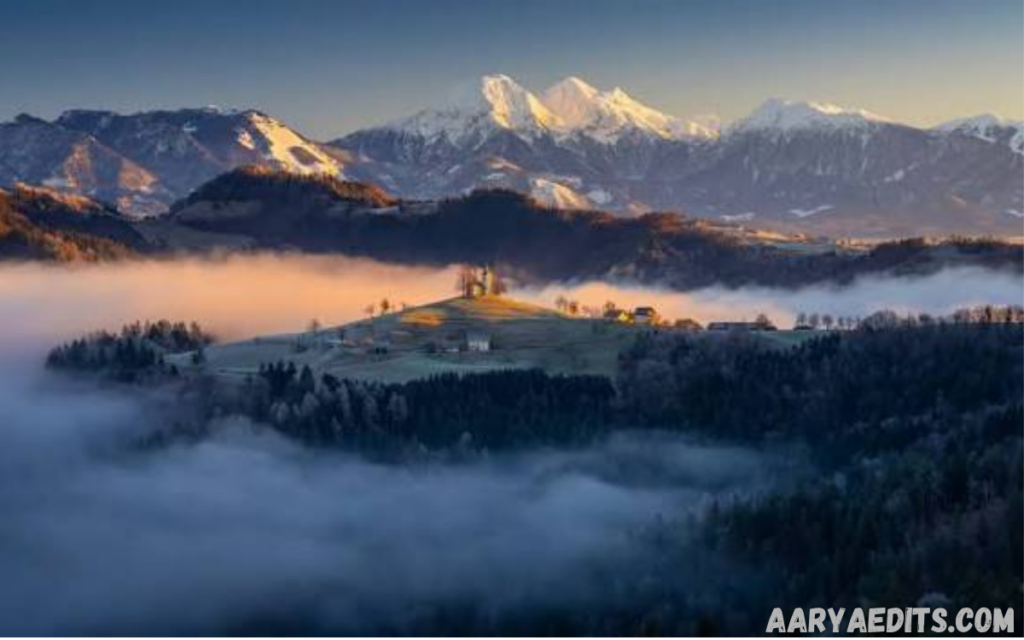
“Increase dynamic range, enhance sky colors naturally, sharpen mountain textures, improve foreground detail, add subtle atmospheric depth, reduce haze, balance highlights and shadows, and create a high-resolution travel photography finish.”
One Click
Industries Using AI Photo Editing Prompts
Professional AI editing extends across multiple industries.
Photography Studios
Photographers use prompts for:
- Wedding editing
- Portrait retouching
- Event photography
- Family sessions
- Commercial shoots
Prompt consistency improves delivery speed.
Marketing Agencies
Marketing professionals edit:
- Campaign images
- Social media graphics
- Brand visuals
- Digital advertisements
- Promotional materials
AI significantly reduces production timelines.
eCommerce Businesses
Online retailers enhance:
- Product photography
- Apparel images
- Electronics
- Furniture
- Jewelry
- Beauty products
Consistent prompts create uniform product catalogs.
Real Estate
Property professionals improve:
- Interior photography
- Exterior images
- Virtual staging
- Property listings
- Luxury home presentations
Better visuals increase buyer engagement.
Content Creators
Influencers and creators edit:
- YouTube thumbnails
- Instagram posts
- Personal branding
- Lifestyle photography
- Sponsored content
Efficient prompts support faster publishing schedules.
Common Mistakes to Avoid
Many professionals experience inconsistent AI results due to poor prompt writing.
Using Generic Instructions
Requests such as:
“Make it awesome.”
provide almost no actionable guidance.
Instead, describe measurable improvements.
Adding Too Many Conflicting Instructions
Avoid combining incompatible requests like:
- Dark dramatic lighting
- Bright sunny atmosphere
- Vintage black-and-white style
- Vibrant neon colors
Conflicting commands confuse AI systems.
Ignoring Context
Portrait editing differs significantly from product photography.
Tailor prompts according to the image’s purpose.
Overediting Requests
Natural-looking images usually outperform unrealistic edits.
Avoid excessive:
- Skin smoothing
- Oversaturation
- Extreme sharpening
- Artificial lighting
- Unrealistic body modifications
Professional editing emphasizes authenticity.
Tips for Consistent Professional Results
Professionals often create reusable prompt templates.
Instead of rewriting every instruction, build standardized prompt frameworks for different editing categories.
Examples include:
- Corporate headshots
- Fashion campaigns
- Product catalogs
- Food photography
- Architecture
- Social media branding
Template-based workflows improve consistency while reducing editing time.
Testing multiple prompt variations also helps identify the wording that produces the most accurate outputs. Small adjustments in phrasing can significantly influence the final image.
Future of AI Photo Editing Prompt Techniques
Artificial intelligence continues to evolve rapidly. Future editing systems will better understand creative intent, emotional tone, artistic direction, and brand identity through increasingly sophisticated prompts.
Professionals can expect AI tools to interpret nuanced instructions regarding lighting mood, storytelling, composition, visual hierarchy, and stylistic preferences with greater precision. Integration with cloud-based editing platforms, collaborative workflows, and automated asset management will further streamline production.
Frequently Asked Questions
What is an AI Photo Editing Prompt?
An AI Photo Editing Prompt is a detailed text instruction that tells an AI-powered image editing tool how to enhance, modify, or transform a photo. The more specific the prompt, the more accurate and professional the final result.
How can I write a better AI Photo Editing Prompt?
Focus on describing the subject, desired edits, lighting, colors, background, style, and image quality. Clear and detailed instructions help AI generate consistent and high-quality edits.
Which professionals benefit from AI Photo Editing Prompts?
Photographers, graphic designers, digital marketers, social media managers, eCommerce businesses, real estate professionals, content creators, and advertising agencies all use AI Photo Editing Prompts to improve workflow efficiency and image quality.
Can AI Photo Editing Prompts replace manual photo editing?
AI Photo Editing Prompts can automate many editing tasks and significantly reduce editing time. However, manual refinements may still be necessary for highly detailed commercial or creative projects.
What types of edits can an AI Photo Editing Prompt perform?
AI can enhance lighting, adjust colors, remove unwanted objects, replace backgrounds, retouch portraits, sharpen images, reduce noise, restore old photos, and apply creative visual styles based on the prompt.
Why is prompt specificity important?
Specific prompts reduce ambiguity and help the AI understand your expectations. Detailed instructions generally produce more accurate, realistic, and professional editing results than vague requests.
Do AI Photo Editing Prompts work with all AI editing tools?
Most modern AI photo editing platforms support text-based prompts, although each tool may interpret instructions differently. Adjusting prompt wording for the platform often improves the final output.
What are the most common mistakes when writing AI Photo Editing Prompts?
Common mistakes include using vague descriptions, providing conflicting instructions, requesting unrealistic edits, and omitting important details such as lighting, background, or desired image style.
How can businesses use AI Photo Editing Prompts effectively?
Businesses can create standardized prompt templates for product photography, marketing campaigns, corporate branding, and social media content to maintain visual consistency while saving time and production costs.
Conclusion
An effective AI photo editing prompt is more than a simple instruction—it is a creative blueprint that guides artificial intelligence to produce high-quality, professional results. Clear prompts eliminate ambiguity, improve workflow efficiency, reduce revision cycles, and help achieve consistent outcomes across a wide range of editing tasks.
By focusing on detailed subject descriptions, precise editing goals, realistic lighting, balanced color grading, thoughtful background adjustments, and quality enhancements, professionals can unlock the full potential of AI-powered photo editing.