

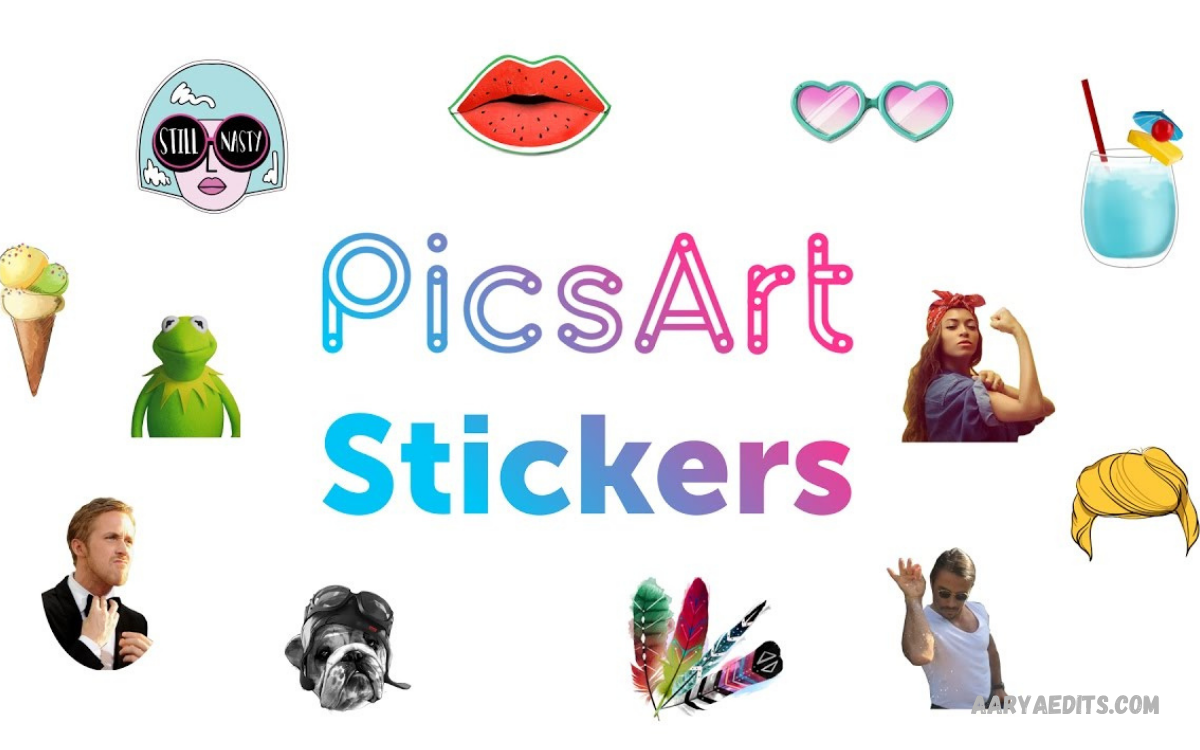
PicsArt Stickers provide a simple way to add personality, creativity, and visual detail to photos, social media posts, collages, and digital designs. Users can choose from a large collection of stickers, overlays, cutouts, and decorative graphics to enhance different types of content.
The PicsArt Stickers collection supports many creative styles, including emojis, illustrations, seasonal graphics, lettering, decorative elements, and themed designs. Users can search for suitable stickers, place them on an image, and customize their appearance.
What Are PicsArt Stickers?
PicsArt Stickers are ready-made or custom graphic elements you can place over photos and designs. They can add emotions, decorations, visual effects, characters, icons, text elements, or artistic details without requiring advanced graphic design skills.
The feature also allows users to create personalized stickers from their own images. Users can convert a photo into a cutout with a transparent background and use it as a reusable sticker. This approach works well for personal artwork, logos, product graphics, social media designs, and other visual projects.
PicsArt Stickers Library
The PicsArt Stickers library offers a broad selection of graphics for different creative purposes. Current collections include categories and themes such as family, superheroes, makeup, education, zodiac decorations, Christmas designs, frames, lettering, fruits, vegetables, and other decorative elements.
Search tools make the library easier to explore because users can enter keywords related to their desired design. Searching with specific terms can produce more relevant results than using broad words.
How to Add PicsArt Stickers to Photos
To add PicsArt Stickers to a photo, open the PicsArt editor and upload an image. Users can then select the Stickers option and search the available library for a suitable graphic. After selecting a sticker, users can place it directly on the photo and adjust it to fit the design.
Users can resize, rotate, reposition, and customize the sticker to match the overall composition. PicsArt also provides adjustment options such as opacity, saturation, brightness, contrast, and other visual controls.
How to Find the Right PicsArt Stickers
Finding the right sticker starts with understanding the image’s purpose. A birthday design may need celebratory graphics, while a travel photo could benefit from location-inspired illustrations, labels, arrows, or decorative elements. Using descriptive search phrases can help narrow down the available choices.
It is also useful to consider the existing colors and composition before selecting a sticker. A sticker should support the main subject rather than distract from it. Choosing graphics with compatible colors, proportions, and visual styles can create a more professional-looking final design.
Popular Types of PicsArt Stickers
PicsArt Stickers come in many visual styles, letting users choose graphics that fit their projects. Common choices include emojis, cute illustrations, text-based graphics, decorative shapes, seasonal designs, frames, reaction graphics, and artistic overlays. Each type can create a different visual effect.
Cool, trendy stickers are especially useful for social posts, stories, planners, wallpapers, and digital artwork. PicsArt’s current sticker collections include modern graphics such as neon-style text, retro shapes, icons, and reaction marks.
Cute PicsArt Stickers for Creative Designs
Cute PicsArt Stickers can add a friendly, playful look to photos. Hearts, animals, flowers, characters, stars, clouds, and colorful illustrations can help create a softer visual style. These graphics can work particularly well for personal photos, greeting designs, journals, and social media content.
The key to using cute stickers professionally is maintaining balance. Adding too many elements can make a design look crowded, while a carefully selected sticker can emphasize an important part of the image. Adjusting size, position, and opacity can help keep the composition clean.
Aesthetic PicsArt Stickers
Aesthetic PicsArt Stickers are useful for creating coordinated visual themes. Minimal shapes, handwritten lettering, muted illustrations, decorative lines, film-inspired elements, and simple symbols can complement modern photo edits. These graphics can help establish a consistent style across multiple posts.
Aesthetic editing usually works best when the sticker does not overpower the photograph. Subtle placement, appropriate sizing, and controlled opacity can make the graphic feel like part of the original composition.
PicsArt Stickers for Social Media
Social media creators can use PicsArt Stickers to make posts more noticeable and expressive. Stickers can highlight important information, add reactions, emphasize products, decorate stories, or create recognizable visual themes. They can also turn ordinary photos into more distinctive social content.
Consistency is important when stickers are used for a brand or creator account. Repeating similar colors, fonts, graphic styles, and visual elements can create a recognizable identity. PicsArt also describes stickers as useful for social posts, branding, seasonal content, and other forms of digital communication.
PicsArt Stickers for Instagram Content
Instagram posts and stories can benefit from carefully selected stickers that complement the subject. Arrows can direct attention, labels can explain details, and decorative graphics can strengthen the visual theme. Simple stickers can also make promotional announcements and event posts easier to understand.
Creators should avoid covering important parts of the photograph with large graphics. Instead, position stickers around the subject or use them to guide the viewer to relevant information. Combining stickers with text, filters, backgrounds, and other editing tools can produce a cohesive design.
PicsArt Stickers for YouTube Thumbnails
YouTube thumbnails require strong visual communication, and stickers can provide additional graphic elements. Reaction icons, arrows, symbols, characters, and decorative graphics can help direct attention toward the primary subject. They can also support a consistent thumbnail style across a channel.
However, thumbnail designs should remain easy to understand at smaller sizes. Too many stickers can make the image hard to read. Using one or two relevant graphics with clear text and a strong subject can maintain visual clarity while adding personality.
How to Create Custom PicsArt Stickers
Creating custom PicsArt stickers lets users turn their own images into reusable graphics. One method is to upload an image and remove its background so the main subject remains isolated. PicsArt describes this process as creating a foreground object that you can save as a PNG with a transparent background.
You can create custom stickers from photographs, drawings, logos, products, or other visual elements. After removing unwanted background areas, users can edit and reuse the resulting graphic in different projects. This makes custom stickers useful for personal branding and consistent visual content.
PicsArt Sticker Maker
The PicsArt Sticker Maker offers a convenient way to turn images into stickers. Users can start with an existing image, isolate the desired subject, and prepare it as a reusable graphic. PicsArt’s tools can automatically detect backgrounds, reducing manual editing.
After creating a sticker, users can incorporate it into other images and designs. This is especially helpful when the same character, logo, product, or personal graphic needs to appear across multiple projects. Custom stickers can therefore become part of a repeatable editing workflow.
AI PicsArt Stickers
PicsArt also provides an AI Sticker Generator that creates sticker designs from text prompts. Users describe the desired visual concept, and the AI generates a sticker based on the written description. This gives users an option when they have an idea but don’t already have an image to convert into a sticker.
The AI Sticker Generator can be useful for social media graphics, events, packaging concepts, and creative projects. PicsArt states that the tool can generate stickers from prompts and offers export options including PNG, JPG, and PDF. Availability and usage limits may depend on the current PicsArt plan.
How to Make PicsArt Stickers From Your Photos
Start by selecting a clear photo containing the subject you want to turn into a sticker. Upload the image into PicsArt and use the appropriate cutout or background-removal tools to isolate the subject. A clean outline can make the resulting sticker look more polished.
After removing the background, review the edges carefully and correct unwanted areas when necessary. PicsArt describes using automatic subject selection alongside manual refinement tools to create clean cutouts. You can then save the finished graphic and reuse it in future designs.
How to Customize PicsArt Stickers
Customization helps stickers match the original image’s appearance. Users can change size, position, rotation, opacity, and various color-related settings depending on the editing environment. These adjustments let you integrate a sticker into a wide range of visual styles.
Color and transparency are especially important for professional results. A sticker that’s too bright or too opaque can dominate the composition. Lowering opacity or adjusting contrast can create a more balanced appearance and help the graphic blend naturally with the photograph.
How to Use Multiple PicsArt Stickers
You can combine multiple PicsArt stickers to create collages, themed graphics, digital artwork, and decorative photo edits. Different stickers can represent separate visual ideas, such as emotions, locations, seasons, or events. Careful layering can create a richer composition.
The main challenge is maintaining visual balance. Each sticker should serve a purpose, and you should remove unnecessary elements. Using different sizes and positions can create depth, while consistent colors and styles can prevent the design from appearing random.
PicsArt Stickers for Business Branding
Businesses can use custom stickers to add branding elements to product photographs and promotional designs. A logo, product illustration, slogan, or signature graphic can become a reusable visual asset. This can help maintain consistency across social media posts and marketing materials.
Brand stickers should follow the company’s existing visual identity. Matching brand colors, typography, and design language can make graphics easier to recognize. PicsArt specifically notes that custom stickers can be used for logos, products, and promotional branding.
Read Also: PicsArt Background Changer: Complete Photo Editing Guide
PicsArt Stickers for Photo Collages
Photo collages combine multiple images into a single composition, and stickers can add visual connections between them. Decorative shapes, labels, arrows, emojis, and illustrations can help create a clear theme.
A professional collage should have a consistent visual direction. Choosing a limited selection of related stickers can make the design feel intentional. Users can experiment with placement and transparency until the stickers complement the photographs rather than competing with them.
PicsArt Stickers for Seasonal Designs
Seasonal PicsArt Stickers can help content match holidays, celebrations, and special events. Christmas graphics, birthday decorations, festive illustrations, seasonal lettering, and themed elements can quickly change a design’s mood. PicsArt’s sticker library includes multiple seasonal collections.
Seasonal graphics can work for personal posts and business promotions. A company can add appropriate stickers to product images, announcements, event invitations, and social media campaigns. Updating visual elements for the season can keep content timely without a complete redesign.
Tips for Professional PicsArt Sticker Editing
Professional sticker editing starts with selecting graphics that match the image’s purpose. Before adding a sticker, consider whether it improves communication, supports the theme, or adds meaningful decoration. If it does not contribute to the design, leaving it out may create a cleaner result.
Positioning also matters. Avoid placing important graphics directly over faces, product details, or essential text. Use alignment, spacing, scale, and opacity to create visual hierarchy. A small number of carefully edited stickers can often produce a stronger result than a crowded composition.
Common Mistakes When Using PicsArt Stickers
One common mistake is adding too many stickers without considering the composition. Too many graphics can hide the main subject and make the image hard to understand. Another mistake is selecting stickers with completely different visual styles, which can make the design feel inconsistent.
Low-quality placement can also reduce an edit’s professional appearance. Resize stickers proportionally, place them intentionally, and adjust them to match the image. Checking the final design at different sizes can help you spot graphics that look distracting or unnecessary.
PicsArt Stickers for Beginners
Beginners can start with one photo and one sticker to understand the basic editing process. After selecting a graphic, experiment with its size, position, rotation, and opacity. This simple practice helps new users understand how stickers interact with photographs.
Once the basic workflow becomes comfortable, users can experiment with custom stickers, multiple layers, text, effects, and backgrounds. PicsArt makes sticker editing accessible without requiring advanced graphic design experience.
PicsArt Stickers for Creative Projects
Stickers can be used beyond ordinary photo editing. They can contribute to digital planners, greeting cards, invitations, wallpapers, educational graphics, product designs, and social media templates. Their flexibility makes them useful whenever a project needs additional visual elements.
Custom graphics can also create a consistent style across a collection of designs. For example, a creator can develop a personal sticker set and reuse those elements across posts. This can reduce repetitive editing while creating a recognizable visual identity.
Frequently Asked Questions
What are PicsArt Stickers?
PicsArt Stickers are graphic elements you can add to photos, collages, posts, and other designs. They include illustrations, emojis, decorative graphics, overlays, lettering, seasonal designs, and custom-created elements.
Are PicsArt Stickers free?
PicsArt provides both free and premium stickers. The available selection can change, and some graphics may require a paid PicsArt plan. Users can browse the sticker library to see what’s available.
How do I add PicsArt Stickers to a photo?
Upload a photo to the PicsArt editor, select Stickers, search for a suitable graphic, and place it on the image. Then you can resize, rotate, reposition, and adjust the sticker.
Can I create custom PicsArt Stickers?
Yes. PicsArt provides tools for creating custom stickers from images by removing backgrounds and isolating subjects. You can then reuse custom graphics in other creative projects.
Can PicsArt create AI stickers?
Yes. PicsArt offers an AI Sticker Generator that creates sticker designs from written prompts. The tool generates personalized graphics without requiring advanced design skills.
What types of PicsArt Stickers are available?
The library includes many styles, such as emojis, illustrations, seasonal graphics, lettering, frames, decorative shapes, characters, and overlays. The current library contains free and premium options.
Can I use PicsArt Stickers for social media?
Yes. You can use stickers for social media posts, stories, promotional graphics, profile designs, and other digital content. Choosing graphics that match the content theme can create a more consistent appearance.
How can I make stickers look professional?
Use relevant graphics, maintain visual balance, and avoid covering important parts of the image. Adjust size, position, opacity, and colors so each sticker fits naturally into the overall composition.
Can I make a sticker from my own photo?
Yes. You can isolate a subject from an image using PicsArt’s cutout and background-removal tools and prepare the result as a custom sticker.
Are PicsArt Stickers useful for business designs?
Yes. You can create custom stickers from logos, products, and other branded elements. Reusing consistent graphics can help maintain a recognizable visual identity across marketing and social media content.
Conclusion
PicsArt Stickers offer a flexible way to enhance photographs and digital designs with ready-made or custom graphics. The library includes thousands of options, while custom sticker tools let users create personalized elements from images.
The most effective sticker edits focus on balance, relevance, and consistency. Whether creating social media posts, personal artwork, business graphics, or photo collages, carefully selected stickers can improve visual communication.
