

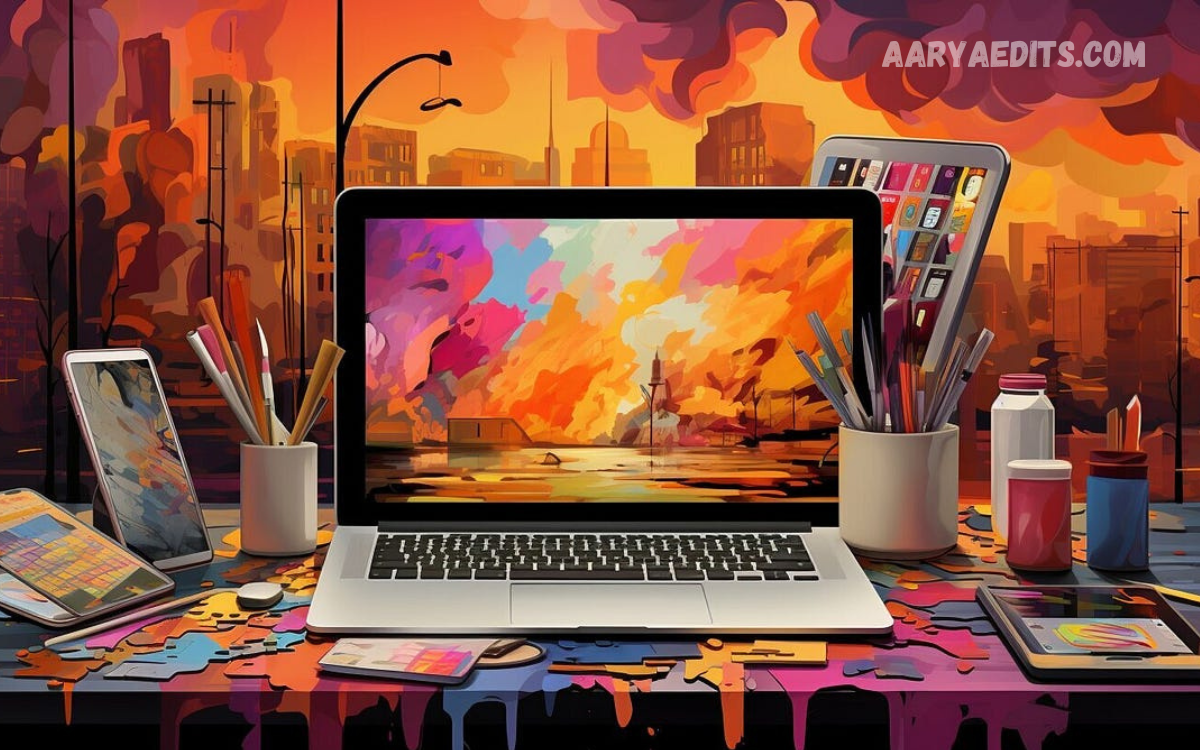
Cinematic digital artwork is a creative approach to visual design that combines dramatic lighting, rich colors, realistic textures, and storytelling to create images that feel like movie scenes. It turns ordinary digital illustrations into visually compelling experiences that capture attention and convey emotion. Artists, designers, photographers, and digital creators use cinematic techniques to make their work more engaging and memorable.
Cinematic digital artwork continues to grow in popularity across digital marketing, entertainment, gaming, social media, and creative industries. From atmospheric landscapes to futuristic cityscapes, this style lets creators build immersive worlds through thoughtful composition and advanced editing techniques. Understanding its essential principles can help beginners and experienced designers develop stronger visual skills and produce professional-quality artwork.
What Is Cinematic Digital Artwork?
Cinematic digital artwork refers to digitally created or enhanced imagery that uses visual techniques commonly associated with filmmaking. These techniques include dramatic shadows, atmospheric depth, carefully balanced colors, realistic environments, and intentional framing. The goal is to create an image that communicates a story or emotion rather than simply presenting an attractive subject.
Unlike conventional digital illustrations, cinematic designs often emphasize mood, atmosphere, and visual direction. A character standing beneath a streetlight in a rainy city, for example, can communicate loneliness, mystery, or suspense through lighting and environmental details. Every element contributes to the overall narrative, making the image feel like a meaningful moment captured from a larger story.
The Importance of Lighting in Cinematic Design
Lighting is one of the most important elements in cinematic digital artwork because it determines how viewers perceive depth, texture, and atmosphere. Bright highlights can direct attention toward important subjects, while deep shadows create mystery and contrast. Directional lighting, rim lighting, and soft environmental illumination can transform a simple composition into a dramatic visual scene.
Professional artists often combine multiple light sources to achieve a balanced, realistic look. A warm light illuminating a character’s face against a cool blue background creates separation and visual interest. Similarly, backlighting can outline a subject, while volumetric light rays passing through fog or dust can add atmosphere and depth to an otherwise flat image.
Mastering Color Grading and Visual Mood
Color grading adjusts an image’s colors, contrast, and tonal relationships to establish a consistent visual mood. Cinematic digital artwork frequently uses carefully selected color palettes to communicate emotion and guide the viewer’s attention. Warm orange and yellow tones can create feelings of comfort or nostalgia, while blue and green tones may suggest isolation, suspense, or futuristic environments.
A successful color grade does not require an excessive number of colors. Instead, artists should choose a dominant palette and introduce complementary accents where necessary. The familiar combination of warm highlights and cool shadows can create a cinematic appearance, but other palettes can be equally effective when they support the intended atmosphere. Consistency across the entire image is more important than following a particular trend.
Composition Techniques for Stunning Visuals
Composition determines how visual elements are arranged within an artwork. Strong cinematic composition helps viewers understand the scene quickly while directing their attention toward the most important subject. Techniques such as the rule of thirds, leading lines, framing, symmetry, and negative space allow artists to create balanced images with a clear visual hierarchy.
Camera-inspired framing can make digital artwork feel more like a carefully planned movie shot. Wide compositions are useful for establishing locations, while close-up views emphasize facial expressions, textures, and important details. Artists should also consider foreground, middle ground, and background elements to create a convincing sense of space. Every object should have a purpose and contribute to the overall visual story.
Visual Storytelling Through Digital Art
Visual storytelling gives cinematic digital artwork meaning beyond its appearance. Instead of presenting a subject without context, artists can suggest events, relationships, and emotions through environmental details, body language, lighting, and composition. A damaged spaceship surrounded by distant stars, for example, can suggest a larger science-fiction narrative without requiring any written explanation.
Effective storytelling often depends on subtle details rather than complicated scenes. Weather conditions, abandoned objects, facial expressions, and environmental damage can provide clues about what happened before the depicted moment. When these elements work together, viewers begin to interpret the scene and imagine its background. This interaction makes cinematic artwork more engaging and encourages audiences to spend additional time exploring the image.
Creating Depth and Atmosphere
Depth is essential for making digital environments appear believable and immersive. Artists can create depth by separating foreground objects from distant elements, adjusting sharpness, and using atmospheric perspective. Objects farther away generally appear less detailed and may have reduced contrast because of environmental haze, fog, dust, or moisture in the air.
Atmospheric effects can also establish the emotional character of a scene. Misty forests, smoky industrial environments, rainy streets, and dusty desert landscapes each produce distinctive visual experiences. However, these effects should be applied carefully. Excessive fog, artificial blur, or unnecessary particles can obscure important details and weaken the composition. The best results occur when atmospheric effects support both realism and storytelling.
Essential Tools for Cinematic Digital Artwork
Digital artists can use a variety of software applications to create cinematic imagery. Programs such as Adobe Photoshop are widely used for photo manipulation, compositing, color correction, and detailed image editing. Adobe Illustrator is useful for vector graphics and graphic elements, while Blender provides powerful tools for three-dimensional modeling, lighting, rendering, and environment creation.
Other applications can support specific stages of the creative process. Procreate is popular for digital painting on compatible devices, while Affinity Photo offers image-editing and compositing capabilities. The right software depends on the artist’s workflow, budget, experience, and project requirements. Beginners don’t need expensive equipment to get started; a suitable application, a capable computer or tablet, and regular practice can build a strong foundation.
Read Also: PicsArt Filters for Photos: Best Effects, Editing Tips, and Creative Ideas
Using Textures and Details Effectively
Textures help digital artwork feel tangible by adding surface information to objects and environments. Materials such as metal, stone, wood, glass, fabric, and concrete each respond differently to light. Realistic textures make these differences easier to recognize and help viewers understand the physical characteristics of the scene.
Details should be added strategically rather than everywhere. Scratches on metal, subtle reflections on wet pavement, dust in the air, or imperfections on an old wall can increase realism. However, excessive texture can make an image visually noisy and distract viewers from the main subject. Artists should establish a clear focal point first, then introduce details that strengthen the atmosphere and improve the overall visual experience.
Digital Painting and Photo Manipulation Techniques
Digital painting lets artists build environments, characters, and imaginative scenes from the ground up. Using brushes, layers, masks, and blending techniques, creators can control shapes, lighting, colors, and textures with considerable precision. This approach is especially useful for fantasy landscapes, concept art, fictional characters, and scenes that are hard to photograph.
Photo manipulation offers another way to create cinematic digital artwork by combining photographs, rendered objects, and painted elements. Artists can merge multiple images, adjust perspective, replace backgrounds, and introduce atmospheric effects to create a unified composition. Successful manipulation requires consistent lighting, realistic shadows, matching color temperatures, and clean transitions between elements. Careful integration helps the final image appear intentional rather than like a collection of unrelated photographs.
Building a Professional Cinematic Workflow
A structured workflow helps artists work efficiently and maintain visual consistency. The process usually begins with an idea, reference gathering, and thumbnail sketches before moving into composition, asset creation, lighting, color grading, and final refinement. Planning these stages reduces unnecessary revisions and helps ensure that the finished image communicates the original concept.
Working with layers and organized files is especially important for complex projects. Artists should separate major subjects, backgrounds, lighting effects, and adjustment layers whenever practical. This makes it easier to revise individual elements without damaging the entire composition. Regularly reviewing the image at different sizes can also reveal problems with readability, contrast, and focal-point placement before the artwork is finalized.
Common Mistakes to Avoid in Cinematic Artwork
One common mistake is relying too heavily on dramatic effects without establishing a clear visual structure. Strong lens flares, excessive glow, intense contrast, and heavy color grading may initially appear impressive, but they can overwhelm the subject. Cinematic design is not simply about making an image darker, brighter, or more saturated. It is about controlling visual elements to create a coherent and purposeful experience.
Another frequent problem is inconsistent lighting across combined elements. If a character receives light from the left while the surrounding environment suggests illumination from the right, the composition may feel artificial. Poor perspective, mismatched shadows, excessive sharpening, and low-resolution textures can also reduce quality. Artists should prioritize consistency, readability, and believable relationships between objects before adding decorative effects.
Tips for Beginners to Improve Digital Artwork
Beginners should start by studying existing cinematic images and identifying how lighting, color, framing, and atmosphere work together. Recreating simple compositions can help you develop an understanding of visual structure. Artists can start with a single subject, one dominant light source, and a limited color palette before moving on to more complex scenes.
Consistent practice matters more than trying to master every technique at once. Experimenting with different environments, comparing alternative color grades, and seeking constructive feedback can reveal opportunities for improvement. Keeping earlier versions of a project also makes it easier to recognize progress. Over time, these exercises help artists develop a personal style while building the technical skills needed for increasingly ambitious creative projects.
The Future of Cinematic Digital Artwork
Cinematic digital artwork continues to evolve as digital tools become more accessible and creative workflows become increasingly sophisticated. Real-time rendering, 3D environments, advanced compositing, and AI-assisted tools offer new ways to explore visual concepts. These technologies help artists test ideas, generate references, and speed up certain production tasks.
Despite these developments, artistic judgment remains essential. Software can provide effects and technical capabilities, but meaningful storytelling depends on decisions about composition, emotion, pacing, and visual emphasis. Artists who understand fundamental design principles can use emerging tools more effectively and adapt their skills to changing creative environments. The future of cinematic artwork will likely combine technological innovation with human creators’ distinctive imagination and perspective.
Frequently Asked Questions
What is cinematic digital artwork?
Cinematic digital artwork is a form of digital visual design that uses dramatic lighting, atmospheric effects, color grading, and storytelling to create images that resemble film scenes. It emphasizes mood, depth, and visual impact.
Which software is best for cinematic digital artwork?
Adobe Photoshop is a strong option for image editing and compositing, while Blender is useful for three-dimensional scenes and rendering. Procreate and other digital painting applications can also support different artistic workflows.
Is cinematic digital artwork suitable for beginners?
Yes, beginners can learn cinematic digital artwork by practicing basic composition, lighting, and color theory. Start with simple scenes and gradually introduce more advanced techniques to keep the learning process manageable.
Why is lighting important in cinematic digital design?
Lighting sets the mood, creates depth, highlights key subjects, and helps objects appear three-dimensional. Carefully controlled lighting can make an ordinary composition feel dramatic and visually engaging.
How can I make my digital artwork look cinematic?
Use a clear focal point, balanced composition, intentional lighting, a consistent color palette, and atmospheric depth. Adding realistic textures and subtle environmental details can further strengthen the result.
What is color grading in digital artwork?
Color grading involves adjusting colors, contrast, highlights, and shadows to establish a particular visual mood. It also helps different elements within a composition appear consistent and visually connected.
Can I create cinematic artwork without expensive equipment?
Yes, many cinematic designs can be created with affordable software and a standard computer or tablet. Understanding fundamental design principles and practicing regularly are more important than owning expensive equipment.
What is the difference between digital painting and photo manipulation?
Digital painting involves creating imagery with digital brushes and drawing tools, while photo manipulation combines and edits existing photographs or other visual assets. Both techniques can be used together to produce cinematic scenes.
How do I create realistic depth in digital artwork?
Use foreground, middle ground, and background elements, along with perspective, atmospheric haze, and controlled sharpness. Differences in contrast and detail help distant objects appear farther away.
Can artificial intelligence help create cinematic digital artwork?
AI tools can help with ideation, reference generation, image variations, and certain editing tasks. However, careful composition, visual consistency, and artistic decision-making remain important for producing polished results.
Conclusion
Cinematic Digital Artwork: A Guide to Stunning Visual Design demonstrates how lighting, color grading, composition, texture, and storytelling combine to create memorable visual experiences. By understanding these principles, artists can transform simple ideas into atmospheric compositions that communicate emotion and capture attention.
Whether you are a beginner learning digital painting or an experienced designer refining your creative workflow, continuous experimentation and thoughtful practice can improve your results.
