

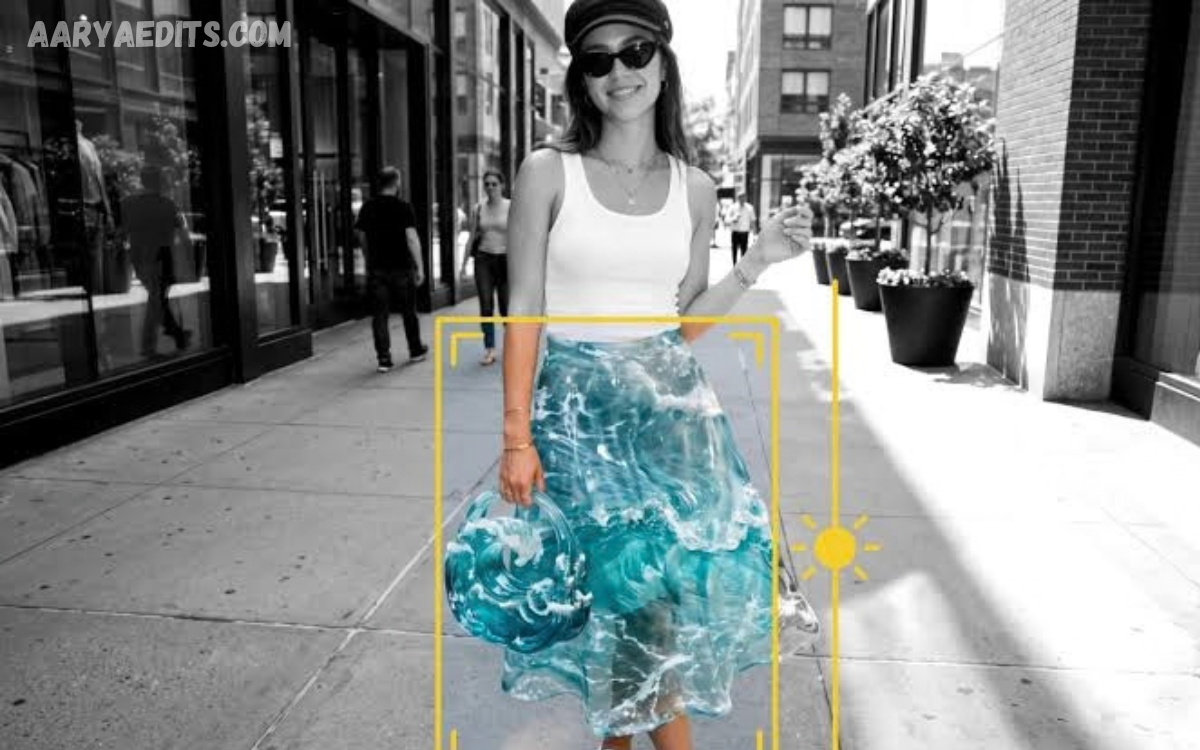
PicsArt remains a popular creative editing platform for users who want to turn ordinary photos into visually attractive designs. In 2026, editing trends are moving toward expressive aesthetics, cinematic compositions, personalized effects, and creative photo manipulation.
PicsArt’s Trending Editing Trends and Creative Styles in 2026 reflect a mix of modern photography, social media aesthetics, vintage inspiration, and artistic experimentation. Users can create professional-looking results by combining filters, overlays, textures, typography, stickers, and manual adjustments.
Minimalist Photo Editing
Minimalist editing is increasingly popular among creators who prefer clean, sophisticated visuals. This style focuses on balanced colors, simple backgrounds, natural lighting, and limited effects that enhance the original photograph without making it appear overly edited.
PicsArt provides multiple tools for creating minimalist compositions. Adjusting brightness, contrast, saturation, shadows, and highlights can create a polished look while maintaining the image’s natural character.
Cinematic Photo Effects
Cinematic editing remains one of the strongest creative styles in 2026. The trend uses dramatic lighting, deeper shadows, controlled highlights, and carefully selected color tones to give ordinary photographs a movie-inspired appearance.
Creators can experiment with crop ratios, contrast adjustments, gradients, overlays, and color effects to develop cinematic compositions. Subtle editing often produces better results than applying too many dramatic effects at once.
Vintage and Retro Aesthetics
Vintage editing continues to attract users who enjoy nostalgic photography. Retro-inspired images commonly feature faded colors, grain, warm tones, light leaks, dust textures, and old-camera effects that recreate the appearance of classic photographs.
PicsArt lets you combine different textures and adjustments to achieve this aesthetic. A carefully selected vintage filter followed by manual color correction can create a more personalized result than using a single preset.
Y2K-Inspired Editing Styles
Y2K aesthetics remain influential in digital fashion, photography, and social media design. Bright colors, glossy effects, metallic elements, playful typography, stickers, and futuristic details are commonly associated with this creative style.
PicsArt users can recreate Y2K-inspired compositions by combining colorful backgrounds, glow effects, decorative shapes, and bold text. Keeping the main subject visually clear helps prevent the design from becoming excessively crowded.
Moody and Dark Aesthetic Editing
Dark aesthetic photography has become a recognizable editing style for portraits, fashion images, architecture, and lifestyle content. The approach generally uses darker shadows, muted colors, strong contrast, and atmospheric compositions.
You can create a moody effect by slightly reducing brightness and controlling highlights while preserving key facial or subject details. Adding subtle grain or texture can further enhance the atmosphere without overpowering the photograph.
Film Grain and Analog Effects
Film-inspired editing is another major creative direction in 2026. Digital photographs can take on an analog look through grain, muted colors, light leaks, soft contrast, and imperfect textures.
The key to this style is moderation. A small amount of grain combined with natural color adjustments can make an image feel more authentic, while excessive noise may reduce clarity and distract from the subject.
Creative Photo Manipulation
Photo manipulation allows creators to combine multiple images and visual elements into imaginative compositions. Careful layering and masking can create surreal landscapes, floating objects, unusual backgrounds, fantasy scenes, and conceptual portraits.
PicsArt’s editing workflow supports creative combinations of images, cutouts, overlays, and decorative elements. Successful manipulation depends on matching lighting, perspective, shadows, and colors so that different elements appear visually connected.
Aesthetic Portrait Editing
Portrait editing remains one of PicsArt’s most popular uses. In 2026, the focus is increasingly shifting toward natural enhancement rather than excessive retouching.
Creators can improve portraits by adjusting exposure, contrast, skin tones, sharpness, and background elements. Subtle enhancements preserve facial details while giving the image a cleaner, more professional look.
Read Also: PicsArt Tutorial: How to Create Professional Photo Edits
Soft and Dreamy Photo Effects
Soft and dreamy editing styles work well for portraits, travel photos, lifestyle content, and creative social media posts. These compositions often feature gentle colors, soft lighting, glow effects, pastel tones, and subtle blur.
You can create a dreamy look with carefully balanced exposure and highlights, combined with light overlays. Keeping the main subject sharp while softening selected background areas can create depth and visual interest.
Black and White Creative Editing
Black-and-white photography remains a timeless style that continues to influence modern editing. Removing color emphasizes lighting, texture, composition, facial expressions, and contrast.
PicsArt users can experiment with different levels of contrast and brightness to create a soft monochrome look or a dramatic, high-contrast composition. Black-and-white effects work particularly well with portraits, architecture, street photography, and emotional storytelling.
Double Exposure Effects
Double exposure is a creative technique that combines two or more visual elements into a single composition. Portraits blended with landscapes, city scenes, clouds, flowers, or architectural details can create distinctive artistic results.
Successful double exposure editing requires careful control of opacity, positioning, and contrast. Choosing images with complementary shapes and lighting makes the final composition appear more intentional and visually balanced.
Typography and Text-Based Designs
Typography is becoming an important part of modern photo editing. Instead of treating text as a simple caption, creators are incorporating words into the visual composition using creative fonts, spacing, positioning, and layering.
PicsArt allows users to experiment with different text styles and placements. Large typography can become the central design element, while smaller text can provide supporting information without distracting from the main photograph.
Collage and Scrapbook Aesthetics
Digital collage and scrapbook-inspired designs continue to offer creative ways to present multiple photographs. These styles often combine pictures, handwritten elements, stickers, paper textures, frames, and decorative graphics.
Creators can build personalized layouts around specific themes such as travel, birthdays, fashion, memories, or daily life. Combining different visual elements while keeping colors consistent can make a collage look organized rather than cluttered.
Social Media Editing Trends
Social media continues to influence how people edit photographs and create visual content. Vertical compositions, bold thumbnails, aesthetic portraits, colorful graphics, and visually recognizable editing styles remain popular throughout 2026.
PicsArt can help you prepare images for different content formats while keeping your visual identity consistent. Using similar fonts, colors, textures, and editing approaches across posts can make a profile look more cohesive.
Neon and Glow Effects
Neon editing creates a futuristic appearance by incorporating bright highlights, colorful light effects, glowing outlines, and dark backgrounds. It works especially well for gaming content, nightlife photography, portraits, technology-themed graphics, and creative posters.
The strongest neon designs usually combine vibrant effects with darker areas that provide contrast. Applying glow selectively around important objects can create depth without overwhelming the original image.
Natural Color Grading
Natural color grading is increasingly important for creators who want professional-looking photographs without obvious manipulation. The goal is to improve the overall mood while keeping skin tones, backgrounds, and important objects believable.
Small changes to temperature, tint, saturation, highlights, and shadows can significantly improve a photograph. Consistent color grading can also help creators develop a recognizable editing style across different images.
How to Create Trending PicsArt Edits
Creating a trending PicsArt edit starts with selecting a strong original photograph. Good lighting, clear composition, and a suitable subject provide a better foundation for creative editing.
After selecting the image, creators can make basic adjustments before adding creative elements. Building the edit gradually helps you maintain control over the final look and makes it easier to remove effects that don’t complement the composition.
Tips for Professional PicsArt Editing
Professional editing isn’t necessarily about using the most effects. Strong results usually come from understanding composition, color balance, lighting, contrast, typography, and visual hierarchy.
Creators should experiment with different styles while maintaining consistency. Saving frequently used adjustment combinations and design elements can also help you develop a recognizable editing workflow.
Why PicsArt Editing Trends Keep Changing?
Editing trends change as photography styles, social media platforms, fashion, music, and digital design evolve. A popular style can quickly influence thousands of creators before blending with another aesthetic.
PicsArt’s flexibility lets users adapt these trends instead of following them exactly. Combining modern techniques with personal creativity can produce images that feel more distinctive and less repetitive.
Frequently Asked Questions
What Are PicsArt Trending Editing Trends in 2026?
PicsArt trending editing trends in 2026 include cinematic effects, minimalist designs, vintage aesthetics, Y2K styles, moody portraits, film grain, creative photo manipulation, dreamy effects, and modern typography.
Which PicsArt Editing Style Is Popular for Portraits?
Aesthetic portrait editing, cinematic color grading, soft, dreamy effects, and moody photography are widely used portrait styles. The best approach depends on the lighting, subject, and desired mood.
How Can I Create a Vintage Edit in PicsArt?
Start with a suitable photograph and apply a subtle warm or faded appearance. Add controlled film grain, texture, or light-leak effects, then adjust contrast and saturation to achieve a convincing vintage look.
Can PicsArt Be Used for Professional Photo Editing?
Yes, PicsArt offers a wide range of editing and design tools for creative photography, social media graphics, posters, collages, and other visual projects.
What Is a Cinematic PicsArt Edit?
A cinematic PicsArt edit generally uses controlled contrast, dramatic lighting, deeper shadows, carefully balanced colors, and composition techniques inspired by movie photography.
How Do I Make PicsArt Edits Look Natural?
Avoid excessive filters and effects. Begin with basic adjustments and make small changes to exposure, contrast, saturation, highlights, and shadows while preserving important details.
What Is the Y2K Editing Style?
Y2K editing draws on late-1990s and early-2000s visual culture. It commonly uses bright colors, glossy elements, metallic details, playful typography, glow effects, and futuristic graphics.
Is Film Grain Still Trending in 2026?
Yes, film-inspired aesthetics continue to influence modern digital photography. Subtle grain and analog-style textures can give digital photos a more organic, nostalgic look.
How Can I Make Creative Photo Manipulations?
You can create creative manipulations by combining multiple images through cutouts, layers, overlays, and masking. Matching lighting, colors, shadows, and perspective helps create a more believable composition.
How Can I Develop My Own PicsArt Editing Style?
Experiment with different editing techniques and identify the colors, textures, effects, and compositions that consistently appeal to you. Repeating selected visual elements across projects can gradually create a recognizable personal style.
Conclusion
PicsArt Trending Editing Trends and Creative Styles in 2026 demonstrate how digital photography continues to combine traditional aesthetics with modern creative techniques. Cinematic effects, vintage textures, Y2K designs, minimalist compositions, creative manipulation, and natural color grading provide numerous ways to transform ordinary photographs.
The most effective approach is to use trends as creative inspiration rather than relying entirely on presets. By combining thoughtful composition, balanced adjustments, and personal creativity, PicsArt users can develop visually engaging edits that remain distinctive and relevant throughout 2026.
