

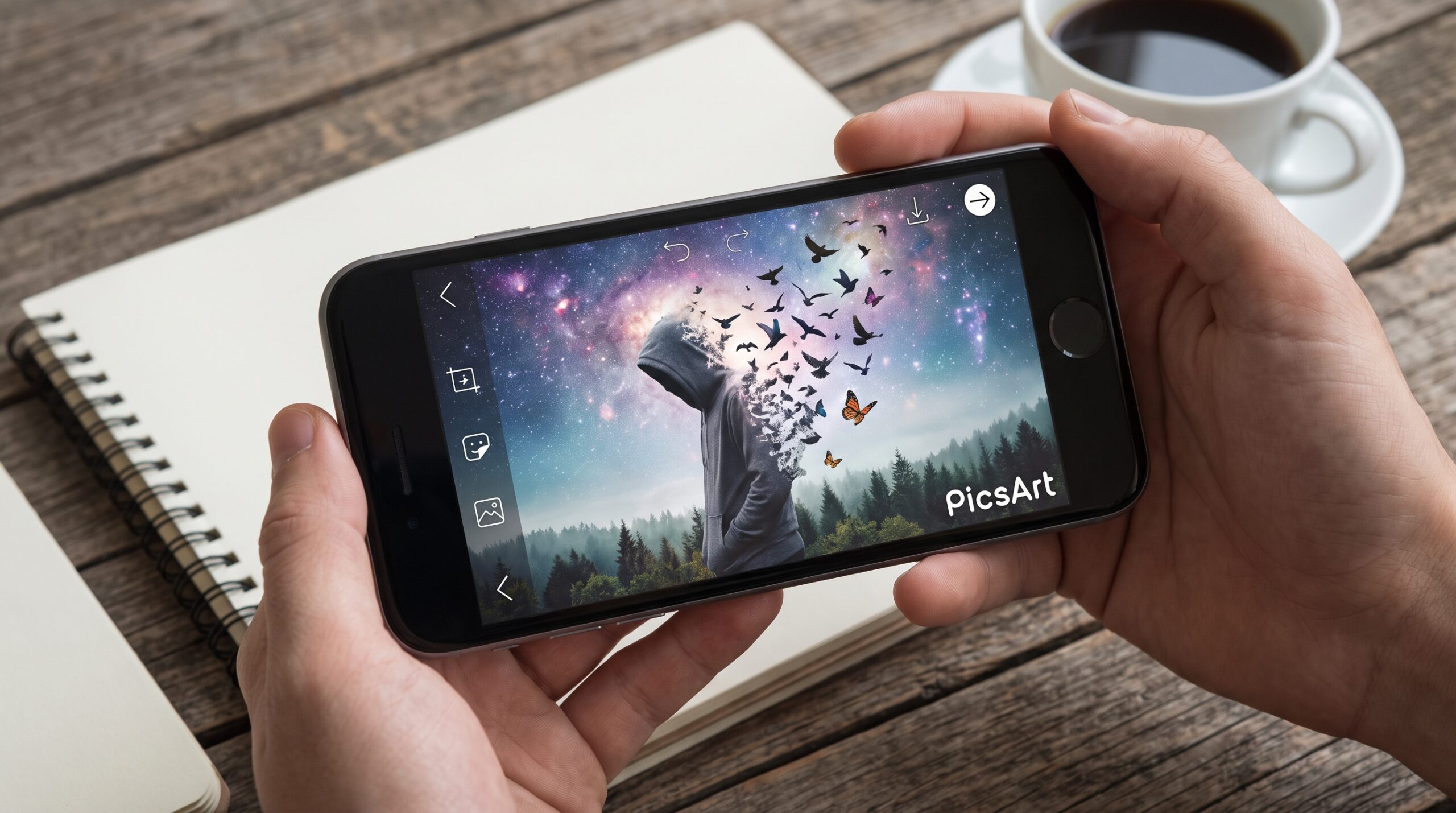
PicsArt provides a flexible editing environment for creating imaginative photo manipulations without requiring advanced desktop editing software. With layers, selections, blending modes, masks, effects, brushes, and creative tools, ordinary photographs can become visually impressive compositions.
The best PicsArt Photo Manipulation Ideas for Creative Editing combine imagination with careful editing. Instead of simply adding filters, photo manipulation allows creators to change environments, combine different images, create surreal scenes, and develop unique visual concepts that capture attention.
Create Surreal Floating Objects
Floating objects are one of the most creative photo manipulation concepts for PicsArt users. You can make a person, building, vehicle, or everyday object appear suspended above the ground by removing its original background and placing it into a carefully selected scene.
To make the composition realistic, pay attention to shadows, lighting, perspective, and proportions. A soft shadow beneath the floating subject can add depth, while matching the foreground and background colors can make the composition feel naturally connected.
Design Fantasy Landscape Edits
Fantasy landscapes offer endless possibilities for creative editing. You can transform a normal outdoor photograph into a magical environment by combining mountains, clouds, unusual skies, glowing elements, trees, and atmospheric effects.
Use blending and opacity adjustments to merge different elements smoothly. Adding mist, light rays, subtle color grading, and atmospheric shadows can create a cinematic look while keeping the main subject clear.
Create Double Exposure Effects
Double exposure is a popular manipulation technique that combines two visual elements into one artistic composition. You can merge a portrait with forests, city skylines, oceans, architecture, or other textures to create a meaningful visual story.
PicsArt’s blending tools help you control how images interact. Experiment with transparency, contrast, and blending options until the secondary image complements the main portrait instead of overwhelming it.
Transform Ordinary Photos Into Cinematic Scenes
Cinematic manipulation can dramatically improve the mood of an ordinary photograph. You can create a movie-inspired scene by adjusting the atmosphere, adding dramatic skies, enhancing contrast, and introducing carefully selected environmental elements.
Color grading is particularly important for cinematic editing. Consistent tones across the entire composition make separate images appear as though they were photographed under the same conditions, creating a more professional final result.
Read Also: Best Snapseed Photo Editing Tutorial: Complete Guide for Beginners
Create Miniature World Manipulations
Another interesting PicsArt concept is turning ordinary objects into giant elements within a miniature environment. For example, a cup can become a swimming pool, a book can become a building, or a small household object can become part of an imaginative landscape.
Perspective is the key to making miniature manipulations convincing. Match the size and angle of every element, then add appropriate shadows and highlights. Small details can make a significant difference in the realism of the final artwork.
Experiment With Surreal Portrait Editing
Portrait manipulation doesn’t have to stay realistic. You can create surreal portraits by replacing backgrounds, adding unusual objects, changing facial surroundings, or combining portraits with natural elements such as flowers, clouds, water, and landscapes.
Keep the face as the primary focal point while controlling the intensity of surrounding effects. Too many elements can reduce visual clarity, while carefully balanced details can create an artistic composition with a strong emotional impact.
Use Creative Background Replacement
Background replacement is one of the most useful photo-manipulation techniques. A simple portrait can become a professional-looking scene by replacing a distracting background with a studio, city, beach, forest, futuristic environment, or fantasy landscape.
Clean subject selection is essential for a polished result. Pay special attention to hair, clothing edges, and small details. After placing the subject into the new environment, adjust brightness, shadows, and color temperature so the subject fits naturally into the scene.
Create Futuristic Photo Manipulations
Futuristic designs can transform ordinary photographs into modern digital artwork. Neon lights, glowing shapes, futuristic architecture, technology-inspired elements, and dramatic backgrounds can help create a science-fiction atmosphere.
Try combining dark backgrounds with controlled highlights and glowing elements. Maintain a consistent light direction because every added object should appear to receive illumination from the same environment.
Design Dreamy and Magical Edits
Dreamy manipulation styles are ideal for creating soft, imaginative compositions. Combine portraits with clouds, stars, flowers, moonlight, glowing particles, or peaceful landscapes to create an ethereal visual effect.
Soft blending and subtle highlights usually work better than excessive effects. Use atmospheric elements around the subject, but keep enough contrast to keep the main focal point recognizable and visually strong.
Create Creative Object Transformations
Object transformation is another excellent way to explore PicsArt photo manipulation. You can redesign ordinary objects into imaginative concepts by changing their environment, scale, texture, or visual purpose.
For example, an umbrella can become a floating garden, a staircase can lead into the clouds, or a clock can become part of a mysterious landscape. The goal is to take a familiar object and present it in an unexpected context.
Use Layers for Professional Compositions
Layers give you better control over individual elements in a manipulation project. Keeping the background, main subject, shadows, textures, effects, and decorative elements separate makes it easier to modify the composition during editing.
Organized editing also makes experimentation easier. If an effect becomes distracting, you can adjust or remove it without affecting the rest of the composition. This workflow can make complex projects easier to manage.
Improve Realism With Lighting and Shadows
Lighting can determine whether a manipulation looks believable or artificial. Every element should appear to belong to the same environment, which means highlights and shadows need to follow a consistent light source.
Add shadows gradually instead of making them extremely dark. Soft shadows usually provide natural depth, while highlights can emphasize edges and important surfaces. Matching light direction across different images is one of the most effective ways to improve realism.
Add Creative Blending Effects
Blending allows multiple images to interact without creating harsh edges. You can blend textures, clouds, light leaks, smoke, reflections, and other visual elements into a composition for more sophisticated results.
Experiment with different blending options and opacity levels. The strongest manipulation often comes from subtle combinations rather than one dramatic effect covering the entire image.
Create Glitch and Digital Art Manipulations
Glitch-inspired editing can give photographs a modern digital appearance. Distorted colors, duplicated elements, digital textures, geometric shapes, and controlled visual disruptions can create an energetic style suitable for creative social media artwork.
Use glitch effects selectively to preserve the main subject. Strategic distortion around specific areas can create visual interest without making the entire composition difficult to understand.
Develop Your Own Editing Style
Studying popular manipulation techniques is useful, but developing a recognizable style can make your work more memorable. Experiment with different compositions, colors, textures, lighting techniques, and storytelling concepts until you discover combinations that feel unique.
Consistency can also help establish a visual identity. Similar color palettes, editing approaches, or composition styles across multiple projects can make your artwork instantly recognizable while still allowing room for creativity.
Common Mistakes to Avoid in Photo Manipulation
One common mistake is adding too many effects without considering the overall composition. Creative editing should have a clear focal point, balanced elements, and a visual purpose. Too many effects can make an otherwise strong concept look cluttered.
Another mistake is ignoring perspective and lighting. Even excellent cutouts can look unrealistic when their scale, shadows, or lighting don’t match the environment. Carefully checking these details can significantly improve your final artwork.
Tips for Better PicsArt Photo Manipulation
Start with high-quality images whenever possible because clear source material gives you more flexibility during editing. Choose photographs with compatible lighting, angles, and perspectives before combining them into a single composition.
Work gradually and review the complete image regularly. Zooming in helps with precise selections, while zooming out helps you understand whether the overall composition remains balanced and visually appealing.
Frequently Asked Questions
What Is PicsArt Photo Manipulation?
PicsArt photo manipulation is the creative process of combining, transforming, and enhancing photographs to produce a new visual composition. It can include background replacement, object transformation, surreal effects, double exposure, and fantasy editing.
Is PicsArt Good for Photo Manipulation?
PicsArt offers a variety of tools that can support creative photo manipulation. Features such as selections, layers, blending, brushes, effects, and adjustments help you build detailed compositions.
What Is the Best Idea for a Beginner?
Background replacement is a good starting point because it teaches important skills such as selecting subjects, removing backgrounds, positioning elements, and matching colors between different images.
How Can I Make Manipulations Look Realistic?
Focus on perspective, lighting, shadows, proportions, and color consistency. When these elements match across the composition, separate images can look like they belong to the same environment.
How Do I Create a Double Exposure Effect?
Start with a portrait and another suitable image, such as a landscape or texture. Use blending and opacity adjustments to combine the images while keeping the portrait’s main shape and key details.
Can I Create Fantasy Artwork in PicsArt?
Yes, you can create fantasy artwork by combining photographs with imaginative backgrounds, atmospheric elements, lighting effects, textures, and carefully selected visual details.
How Do I Improve My Photo Manipulation Skills?
Practice regularly and recreate different types of compositions. Studying perspective, lighting, composition, masking, and color adjustment can help you develop stronger editing skills.
Why Do My Photo Manipulations Look Fake?
Manipulations often look artificial when lighting, shadows, perspective, or colors do not match. Adjusting these elements and reducing excessive effects can create a more natural result.
What Are Good PicsArt Ideas for Social Media?
Surreal portraits, cinematic scenes, futuristic designs, double exposures, miniature worlds, fantasy landscapes, and creative object transformations can all work well for visually engaging social media content.
How Can I Develop a Unique Editing Style?
Experiment with different concepts instead of copying one style repeatedly. Over time, identify the colors, compositions, effects, and storytelling techniques that consistently appear in your strongest work.
Conclusion
PicsArt Photo Manipulation Ideas for creative editing offer countless opportunities to turn ordinary photographs into imaginative digital artwork. From surreal portraits and fantasy landscapes to futuristic scenes and creative object transformations, the possibilities depend largely on your imagination and editing approach.
Strong manipulation requires more than adding effects. Successful compositions depend on careful selections, realistic lighting, balanced colors, appropriate perspective, and thoughtful storytelling.
