

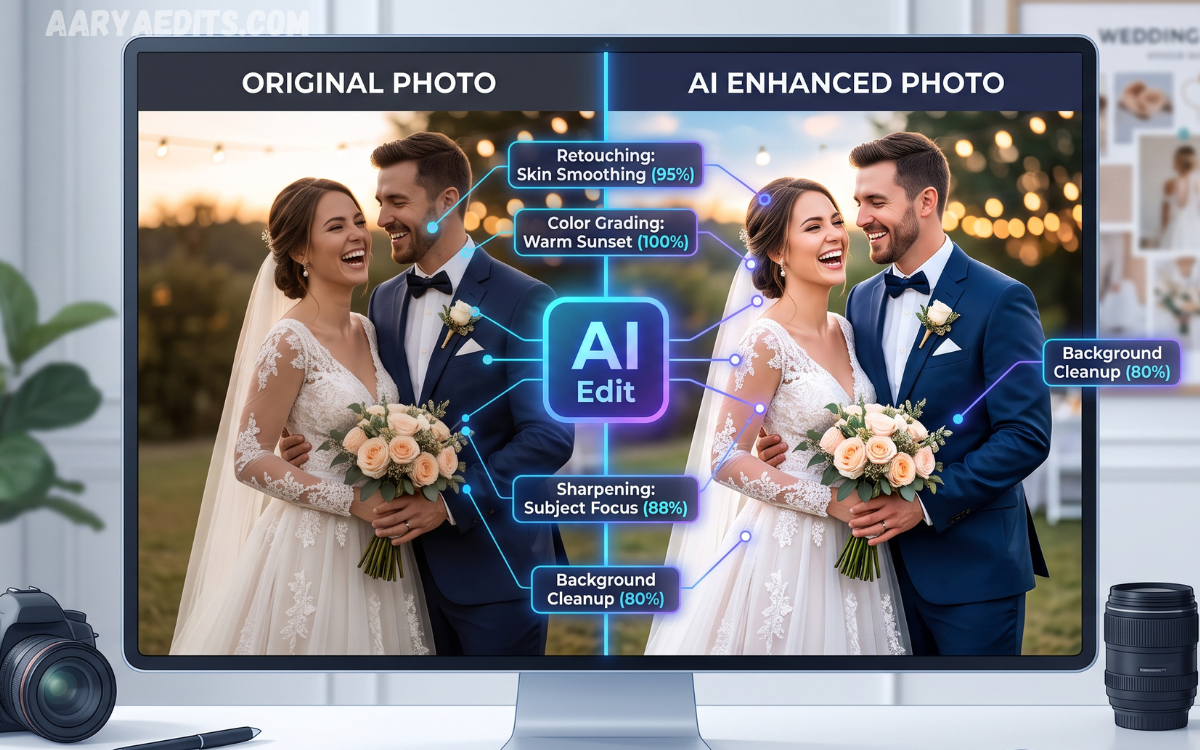
AI Wedding Photo Editing: The Complete Guide for Stunning Results. Every smile, embrace, and celebration deserves to be preserved with exceptional quality. While photographers focus on capturing these memories, editing hundreds or even thousands of images can become a time-consuming process.
AI wedding photo editing has transformed the post-production workflow by automating repetitive tasks while maintaining professional quality. Modern AI tools help photographers improve colors, enhance lighting, remove distractions, and deliver polished galleries much faster. This guide explains everything you need to know about AI wedding photo editing and how it creates stunning results without sacrificing creativity.
What Is AI Wedding Photo Editing?
AI wedding photo editing uses artificial intelligence to analyze photographs and apply intelligent adjustments automatically. These systems recognize faces, lighting conditions, backgrounds, and image details to perform edits that normally require manual work.
Instead of replacing photographers, AI serves as a powerful assistant. It handles repetitive corrections while allowing professionals to focus on creative decisions, storytelling, and final artistic enhancements that make every wedding album unique.
Why AI Is Changing Wedding Photography?
Traditional wedding editing often requires several days of detailed work. Sorting, color correcting, skin retouching, exposure balancing, and cropping hundreds of images demands significant time and patience.
AI dramatically speeds up these tasks by processing large photo collections consistently. Faster delivery improves client satisfaction while allowing photographers to accept more bookings and spend additional time capturing memorable events instead of editing.
Benefits of AI Wedding Photo Editing
One of the biggest advantages of AI editing is efficiency. Large wedding galleries can be processed in hours instead of days while maintaining consistent colors, exposure, and image quality across every photograph.
Another major benefit is consistency. AI applies similar editing styles throughout the gallery, creating a cohesive visual story. This professional appearance strengthens a photographer’s brand and enhances the overall client experience.
AI Features That Improve Wedding Photos
Modern AI software includes automatic exposure correction, white balance adjustment, noise reduction, sky enhancement, facial recognition, and intelligent cropping. These features quickly improve image quality without extensive manual editing.
Advanced AI tools also detect subjects and backgrounds separately. This allows photographers to brighten faces, soften backgrounds, enhance skies, and improve lighting while preserving natural textures and realistic details.
Automatic Color Correction
Lighting conditions constantly change during weddings. Indoor ceremonies, outdoor portraits, receptions, and evening celebrations all require different color adjustments to achieve natural-looking results.
AI analyzes each image individually and automatically balances white tones, corrects color casts, and enhances vibrancy. The final gallery maintains accurate skin tones and consistent color grading from beginning to end.
Smart Skin Retouching
Wedding portraits should appear polished while preserving natural beauty. Excessive retouching often produces unrealistic faces that remove authentic expressions and textures.
AI performs subtle skin smoothing, blemish removal, and tone balancing while maintaining realistic details. The result is flattering portraits that still look genuine and timeless.
Background Cleanup and Object Removal
Unexpected distractions such as guests, signs, electrical wires, or random objects can reduce the visual impact of wedding photographs. Removing these elements manually often requires significant editing time.
AI-powered object removal identifies unwanted distractions and fills surrounding areas naturally. This creates cleaner compositions that keep attention focused on the couple and their special moments.
Faster Culling and Image Selection
Wedding photographers often capture thousands of images during a single event. Reviewing every photograph manually can become one of the most time-consuming parts of the workflow.
AI automatically detects blurry photos, duplicates, closed eyes, and poor compositions. This intelligent culling process allows photographers to select the best images quickly while reducing editing time significantly.
Consistent Editing Style
Maintaining the same editing style throughout a wedding gallery creates a professional appearance. Clients appreciate albums where every image feels connected through similar colors and tones.
AI can learn custom editing preferences and apply matching adjustments to every selected photograph. This consistency helps photographers strengthen their visual identity and maintain high-quality standards.
Time Savings for Professional Photographers
Time saved during editing directly increases productivity. Instead of spending several days editing one wedding, photographers can complete multiple projects within the same period.
This efficiency supports better business growth by increasing booking capacity, improving turnaround times, and reducing post-production stress without compromising image quality.
Popular AI Wedding Photo Editing Tools
Several AI-powered editing platforms now provide advanced features for wedding photographers. These applications combine intelligent automation with manual editing controls for complete creative flexibility.
Popular tools include Adobe Lightroom AI, Adobe Photoshop AI features, Imagen AI, AfterShoot, Evoto AI, and Luminar Neo. Each platform offers unique capabilities designed to simplify professional wedding editing workflows.
Read Also: Lightroom Nature Presets: Complete Guide to Stunning Landscape and Nature Photography
Balancing AI with Creative Editing
Although AI automates technical corrections, creativity remains the photographer’s responsibility. Every wedding tells a unique story that deserves personal artistic attention and thoughtful editing choices.
Professional photographers often begin with AI adjustments before refining colors, contrast, composition, and storytelling elements manually. This balanced approach combines speed with artistic excellence.
Challenges and Limitations
AI technology continues improving, but it is not perfect. Some complex lighting situations or artistic preferences still require manual adjustments for the best possible outcome.
Photographers should always review AI-generated edits carefully before delivering final galleries. Human creativity, emotion, and professional judgment remain essential parts of high-quality wedding photography.
Future of AI Wedding Photo Editing
Artificial intelligence is evolving rapidly, introducing smarter editing tools with improved subject recognition, faster processing, and increasingly natural image enhancements. Future software will provide even more personalized editing experiences.
As technology advances, photographers will benefit from greater efficiency while maintaining full creative control. AI will continue supporting professionals rather than replacing their artistic vision and storytelling abilities.
Best Practices for Stunning AI Wedding Photo Editing Results
Start with well-exposed photographs because AI performs best when the original image contains strong detail and balanced lighting. Good photography always remains the foundation of excellent editing.
Develop a consistent editing preset, review every final image, and combine AI automation with manual finishing touches. This workflow delivers polished galleries that exceed client expectations and maintain professional quality.
Frequently Asked Questions
What is AI wedding photo editing?
AI wedding photo editing uses artificial intelligence to automate image enhancements such as color correction, exposure adjustment, skin retouching, and background cleanup while maintaining professional quality.
Is AI wedding photo editing suitable for professional photographers?
Yes. Professional photographers use AI to reduce editing time while maintaining creative control over the final appearance of every wedding gallery.
Does AI replace manual photo editing?
No. AI handles repetitive editing tasks, but photographers still perform creative adjustments and quality checks to achieve the desired artistic style.
Which AI tools are best for wedding photo editing?
Popular options include Adobe Lightroom AI, Photoshop AI features, Imagen AI, AfterShoot, Evoto AI, and Luminar Neo.
Can AI improve low-light wedding photos?
Yes. Many AI editing tools reduce noise, improve exposure, recover shadows, and enhance image clarity in challenging lighting conditions.
Does AI maintain natural-looking skin tones?
Modern AI software is designed to preserve realistic skin textures while performing subtle retouching and color corrections.
Is AI editing faster than traditional editing?
Yes. AI significantly reduces editing time by automating repetitive corrections across hundreds or thousands of wedding photographs.
Can AI remove unwanted objects from wedding photos?
Yes. AI-powered object removal tools can eliminate distractions such as people, wires, signs, and background clutter naturally.
Is AI wedding editing expensive?
Many AI tools offer affordable subscription plans, and the time saved often provides excellent value for professional photographers.
What is the future of AI in wedding photography?
AI will continue improving automation, personalization, image recognition, and editing accuracy while allowing photographers to focus on creativity and storytelling.
Conclusion
AI wedding photo editing has revolutionized modern photography by combining speed, consistency, and intelligent automation. From color correction and skin retouching to background cleanup and gallery organization, AI helps photographers deliver exceptional results in far less time.
The most successful workflow combines advanced AI technology with human creativity.
