

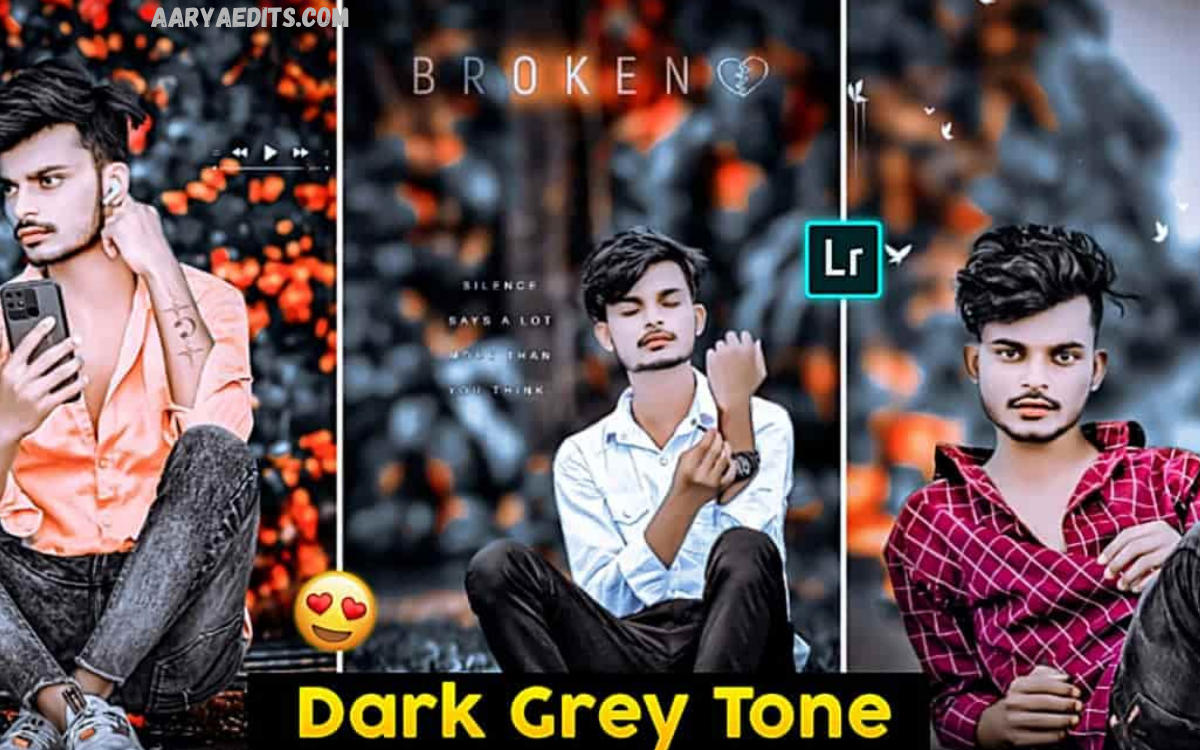
Lightroom Dark Tone Presets have become a favorite editing solution for photographers, influencers, content creators, and designers who want dramatic, premium-quality images with minimal effort. These presets instantly transform ordinary photos into cinematic masterpieces by enhancing shadows, improving contrast, deepening blacks, and creating a luxurious color palette.
Modern photography trends continue to favor moody aesthetics because they create emotion, depth, and storytelling. Instead of spending hours manually adjusting exposure, highlights, shadows, tone curves, and color grading, Lightroom Dark Tone Presets automate the process while still allowing customization.
What Are Lightroom Dark Tone Presets?
Lightroom Dark Tone Presets are pre-configured editing settings designed to create deep, rich, moody photographs. They automatically apply carefully balanced adjustments to multiple editing tools, including:
- Exposure
- Contrast
- Highlights
- Shadows
- Whites
- Blacks
- Tone Curve
- Texture
- Clarity
- Dehaze
- Vibrance
- Saturation
- HSL Color Mix
- Color Grading
- Split Toning
- Calibration
These combined adjustments produce darker, cinematic images while maintaining natural skin tones and preserving important image details.
Why Are Lightroom Dark Tone Presets Popular?
Dark-themed photography has become increasingly popular across Instagram, Pinterest, photography portfolios, travel blogs, fashion magazines, and commercial branding.
Some major reasons include:
- Professional visual appearance
- Strong emotional impact
- Rich cinematic atmosphere
- Better color harmony
- Improved storytelling
- Luxurious aesthetic
- Consistent editing style
- Faster editing workflow
Many successful photographers use Lightroom Dark Tone Presets to maintain a recognizable editing signature across every project.
Key Features of Lightroom Dark Tone Presets
Professional Lightroom Dark Tone Presets usually include several advanced editing enhancements.
Deep Black Tones
Blacks become richer without losing image quality, creating stronger depth throughout the photograph.
Cinematic Contrast
Contrast is carefully balanced to make subjects stand out while preserving details in shadows and highlights.
Natural Skin Tones
Quality presets protect skin colors from becoming oversaturated or unnaturally dark.
Soft Highlights
Bright areas become smoother, reducing harsh lighting and improving visual balance.
Rich Color Grading
Warm browns, muted greens, deep blues, and earthy tones create an elegant cinematic look.
Improved Sharpness
Many presets enhance clarity and texture without introducing excessive noise.
Better Dynamic Range
Professional presets maximize details throughout both dark and bright regions.
Benefits of Using Lightroom Dark Tone Presets
Photographers choose these presets because they save time while producing premium-quality edits.
Major benefits include:
- Faster editing
- Professional consistency
- Easy customization
- Better social media appearance
- Improved storytelling
- Time-saving workflow
- Suitable for beginners
- Advanced editing foundation
- High-quality color grading
- Better client satisfaction
Best Photos for Lightroom Dark Tone Presets
These presets perform exceptionally well on many photography styles.
Portrait Photography
Dark backgrounds make facial features more expressive while adding cinematic emotion.
Street Photography
Urban environments gain stronger mood, richer colors, and dramatic lighting.
Travel Photography
Historic buildings, forests, mountains, and city streets receive greater visual depth.
Fashion Photography
Luxury clothing and stylish compositions benefit from premium dark grading.
Nature Photography
Forests, waterfalls, rainy weather, and mountain landscapes appear more atmospheric.
Lifestyle Photography
Coffee shops, home interiors, cafés, and everyday moments become visually engaging.
Automotive Photography
Cars gain glossy reflections, deeper paint colors, and premium commercial aesthetics.
Lightroom Mobile vs Lightroom Desktop
Lightroom Dark Tone Presets work effectively on both platforms.
Lightroom Mobile
Perfect for creators editing directly on smartphones.
Advantages include:
- Fast editing
- Easy sharing
- Cloud synchronization
- Social media workflow
Lightroom Desktop
Ideal for professional photographers handling RAW images.
Advantages include:
- Larger workspace
- Advanced editing tools
- Better color accuracy
- Batch editing
- Professional export settings
How to Install Lightroom Dark Tone Presets
Installing presets is simple.
For Lightroom Mobile:
- Open Lightroom.
- Import the preset file.
- Save the preset.
- Open your photo.
- Apply the preset.
- Fine-tune if needed.
For Lightroom Desktop:
- Open Lightroom Classic or Lightroom.
- Navigate to the Presets panel.
- Import the preset file.
- Apply it to your chosen image.
- Adjust exposure according to lighting conditions.
Read Also: Creative AI Photo Manipulation Ideas
Customizing Lightroom Dark Tone Presets
Every photograph contains different lighting conditions.
After applying the preset, adjust:
- Exposure
- Temperature
- Tint
- Contrast
- Whites
- Blacks
- Vibrance
- Saturation
- Shadows
- Noise Reduction
Small adjustments produce significantly better final results.
Tips for Better Dark Tone Editing
Professional editors rarely rely solely on presets.
Follow these recommendations:
Use high-resolution images.
Shoot in RAW whenever possible.
Avoid overexposed photographs.
Preserve natural skin colors.
Adjust white balance manually.
Reduce excessive saturation.
Maintain balanced shadows.
Avoid crushing black details.
Fine-tune every image individually.
Export using high-quality settings.
Common Mistakes to Avoid
Many beginners make editing errors that reduce image quality.
Common mistakes include:
Applying excessive contrast.
Making shadows completely black.
Oversaturating colors.
Ignoring skin tones.
Increasing clarity too much.
Adding excessive noise reduction.
Overusing vignette effects.
Ignoring white balance.
Editing low-quality images.
Exporting with low resolution.
Avoiding these mistakes produces cleaner, more professional edits.
Lightroom Dark Tone Presets for Social Media
Content creators use dark presets because they improve visual branding.
Platforms benefiting from consistent editing include:
- TikTok
- YouTube thumbnails
- Portfolio websites
A consistent editing style helps build audience recognition and strengthens personal branding.
Choosing the Right Lightroom Dark Tone Presets
Not every preset fits every image.
Look for presets offering:
- Natural colors
- Adjustable settings
- RAW compatibility
- Mobile support
- Desktop compatibility
- Professional color grading
- Balanced contrast
- Smooth skin tones
- High-quality exports
Testing multiple presets helps identify the style that matches your creative vision.
Future Trends in Dark Tone Editing
Photography editing continues to evolve with AI-powered enhancements and advanced color science. Future Lightroom Dark Tone Presets are expected to include smarter subject detection, adaptive masking, improved noise reduction, automatic sky enhancement, and AI-assisted color grading. These innovations will make professional editing faster while preserving artistic control.
Creators increasingly seek presets that provide both speed and flexibility. As editing technology advances, dark tone presets will remain a leading choice for photographers who value cinematic aesthetics and consistent visual branding.
Frequently Asked Questions
What are Lightroom Dark Tone Presets?
They are pre-made editing settings that create dark, cinematic, and professional-looking photos with a single click.
Can beginners use Lightroom Dark Tone Presets?
Yes. They simplify photo editing and provide an excellent starting point for learning Lightroom.
Do these presets work on Lightroom Mobile?
Yes. Most professional presets support both Lightroom Mobile and Lightroom Desktop.
Can I customize a preset after applying it?
Yes. You can modify exposure, contrast, colors, shadows, highlights, and every Lightroom adjustment.
Are RAW photos better for dark tone presets?
Yes. RAW images retain more detail, making dark tone editing more effective.
Will presets work on every photo?
They work on most images, but minor adjustments often improve the final result.
Do dark tone presets reduce image quality?
No. High-quality presets maintain excellent image quality when applied correctly.
Which photography styles benefit most from dark tone presets?
Portraits, travel, street, fashion, automotive, nature, and lifestyle photography all benefit greatly.
Can dark tone presets improve social media content?
Yes. They create a consistent visual identity that enhances engagement and branding.
Are Lightroom Dark Tone Presets worth using?
Absolutely. They save editing time, improve consistency, and help create professional-quality photographs with minimal effort.
Conclusion
Lightroom Dark Tone Presets remain among the most effective editing tools for creating dramatic, elegant, and professional photographs. They simplify complex editing techniques while producing consistent, high-quality results across portraits, travel photography, fashion shoots, landscapes, and lifestyle content. By combining thoughtful color grading, balanced contrast, deep shadows, and natural tones, these presets help photographers create visually striking images with less effort.
