

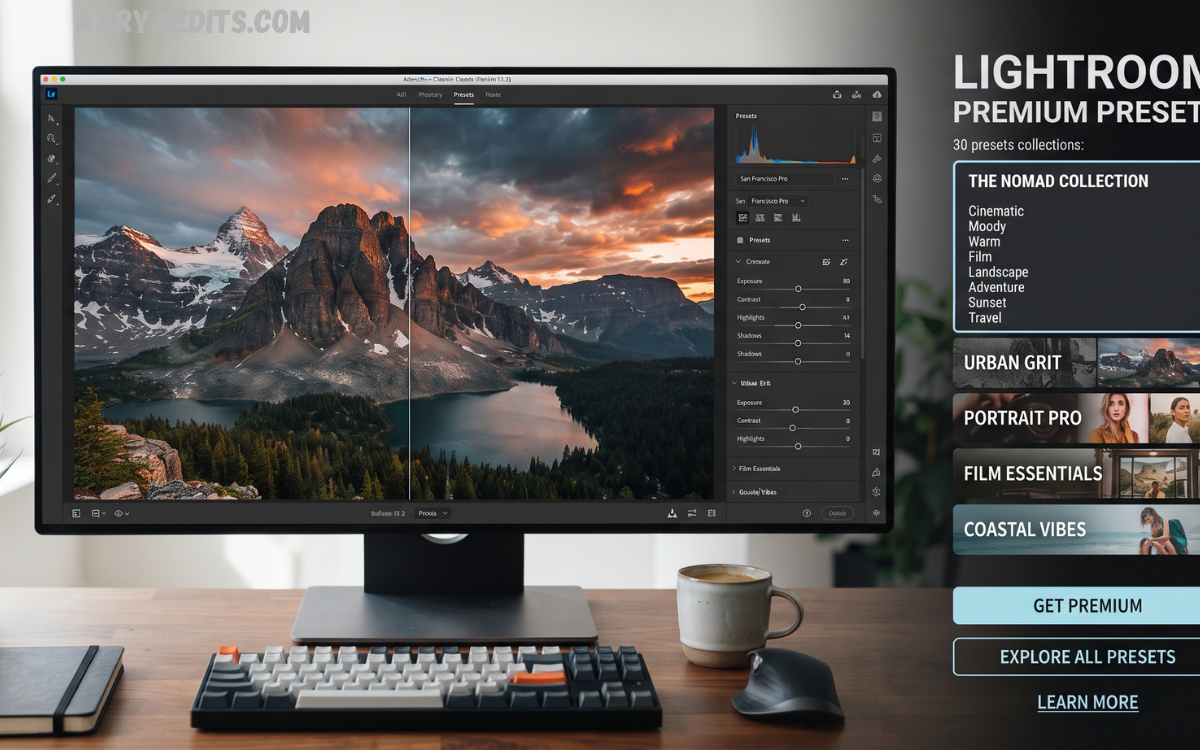
Photography has evolved from simple image capturing into a powerful form of digital storytelling. Professional photographers, content creators, influencers, and designers now rely on advanced editing techniques to transform ordinary photos into visually impressive masterpieces.
Lightroom Premium Presets have become an essential resource for photographers who want to improve their editing process while maintaining a consistent visual style. These presets provide professionally designed adjustments for colors, exposure, contrast, tones, shadows, highlights, and overall image appearance. Instead of manually adjusting every setting, users can apply a premium preset and instantly create a polished photography style.
What Are Lightroom Premium Presets?
Lightroom Premium Presets are pre-configured editing settings created for Adobe Lightroom users. A preset contains a collection of adjustments that automatically modify different aspects of an image, including color temperature, exposure, contrast, saturation, clarity, grain, and tone curves.
Professional photographers often create their own presets after developing a unique editing style. These presets can then be reused across multiple images to maintain consistency. Premium presets are usually designed with advanced color grading techniques and professional photography standards.
Unlike basic filters, Lightroom Premium Presets provide detailed control over image appearance. They serve as a starting point for editing and let users make additional adjustments to match their creative vision.
Benefits of Using Lightroom Premium Presets
Faster Professional Photo Editing
One of the biggest advantages of Lightroom Premium Presets is faster editing. Professional photographers often handle hundreds or thousands of images from events, photoshoots, and commercial projects. Editing every photo manually requires significant time.
Premium presets reduce editing time by applying multiple adjustments instantly. Users can edit large photo collections quickly while maintaining a consistent appearance.
Create a Consistent Photography Style
A strong visual identity is important for photographers and content creators. Lightroom Premium Presets help maintain the same color style across different photos.
For Instagram creators, bloggers, and brands, consistency creates a professional-looking profile. Using similar tones and color grading techniques makes images appear connected and visually attractive.
Improve Image Quality
Premium presets are designed using professional editing methods. They can improve image quality by enhancing colors, balancing lighting, and creating attractive visual effects.
A well-designed preset can make dull images look vibrant, improve contrast, and bring out important details without complicated manual editing.
Perfect for Beginners and Professionals
Lightroom Premium Presets are useful for photographers at every skill level. Beginners can use them to understand professional editing styles, while experts can use them as a foundation for advanced creative adjustments.
They help new editors learn how exposure, colors, and tones work together to create beautiful images.
Popular Types of Lightroom Premium Presets
Cinematic Lightroom Presets
Cinematic presets create a movie-inspired appearance by using dramatic colors, deep shadows, and balanced highlights. They are popular among travel photographers, filmmakers, and social media creators.
These presets often include warm tones, teal effects, faded blacks, and professional color grading techniques.
Portrait Lightroom Presets
Portrait presets are designed to enhance human photography. They focus on improving skin tones, facial details, lighting balance, and natural colors.
Professional portrait photographers use these presets for wedding photography, fashion shoots, and lifestyle images.
Wedding Lightroom Presets
Wedding photography requires elegant and timeless editing styles. Wedding presets provide soft colors, romantic tones, and premium finishing effects.
They help photographers create beautiful wedding albums with consistent image quality.
Read Also: 4K Lightroom Photo Editing: Create High-Quality Professional Images
Moody Lightroom Presets
Moody presets create artistic and emotional visuals by adjusting shadows, contrast, and color tones. They are commonly used for street photography, fashion images, and creative projects.
These presets can create a dramatic atmosphere and give photos a unique personality.
Travel Lightroom Presets
Travel presets are designed for landscapes, nature, cities, and adventure photography. They enhance skies, improve colors, and create vibrant travel memories.
They are widely used by travel bloggers who want attractive and professional-looking content.
How Lightroom Premium Presets Improve Professional Editing
Professional photo editing requires more than increasing brightness or adding filters. It involves understanding colors, lighting, composition, and visual balance.
Lightroom Premium Presets improve professional editing by providing carefully adjusted settings based on advanced techniques.
Advanced Color Grading
Color grading plays an important role in professional photography. It controls the mood and emotional impact of an image.
Premium presets include advanced color adjustments that create specific styles, such as warm golden tones, cool cinematic effects, vintage appearances, and modern clean looks.
Better Lighting Control
Lighting can completely change the appearance of a photograph. Lightroom presets help balance exposure, highlights, shadows, and brightness.
They can recover details from dark areas and improve overall image visibility.
Enhanced Visual Effects
Many premium presets include effects such as film grain, faded tones, soft contrast, and creative color adjustments.
These effects help photographers create unique images that stand out from standard photography.
How to Install Lightroom Premium Presets
Installing Lightroom Premium Presets is a simple process. Users can add presets through Lightroom Desktop, Lightroom Mobile, or Lightroom Classic.
The general installation process includes:
- Download the Lightroom preset files.
- Open Adobe Lightroom.
- Access the Presets section.
- Import the downloaded preset files.
- Apply the preset to any image.
- Adjust settings according to the photo requirements.
After installation, presets become available inside Lightroom and can be used anytime for future editing projects.
Tips for Using Lightroom Premium Presets Effectively
Adjust Presets According to Your Photos
Every photo has different lighting conditions, colors, and compositions. A preset may not look perfect on every image.
Professional editors usually adjust exposure, temperature, contrast, and other settings after applying a preset.
Shoot in RAW Format
RAW images provide more editing flexibility compared to JPEG files. They contain more information about colors and lighting.
Using premium presets on RAW photos usually produces better professional results.
Avoid Over Editing
Professional editing focuses on enhancing images rather than making them unnatural. Excessive saturation, extreme contrast, or unrealistic colors can reduce image quality.
Use presets as creative tools while maintaining natural details.
Create Your Own Editing Style
Premium presets are excellent starting points, but photographers should develop their own style over time.
Experimenting with colors, tones, and adjustments helps create a unique photography identity.
Lightroom Premium Presets for Social Media Content
Social media platforms require attractive visuals to capture audience attention. Instagram, Pinterest, Facebook, and other platforms are highly visual environments.
Lightroom Premium Presets help creators produce professional images that match modern design trends.
Influencers and brands use presets to create consistent feeds, improve engagement, and build a recognizable visual style.
From lifestyle photography to product images, presets help create high-quality content quickly.
Choosing the Best Lightroom Premium Presets
Selecting the right presets depends on photography style and editing goals.
Consider these factors before choosing premium presets:
- Image type and photography category
- Color style preference
- Editing flexibility
- Compatibility with Lightroom versions
- Professional quality of adjustments
High-quality presets should provide balanced results and allow users to customize settings easily.
Future of Lightroom Presets in Digital Photography
The demand for professional photo editing continues to grow as more people create digital content. Lightroom Premium Presets will remain an important tool for photographers because they simplify complex editing processes.
With improvements in artificial intelligence, automation, and creative editing technology, presets are becoming smarter and more adaptable.
Future Lightroom workflows will combine professional presets with AI-powered editing features to create faster and more personalized results.
Frequently Asked Questions
What Are Lightroom Premium Presets?
Lightroom Premium Presets are professionally created editing settings that instantly improve photos by adjusting colors, exposure, contrast, shadows, highlights, and other elements. They help photographers achieve high-quality results quickly while maintaining a consistent editing style.
Are Lightroom Premium Presets Suitable for Beginners?
Yes, Lightroom Premium Presets are suitable for beginners because they simplify the editing process. New users can apply professional editing styles without advanced knowledge and learn how different adjustments affect image appearance.
Can Lightroom Premium Presets Be Used on Mobile Devices?
Yes, Lightroom Premium Presets can be used on mobile devices through the Adobe Lightroom Mobile application. Users can import preset files and apply them directly to images using smartphones or tablets.
Do Professional Photographers Use Lightroom Premium Presets?
Yes, many professional photographers use Lightroom Premium Presets to speed up their workflow. They often customize presets according to their preferred style and use them for weddings, portraits, fashion, travel, and commercial photography.
Can Lightroom Premium Presets Improve Photo Quality?
Lightroom Premium Presets can enhance photo quality by improving colors, lighting balance, contrast, and overall appearance. However, the final result also depends on the original image quality and additional adjustments.
Are Lightroom Premium Presets Compatible With RAW Images?
Yes, Lightroom Premium Presets work especially well with RAW images because RAW files contain more editing information. They allow photographers to achieve better color grading and detailed adjustments.
Can I Customize Lightroom Premium Presets After Applying Them?
Yes, users can customize Lightroom Premium Presets after applying them. Settings such as exposure, temperature, saturation, shadows, and highlights can be adjusted to match the specific image requirements.
What Types of Photography Use Lightroom Premium Presets?
Lightroom Premium Presets are commonly used for portrait photography, wedding photography, landscape photography, travel images, fashion shoots, product photography, and social media content creation.
Do Lightroom Premium Presets Save Editing Time?
Yes, Lightroom Premium Presets significantly reduce editing time by applying multiple adjustments instantly. They are especially useful for photographers who need to edit large numbers of images quickly.
How Do I Choose the Best Lightroom Premium Presets?
The best Lightroom Premium Presets depend on your photography style and editing goals. Choose presets that offer natural colors, professional adjustments, customization options, and compatibility with your Lightroom version.
Conclusion
Lightroom Premium Presets are powerful tools for photographers, designers, and content creators who want professional-quality images without spending excessive time on manual adjustments. They simplify the editing process while providing creative control over colors, tones, lighting, and visual effects.
From cinematic styles and portrait enhancements to travel photography and social media content, premium presets help transform ordinary images into stunning visuals. When used correctly, they improve workflow efficiency, maintain consistency, and enhance overall photography quality.
