

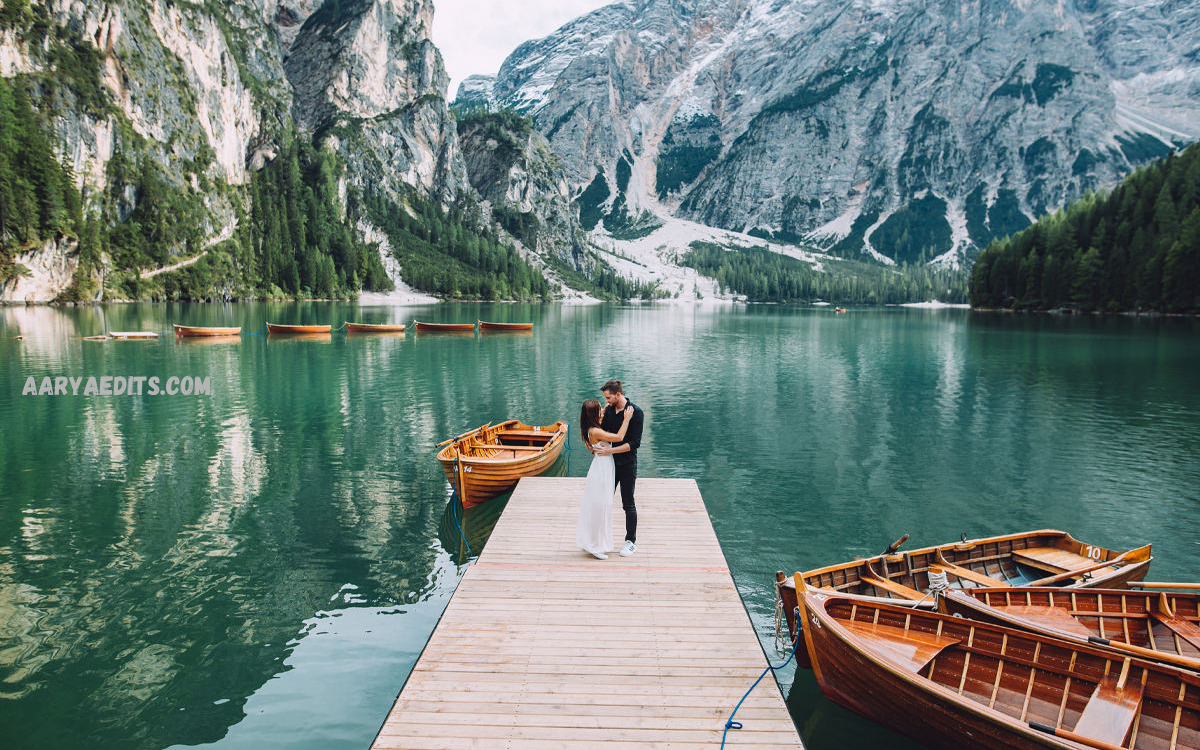
Nature photography captures the beauty of landscapes, forests, mountains, oceans, wildlife, and outdoor environments. However, even the most beautiful photographs often require professional editing to bring out natural colors, balanced lighting, and impressive details.
Adobe Lightroom presets are pre-designed editing settings that adjust different elements of a photo, including exposure, contrast, highlights, shadows, colors, saturation, and tones. Lightroom Nature Presets are specially created for outdoor photography, helping users achieve cinematic landscapes, vibrant greenery.
What Are Lightroom Nature Presets?
Lightroom Nature Presets are customized editing filters designed specifically for nature and outdoor images. These presets contain a combination of Lightroom adjustments that improve image quality while preserving the authentic feeling of the scene.
Unlike standard filters that apply simple effects, professional nature presets carefully balance colors, lighting, and details. They enhance natural elements such as green forests, blue skies, golden sunlight, and earthy landscapes.
Benefits of Using Lightroom Nature Presets
Save Time During Photo Editing
Manual photo editing requires adjusting multiple settings individually. Professional photographers working with hundreds of outdoor images need efficient workflows. Lightroom Nature Presets reduce editing time by applying professional adjustments instantly.
Creators can quickly process large photography collections while maintaining a consistent appearance throughout their projects.
Create Professional Nature Photography
A well-designed preset enhances the visual impact of outdoor images. It can improve dull colors, balance lighting problems, and add depth to landscapes. Professional nature presets help photographers achieve magazine-quality results without requiring advanced editing skills.
Maintain Consistent Editing Style
Consistency plays an important role in photography branding. Travel photographers, influencers, and content creators often use specific preset styles to maintain a recognizable appearance across websites and social platforms.
Lightroom Nature Presets allow creators to develop a unique editing identity through consistent colors and tones.
Improve Natural Colors
Outdoor environments contain beautiful colors that cameras sometimes fail to capture accurately. Presets enhance these natural tones by adjusting color temperature, vibrance, and saturation.
Green forests become richer, skies appear clearer, and sunsets gain warmer cinematic tones while keeping the image realistic.
Popular Types of Lightroom Nature Presets
Green Forest Lightroom Presets
Forest photography often requires balanced green tones and improved details. Green forest presets enhance leaves, trees, and natural textures while creating a fresh outdoor atmosphere.
These presets are ideal for hiking photography, woodland adventures, nature trails, and environmental photography.
Landscape Lightroom Presets
Landscape presets are designed for mountains, valleys, deserts, and wide outdoor scenes. They improve contrast, enhance sky details, and create depth within large environments.
Photographers use landscape presets to produce dramatic yet realistic images.
Sunset Lightroom Presets
Sunset photography depends heavily on warm lighting and accurate color balance. Sunset nature presets enhance orange, yellow, and red tones while creating a cinematic evening mood.
These presets work perfectly for beach photography, travel images, and golden-hour shots.
Moody Nature Lightroom Presets
Moody presets create emotional and artistic outdoor images. They usually include deeper shadows, soft colors, and cinematic tones.
These styles are popular among photographers who want a dramatic storytelling effect.
Tropical Nature Lightroom Presets
Tropical presets enhance beaches, palm trees, water scenes, and colorful environments. They improve turquoise water tones, bright greenery, and warm sunlight effects.
Travel bloggers frequently use tropical presets to create attractive vacation content.
Read Alos: Lightroom Portrait Presets: Best Professional Presets for Stunning Portrait Photo Editing
How to Use Lightroom Nature Presets
Using Lightroom Nature Presets is a simple process that works for beginners and professionals.
First, import your nature photograph into Adobe Lightroom. Select the preset panel and choose your preferred nature preset. Lightroom will automatically apply the editing adjustments.
After applying the preset, review the image and make small changes if needed. Adjust exposure, highlights, shadows, temperature, or intensity to match the original lighting conditions.
Every photograph has different lighting and colors, so professional editors usually customize presets slightly after application. This approach creates a natural and personalized final result.
Choosing the Best Lightroom Nature Presets
Selecting the right preset depends on photography style, environment, and desired outcome.
Professional photographers should consider presets that provide:
- Natural color enhancement
- Balanced contrast
- Realistic skin tones when people appear in nature scenes
- High-quality color grading
- Easy customization options
A good preset should improve the photograph without making it look artificial. Over-processing can reduce the natural beauty of outdoor images.
Lightroom Nature Presets for Mobile Photography
Mobile photography has become extremely popular because smartphones now include advanced camera systems. Many photographers capture landscapes, travel moments, and outdoor adventures using mobile devices.
Lightroom Nature Presets for mobile allow users to achieve professional editing results directly from smartphones. These presets help improve smartphone photos by enhancing colors, correcting lighting, and adding creative styles.
Travel creators, Instagram photographers, and social media users often use mobile presets to create attractive visual content quickly.
Professional Tips for Editing Nature Photos
Adjust Exposure Before Applying Presets
A properly exposed image produces better results. Dark or overexposed photos may require basic corrections before applying a preset.
Preserve Natural Appearance
The purpose of nature editing is to enhance beauty, not completely change reality. Professional editing focuses on improving existing details while maintaining authenticity.
Use Color Adjustments Carefully
Strong saturation can make outdoor photos look unrealistic. Adjust colors gradually to achieve balanced and professional results.
Edit According to Lighting Conditions
A preset created for bright sunlight may not work perfectly for cloudy weather or nighttime photography. Choosing presets based on lighting conditions creates better results.
Why Lightroom Nature Presets Are Popular Among Creators
The popularity of Lightroom Nature Presets continues growing because they simplify professional editing. Modern creators need fast workflows, attractive visuals, and consistent branding.
Nature presets provide an efficient way to improve photography quality without requiring advanced technical knowledge. They are useful for photographers, bloggers, influencers, designers, and anyone interested in creating impressive outdoor images.
The combination of speed, creativity, and professional results makes Lightroom presets an essential tool in modern photography.
Future of Lightroom Nature Presets
Photography trends continue evolving with new creative styles and editing techniques. Artificial intelligence, advanced color grading, and automated editing features are improving the way photographers process images.
Future nature presets will likely become more intelligent, adapting automatically to different environments and lighting conditions. However, professional photographers will continue using presets as a foundation for creativity and personalized editing.
Frequently Asked Questions
What are Lightroom Nature Presets?
Lightroom Nature Presets are professional editing settings designed to enhance outdoor photographs by improving colors, lighting, contrast, and overall image quality.
Are Lightroom Nature Presets free?
Many free nature presets are available online, while premium presets usually provide higher-quality adjustments, unique styles, and professional color grading.
Can beginners use Lightroom Nature Presets?
Yes, beginners can easily use nature presets because they apply professional editing adjustments automatically without requiring advanced editing skills.
Do Lightroom Nature Presets work on mobile devices?
Yes, Lightroom Nature Presets work with Adobe Lightroom Mobile, allowing users to edit outdoor photos directly from smartphones and tablets.
Can nature presets improve landscape photography?
Nature presets can improve landscape photography by enhancing colors, increasing depth, balancing lighting, and creating professional visual effects.
Are Lightroom Nature Presets suitable for professional photographers?
Professional photographers use nature presets to save time, maintain consistent editing styles, and create high-quality photography collections.
Can Lightroom presets damage photo quality?
High-quality Lightroom presets do not damage image quality. Poorly designed presets or excessive adjustments may create unrealistic results.
How can I make nature photos look cinematic?
Cinematic nature photos can be created by using balanced color grading, controlled contrast, warm highlights, and professional Lightroom Nature Presets.
Can I customize Lightroom Nature Presets?
Yes, users can adjust exposure, colors, contrast, temperature, and other settings after applying any preset.
Which photography styles use nature presets?
Nature presets are commonly used for landscape photography, travel photography, outdoor portraits, wildlife photography, and adventure content.
Conclusion
Lightroom Nature Presets provide an effective way to enhance outdoor photography with professional colors, balanced lighting, and creative visual styles. Whether capturing forests, mountains, beaches, sunsets, or travel moments, these presets help photographers transform ordinary images into stunning works of art while saving valuable editing time.
A well-designed nature preset improves image quality without removing the authentic beauty of the environment.
