

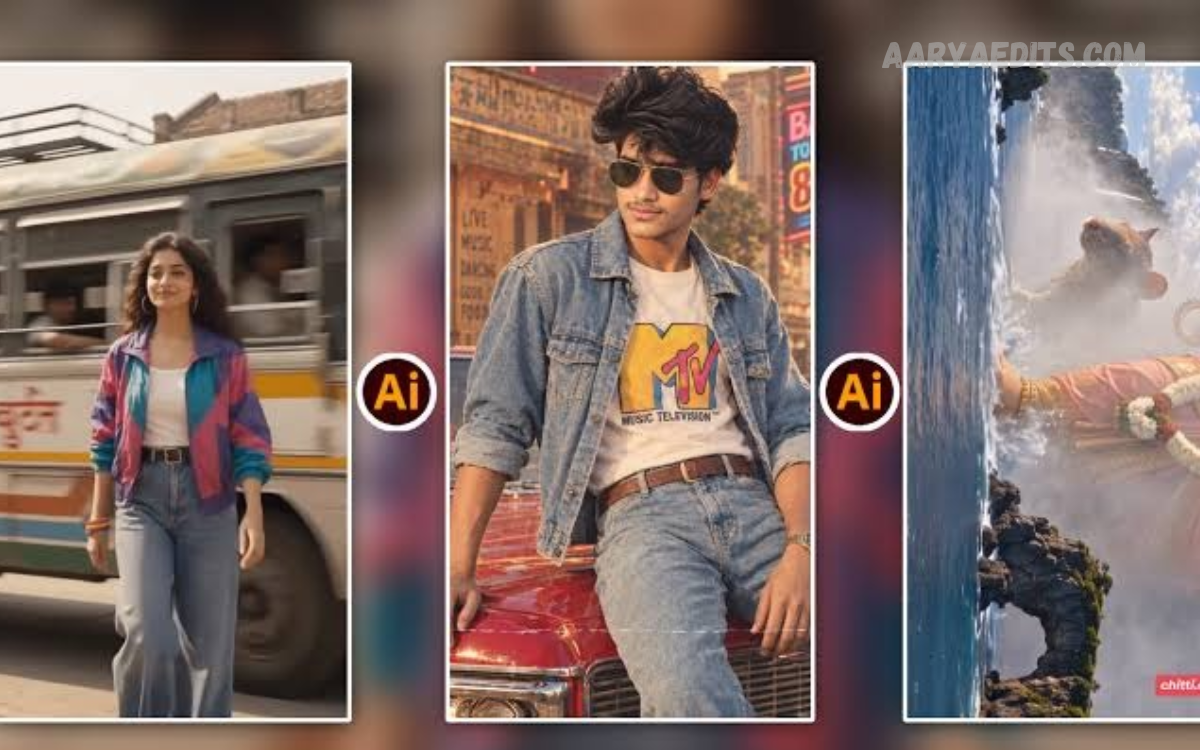
Artificial intelligence has transformed the way people edit photographs, making professional-looking results easier to achieve than ever before. In 2026, beginners can enhance image quality, remove unwanted objects, change backgrounds, improve lighting, and create stunning visuals without mastering complicated editing software.
This AI Photo Editing Tutorial 2026: A Complete Beginner’s Guide explains how to use artificial intelligence for everyday photo editing. Whether you create social media content, manage a website, run an online business, or simply want better personal photographs, you can learn the essential techniques and develop your editing skills step by step.
What Is AI Photo Editing?
AI photo editing uses artificial intelligence to analyze images and automatically improve or modify them. These tools can recognize people, objects, backgrounds, colors, and lighting conditions to recommend adjustments or complete editing tasks with minimal manual effort.
Traditional editing often requires detailed knowledge of layers, masks, brushes, and color correction. AI-powered editors simplify many of these processes through automatic enhancements, intelligent selections, and text-based editing commands, making them accessible to beginners.
Why AI Photo Editing Is Important in 2026?
AI photo editing is increasingly useful for bloggers, photographers, marketers, students, and content creators who need attractive images quickly. Instead of spending hours correcting individual details, users can complete common editing tasks in minutes and focus more on creativity and content quality.
Another advantage is flexibility. AI tools can support product photography, portrait enhancement, travel pictures, website graphics, and social media posts. However, results depend on the original image, the selected tool, and the instructions provided, so reviewing every edit remains important.
Best AI Photo Editing Tools for Beginners
Choosing the right editing tool is an important first step. Beginners should look for a simple interface, useful automatic adjustments, background removal, object cleanup, and options to save images in suitable formats without unnecessary complexity.
Some popular options include Adobe Photoshop for advanced AI-assisted editing, Adobe Lightroom for photographic adjustments, Canva for accessible design and image editing, and Google Photos for convenient enhancement features. Availability and included AI capabilities can vary by device, subscription, region, and software version, so check the features offered by your chosen tool.
How to Start AI Photo Editing
Start by selecting a clear photograph from your phone, computer, or camera. Images with good focus and sufficient lighting usually produce better results, although AI enhancement can sometimes improve pictures that are dark, noisy, or slightly blurry.
Open your chosen editing application and upload the photograph. Explore the available automatic enhancement tools before making complicated changes, and save a copy of the original image so you can compare results and restore the unedited version whenever necessary.
How to Improve Photo Quality Using AI
AI enhancement tools can adjust brightness, contrast, sharpness, color balance, and other visual properties automatically. Some applications can also reduce digital noise, improve details, and upscale low-resolution photographs, depending on their capabilities.
To enhance an image, select the automatic improvement or enhancement option and review the result. If the photograph looks too bright, oversharpened, or unnaturally colorful, reduce the effect or adjust individual settings until the image appears balanced and realistic.
How to Remove Backgrounds With AI
Background removal is one of the most useful AI photo editing techniques for beginners. It allows you to separate a person, product, or other subject from its original surroundings without manually tracing every edge.
Upload your image and choose the background removal feature. The AI will attempt to identify the main subject and isolate it automatically. Check difficult areas such as hair, transparent objects, clothing edges, and small gaps, then refine the selection if the application provides editing controls.
How to Remove Unwanted Objects From Photos
Unwanted objects can distract viewers from the main subject of a photograph. AI object removal tools help eliminate items such as litter, background distractions, stray objects, or people who appear unintentionally in a scene.
Use the removal brush or selection tool to mark the object you want to erase. The application will attempt to reconstruct the surrounding area using nearby visual information. Inspect the result carefully because complex backgrounds, repeated patterns, and overlapping objects can produce visible editing mistakes.
How to Edit Portraits With AI
AI portrait editing can help improve exposure, soften minor skin imperfections, correct color tones, and emphasize important facial details. These features are particularly useful for profile pictures, professional headshots, personal photography, and social media content.
For natural results, make small adjustments rather than applying every available beauty effect. Preserve realistic skin texture, facial proportions, and identifying features, and avoid excessive smoothing that makes a person appear artificial. For professional portraits, balanced lighting and accurate colors are often more effective than dramatic retouching.
How to Change Photo Backgrounds Using AI
AI background replacement allows you to place a subject in a different environment without taking another photograph. This technique can help create product images, promotional graphics, profile photos, and creative compositions for digital content.
First, remove the existing background and select a replacement image, built-in scene, or generated background if your editor supports it. Adjust the subject’s size, position, lighting, and shadows to match the new environment. A convincing result requires consistent perspective and lighting between the subject and background.
How to Use AI for Color Correction and Lighting
Lighting and color correction can make an ordinary photograph look more polished. AI tools may detect underexposed areas, excessive highlights, unusual color casts, and uneven illumination before suggesting suitable corrections.
Begin with exposure and white balance, then adjust contrast, highlights, shadows, and saturation as needed. Compare the edited photograph with the original to ensure that colors remain believable. For product photography and website images, consistency across multiple pictures can be more valuable than applying a different dramatic style to each image.
Read Also: Free Picsart Editing Course: A Complete Beginner’s Guide to Photo Editing
How to Edit Photos Using Text Prompts
Some modern AI editors allow users to describe an intended change in everyday language. Instead of manually selecting every detail, you might request a cleaner background, softer lighting, warmer colors, or the removal of a distracting object.
Write clear and specific instructions, then review the generated result. For example, you could ask an editor to brighten a portrait while preserving natural skin texture and the original facial features. If the result does not match your expectations, refine the prompt and try again, where the application supports repeated editing.
Common AI Photo Editing Mistakes to Avoid
One common mistake is applying too many automatic enhancements at once. Excessive sharpening, artificial skin smoothing, oversaturated colors, and aggressive background replacement can reduce image quality instead of improving it. Beginners should make gradual adjustments and review images at both normal viewing size and closer magnification.
Another mistake is accepting AI-generated changes without checking them. AI tools can distort small details, create unrealistic shadows, alter text, or incorrectly reconstruct missing areas. Always inspect the final image, especially when editing business photographs, product listings, portraits, or images intended to communicate factual information.
Tips for Getting Professional Results With AI Photo Editing
Professional-looking editing begins with a suitable original photograph. Use good lighting, keep the main subject in focus, avoid unnecessary distractions, and choose an appropriate composition before relying on AI to improve the image.
Develop a consistent editing style by using similar color tones, brightness levels, and contrast across related photographs. Save high-quality versions for future editing and export copies optimized for their intended use, such as websites, social media, presentations, or printing.
AI Photo Editing for Social Media and Websites
AI editing can help creators prepare attractive images for Instagram, Facebook, YouTube thumbnails, blogs, and business websites. Background cleanup, image resizing, color correction, and subject enhancement can make visual content more consistent and easier to recognize.
Before publishing, select dimensions appropriate for the intended platform and compress images when necessary to improve website loading speed. Keep important subjects away from areas that may be cropped, use descriptive filenames, and add meaningful alternative text to website images to improve accessibility and support search engine understanding.
Is AI Photo Editing Free in 2026?
Many editing applications offer free versions or limited AI features, making it possible to begin without purchasing expensive software. However, some advanced functions, higher-resolution exports, premium templates, and generative editing tools may require a paid subscription or credits.
Before choosing a tool, review its free-plan limits, export quality, watermarks, privacy policy, and usage rights. Avoid assuming that every image generated or edited with a free service can automatically be used commercially. Check the applicable terms, especially when creating images for clients, advertisements, or online stores.
Privacy and Responsible AI Photo Editing
Photographs may contain sensitive personal details, faces, home interiors, documents, or location information. Before uploading an image to an online AI editor, review its privacy settings and understand how the service stores, processes, and potentially uses uploaded content.
Use AI editing responsibly by avoiding deceptive alterations that could mislead viewers. Obtain appropriate permission before editing or publishing someone else’s photograph, and disclose substantial AI-generated modifications when transparency is important. For news, evidence, official documents, and other factual contexts, preserve the original image and avoid changes that misrepresent what actually happened.
Frequently Asked Questions
What is AI photo editing?
AI photo editing uses artificial intelligence to improve, retouch, or modify photographs. It can automate tasks such as lighting correction, background removal, object cleanup, and portrait enhancement.
Is AI photo editing suitable for beginners?
Yes, many AI editors provide automatic tools and simple interfaces that beginners can use without advanced photography or design knowledge. Starting with basic enhancements is a practical way to learn.
Which AI photo editing tool is best for beginners?
The best choice depends on your needs. Google Photos is convenient for basic enhancements, Canva is useful for simple designs and social media graphics, and Adobe Lightroom offers more detailed photographic adjustments.
Can I edit photos with AI for free?
Yes, some applications provide free editing tools or limited AI features. Advanced functions, premium exports, and additional AI credits may require payment.
Can AI improve blurry photos?
Some AI tools can sharpen images, reduce noise, or reconstruct details to make photographs appear clearer. However, severely blurred images may not recover their original information accurately.
How can I remove a background using AI?
Upload your photograph to an editor with a background removal feature and activate the tool. Review the subject’s edges and refine the selection if necessary before saving the image.
Can AI remove unwanted people or objects?
Yes, supported editors can remove selected objects or people by reconstructing the surrounding image. Results vary depending on the background complexity and how much of the scene is covered.
Is AI photo editing safe?
It can be safe when you choose a trustworthy service and understand its privacy practices. Avoid uploading sensitive images to unfamiliar platforms, and review their data handling policies before use.
Can AI-edited photos be used commercially?
Commercial use may be permitted, but the rules depend on the application, its licensing terms, and the content being edited. Review the applicable terms before using images in advertisements or paid projects.
Will AI photo editing replace professional photographers?
AI can automate many editing tasks, but professional photography also involves composition, lighting, storytelling, client communication, and creative judgment. AI is best viewed as a tool that can support rather than completely replace these skills.
Conclusion
AI photo editing has made image enhancement more accessible, efficient, and flexible for beginners in 2026. By learning basic techniques such as automatic enhancement, background removal, portrait retouching, object cleanup, and color correction, you can produce attractive photographs for personal projects, social media, blogs, and businesses.
The best approach is to begin with simple tools, experiment with small adjustments, and carefully review every result.
