

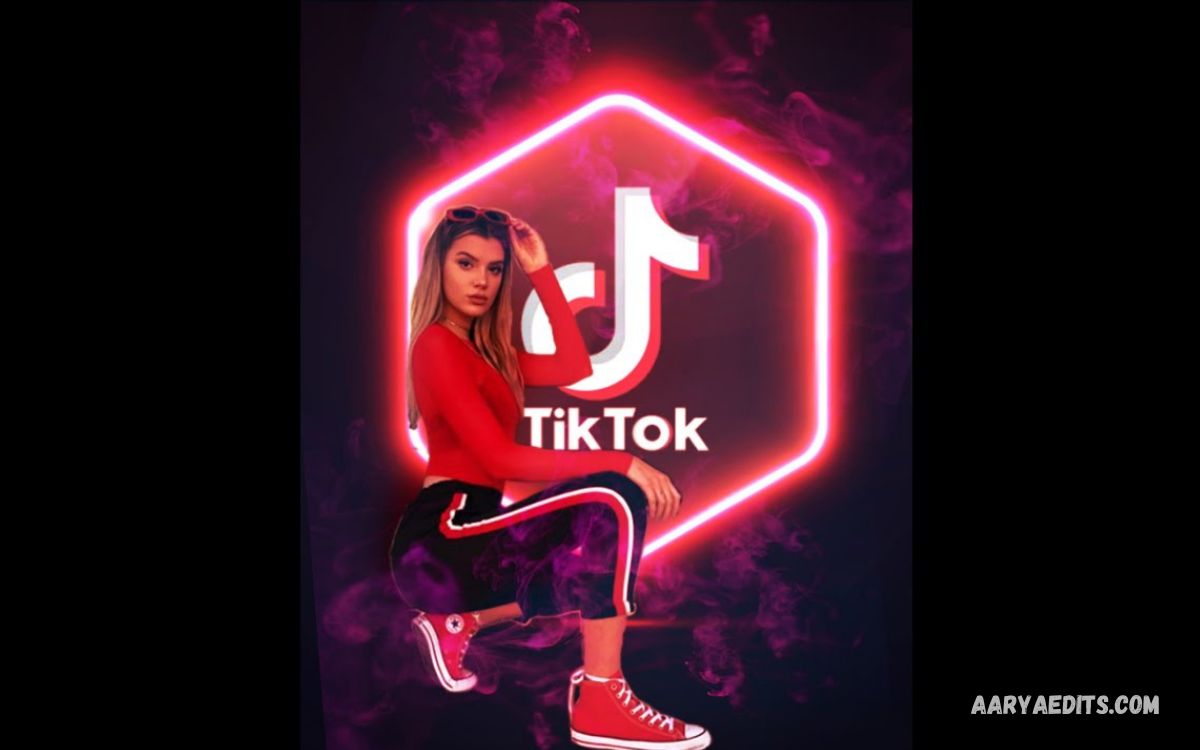
PicsArt TikTok editing helps creators design eye-catching TikTok content with creative effects, filters, text, stickers, overlays, backgrounds, and photo-editing tools. PicsArt provides flexible editing options for beginners and experienced creators who want polished visual content.
With PicsArt TikTok editing, creators can prepare images, thumbnails, transitions, profile graphics, and short-video assets before publishing content on TikTok. A structured editing workflow can improve visual consistency and make TikTok posts more engaging.
What Is PicsArt TikTok Editing?
PicsArt TikTok editing refers to using PicsArt tools for creating or enhancing visual content designed for TikTok. The editing process can include cropping, resizing, color adjustments, text effects, stickers, filters, backgrounds, overlays, and creative compositions.
PicsArt can also help creators develop a recognizable visual style across multiple TikTok posts. Consistent colors, typography, effects, and image treatments can make a creator’s content look more organized and professional.
Why Use PicsArt for TikTok Editing?
PicsArt TikTok editing offers a broad collection of creative tools inside one editing workflow. Users can combine photographs, graphics, text, effects, stickers, and backgrounds to create content suited to different TikTok themes.
The platform can help creators working in fashion, gaming, photography, entertainment, education, lifestyle, and personal-brand content. Creative editing can transform simple images into stronger visual assets for TikTok campaigns.
How to Start PicsArt TikTok Editing
Start by opening PicsArt and selecting the image or visual asset required for the TikTok project. Choose an image with suitable resolution, then crop or resize it according to the intended TikTok format.
After preparing the base image, adjust brightness, contrast, saturation, sharpness, and other available settings. Small adjustments can improve image clarity while preserving a natural appearance.
Choose the Right TikTok Canvas
Canvas selection plays an important role in PicsArt TikTok editing. Vertical content generally works best for TikTok because the platform is designed around a full-screen mobile viewing experience.
Create a vertical composition before adding important text or graphics. Keeping essential elements inside the central safe area can reduce the possibility of important details being covered by TikTok interface elements.
Add Creative Backgrounds
Backgrounds can change the entire visual appearance of a TikTok graphic. PicsArt allows creators to experiment with solid colors, gradients, photographs, textures, and other creative background styles.
Choose a background that supports the main subject instead of competing with it. A clean background can improve readability, while a textured background can add visual character to suitable creative projects.
Use PicsArt Filters
Filters can quickly change the mood of TikTok content. Warm, cool, dramatic, cinematic, vintage, and colorful treatments can create different visual impressions depending on the selected content.
Avoid applying strong filters without first checking the original image. Balanced editing usually produces a cleaner result than excessive effects, especially when the goal is a professional-looking TikTok design.
Adjust Brightness and Contrast
Brightness and contrast adjustments can improve an image’s visual balance. Slightly increasing brightness can clarify darker areas, while contrast can create stronger separation between light and dark elements.
Use these controls carefully during PicsArt TikTok editing. Excessive adjustments can remove detail from highlights or shadows, making the final visual appear unnatural or difficult to view.
Add Text to TikTok Designs
Text can communicate titles, messages, announcements, tips, quotes, and calls to action. PicsArt provides typography options that can help creators build text-based TikTok graphics.
Use readable fonts and maintain clear spacing between words and visual elements. Short headlines usually work better than crowded blocks of text because TikTok content is commonly consumed quickly.
Create Text Effects
Creative text effects can make important words stand out within a TikTok design. Shadow, outline, spacing, opacity, and other visual treatments can help create stronger typography.
Keep text effects consistent with the overall design. Too many effects can reduce readability and make the visual look cluttered, especially when you use several text styles together.
Use Stickers in TikTok Editing
Stickers can add personality to TikTok graphics and photo compositions. They can support themes such as gaming, fashion, celebrations, reactions, lifestyle, travel, and entertainment.
Use stickers as supporting elements rather than covering the primary subject. Strategic placement can create visual balance while maintaining a clear focal point.
Add Overlays
Overlays can add textures, light effects, shapes, images, or graphic elements to a composition. They can add depth and visual interest to TikTok content.
Adjust overlay opacity when necessary so the main subject remains visible. Subtle overlays often produce a cleaner result than large, opaque graphic elements covering the entire composition.
Create TikTok Photo Edits
PicsArt TikTok editing can transform ordinary photographs into creative social-media graphics. Start with a clear photograph, improve its lighting, select an appropriate background, and add suitable typography or decorative elements.
You can design photo edits around specific TikTok themes. Gaming images can use energetic graphics, while educational content may benefit from clean typography and simple visual layouts.
Create Gaming TikTok Graphics
Gaming creators can use PicsArt to create thumbnails, character edits, gaming posters, announcement graphics, and profile visuals. Gaming-focused compositions can combine screenshots with bold typography and thematic effects.
Avoid excessive visual clutter when editing gaming graphics. Keep the main character, game title, or key announcement easy to identify at a glance.
Create Fashion TikTok Designs
Fashion creators can use PicsArt to enhance outfit photographs, create mood boards, and develop promotional graphics. Background removal, color adjustments, typography, and creative layouts can support fashion-focused content.
Maintain consistent visual styling across multiple posts. Similar fonts, spacing, image treatments, and color choices can help establish a recognizable creative identity.
Use Background Removal
Background removal is useful when a creator wants to isolate a person, product, character, or object. You can then place the isolated subject over a new background or incorporate it into a creative composition.
After removing a background, inspect the edges carefully. Clean edges help the subject blend naturally into the new design and can make the final TikTok visual look more polished.
Create Collage-Style TikTok Edits
Collages allow multiple images to appear within one composition. PicsArt can help creators combine photographs, screenshots, textures, text, and decorative elements into a single TikTok-ready design.
A strong collage should have clear visual hierarchy. Choose one primary element and arrange supporting images around it, rather than giving every element the same level of visual importance.
Add Motion-Friendly Graphics
TikTok is primarily a video platform, so graphics should remain readable when incorporated into moving content. Large text, clear subjects, and strong contrast can improve visibility during short viewing periods.
Prepare graphic elements separately when necessary, then incorporate them into the final video-editing workflow. This approach gives you more control over placement and timing.
Use Color Grading Carefully
Color grading can create a consistent mood across TikTok content. Similar color treatments across multiple posts can help establish a recognizable visual identity for a creator or brand.
Avoid changing colors so aggressively that skin tones, products, or important visual details appear unnatural. Subtle color adjustments often provide a more professional result.
Create Trending-Style TikTok Edits
Trending visual styles can inspire creative PicsArt TikTok editing ideas. Creators can study current design patterns, typography choices, transitions, and popular visual themes without copying another creator’s original work.
Develop a unique variation instead of reproducing an existing design exactly. Combining current trends with an individual creative style can produce content that feels both familiar and original.
Add Creative Effects
Effects can introduce atmosphere, energy, texture, and depth to TikTok graphics. Light leaks, blur, glow, distortion, shadows, and other visual treatments can support different creative concepts.
Use effects according to the subject and purpose of the content. A few well-chosen effects can strengthen a composition, while too many can distract viewers from the main message.
Create Before-and-After TikTok Content
Before-and-after edits can demonstrate the impact of PicsArt TikTok editing. Start with the original image, apply controlled adjustments, and present the finished version as a visual transformation.
This format can work well for photography, design, fashion, gaming, and creative tutorials. Showing the editing progression can also help viewers understand the techniques behind the final result.
PicsArt TikTok Editing Tips for Beginners
Beginners should start with basic tools such as crop, brightness, contrast, saturation, text, filters, and background adjustments. Learning a few tools thoroughly can be more effective than using every available effect.
Save original images before editing and review the final composition before exporting. Checking details at full size can reveal unwanted edges, misplaced text, excessive effects, or inconsistent colors.
Read Also: Slow-Motion Video Editing: A Complete Guide
Keep TikTok Designs Simple
Simple designs can communicate information quickly. Use a clear subject, readable typography, balanced spacing, and a background that supports the main visual.
Minimal editing does not mean boring editing. Carefully selected colors, typography, effects, and composition can create a professional result without overcomplicating the design.
Maintain Visual Consistency
Consistency helps creators develop a recognizable TikTok identity. Use similar typography, image treatments, spacing, and color approaches across related posts.
A consistent editing style can make a profile appear more organized. Viewers may also recognize recurring visual patterns when they encounter new content from the same creator.
Export High-Quality Content
Export quality matters because compression can affect sharpness and text clarity. Review the final project before publishing, and make sure important visual details stay clear.
Keep an original project or source image whenever possible. Keeping editable source material makes future revisions easier and prevents you from having to rebuild a design from scratch.
Common PicsArt TikTok Editing Mistakes
One common mistake is using too many filters, stickers, fonts, and effects in a single composition. Excessive elements can create visual competition and reduce the clarity of the main message.
Another mistake is ignoring alignment and spacing. Text and graphic elements should have enough breathing room, while the primary subject should remain clearly visible throughout the composition.
PicsArt TikTok Editing Workflow
A practical workflow begins with selecting the source image and determining the purpose of the TikTok content. Next, crop the image, correct lighting, adjust colors, and remove or replace the background when necessary.
After the base edit, add typography, stickers, overlays, or effects. Review the complete design, make final adjustments, export the finished asset, and prepare it for the TikTok publishing workflow.
Best PicsArt Tools for TikTok
Useful PicsArt tools for TikTok projects include crop, resize, background tools, filters, text, stickers, drawing tools, overlays, effects, and adjustment controls. Each tool serves a different creative purpose.
The best tool combination depends on the content type. A simple photo may need only color correction and typography, while a promotional graphic may require background editing, overlays, shapes, and advanced effects.
PicsArt TikTok Editing for Personal Branding
Creators building a personal brand can use PicsArt to maintain a consistent visual identity. Profile graphics, promotional images, quote designs, thumbnails, and announcement visuals can follow the same overall style.
Choose a small set of fonts, colors, and visual treatments that represent the creator’s content. Repeating these elements across designs can create stronger visual recognition.
PicsArt TikTok Editing for Business Content
Businesses can use PicsArt to prepare promotional graphics, product visuals, announcements, offers, and educational content for TikTok. Strong design can help important information stand out within short-form content.
Business graphics should prioritize clarity and brand consistency. Product names, offers, logos, and key messages should remain readable without overwhelming the main visual.
Frequently Asked Questions
What is PicsArt TikTok editing?
PicsArt TikTok editing involves using PicsArt tools to create or enhance images and graphics for TikTok content. Common techniques include cropping, filters, text, stickers, backgrounds, overlays, color adjustments, and creative effects.
Is PicsArt good for TikTok editing?
PicsArt can be useful for TikTok editing because it provides multiple creative tools for preparing images and graphic elements. Users can adjust photos, add typography, create compositions, remove backgrounds, and apply visual effects.
How can beginners start PicsArt TikTok editing?
Beginners can start with simple edits such as cropping, brightness adjustment, contrast correction, filters, text, and stickers. Learning these basic tools first can make more advanced editing easier later.
What size should TikTok graphics use?
Vertical designs generally work well for TikTok because the platform is built around full-screen vertical content. Exact dimensions can depend on the content type and current TikTok specifications.
Can PicsArt remove backgrounds for TikTok?
PicsArt provides background-related editing tools that can help isolate subjects from their original surroundings. This can help create thumbnails, promotional graphics, character edits, and creative compositions.
How can PicsArt make TikTok photos look better?
First, improve the original photo by correcting brightness, contrast, color, and sharpness. After basic correction, add suitable typography, effects, backgrounds, or decorative elements based on the content’s purpose.
How can creators make TikTok edits look professional?
Professional-looking TikTok edits usually rely on clear composition, readable typography, balanced colors, consistent spacing, and controlled effects. Every element should have a purpose within the design.
Can PicsArt create TikTok thumbnails?
PicsArt can create custom graphics that work as visual assets for TikTok content. Creators can combine photos, text, backgrounds, stickers, shapes, and effects to create custom designs.
What are the best PicsArt effects for TikTok?
The best effects depend on the content style. Glow, blur, shadows, color adjustments, textures, and other effects can support different creative concepts when used appropriately.
How can PicsArt TikTok editing improve content?
PicsArt TikTok editing can improve visual presentation by helping creators control composition, colors, typography, backgrounds, and creative effects. Better visual organization can make content easier to understand.
Conclusion
PicsArt TikTok editing provides creators with a flexible way to prepare attractive visual content for TikTok. Cropping, filters, typography, stickers, backgrounds, overlays, color adjustments, and creative effects can transform simple images into customized social-media graphics.
The best results come from purposeful editing, not excessive effects. By keeping composition clear, text readable, branding consistent, and visuals balanced, creators can develop polished TikTok content while building a recognizable editing style.
